The store will not work correctly in the case when cookies are disabled.

Litter-Robot 2: Circuit Board Installation
Below we will show you how to replace the Circuit Board properly for your Litter-Robot 2.
You may purchase a replacement Circuit Board from litter-robot.com.
Note: A circuit board replacement in a unit manufactured from 2007-2008 may also require a replacement of the motor, as they are not compatible. If you are unsure of when your Litter-Robot was manufactured, please contact Customer Experience with the serial number located on the inside back wall of the base.
See the full set of instructions below or watch our Circuit Board Installation video.
1. Turn OFF and unplug the unit. (Optional: Use a flat blade screwdriver) Remove one side of the control panel.
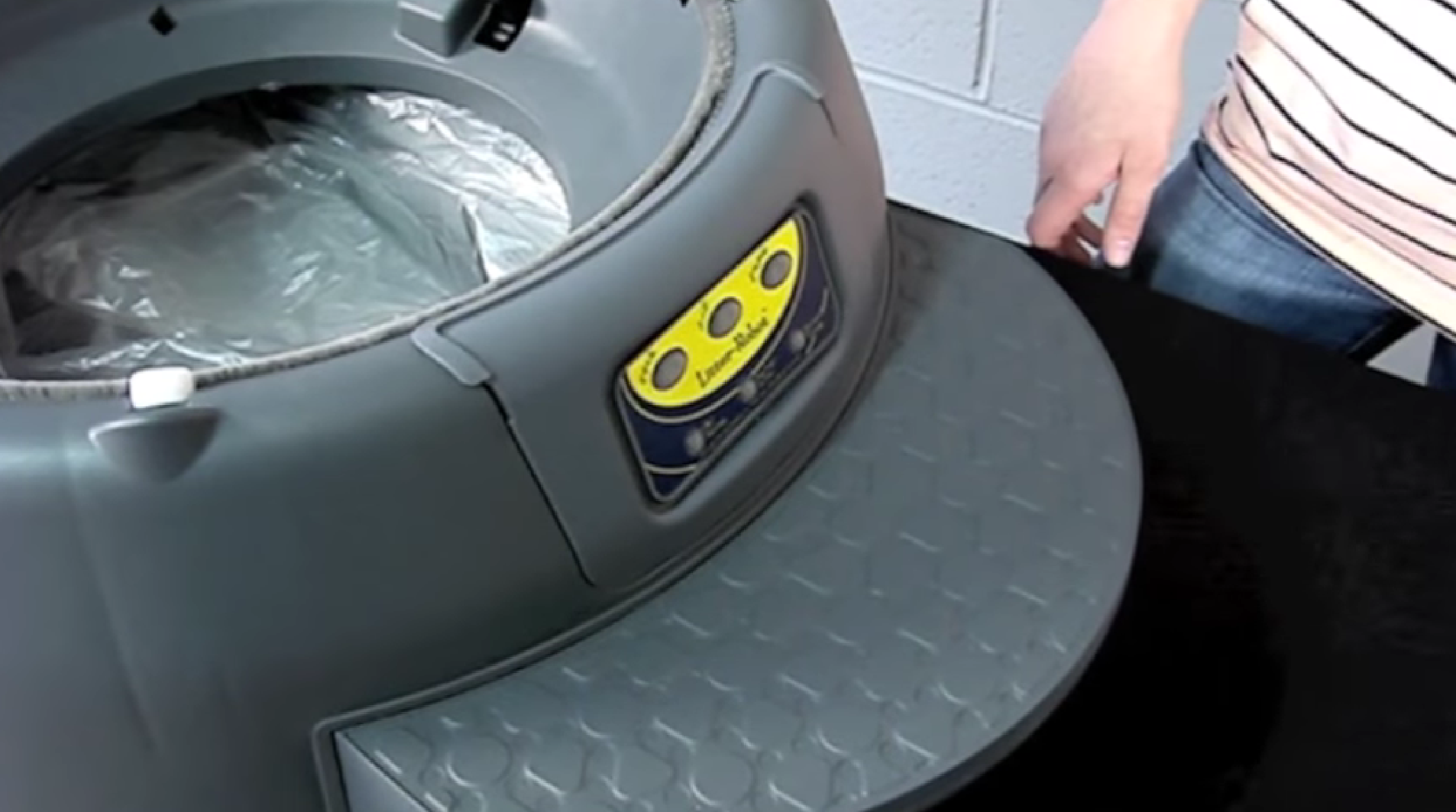
2. Slowly remove the panel from the base unit.
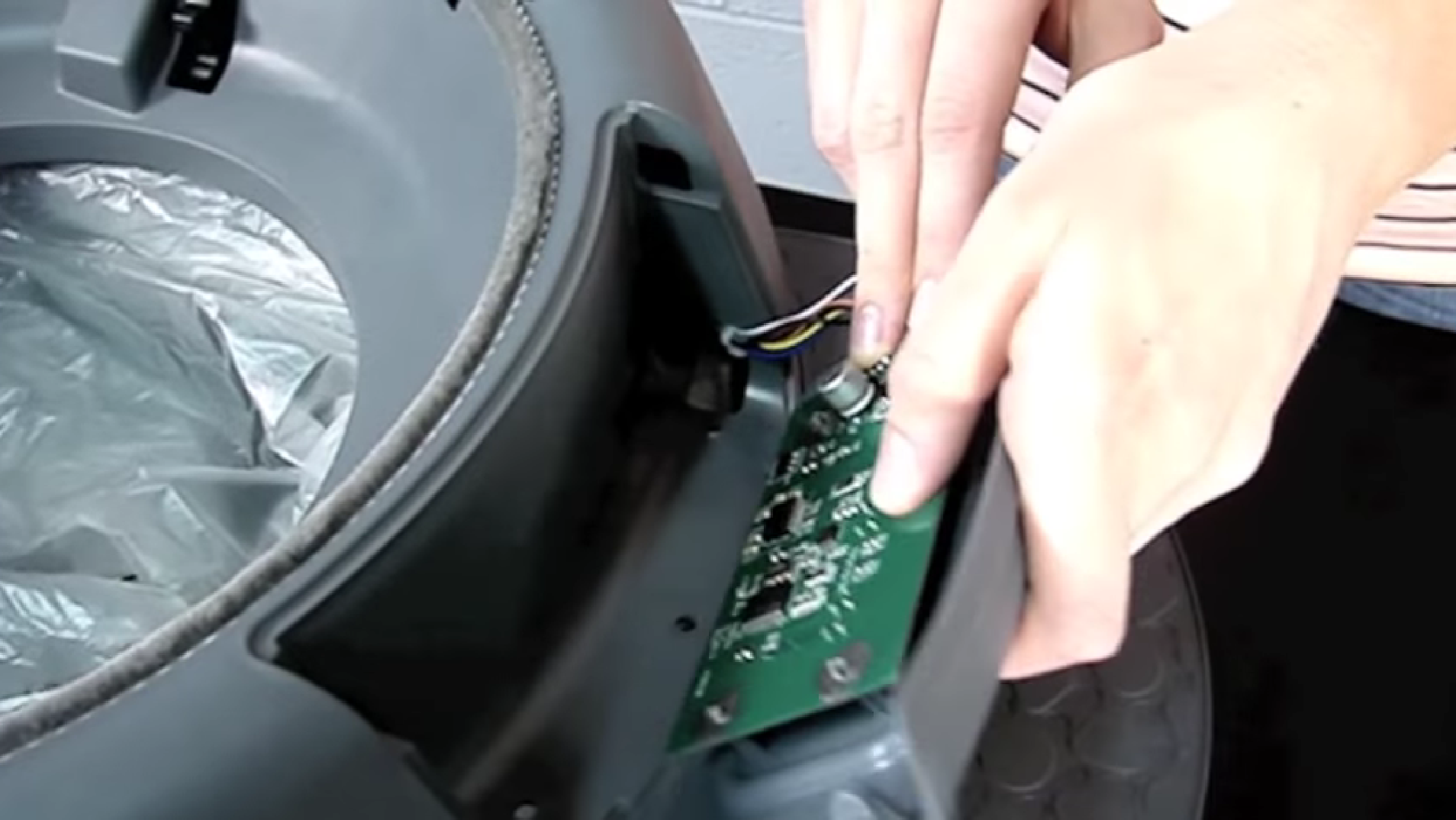
3. Turn the control panel over and note the orientation of the connectors.
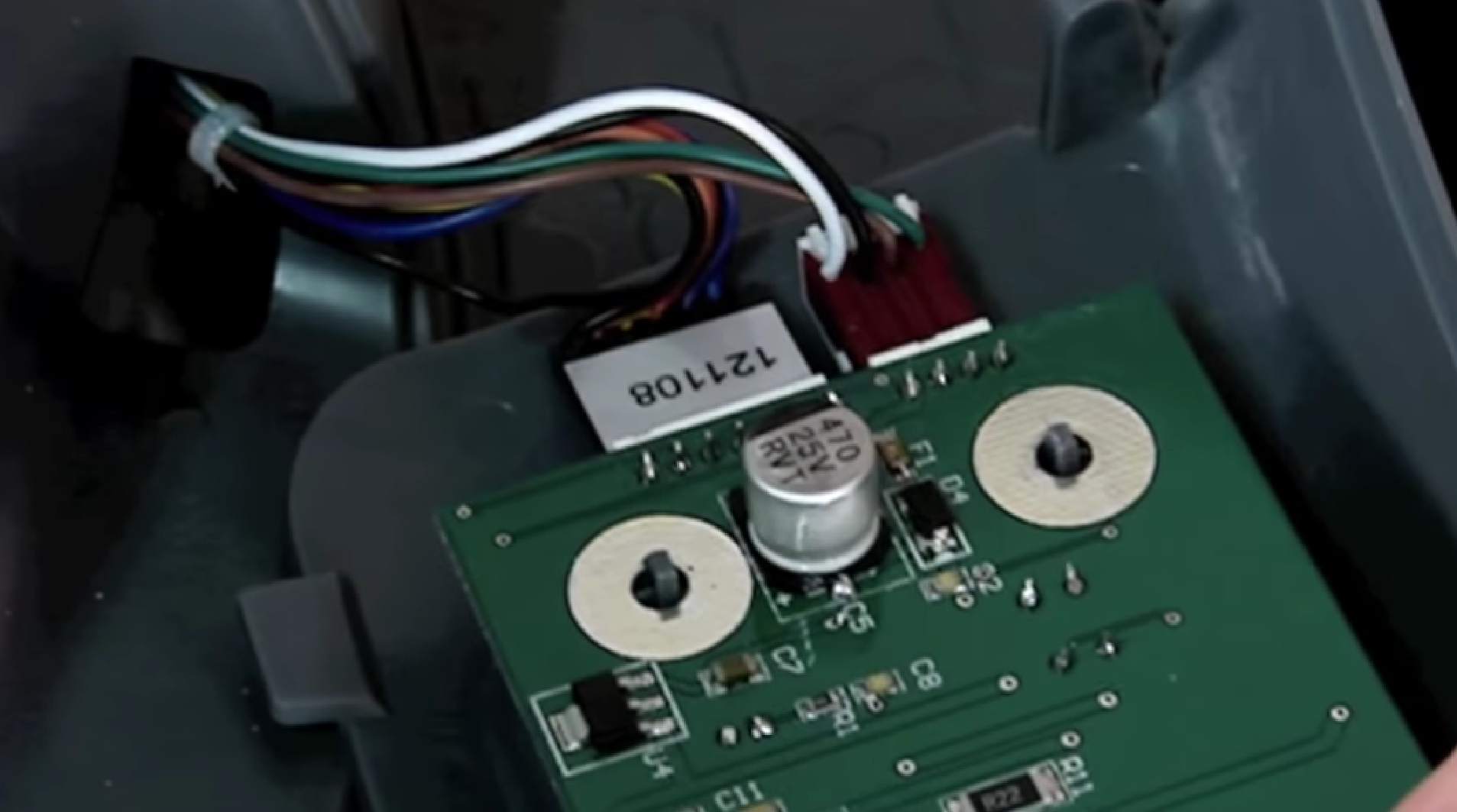
4. Remove the defective circuit board from connectors - note orientation.
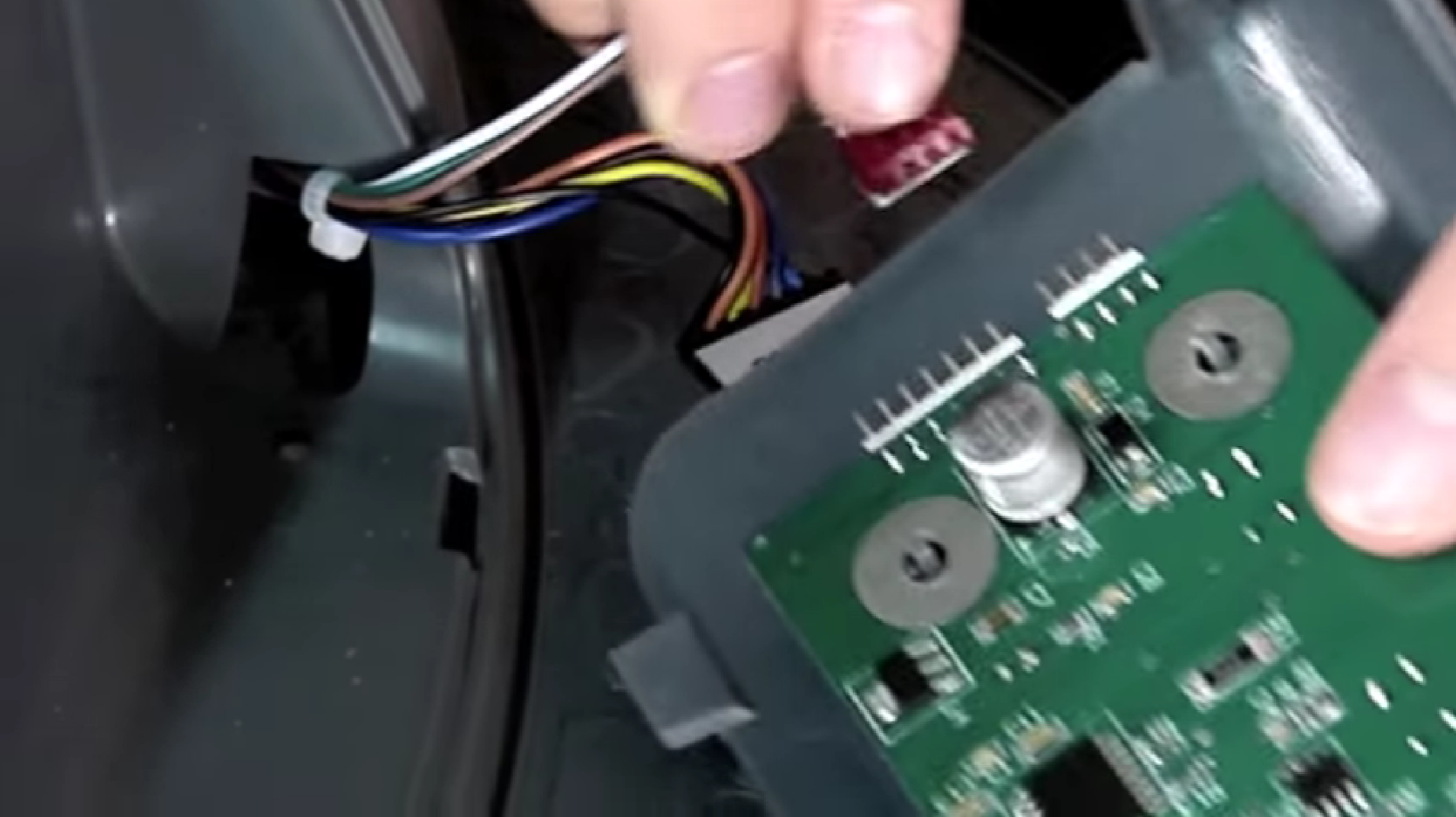
5. Carefully pull the circuit board up and away from the control panel.
6. Gently place the new circuit board onto the four prongs on the interior of the control panel and snap into place.
7. Insert connectors into the new circuit board - noting the correct orientation.
Caution: Improper installation of red connector can damage circuit board
8. Pop the control panel back onto the base unit. Plug the unit back in and turn the unit ON.
9. Unit should show a solid yellow light and begin the start-up cycle. This will last approximately 3 minutes. Once the start-up cycle is completed, the globe should return to home position with a solid green light being ready to use.
Questions? Visit whiskersupport.com
Didn't find what you're looking for?
Live support available Mon-Fri: 9AM-9PM EST and Sat-Sun: 9AM-5PM EST, or submit a ticket anytime.