The store will not work correctly in the case when cookies are disabled.

Litter-Robot EVO: Obstruction detected
If your Litter-Robot EVO displays an Obstruction message on the LCD screen, the obstruction detection system is activated and your Litter-Robot won’t cycle. This means the unit’s dual pinch bars detected a possible obstruction at the waste port while cycling and stopped the Litter-Robot globe for safety.
Quick links
Before you begin
Make sure:
Your unit is plugged in.
Your unit is connected and online (if you use the Whisker app).
Your firmware is up to date. (If the app does not give you the option to update, you already have the latest version.)
How an obstruction is detected
The Litter-Robot EVO is equipped with dual pinch bars inside the base near the waste port.
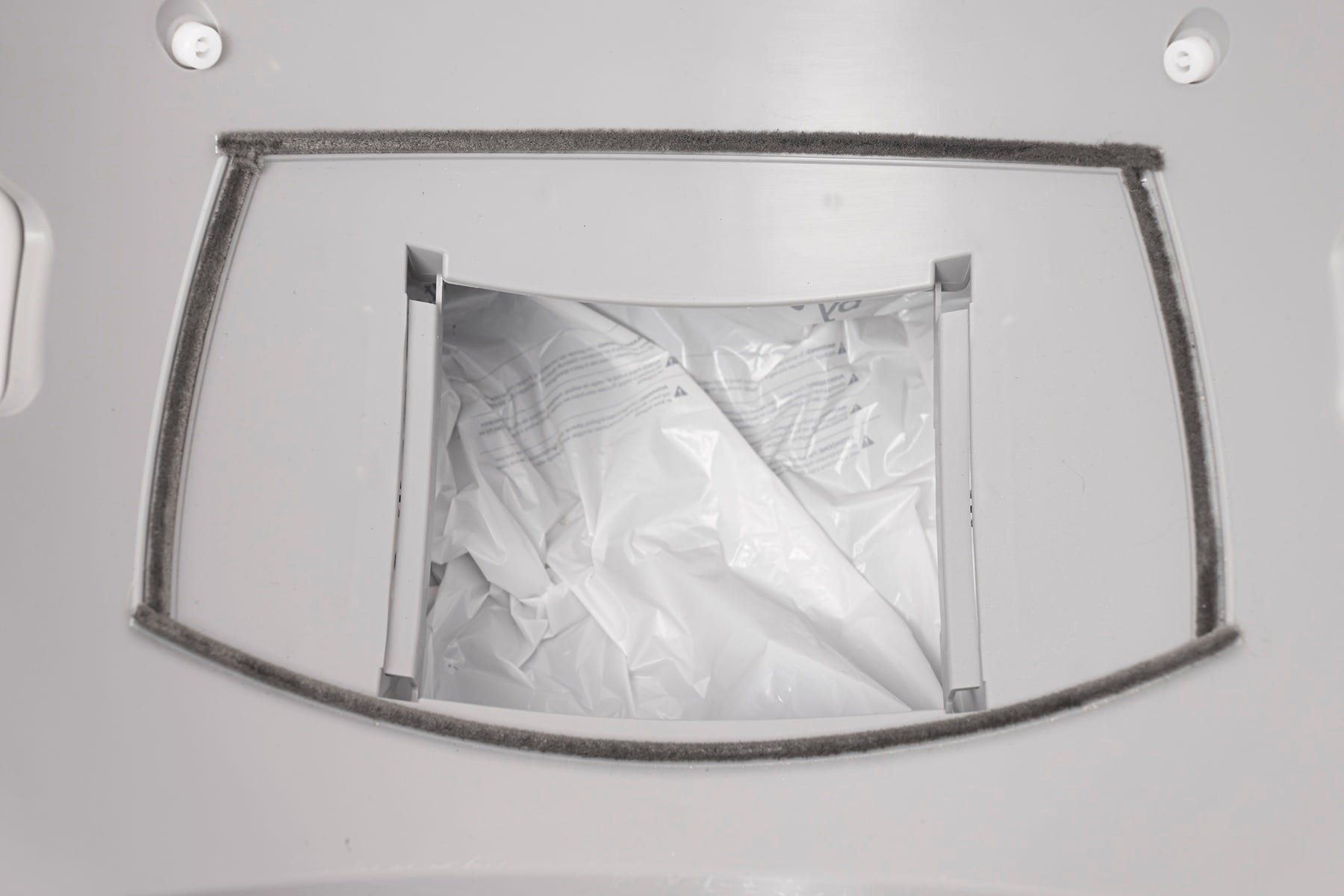
If the globe rotation presses debris, litter, or an object between the pinch bars, the unit will stop and reverse briefly.
The LCD screen will display an error notification, and you’ll also receive a notification in the Whisker app (if connected).
Disassemble the unit
To safely inspect the dual pinch bars, disassemble your Litter-Robot EVO:
- Press the
 Power button to turn the unit off, then unplug from the wall.
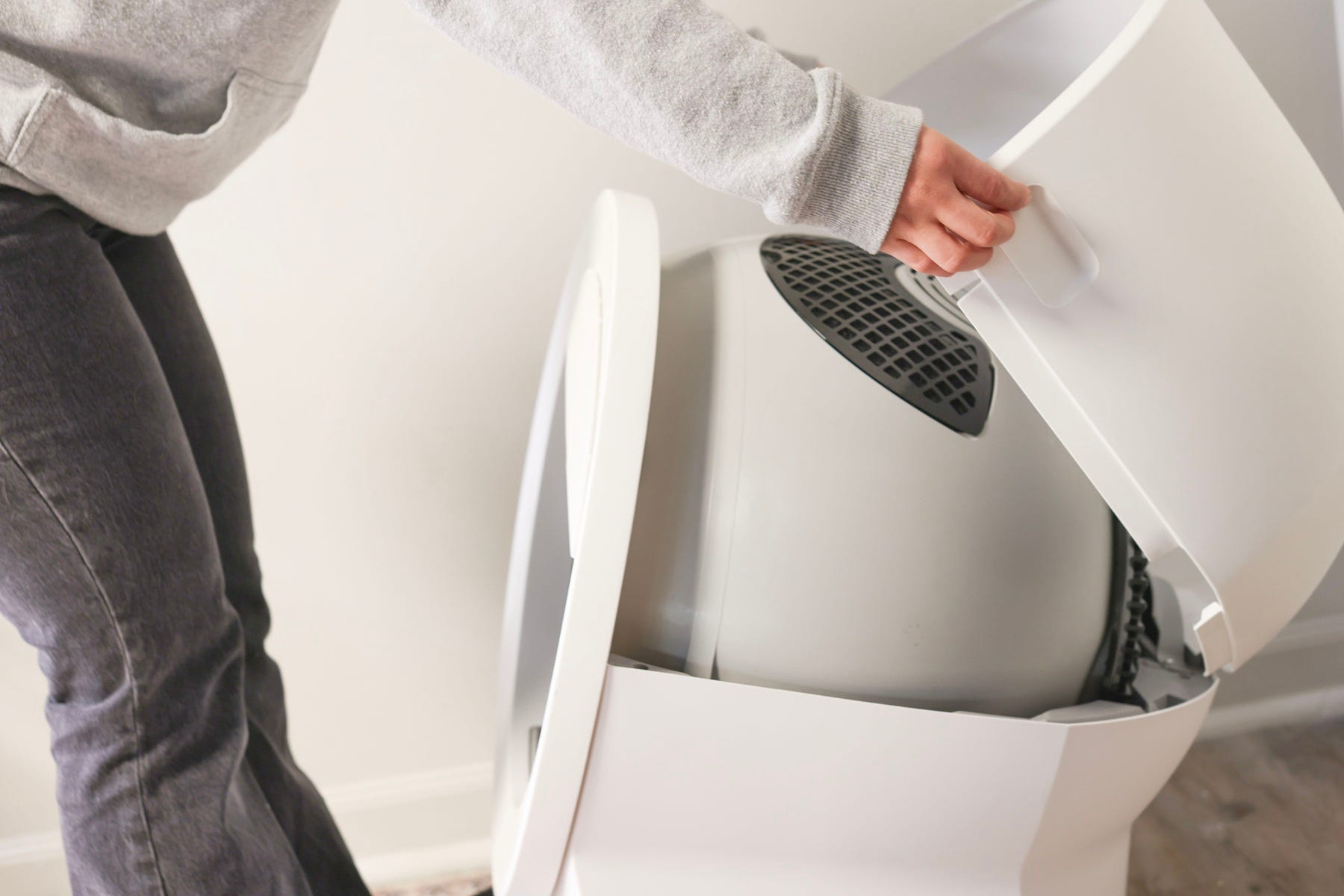
- Remove the bonnet by pressing the side latches and lifting upward.
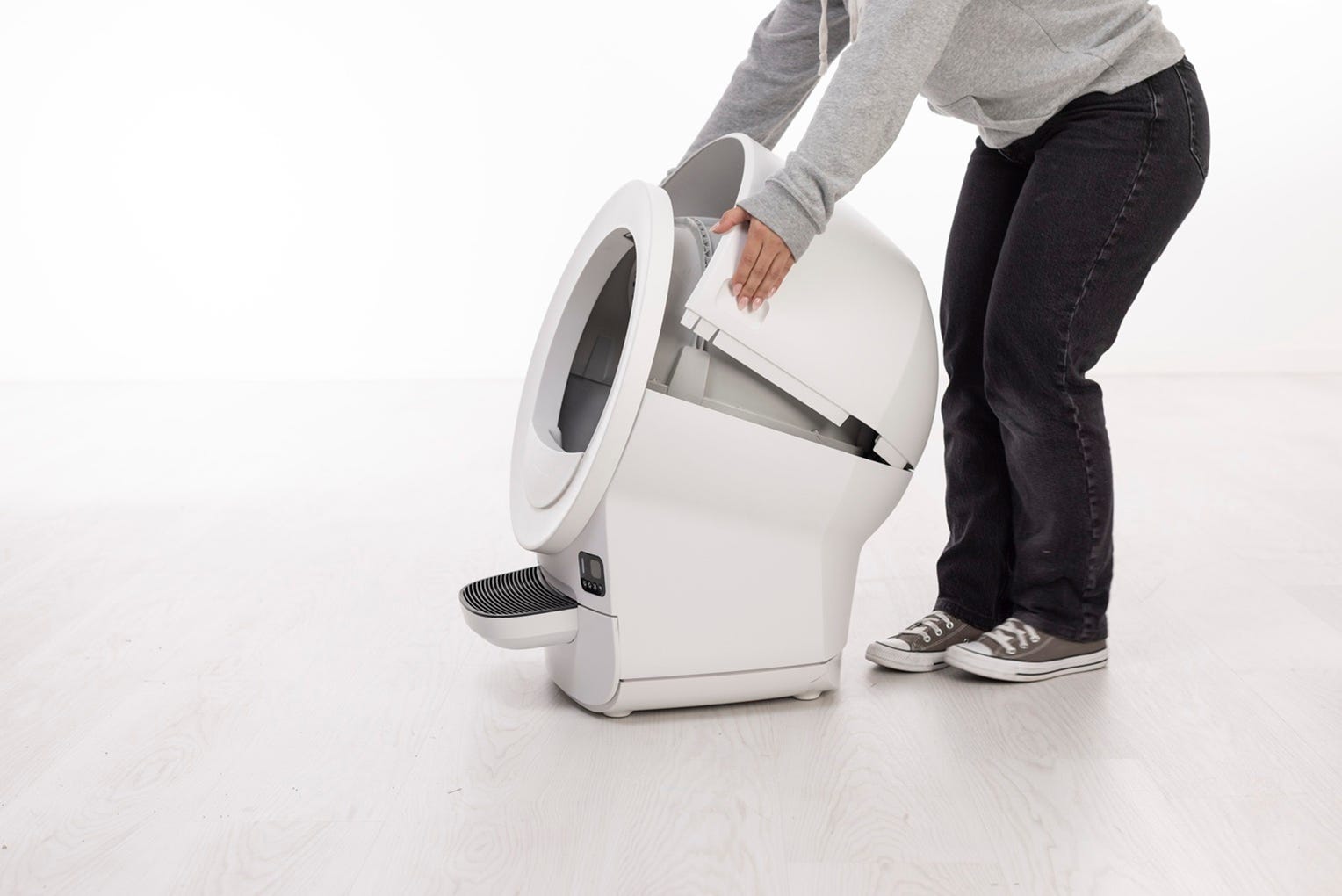
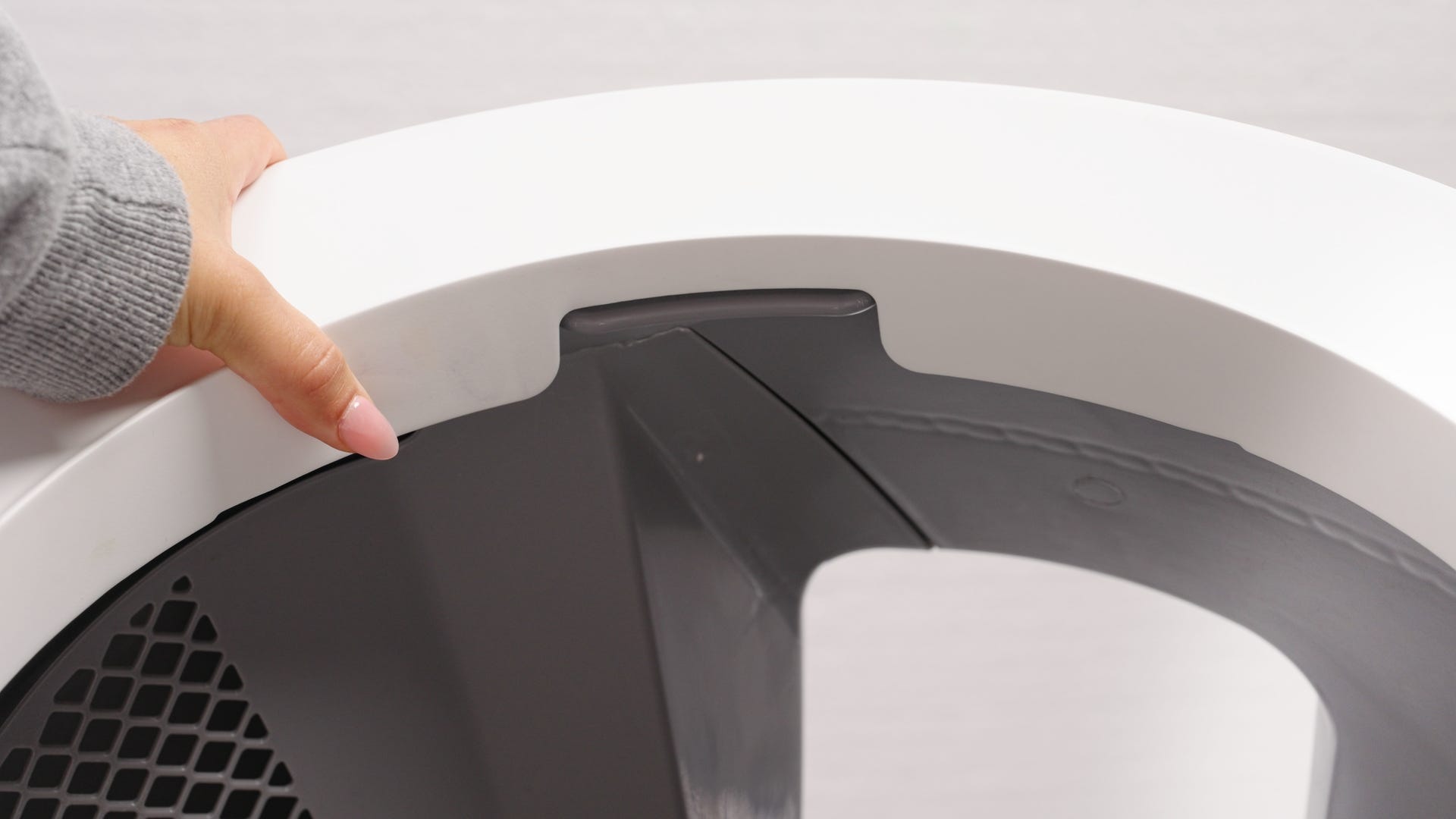
- Lift the globe off the base using the rib located at the top of the globe entrance.
Pull out the waste drawer and set it aside.
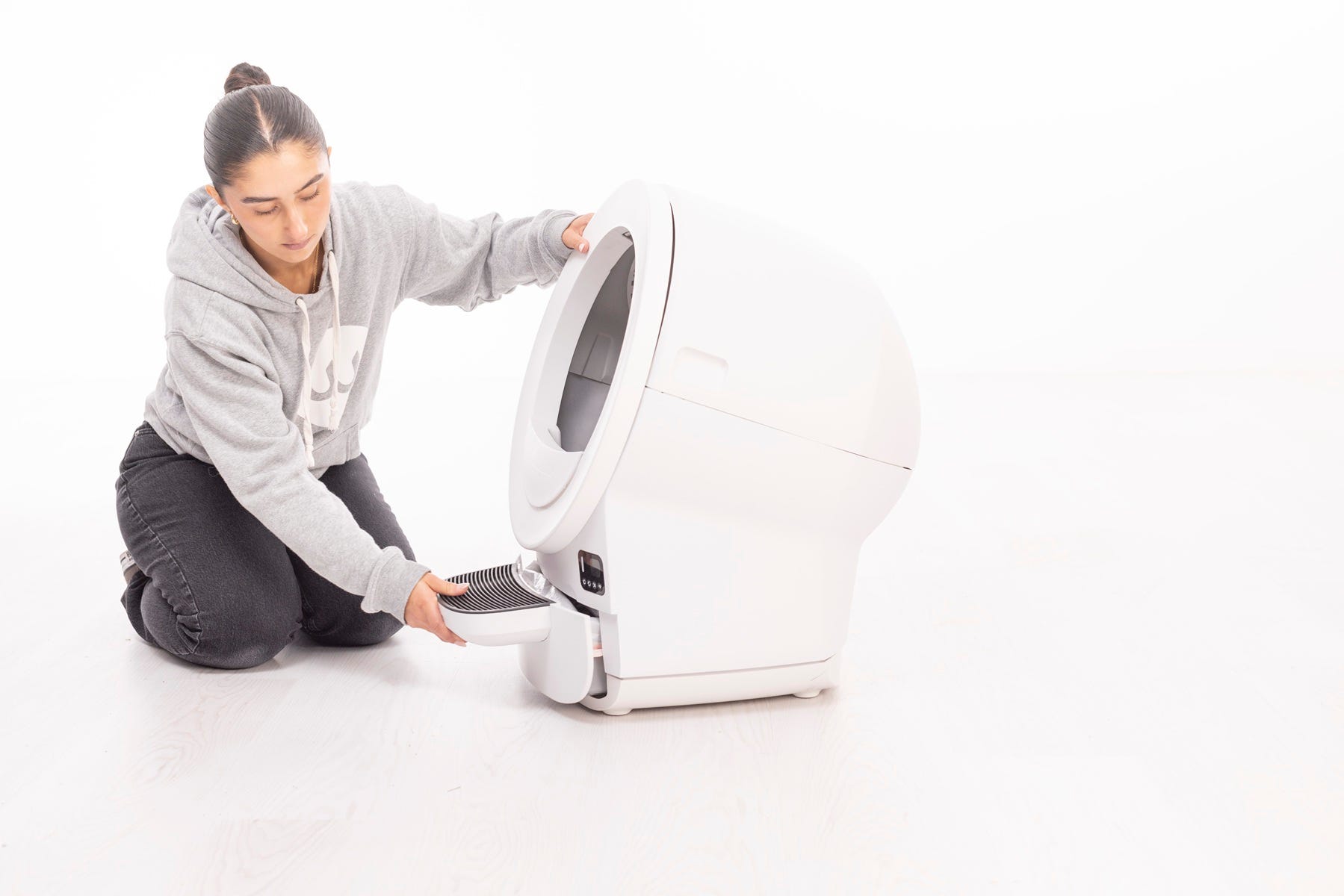
Now you can access the waste port and obstruction detection sensor components.
Clear the waste port
- Check the waste port opening for clumped litter, debris, or liner interference.
- Remove anything that may be caught.
Successful: If the waste port is clear, continue to the next step.
Unsuccessful: If debris remains, continue cleaning steps.
Inspect the dual pinch bars
Press the pinch bars on both sides of the waste port inward several times to dislodge any stuck litter or debris.
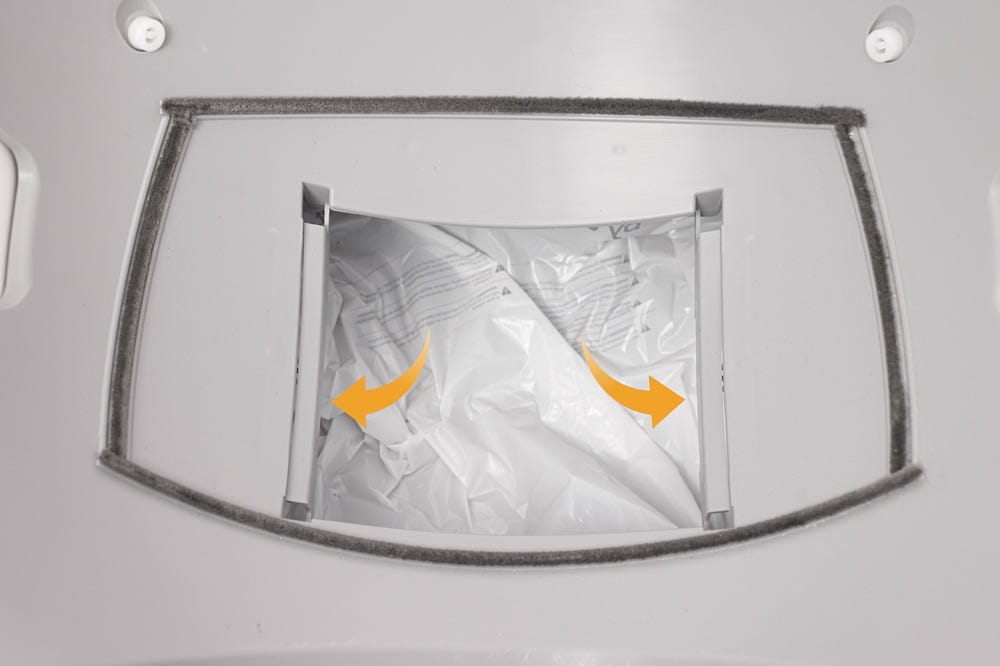
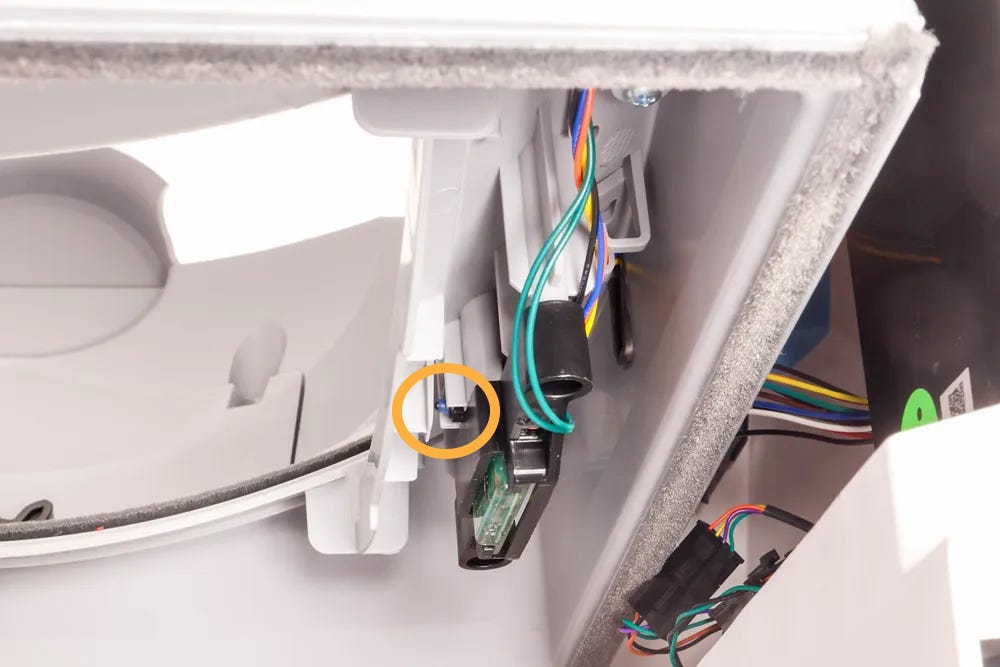
- Ensure the button behind each pinch bar is present, free of debris, and not stuck in the pressed position.
Use a cotton swab to clean if necessary. Avoid water or ammonia-based cleaners.
Inspect the carbon filter
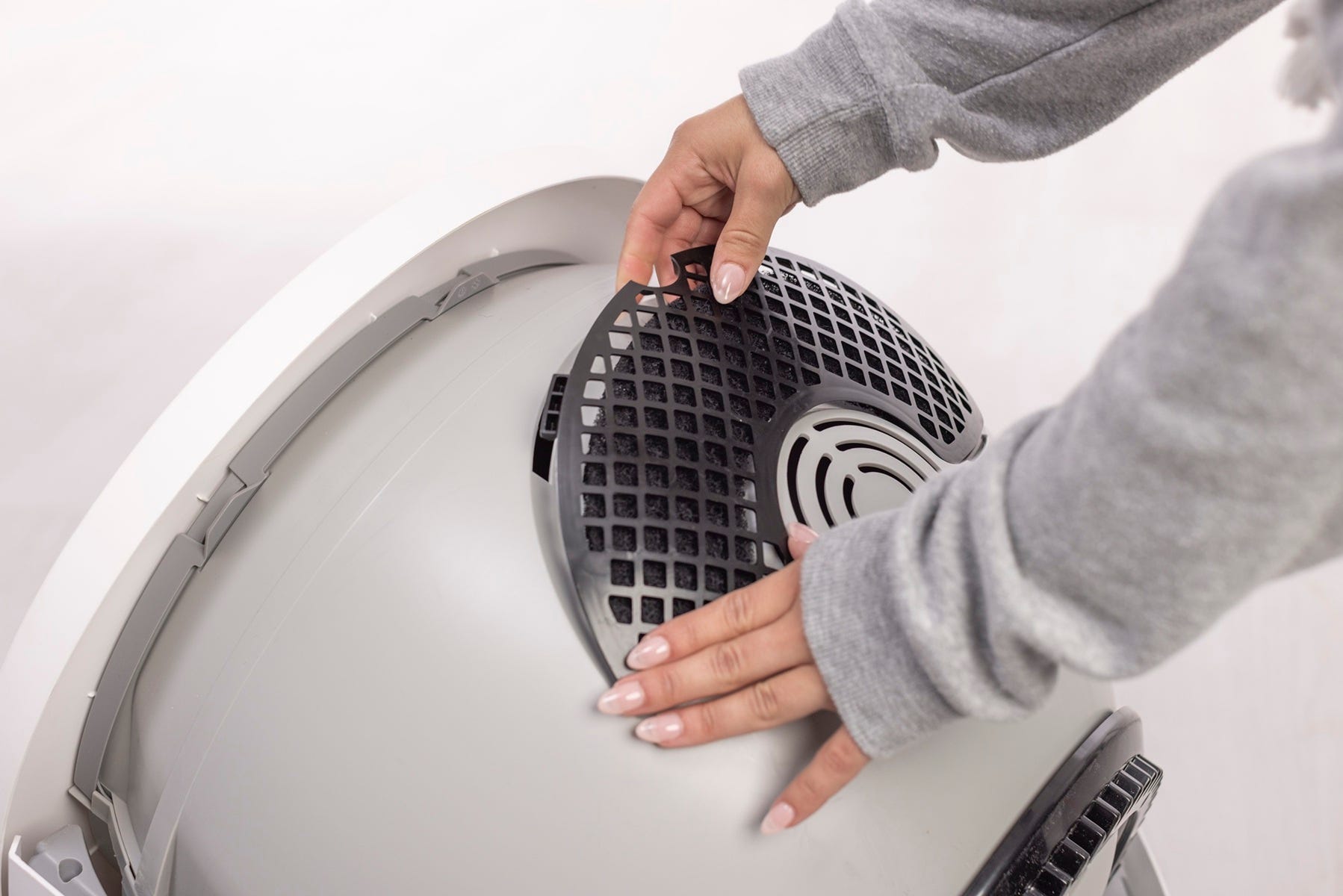
The carbon filter is located on the underside of the globe. If it is not fully seated, it can contact an obstruction detection sensor during rotation.
- Ensure the filter cover is fully seated (with each of the four tabs in their corresponding slots) and has not shifted during shipping or cleaning.
Check for and remove any obstructions around the waste port opening and along the globe track.
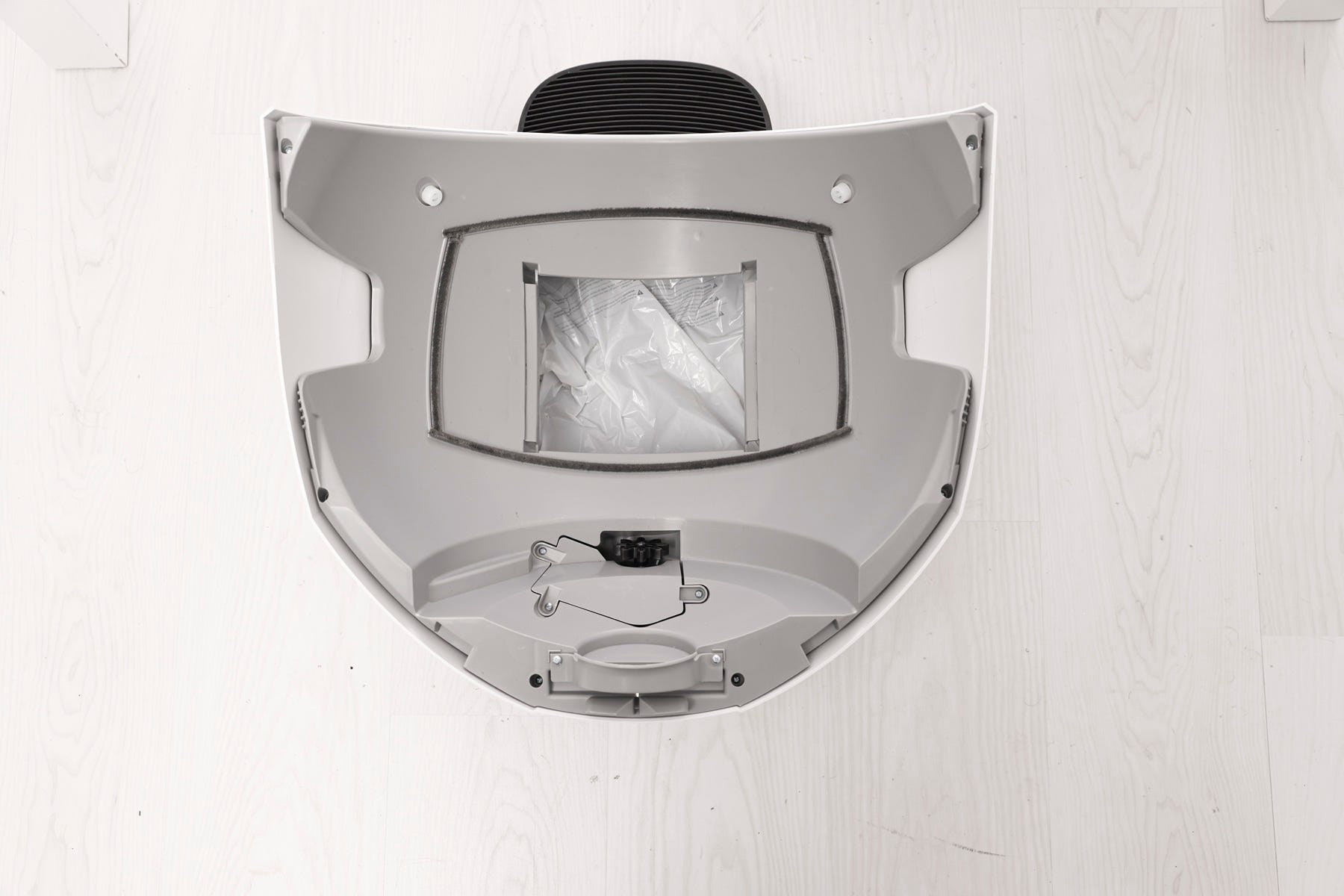
Note: The filter pocket holds one (1) carbon filter or up to (3) OdorTrap Packs. The carbon filter and OdorTrap Packs cannot be used together. We do not recommend using the OdorTrap Holder with Litter-Robot EVO.
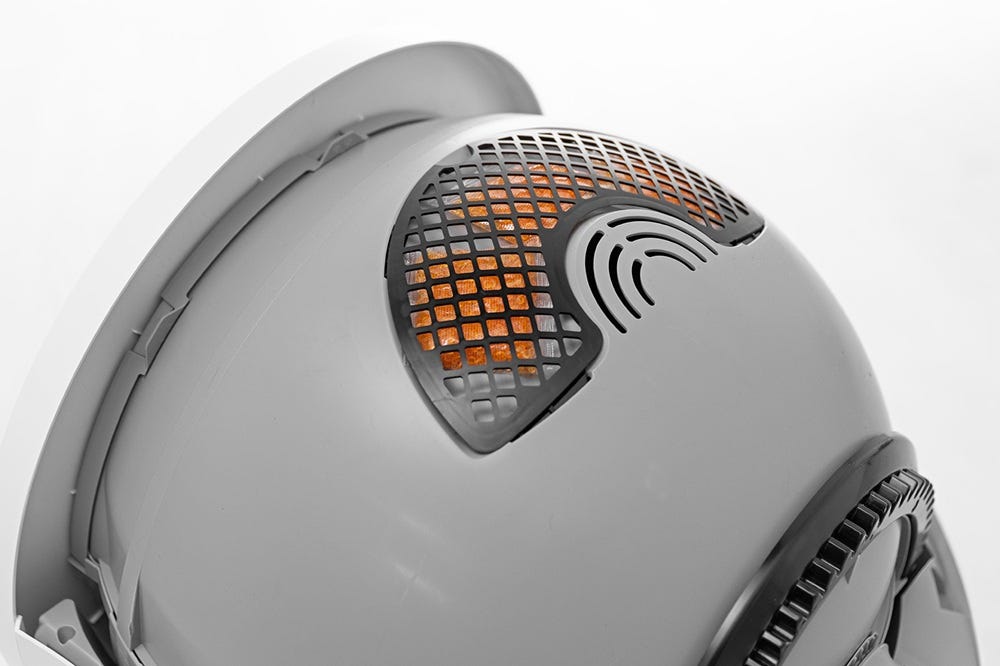
Now that we’ve checked for any obstructions, let’s reinstall the globe and bonnet and check for proper operation.
Reassemble and test
- Reinsert the waste drawer.
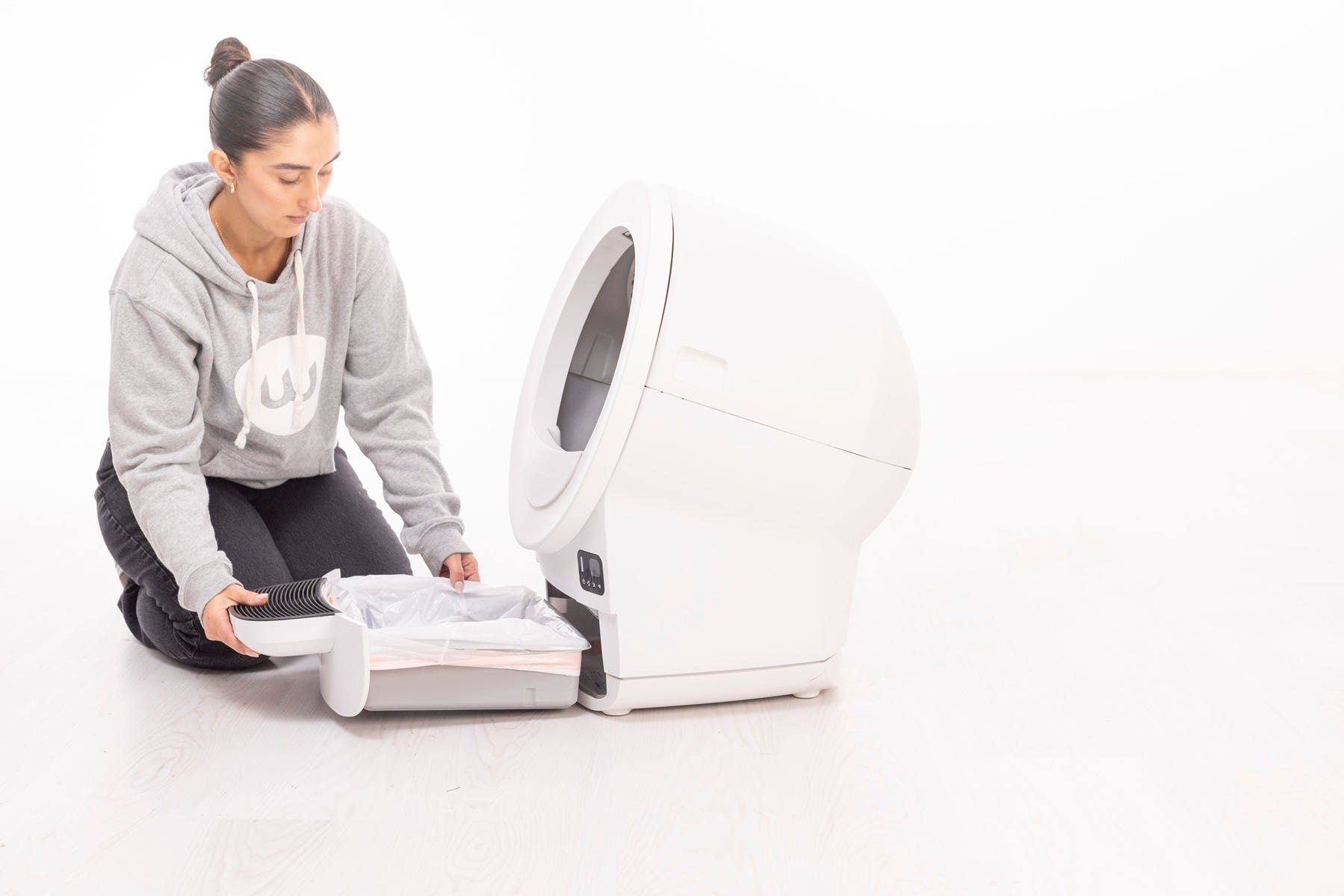
- Replace the globe, aligning it on its track.
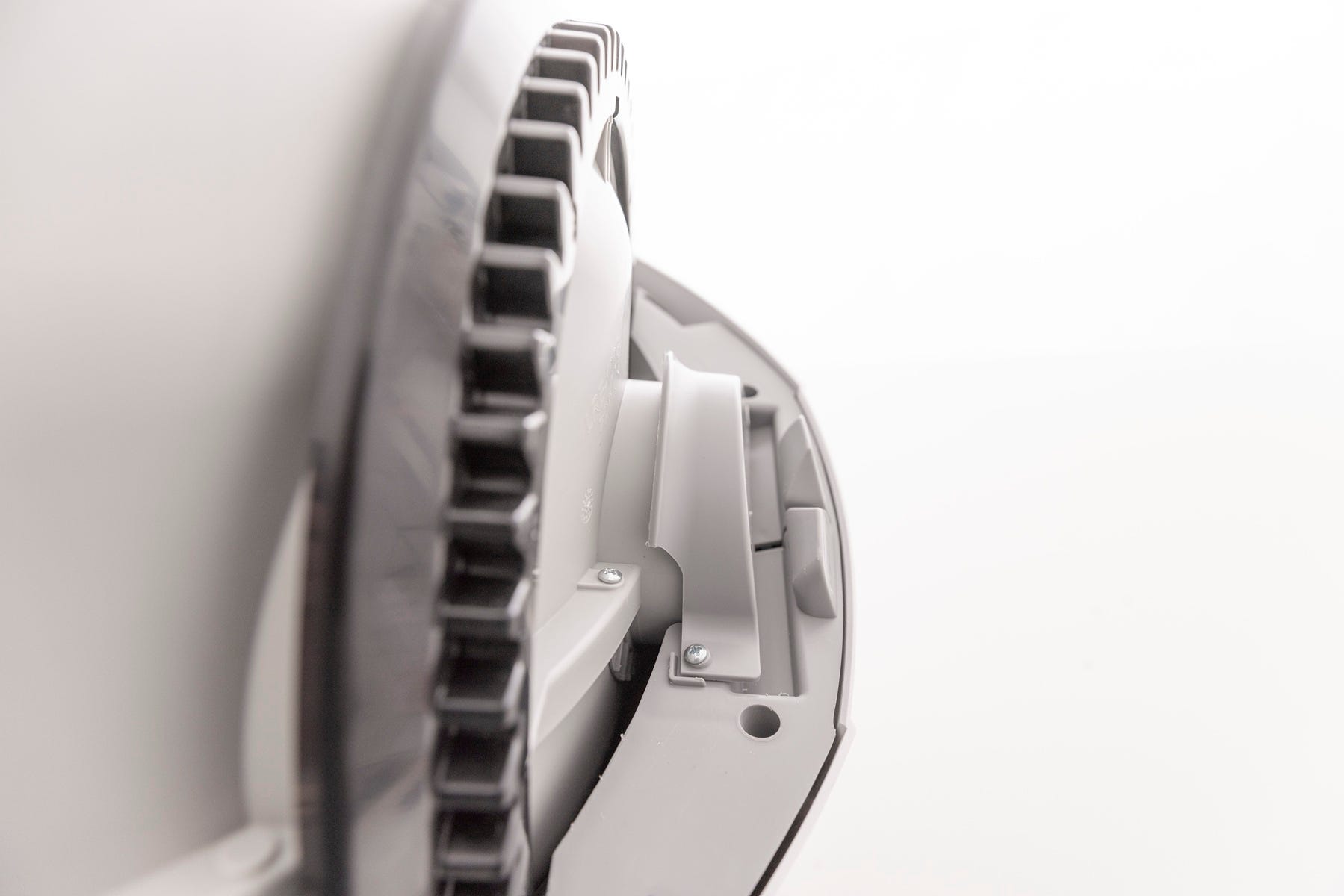
- Reinstall the bonnet by aligning the hinge feature at the back of the base. Rotate the bonnet downwards until the side tabs are secure.
- Plug in and power on.
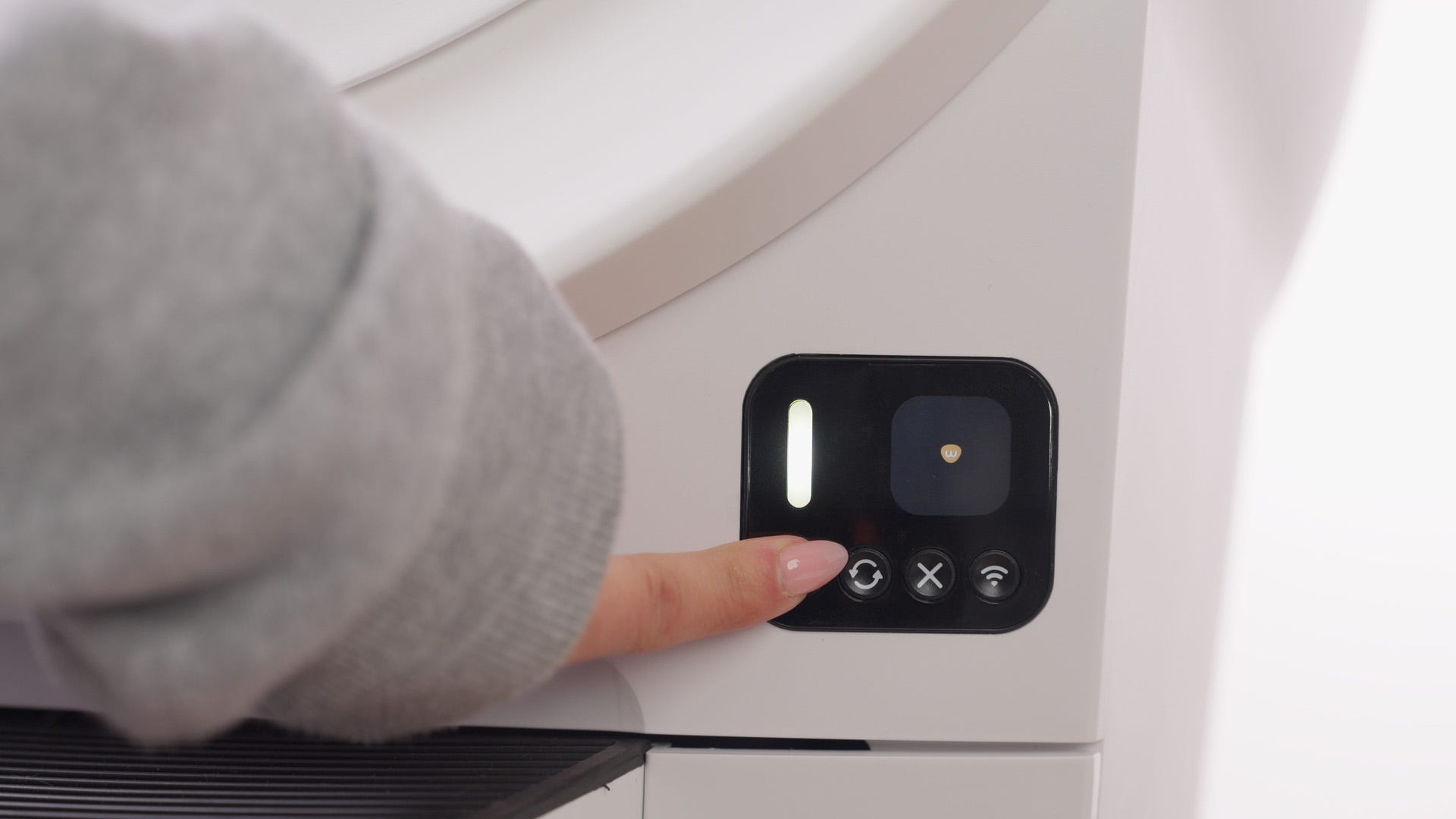
- To test the obstruction detection sensors, press the
 Cycle button and wait until the waste port is exposed.
 While the globe is rotating:
If the globe is rotating counterclockwise, press the right pinch bar.
If the globe is rotating clockwise, press the left pinch bar.
The globe should stop and the LCD screen should display "Obstruction.”
Press the
 Cancel button if the cycle does not resume automatically.
Successful: The unit completes a cycle and returns Home with a solid white light.
Unsuccessful: If the yellow blinking light persists, there may be an issue with the pinch bar assembly.
Need more help?
If the Obstruction notification continues after these steps, please contact Whisker Customer Experience for further assistance.
Didn't find what you're looking for?
Live support available Mon-Fri: 9AM-9PM EST and Sat-Sun: 9AM-5PM EST, or submit a ticket anytime.