The store will not work correctly in the case when cookies are disabled.

Litter-Robot 3: Solid red timing light
If your Litter-Robot 3 shows a solid red timing light on the control panel and no cat is inside the globe, this guide will help you find the extra weight or obstruction the cat sensor is reading and return your unit to a solid blue light.
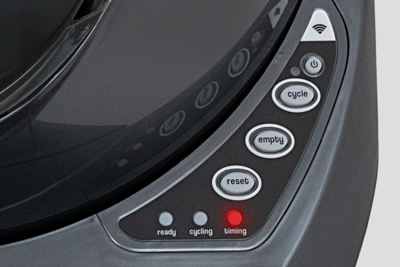
If you have a flashing red light, please see this guide for more help.
Quick links
- How the cat sensor and timing light works
- Before you begin
- Check the litter and waste drawer
- Check placement and obstructions
- Check that the globe and bonnet are seated
- Deep clean the globe
- Test the cat sensor
- Need more help?
How the cat sensor and timing light works
The cat sensor is a weight-sensitive switch in the base. It is how your unit knows a cat is inside the globe and when it is safe to run a Clean Cycle.
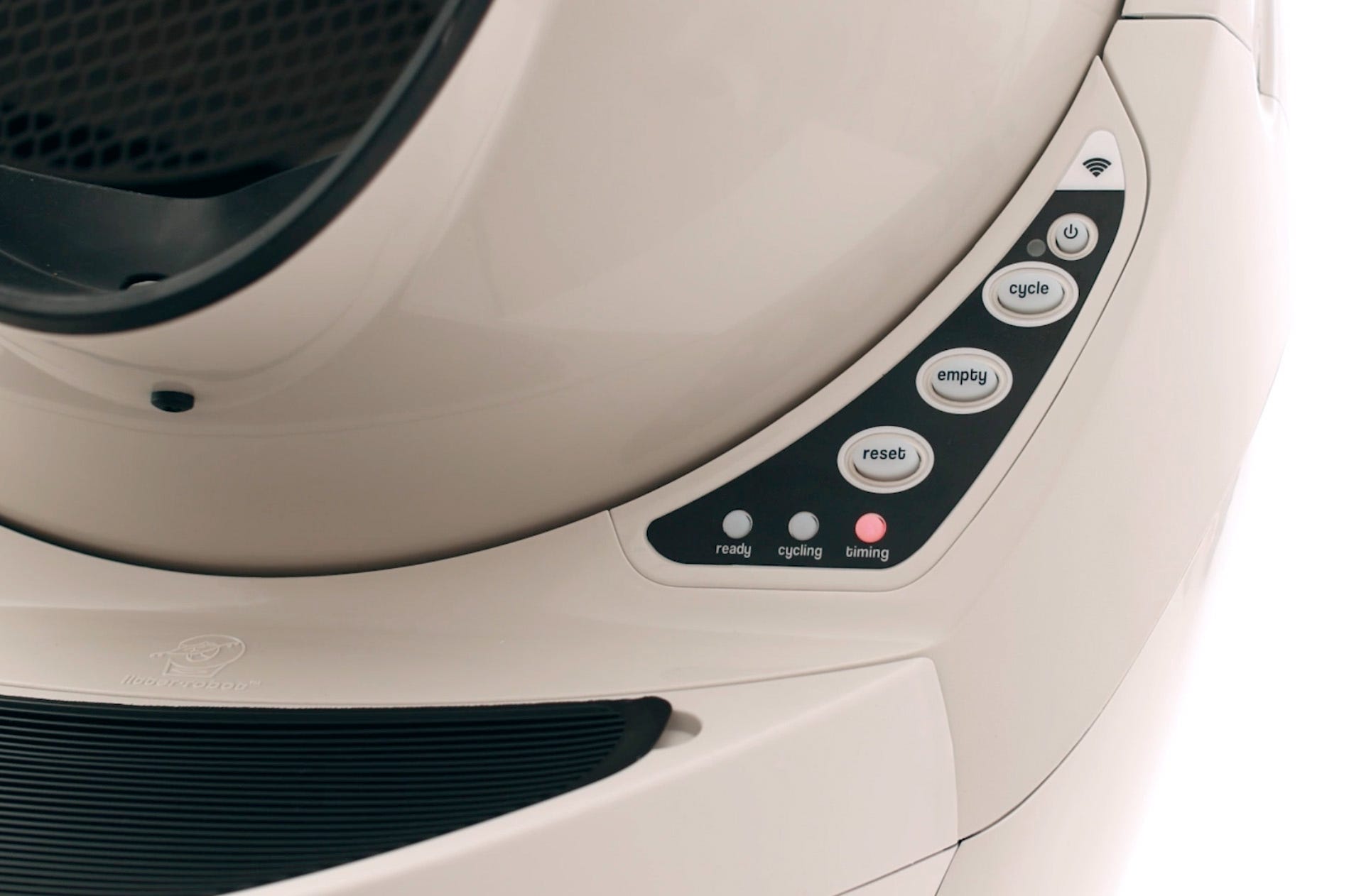
- Each time your unit is powered on, and at the end of every cycle, the cat sensor measures the weight of the unit and uses that measurement as its baseline.
- When your cat enters the globe, the sensor detects the added weight. The blue ready light turns off, the red timing light turns on, and the globe will not rotate.
- When your cat exits, the countdown to a Clean Cycle begins. This is the Cycle Delay setting, and it can be set to 3, 7, or 15 minutes. New units are automatically set to 7 minutes.
- When the countdown finishes, the red timing light turns off and the yellow cycling light turns on while a Clean Cycle runs. Your unit then returns to the home position and a solid blue ready light illuminates.
If the red light stays on well past your Cycle Delay setting, with no cat inside the globe, that means the cat sensor is still reading weight and it treats it as a cat. The weight is usually litter, waste, debris inside the globe, or something pressing against the unit.
Note: You can cancel the countdown at any time by pressing the Reset or Cycle button while the red light is on.
Before you begin
Make sure:
- Your unit is plugged in and powered on.
- The globe is at the home position, with the entryway facing forward.
- No cat is inside the globe, and no cat has used your unit in the last several minutes.
- You can reach the back and the underside of your unit.
- You have the Whisker app open, if your unit is connected to it.
You will press the Reset button several times as you work. Press it firmly and quickly, and watch for the solid blue light to confirm the cat sensor has been reset.
Do not lean on your unit while you press, or your own weight will affect the reading.
Check the litter and waste drawer
The cat sensor measures the weight of your whole unit, so too much litter or a full waste drawer can trigger the sensor. This is the most common cause of a solid red light with no cat inside.
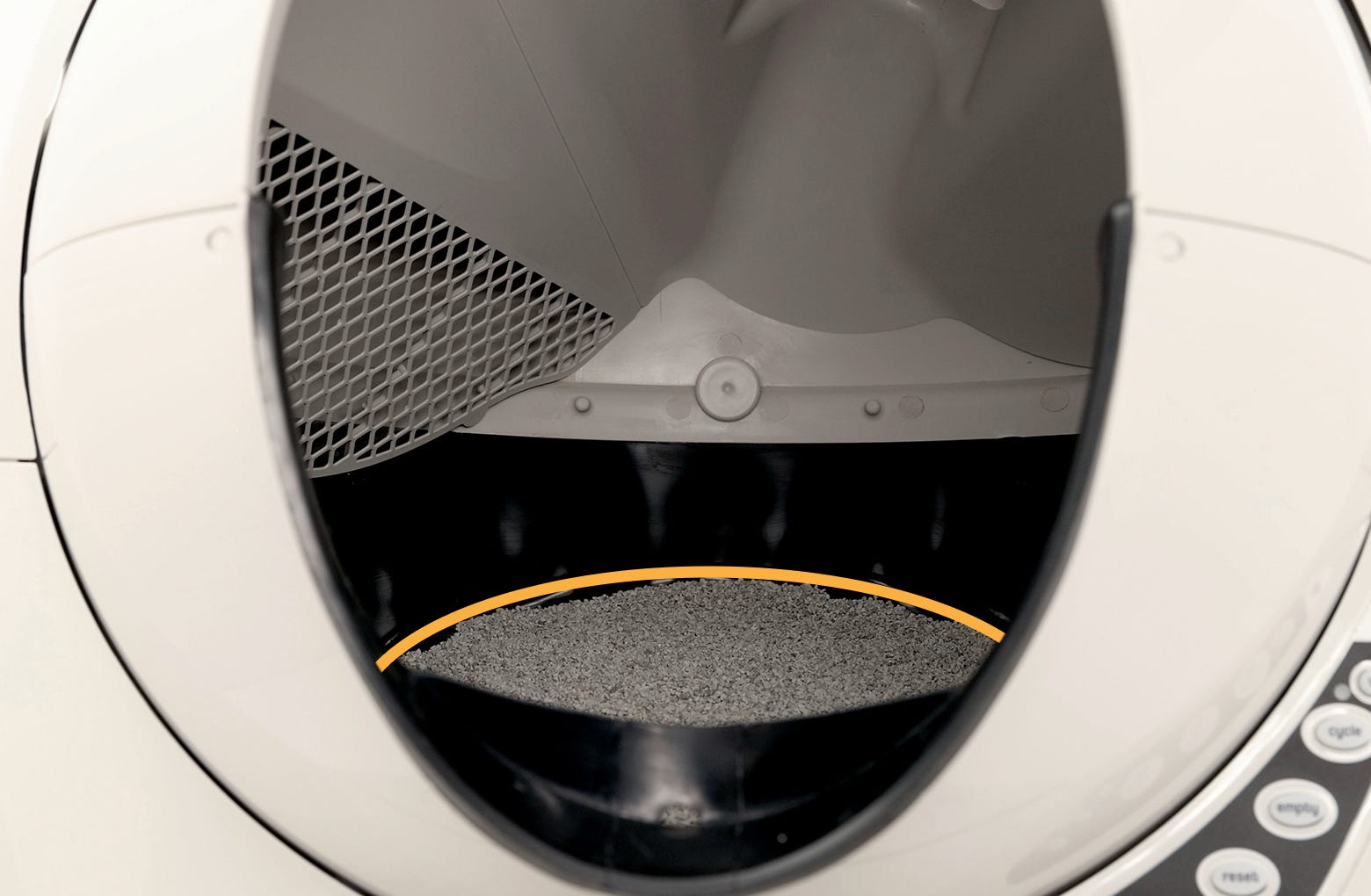
- Spread the litter flat and compare it to the raised fill line on the black rubber liner inside the globe. Remove litter until it sits at or below the line.
- If you use a heavier clumping litter, remove enough to keep it at least half an inch below the fill line. More than 10 lbs (4.5 kg) of litter can trigger the cat sensor and cause false cat detections.
- Ensure you are using a compatible litter. Lightweight or plant-based litter is not recommended; replace it with a high-quality clay clumping litter.
- Empty the waste drawer, install a new liner, and slide the drawer back in.
- If you use the Whisker app, press Reset Gauge in the Controls section to reset the waste drawer level in the app.
- From the home position, press the Reset button, then press the Cycle button to run a Clean Cycle.
Note: Always press the Reset button after making changes to your unit. This recalibrates the weight sensor to reflect the changed weight, and until you do, the cat sensor is still comparing against the old measurement. You can also turn your unit off and back on, which runs an initial Clean Cycle and takes a new weight measurement.
Successful: Your unit returns to the home position with a solid blue ready light, and the light stays blue. Your unit is ready for your cat's next use, and you can stop here.
Unsuccessful: The red timing light is still on, or it comes back. Continue to Check placement and obstructions.
Check placement and obstructions
For the cat sensor to read weight accurately, your unit needs a firm, level surface and nothing pressing against it. A soft floor, a mat under the base, a cord underneath, or contact with a wall can all change what the sensor measures.
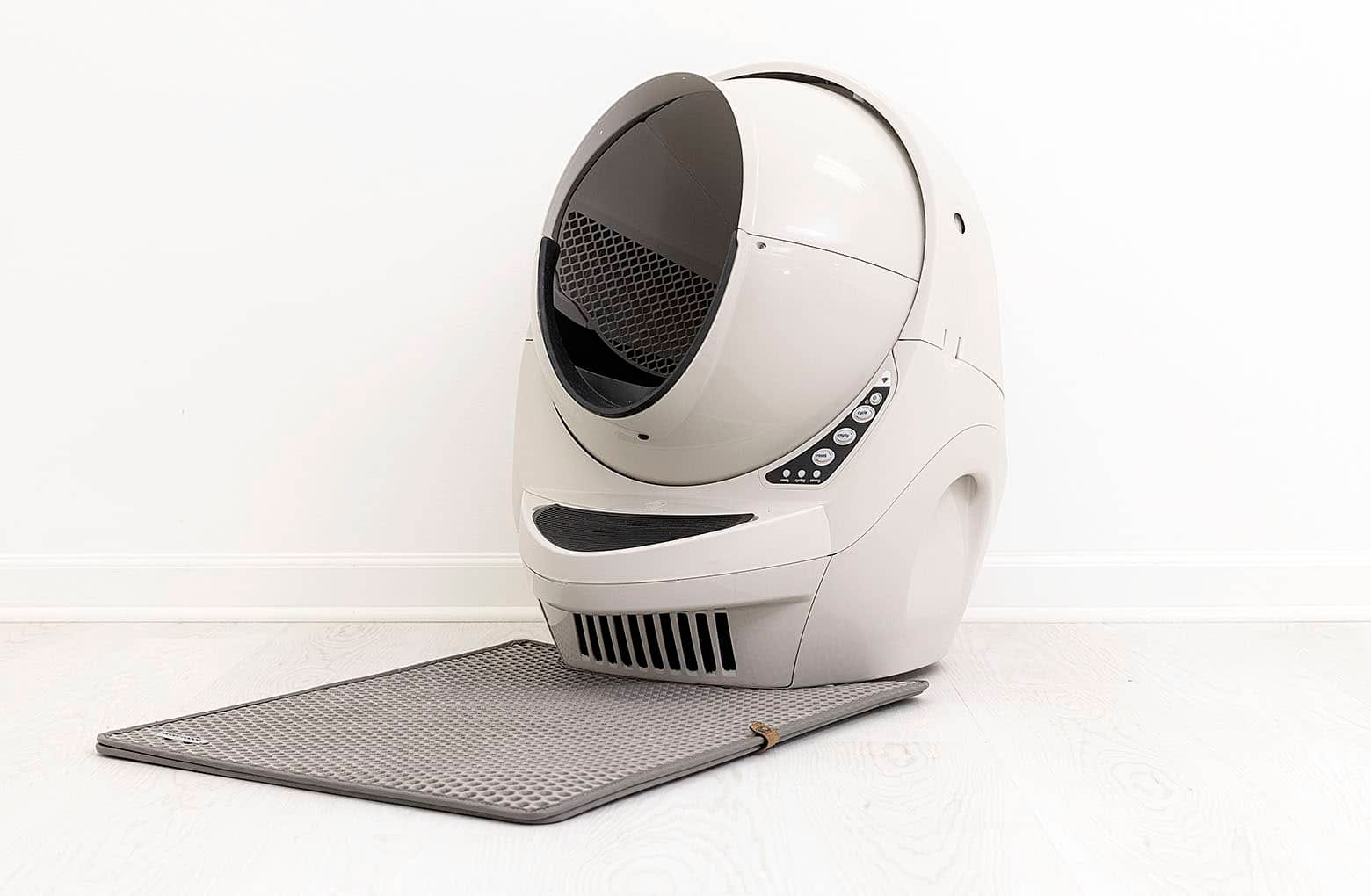
Check for obstructions that might prevent the cat sensor from functioning.
- Make sure Litter-Robot 3 is on a firm, level surface. The cat sensor function can be affected if the unit is on carpeting or a litter mat.
- Check that there are no power cords running underneath the base of the robot that might obstruct movement.
- If your Litter-Robot 3 is on a slippery surface like tile or a wood floor, it may shift over time and come in contact with a wall or furniture. Make sure your unit is at least one inch away from walls and furniture.
Check that the globe and bonnet are seated
The globe and bonnet rest on the base, and the cat sensor measures the weight of everything above it. Removing both and reseating them confirms your unit is sitting the way the sensor expects.
- Press the Power button to turn your unit off, then unplug it.
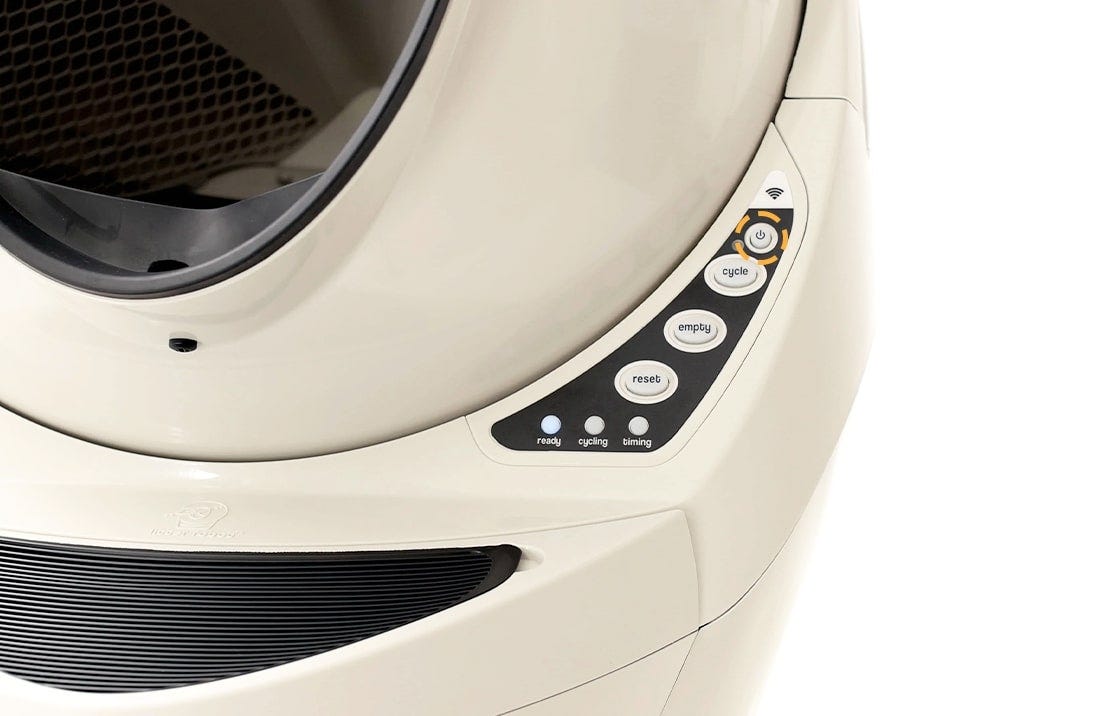
- Press and release the tabs on both sides of the bonnet, then lift and rotate the bonnet off the globe and set it aside.
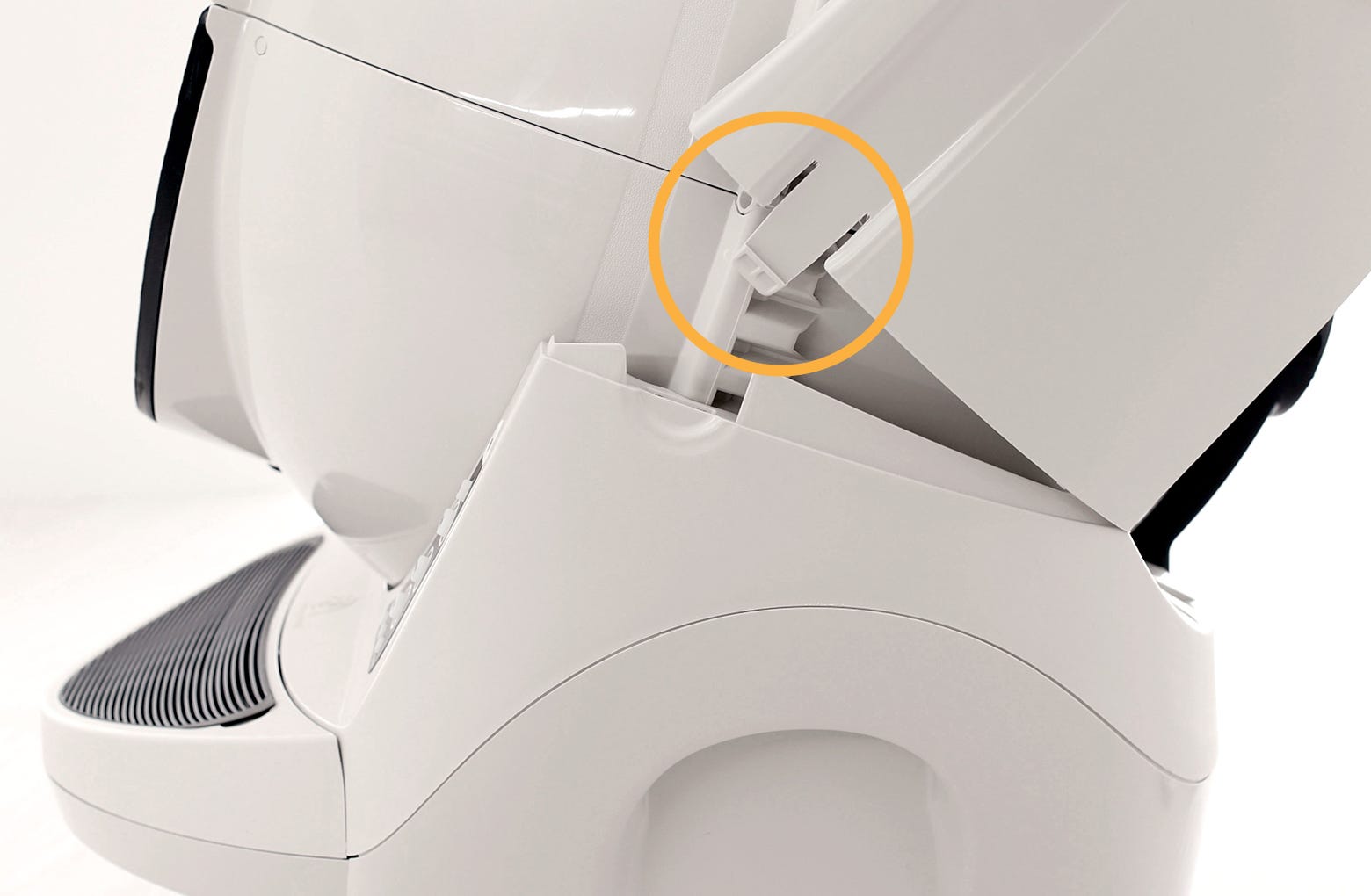
- Lift the globe off the base with two hands.
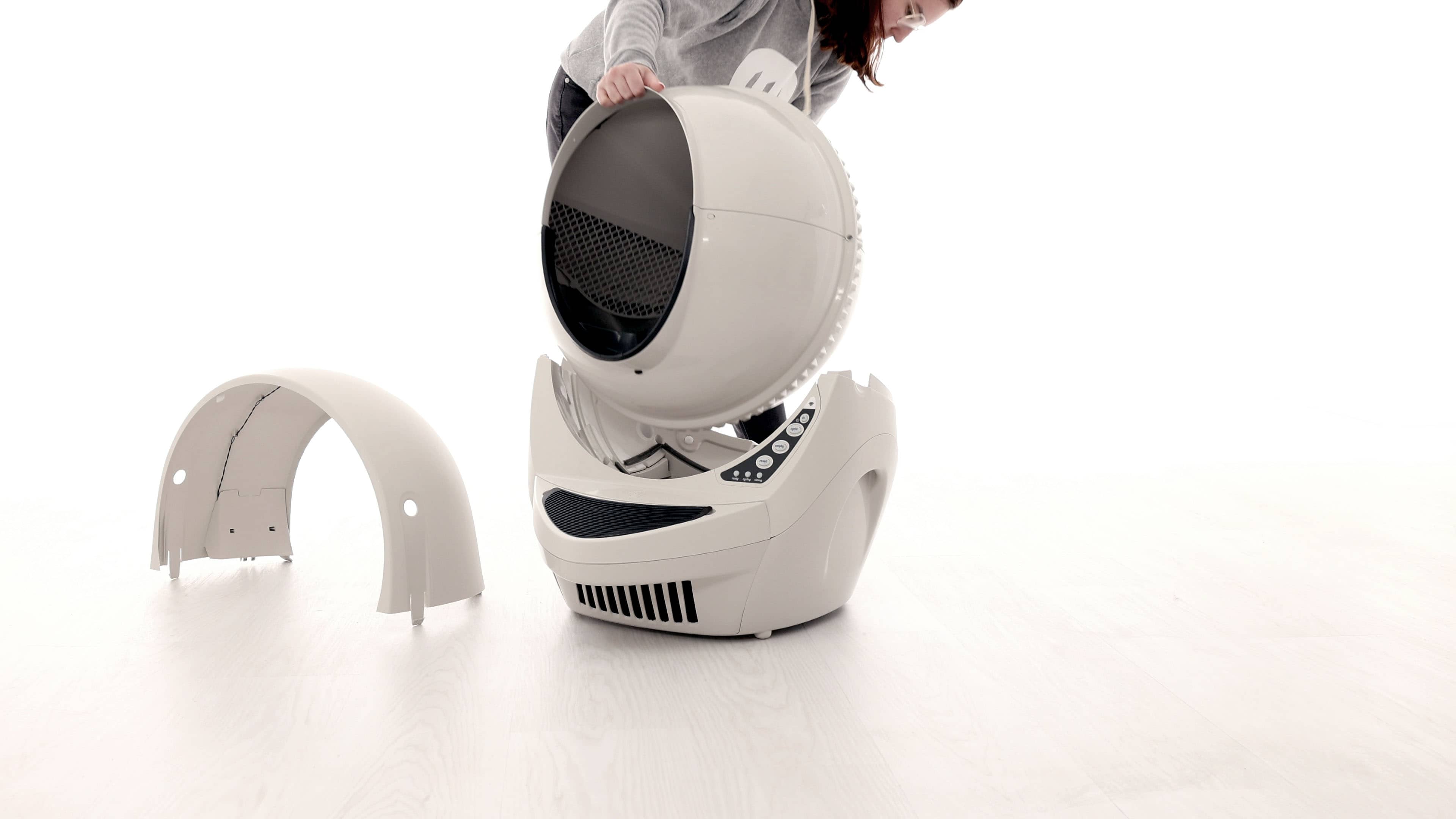
- Place the globe back on the base in the approximate home position, with the gear track on the globe aligned with the groove in the base. The globe sits slightly tilted, because its rotational axis is at a 20-degree angle to the floor.
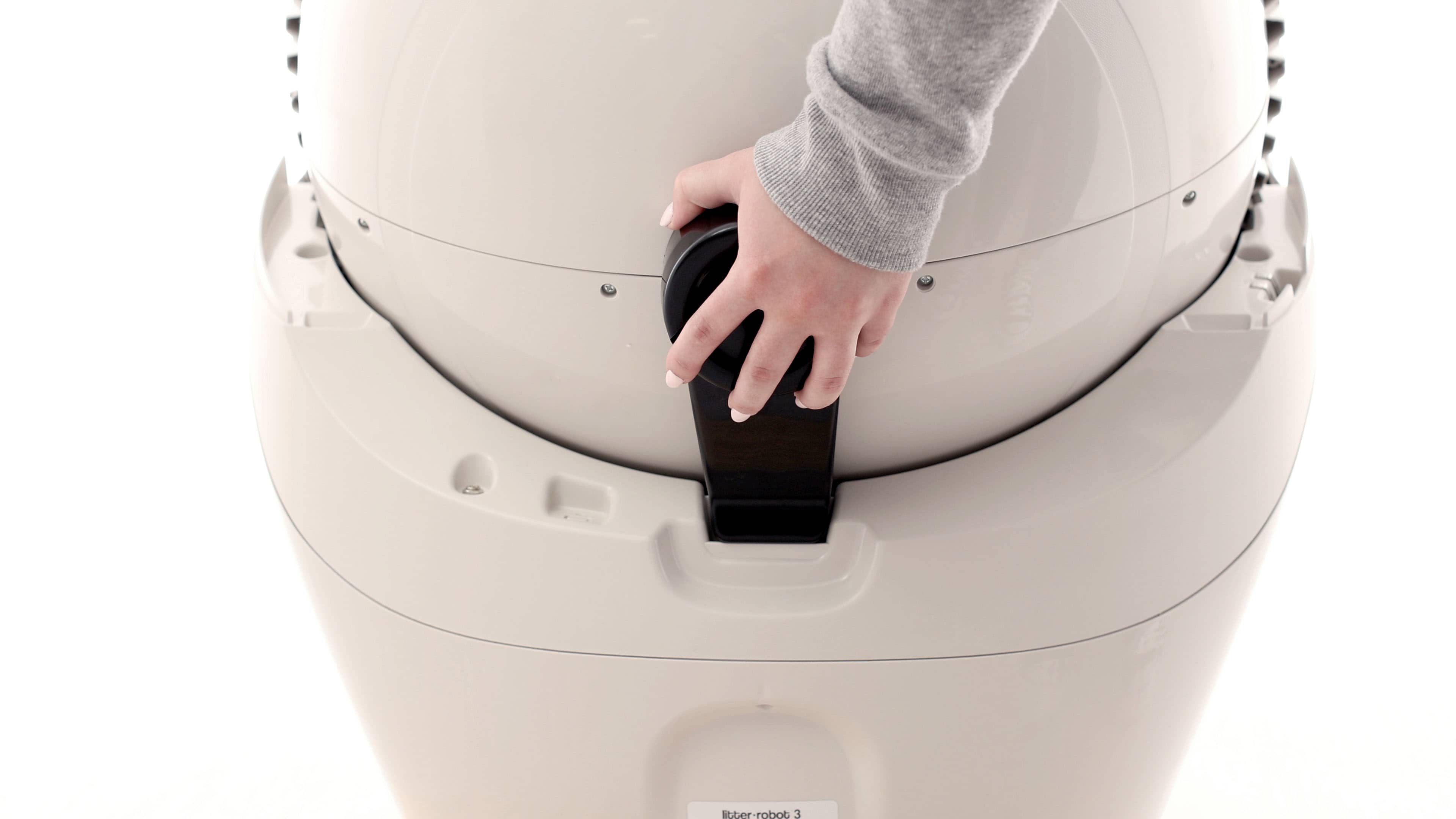
- Rotate the black key at the back of the globe into the pocket in the base.
- Find the tabs at the bottom and rear of the bonnet, and insert them into the matching slots in the base.
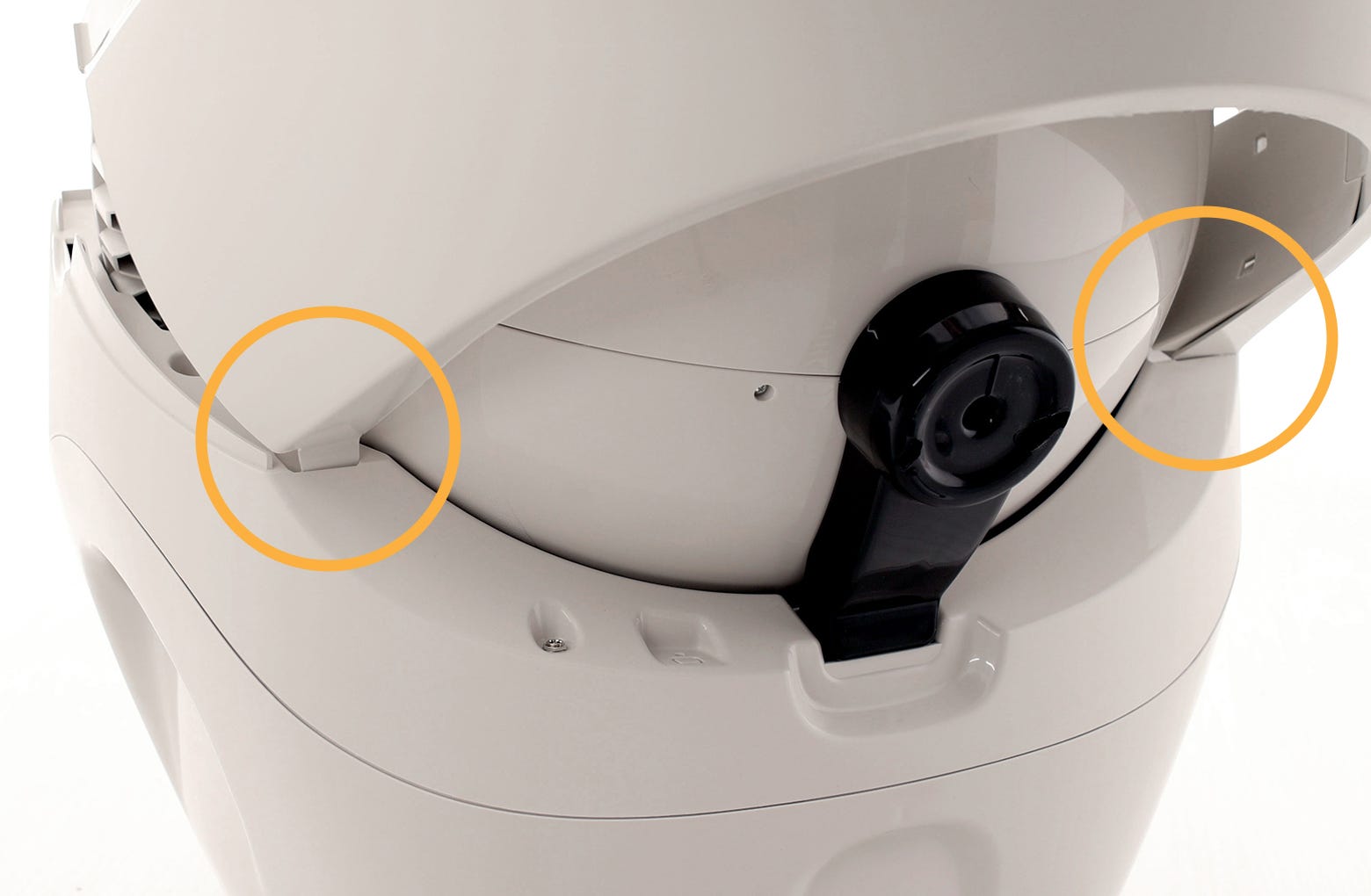
- Rotate the bonnet downward with light pressure on the sides so it hugs the globe, then push down from the top until the bonnet latches engage in the slots.
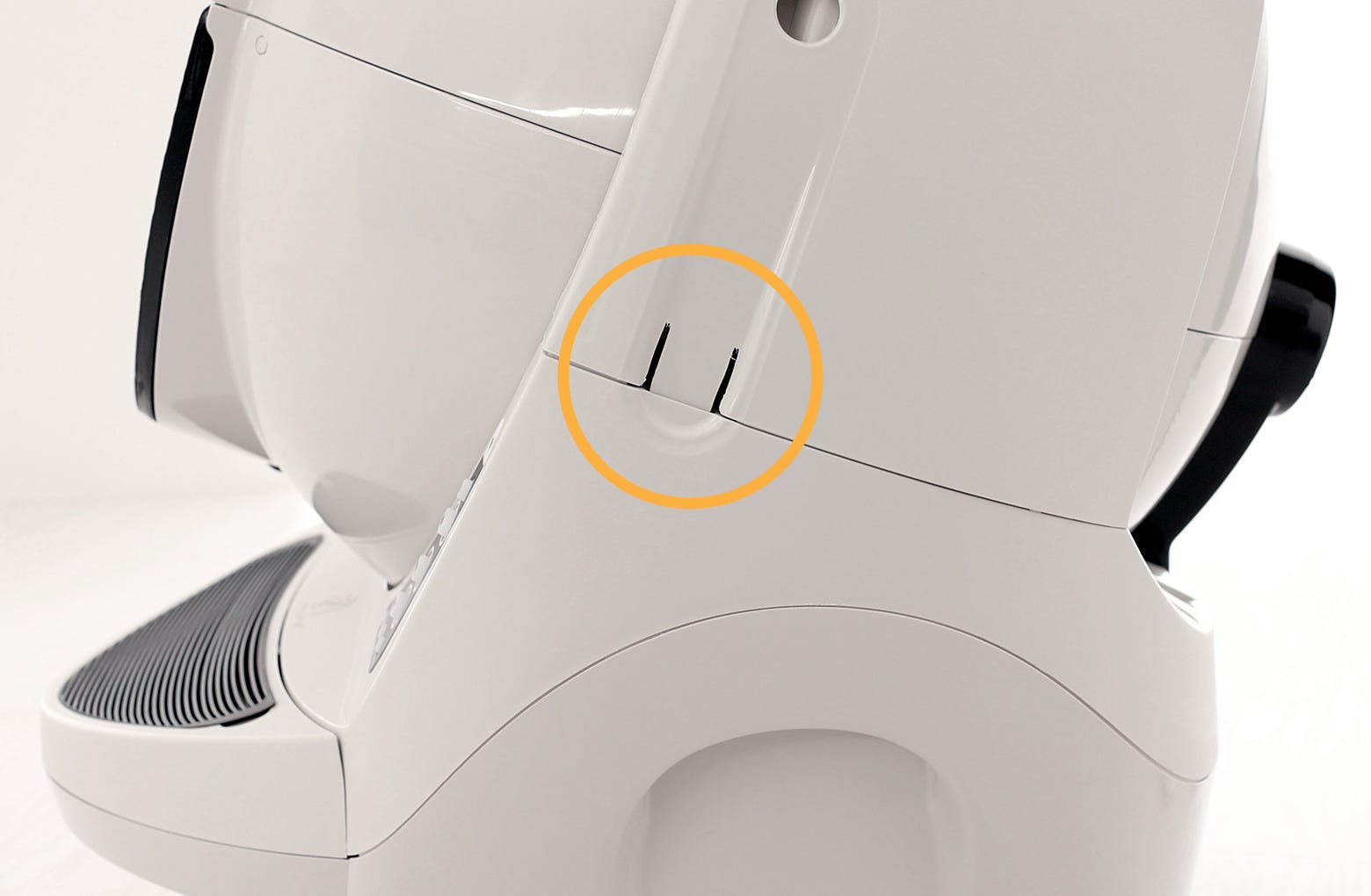
- Plug your unit back in and press the Power button.
- Wait for the initial Clean Cycle to finish and the globe to return to the home position.
Note: The globe will not rotate without the bonnet installed.
Successful: Your unit returns to the home position with a solid blue ready light, and the light stays blue. You can stop here.
Unsuccessful: The red timing light is still on. Continue to Deep clean the globe.
Deep clean the globe
Small clumps build up in the pocket behind the sifting screen, where clean litter collects during each cycle. That buildup adds weight the cat sensor reads, and you cannot see it from the entryway.
Important: Deep clean the globe every three months. Clean it more often if more than one cat uses your unit.
If you have not recently deep cleaned your unit, proceed with deep cleaning see if this resolves the issue.
Test the cat sensor
This is the last check. It does not fix the red timing light. It tells you whether the cat sensor itself can still move and measure, which decides what happens next.
- Press the top of the entryway, not the bonnet, down and away toward the back of your unit. Feel for a slight spring or bounce as you press. That movement is a good sign that your unit can move freely and nothing is obstructing the cat sensor.
- From the home position, press the Reset button to recalibrate the weight sensors.
- Press the Cycle button.
Successful: The Clean Cycle finishes, your unit returns to the home position, and the ready light is solid blue. The cat sensor is working and your unit is ready for your cat's next use.
Unsuccessful: Your unit does not show a solid blue light after returning to the home position, or it cannot complete the cycle. Your base needs to be replaced. Continue to Need more help?
Need more help?
If your Litter-Robot 3 still shows a solid red timing light the base needs to be replaced.
My unit is covered by WhiskerCare™
If your Litter-Robot 3 is covered by the WhiskerCare™ warranty, you have access to replacement parts at no cost. Contact our Customer Experience team and we will get your unit running again.
The warranty on my unit has expired
If your unit is no longer under warranty, we can supply the parts and instructions to repair it at home.
Parts needed:
Didn't find what you're looking for?
Live support available Mon-Fri: 2PM-2AM GMT and Sat-Sun: 2PM-10PM GMT, or submit a ticket anytime.