The store will not work correctly in the case when cookies are disabled.

Litter-Robot 2: Lip Extender Installation
The Lip Extender is a useful attachment for your Litter-Robot 2. It can protect the control panel from anything falling to the outside of the globe. It also gives your cat a ledge to step on. You can attach a Fence accessory to the Lip Extender. The fence accessory helps to deflect any litter from being kicked out of the unit.
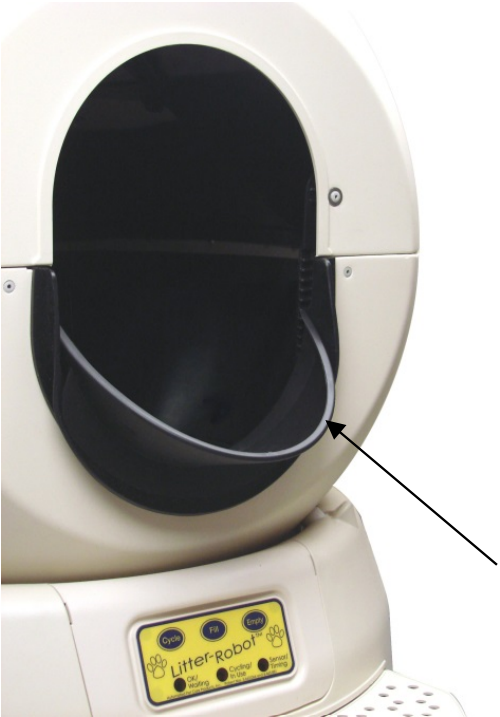
Follow the instructions below to install the Lip Extender onto your Litter-Robot 2 or view our Lip Extender Installation video.
1. Insert the Lip Extender sideways into the opening of the globe.
Note: Spraying window cleaner on the rubber lip will allow for easier installation.
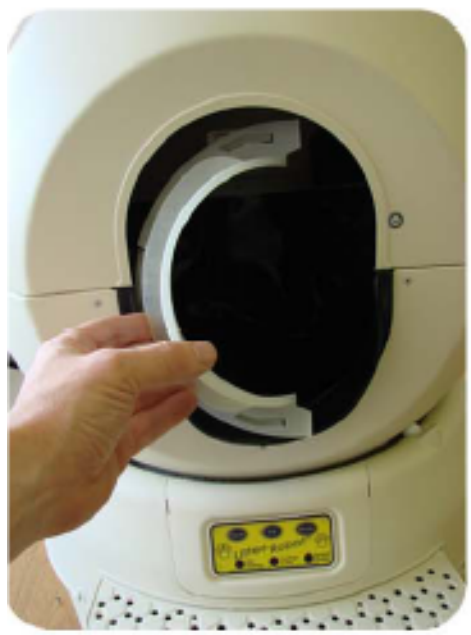
2. Rotate the Lip Extender with the flange starting to overlap the rubber lip.
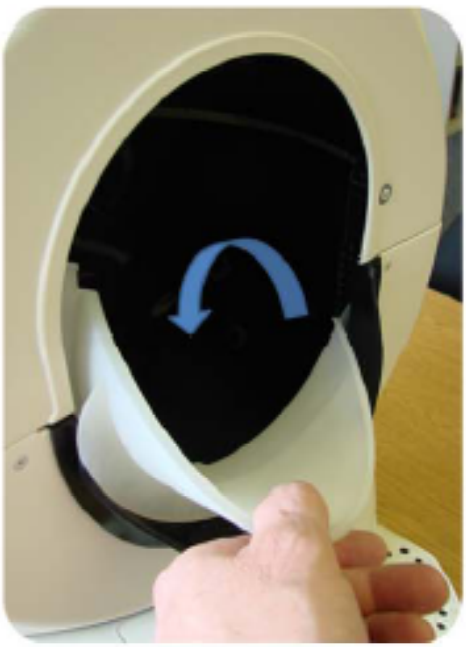
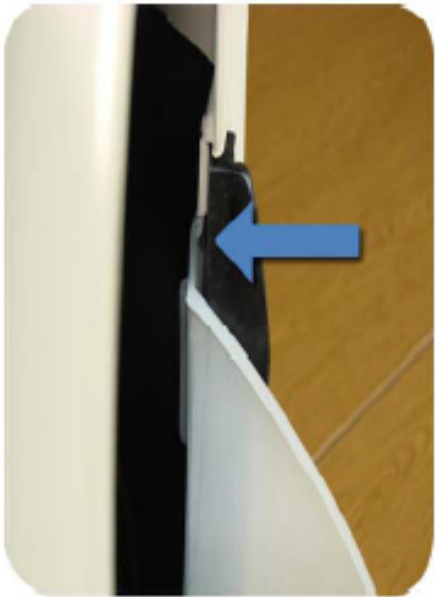
3. Make sure the tab is between the door lever and the rubber liner.
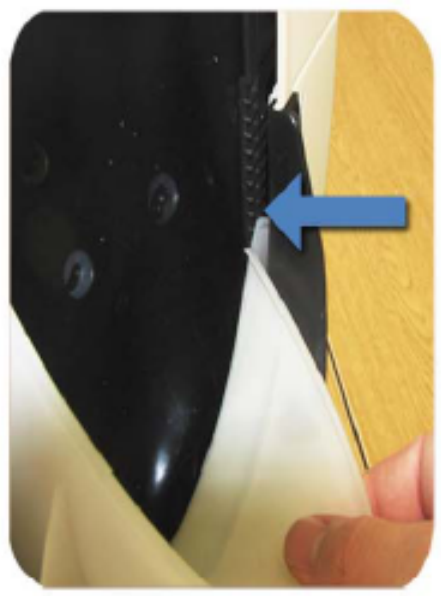
4. Rotate and position the Lip Extender so it is even. The extender flange should begin to overlap the rubber lip.
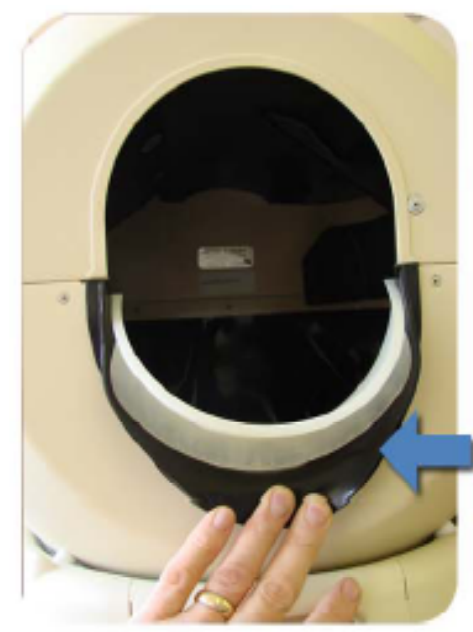
5. Push the Lip Extender down completely onto the rubber liner.
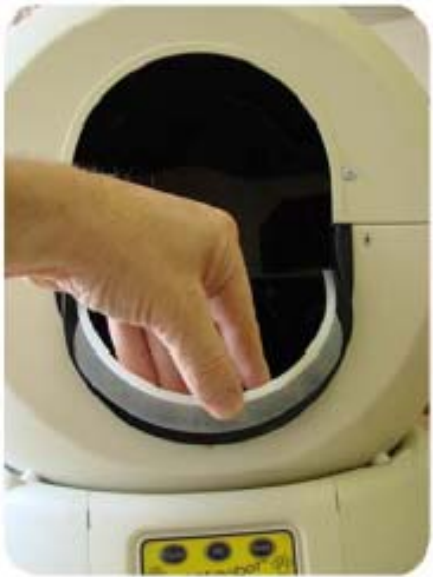
6. Ensure the extender tabs lock in beneath the upper globe flanges on both sides.
To test the installation, turn the unit on and make certain the hard plastic Lip Extender is not interfering with the cycling process. If your Litter-Robot did not make any abnormal noises while cycling and ended at the home position with the green light on, your Lip Extender has been installed correctly!
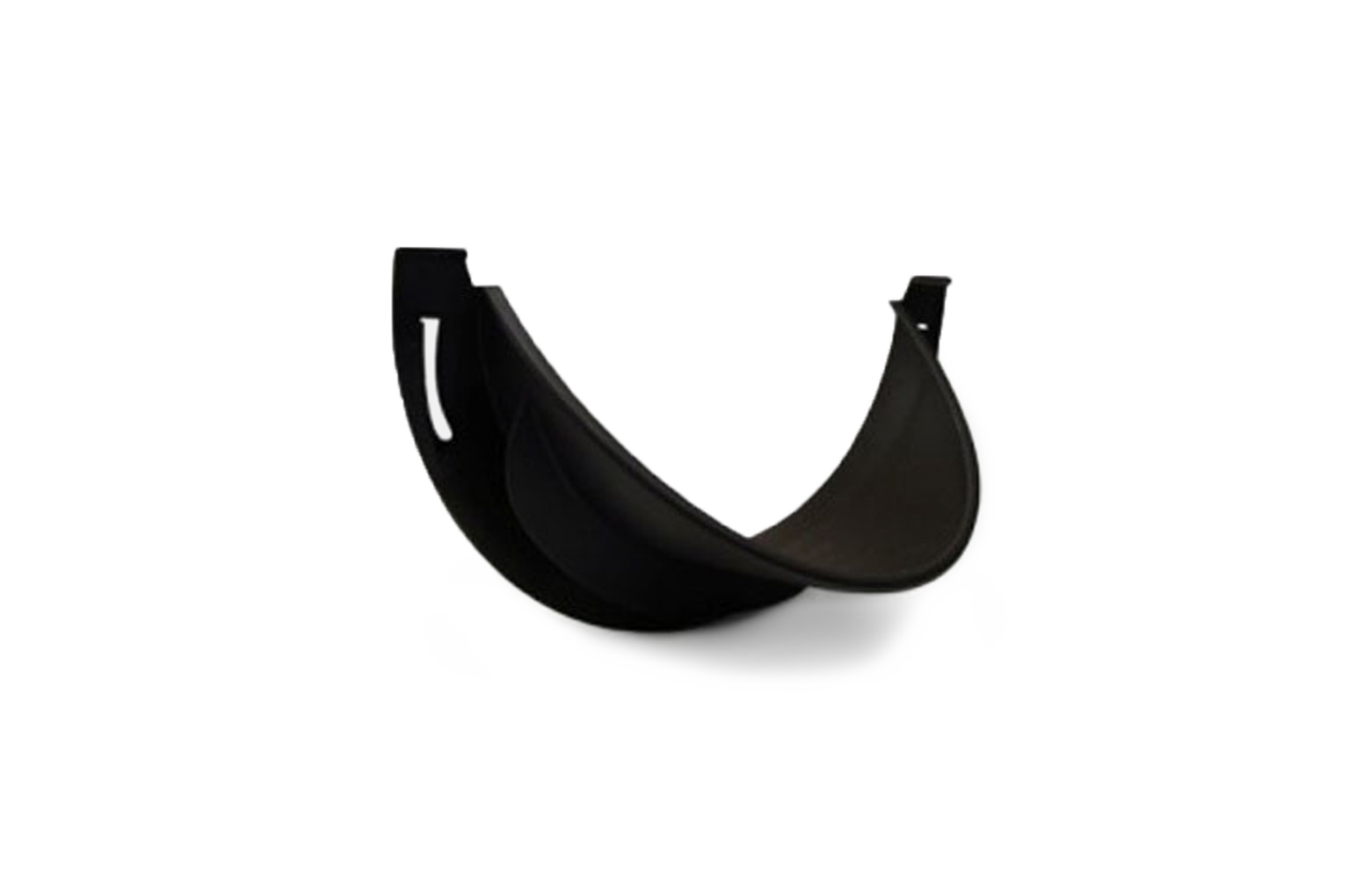 Purchase Litter-Robot 2 Lip Extender & Fence
Questions? Visit whiskersupport.com
Didn't find what you're looking for?
Live support available Mon-Fri: 9AM-9PM EST and Sat-Sun: 9AM-5PM EST, or submit a ticket anytime.