The store will not work correctly in the case when cookies are disabled.

Litter-Robot EVO: Assembly and disassembly
Litter-Robot is built in a modular way to make troubleshooting and maintenance simple. We’ll show you how to take apart the Litter-Robot EVO to access certain areas for ongoing maintenance.
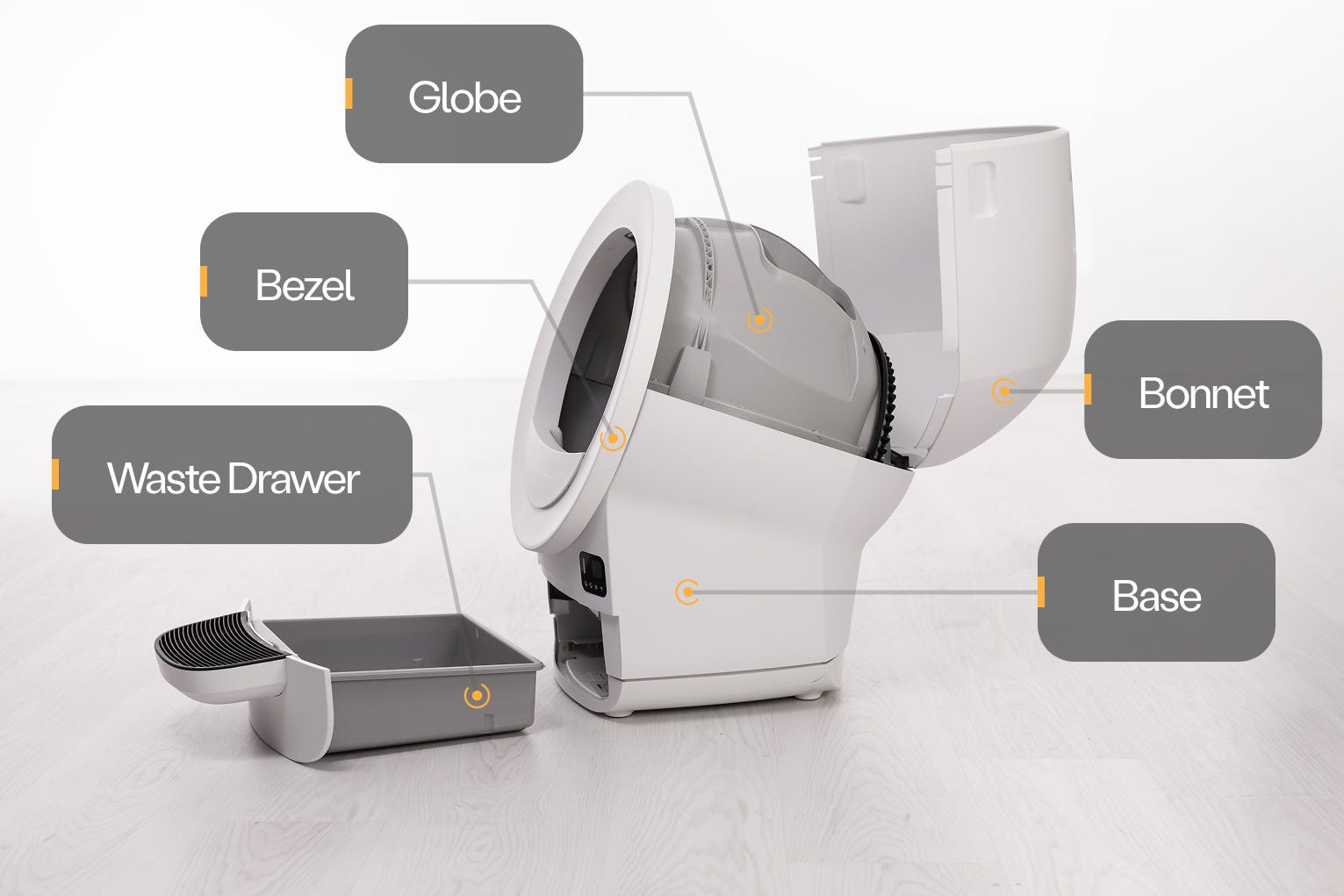
Litter-Robot EVO has four main components: the base, the globe, the waste drawer, and the bonnet. The bezel snaps onto the globe.
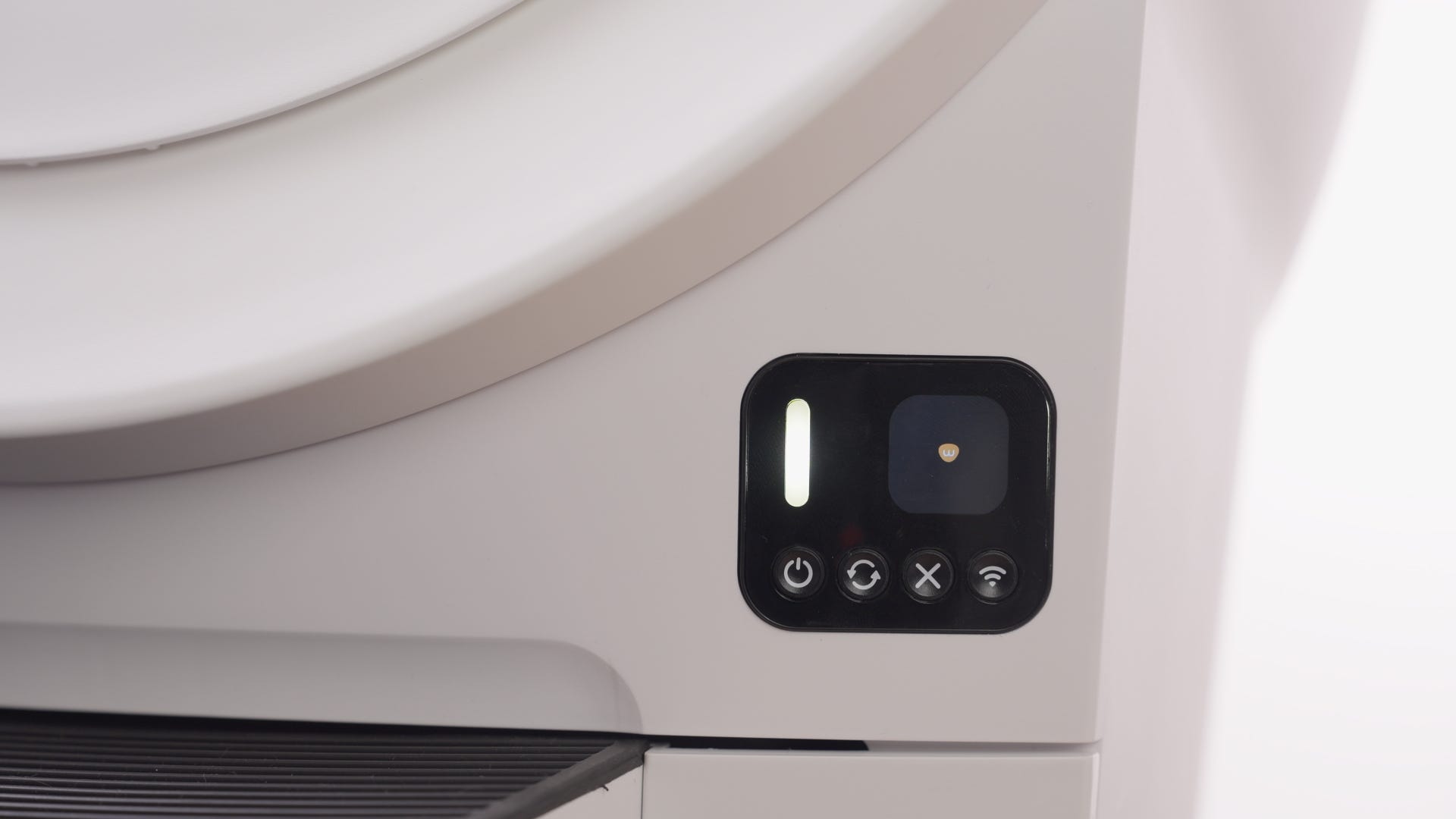
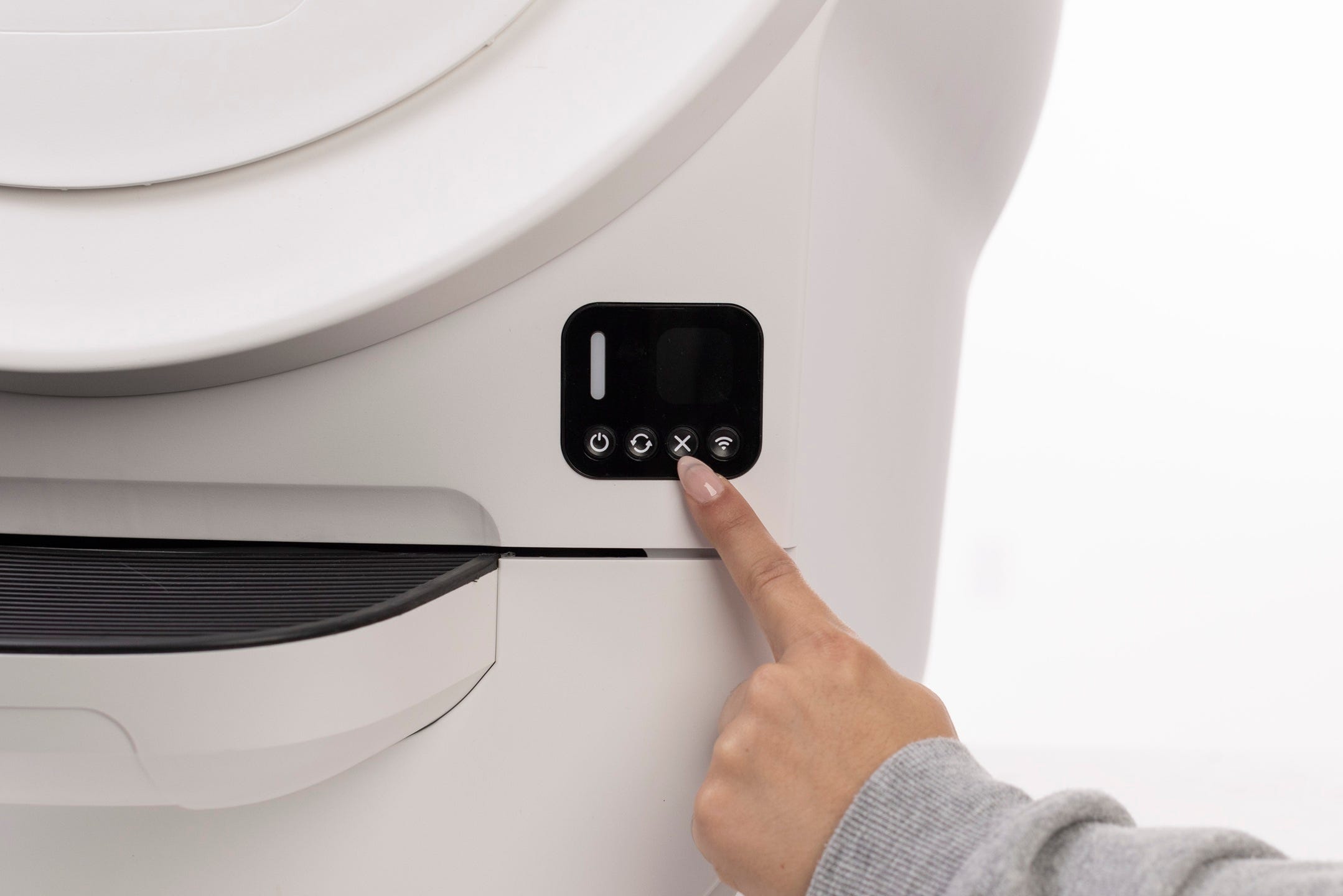
You'll find the control panel and LCD display screen on the right side of the base.
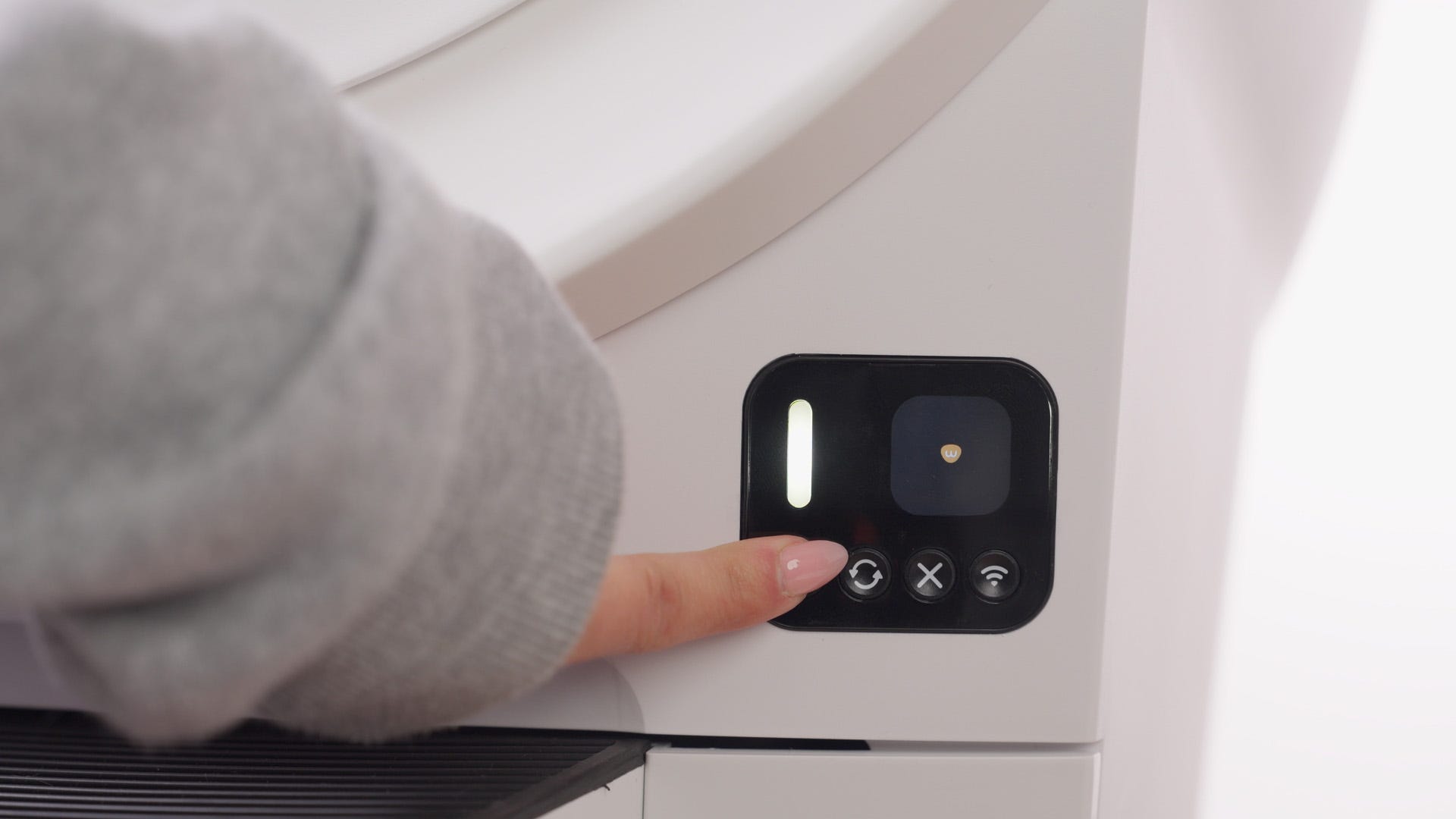
There are two types of button presses: a short press and a 3-second long press.
These two types of presses will activate different features of your Litter-Robot. Keep this in mind when activating functions or troubleshooting.
Many of these functions are also available through the Whisker app.
Quick links
Disassembly
Here’s how to take apart Litter-Robot EVO properly.
Preparation
- Make sure the unit is in the Home position.
-
Press the Power button to turn the unit off, then
unplug the unit from the wall.
Removing the bonnet
-
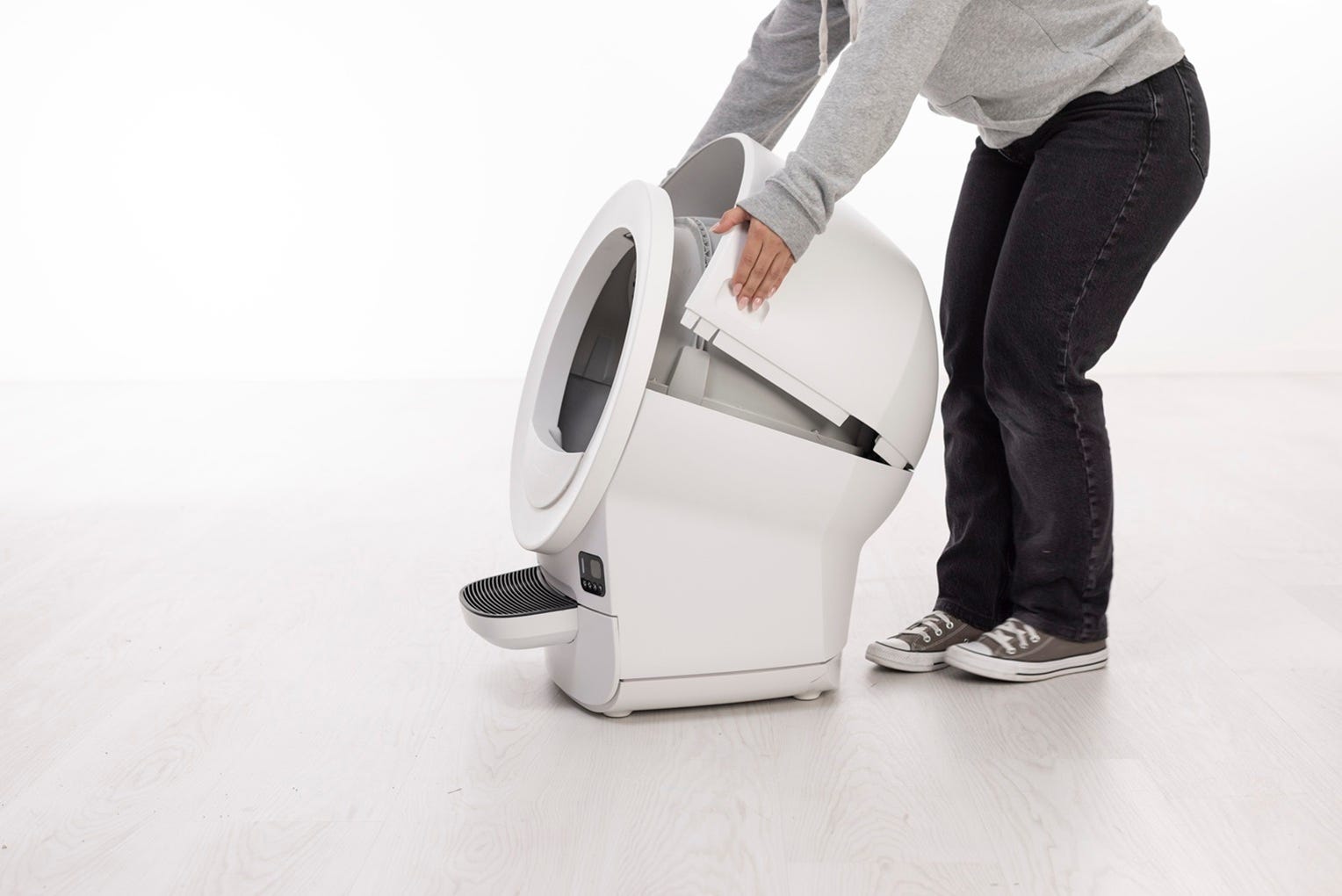
Use the handles on both sides of the bonnet to lift and rotate it upwards.
Remove the bonnet and set it aside.
Removing the globe
-
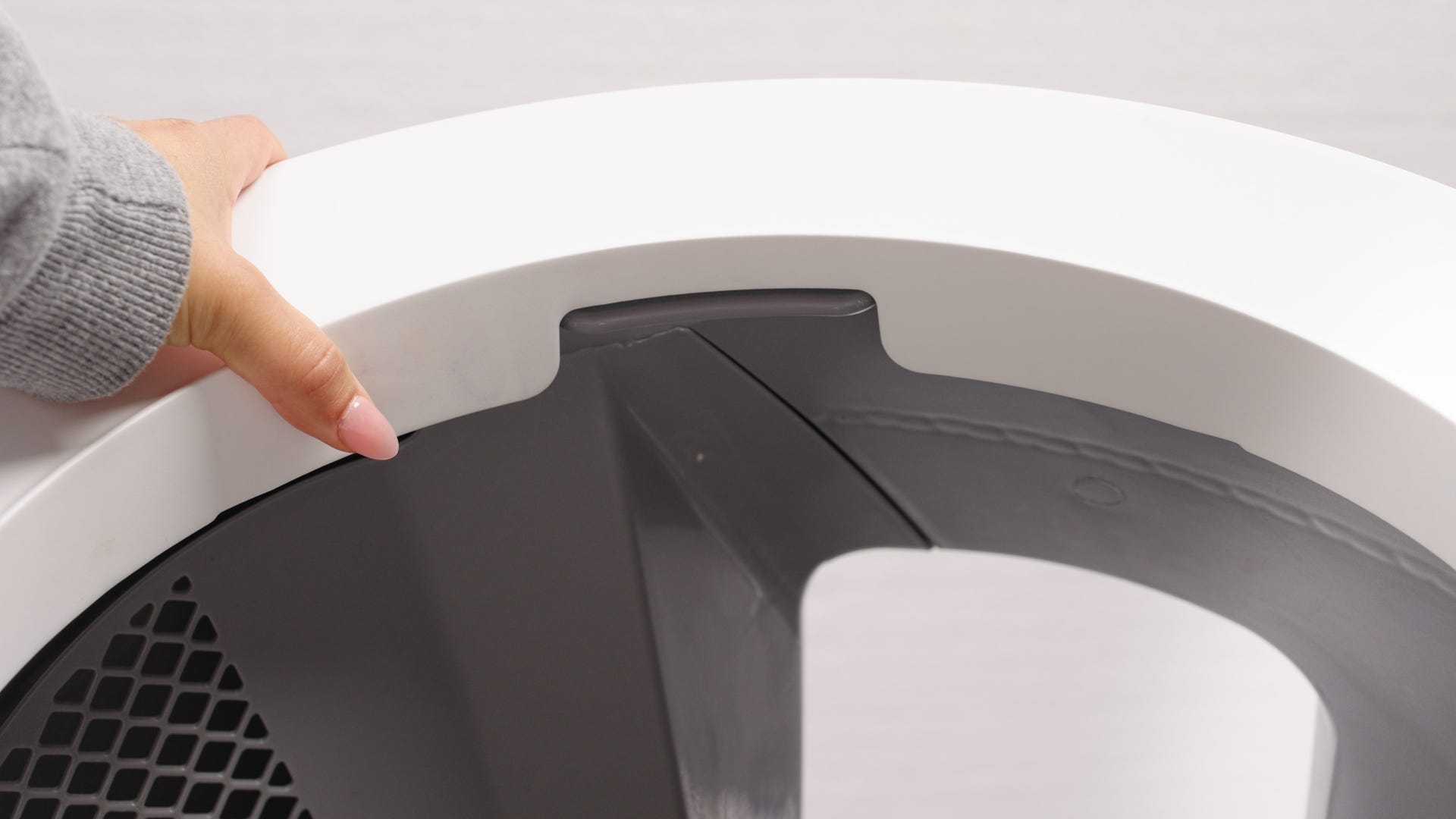
Lift the globe off the base by holding the rib located at the top of the
globe entrance and place it on the ground nearby. This will provide access
to the base unit.
-
If you had to replace the base, this is when you’d remove the new base
from the box and place it in the desired location near a power outlet.
-
The new base, which has a new serial number, will need to be onboarded to the Whisker app.
-
Open the Whisker app and follow the onboarding instructions. Once complete, your newly onboarded Litter-Robot EVO will appear as a new robot in the Whisker app.
-
Delete your old robot: In the Whisker app, select your old Litter-Robot unit from the dashboard, tap on the Settings gear in the top right corner, tap Delete Robot, then tap Yes.
-
Removing the bezel
-
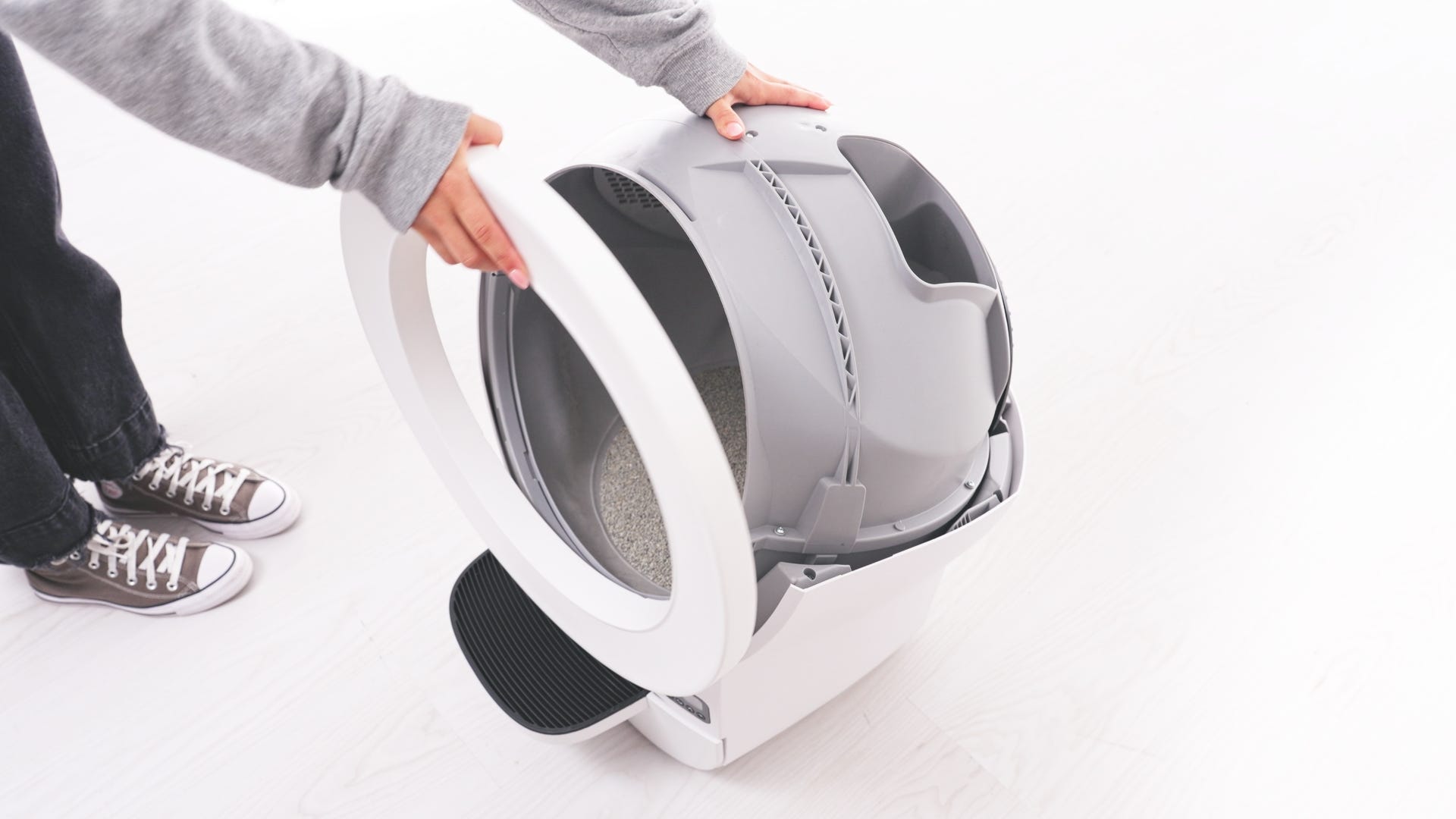
If you need to remove the bezel from the globe, place one hand firmly on the globe and the other on the top of the bezel.
-
Apply even pressure to the bezel and pull it away from the globe.
-
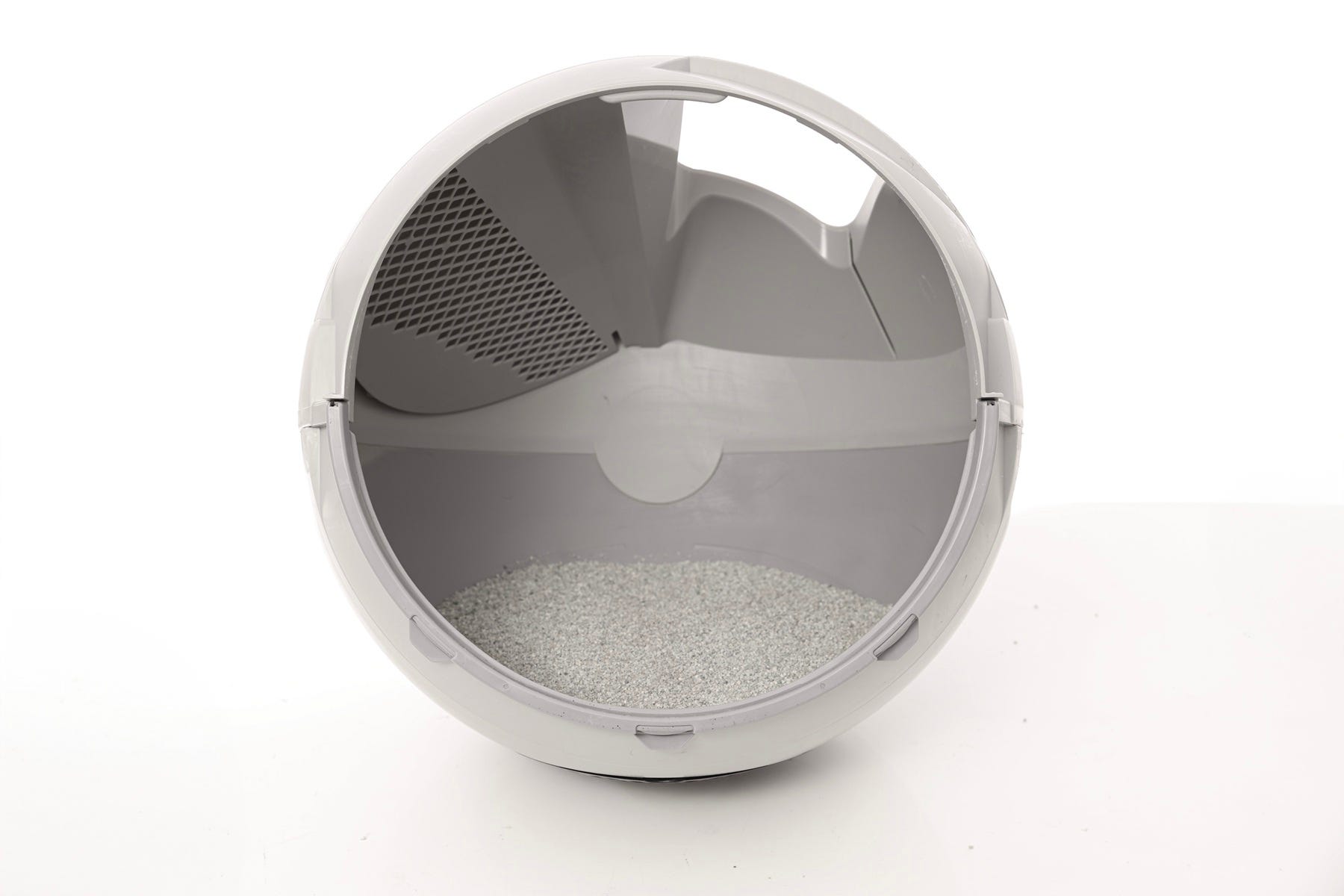
The bezel should easily snap out of place with gentle pressure.
Disassembling the waste drawer
To remove the step from the drawer body:
-
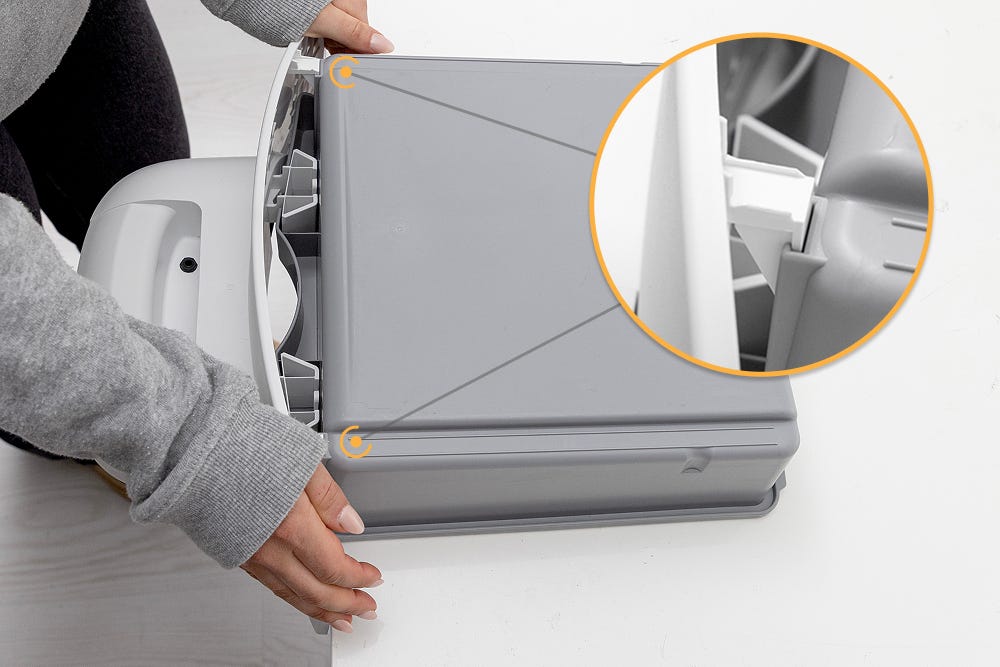
Flip the waste drawer upside down.
-
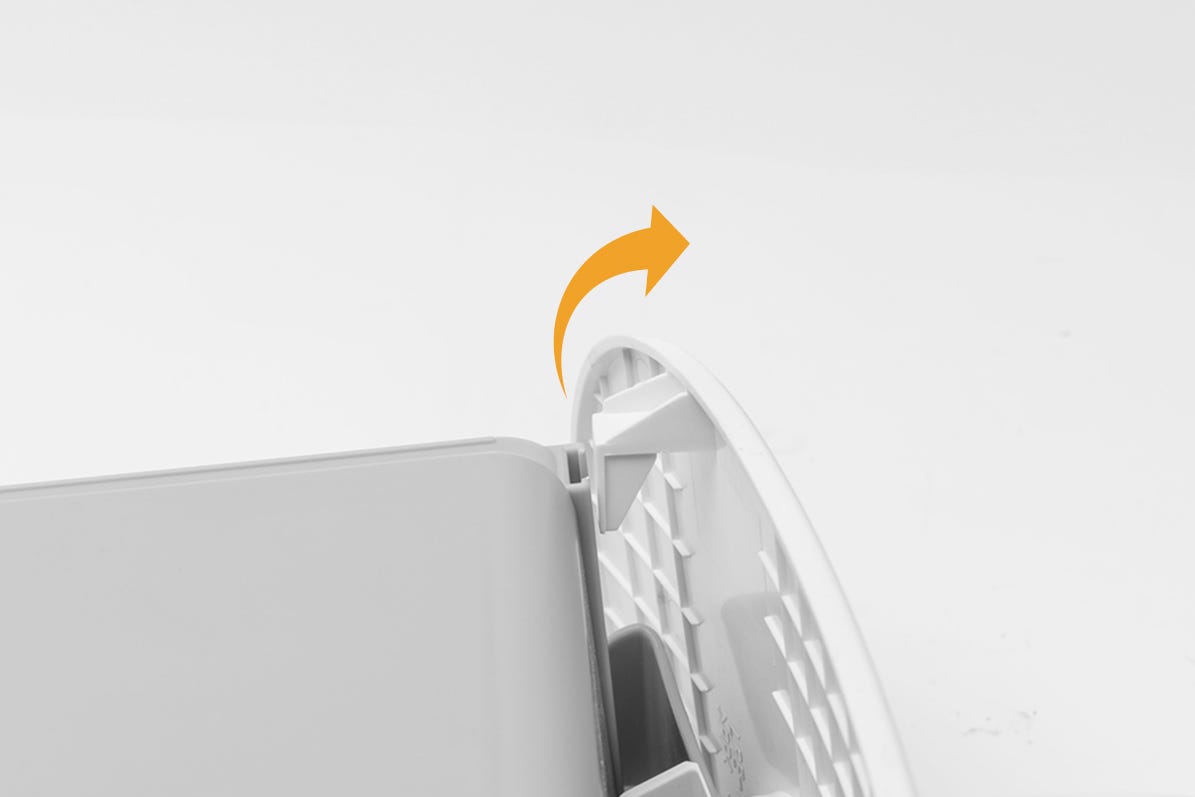
While holding the drawer body steady, pull the drawer front upward and away from the drawer body. Firmly, slide the hooks up and outward to unhook them from both sides of the drawer body.
-
Continue pulling upward and away to fully separate the two pieces.
Assembly
Here’s how to reassemble Litter-Robot EVO.
Installing the bezel
-
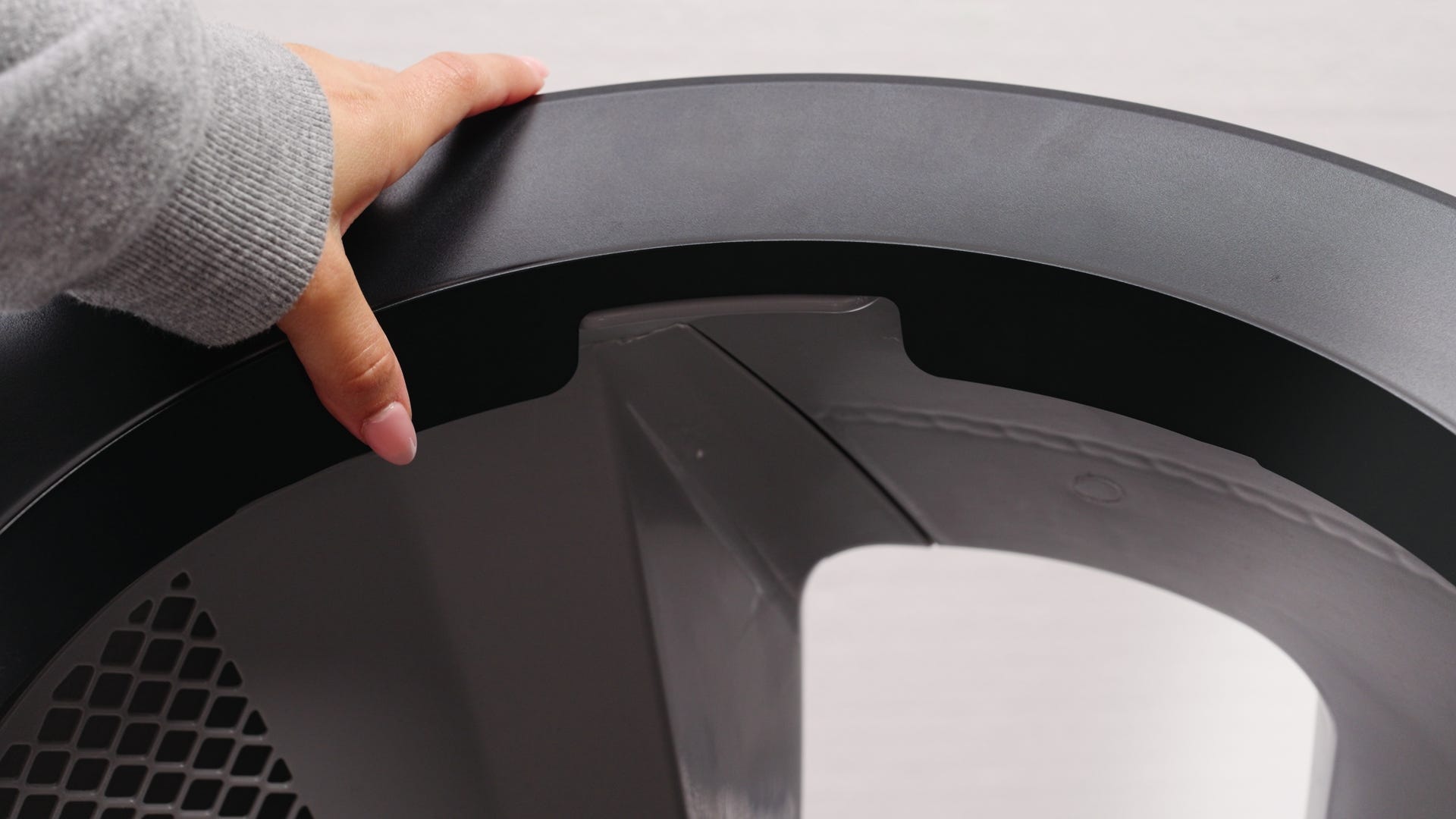
To replace the bezel, locate the rib at the top of the globe and ensure that this lines up with the groove on the bezel.
-
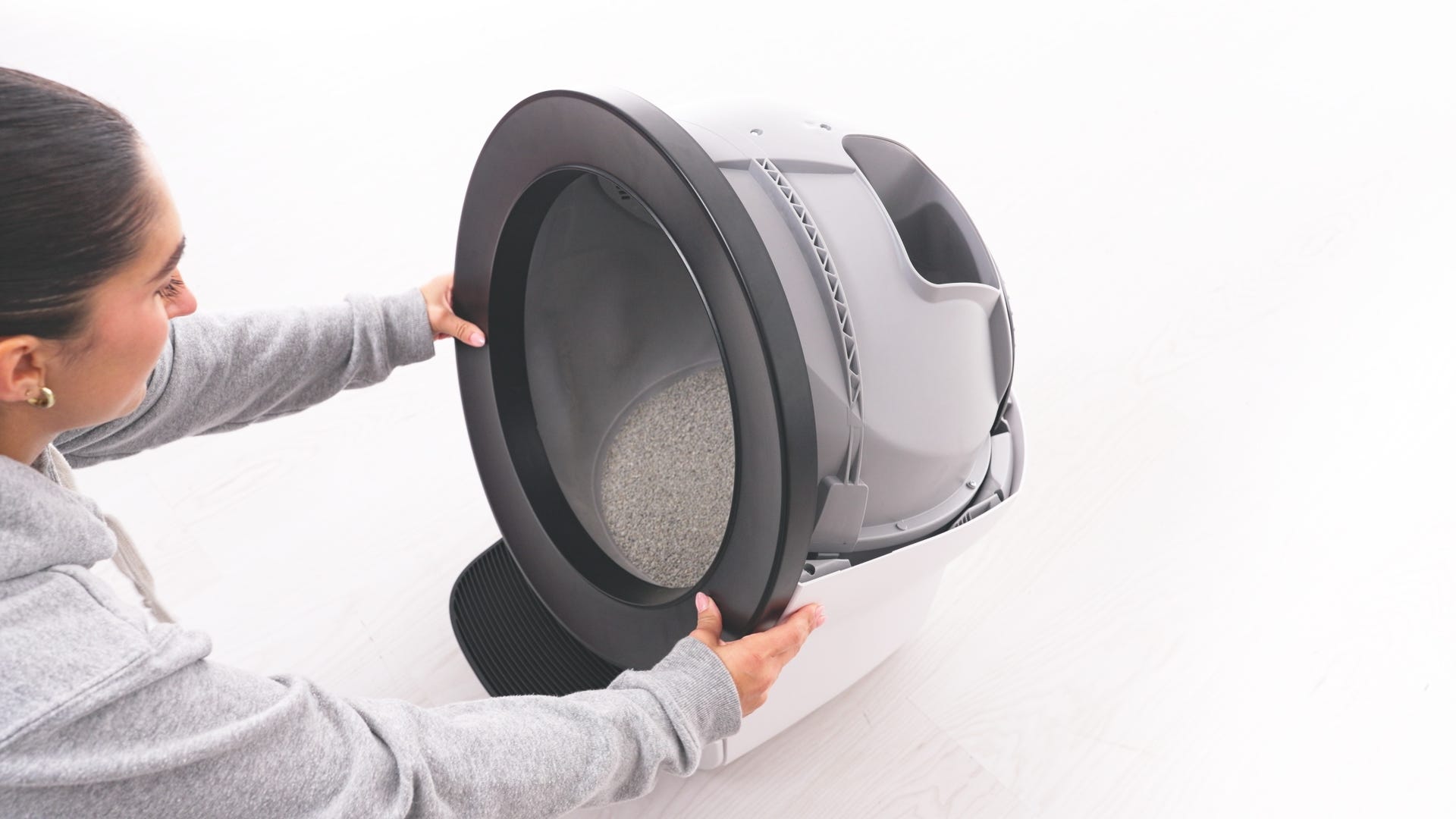
Once this is aligned, snap the bezel firmly into place at the top, sides, and bottom of the globe.
-
If installed correctly, it should not become detached when lightly tugging along its edges.
Installing the globe
-
To install the globe, hold the globe by the rib at the top of the globe
entrance and set it into the base.
-
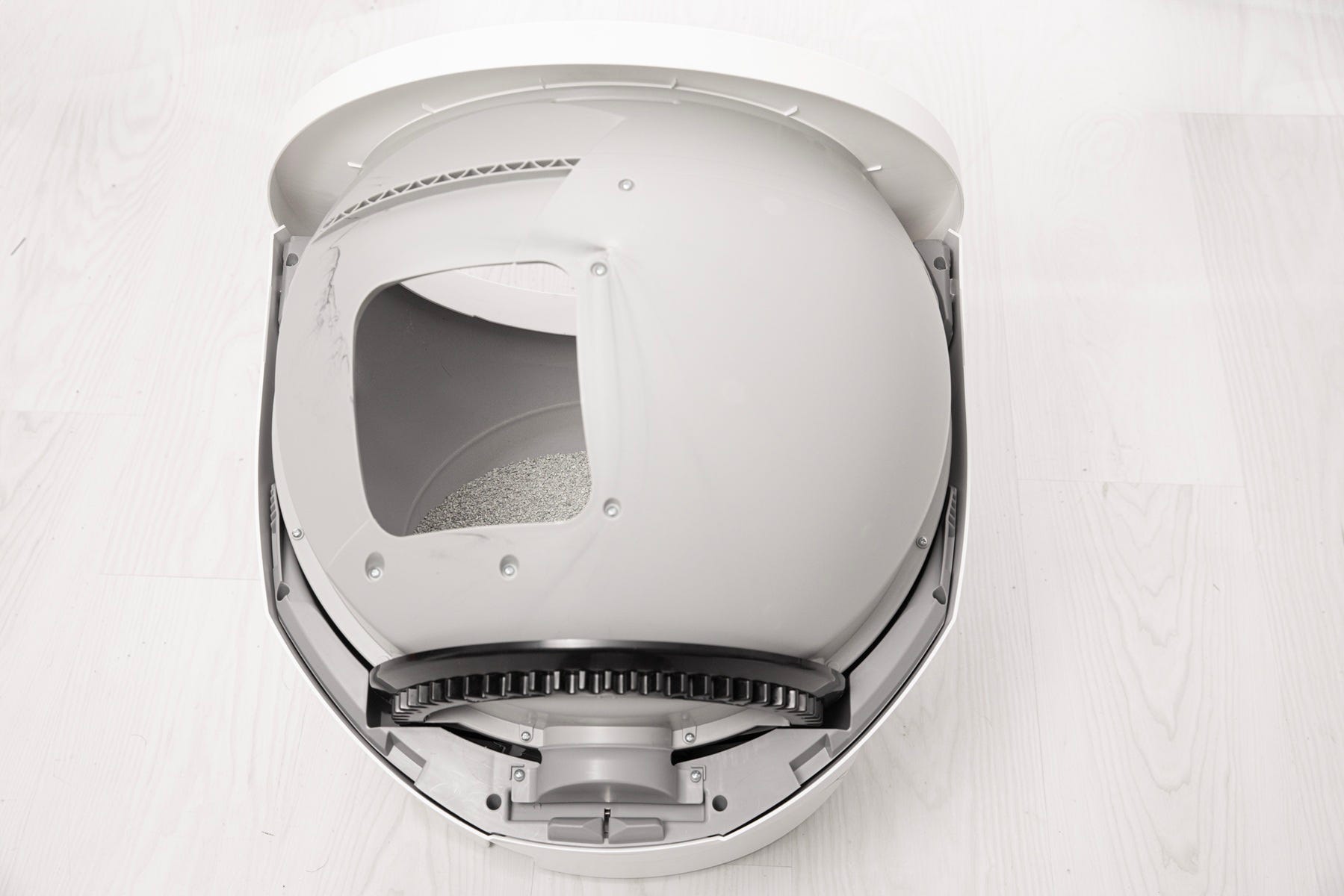
When installing the globe, keep the waste port oriented toward the top to ensure the globe is close to the Home position.
-
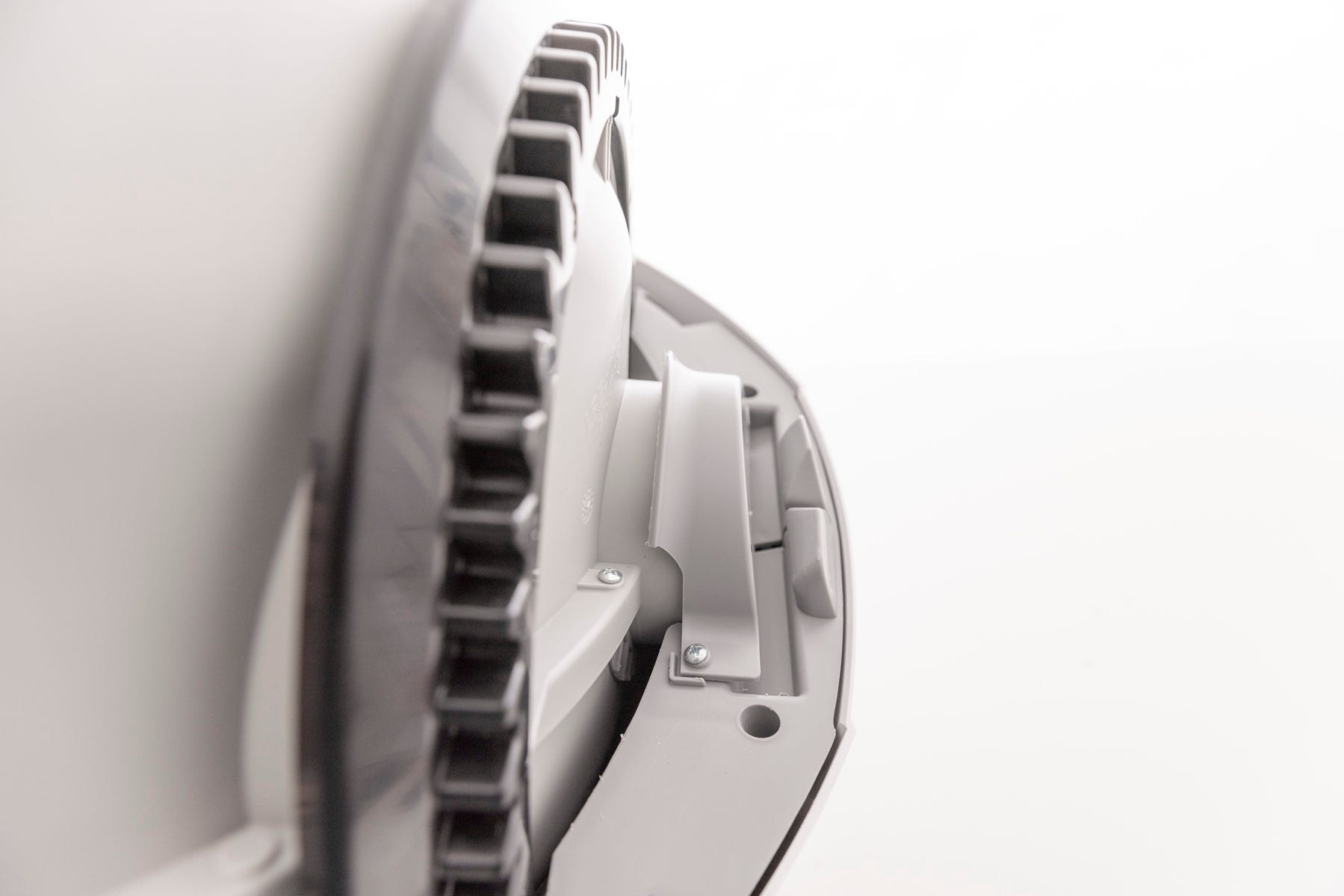
Ensure that the globe end is aligned properly with the retaining bracket at the back of the unit and that the gear is within the track.
-
Ensure the globe is properly seated: the cylindrical end should align directly beneath the retaining bracket at the rear of the base.
-
If the globe does not spin after reassembly and initiating a cycle, inspect the alignment and reseat the globe.
-
Installing the bonnet
-
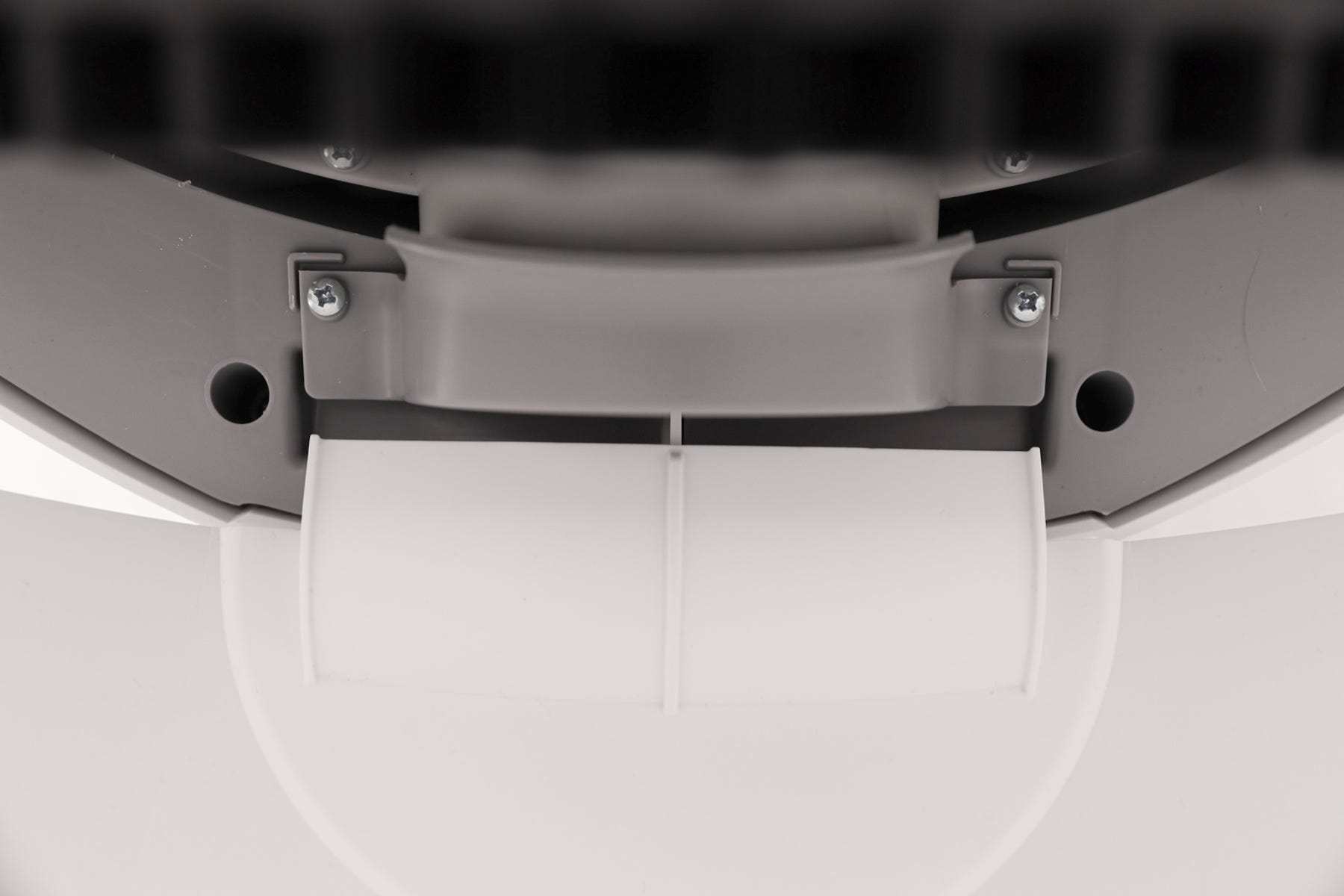
Replace the bonnet by aligning the tab at the back of the bonnet with the
slot in the bonnet hinge.
-
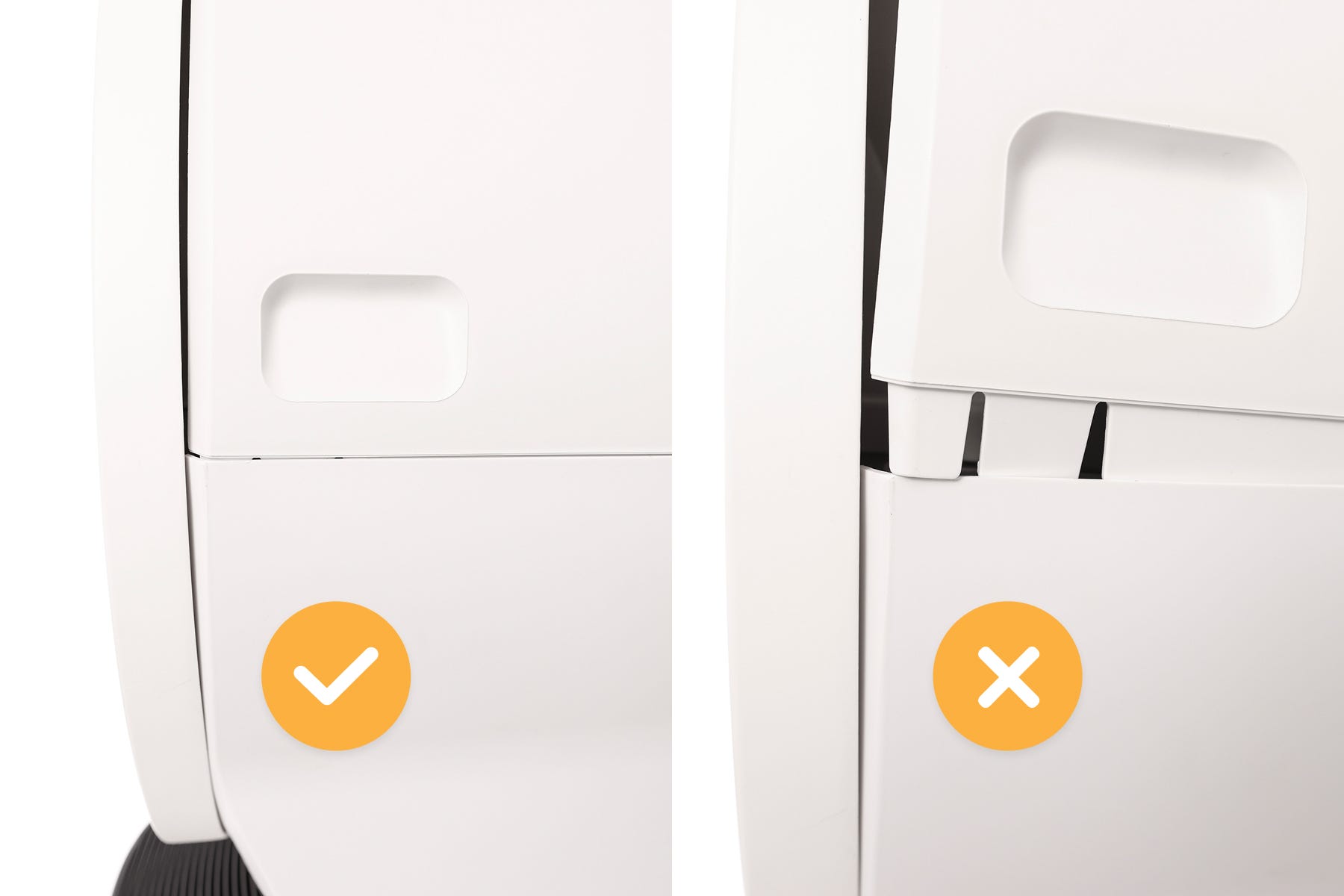
Rotate the bonnet downward with light pressure on the sides so that it hugs
the globe. This will help ensure proper alignment of the bonnet latches in
the base.
-
Push down on the bonnet near the handles on the sides of the bonnet to make
sure it has latched into place and feels secure.
Assembling the waste drawer
-
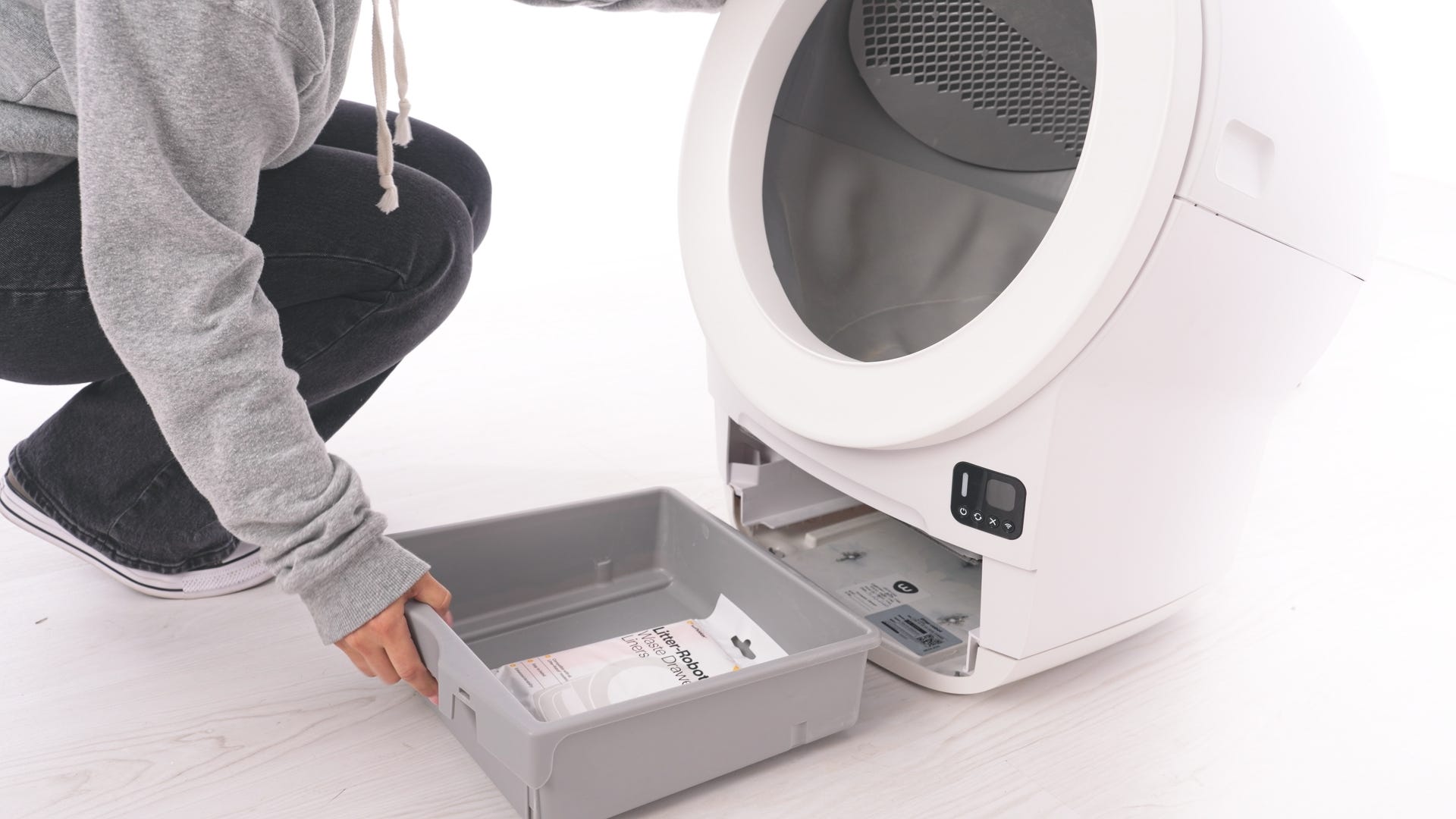
Pull the waste drawer body out from the unit.
-
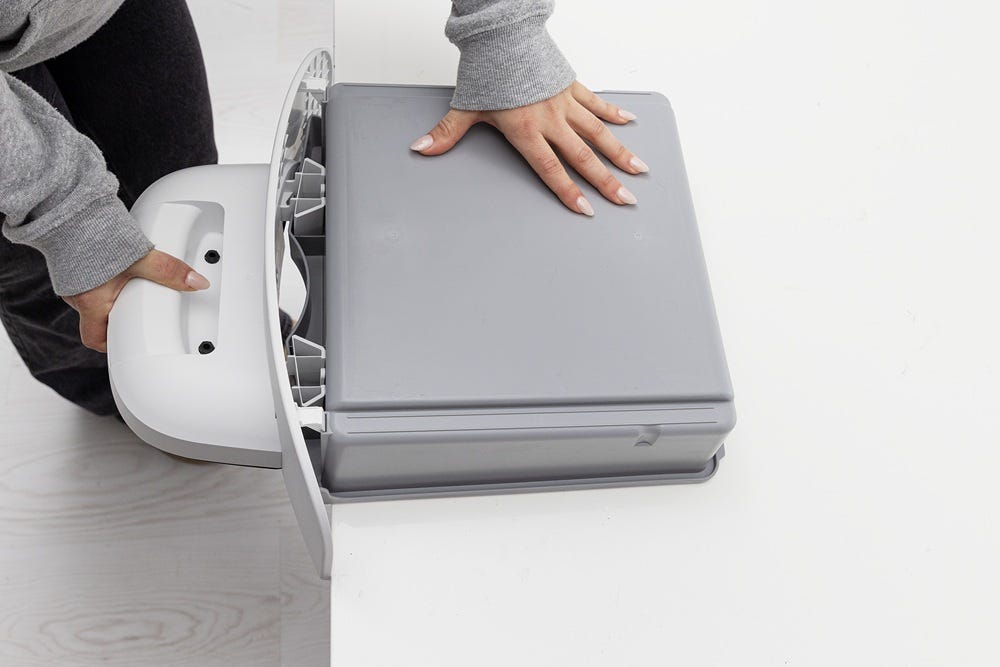
Place the drawer body on the edge of a table and insert the two hooks and
two tabs on the drawer front in the designated slots.
-
Firmly hold the drawer body in place while pressing down on the step and
drawer front until they latch into place.
-
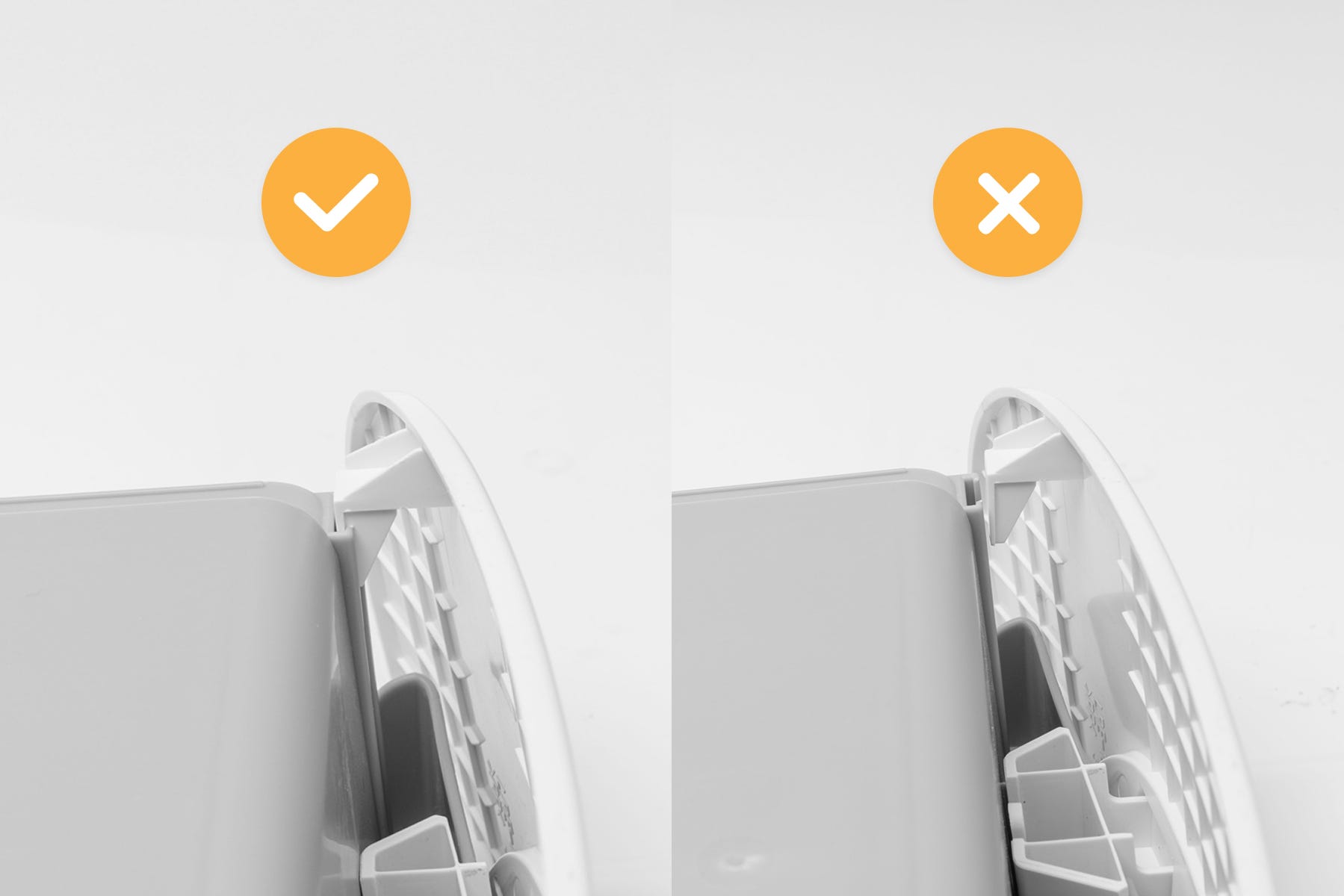
Confirm the two hooks on either side of the bottom of the drawer are fully
inserted.
-
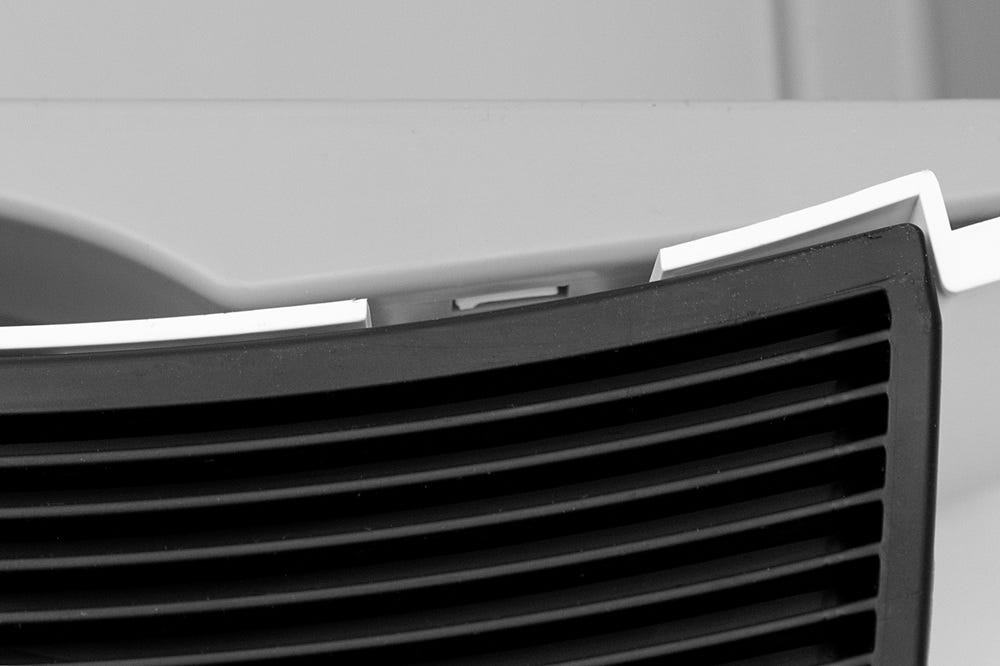
Confirm that the two center snaps on each side of the drawer (where the drawer body attaches to the drawer front) are secure in the designated slots.
-
If the center snap is not visibly seated in the slot, press down harder on the tabs on the bottom of the drawer until these are fully inserted.
-
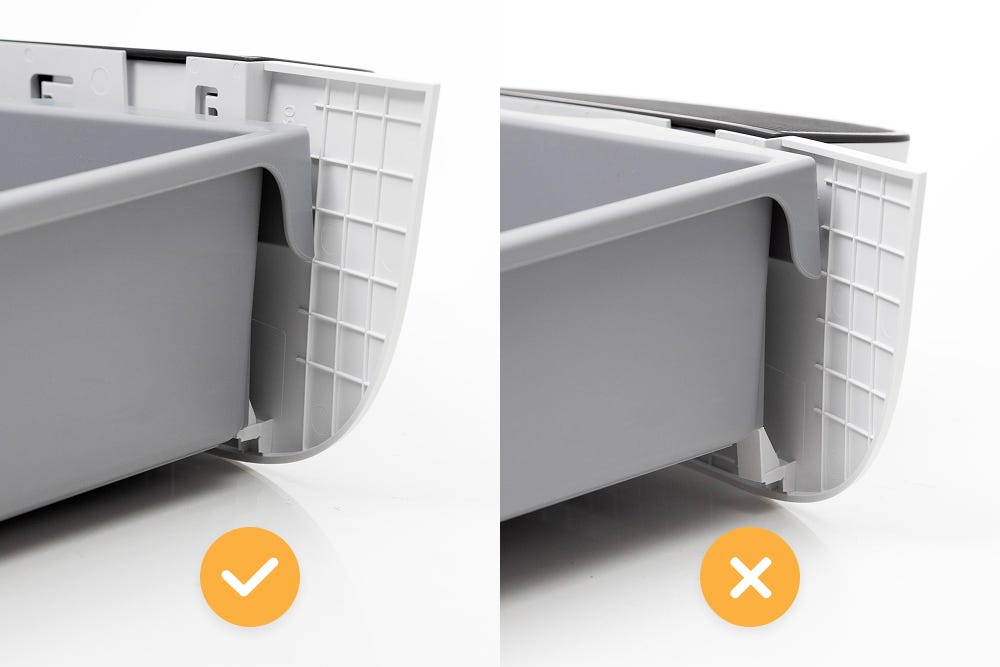
Note: When properly assembled, the drawer front will protrude slightly over the edge of the drawer body.
Installing the waste drawer liner
Litter-Robot EVO ships with a complimentary pack of custom-fit waste drawer liners. These liners are made specifically for any Litter-Robot model, but a 10-13 gallon (30-49L) trash bag will also work.
For the most precise drawer full readings and a seamless experience, including drawstrings for easy disposal, we highly recommend using Litter-Robot Waste Drawer Liners.
-
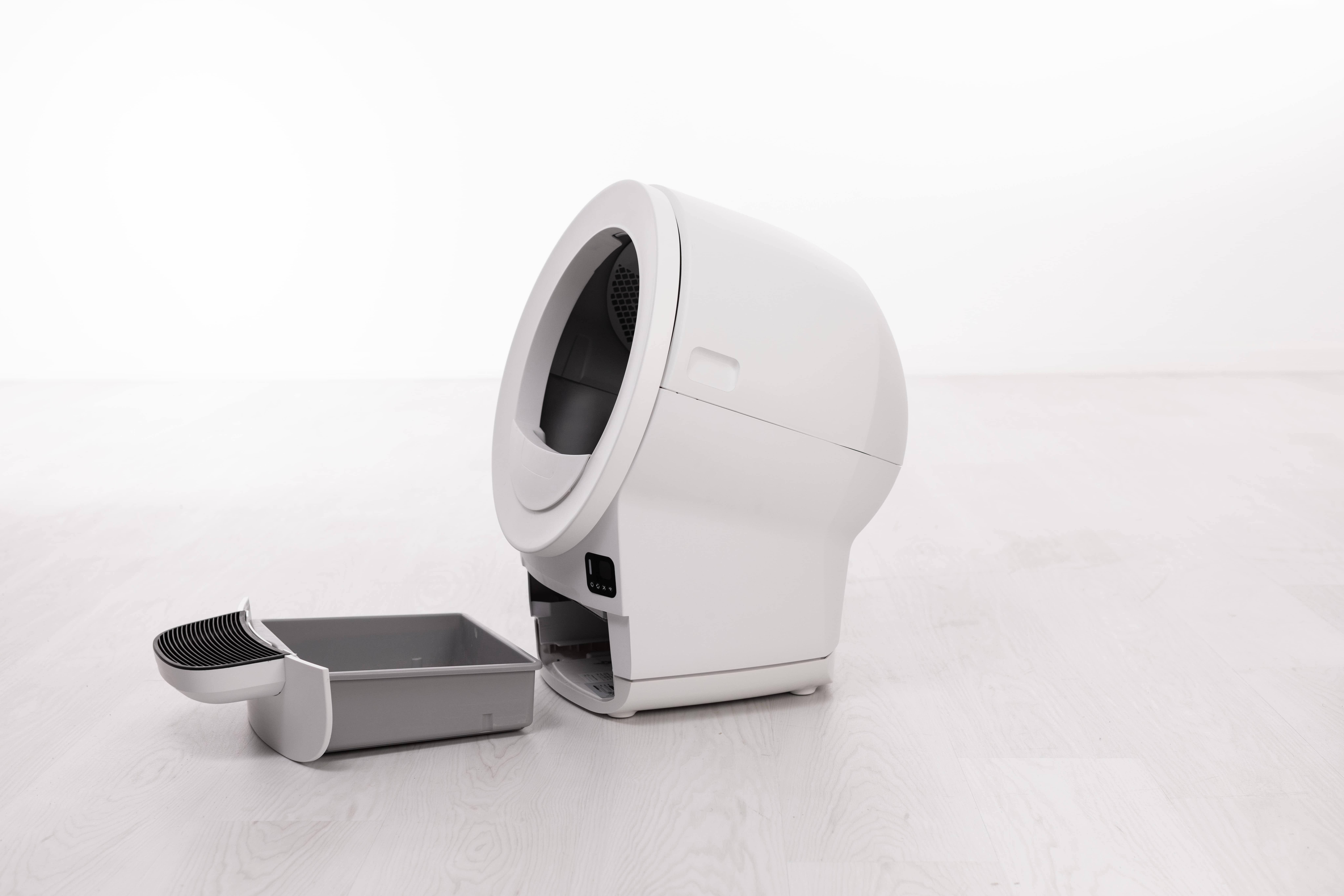
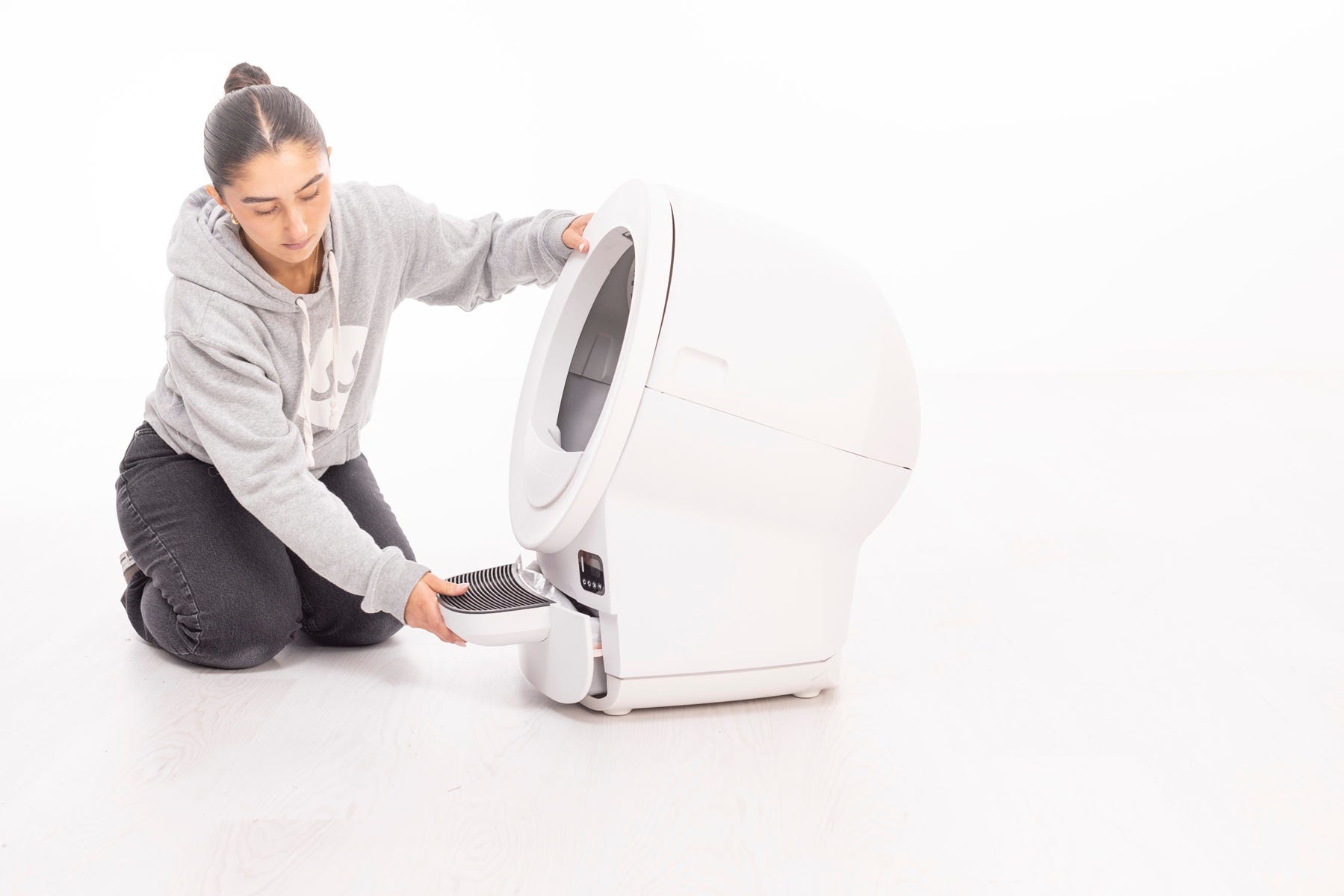
To install a new waste drawer liner, you’ll need to remove the drawer
from Litter-Robot. Simply grab the step and slide the drawer out until
it’s clear of the unit.
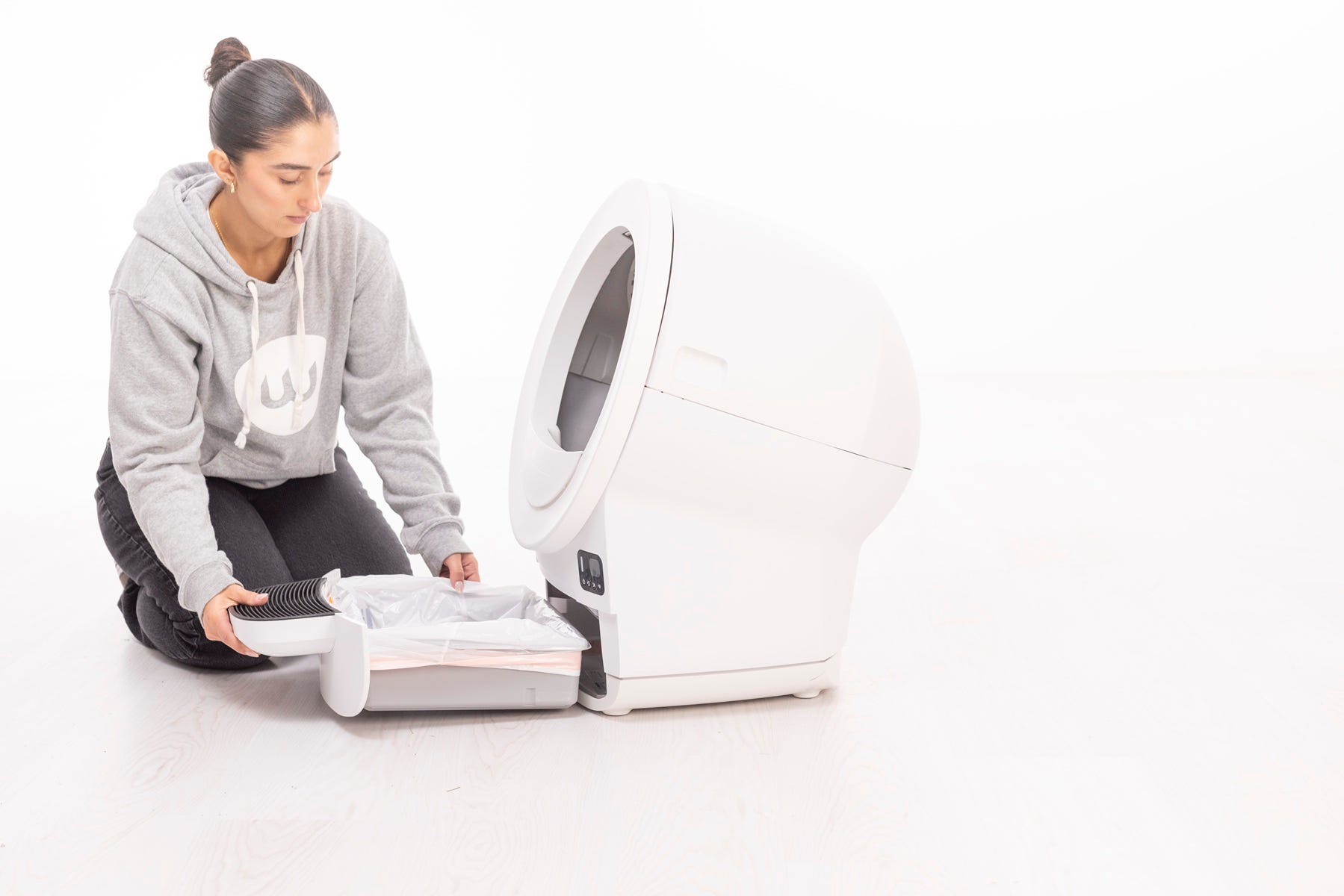
- Now take your new waste drawer liner and open it all the way.
-
Wrap the edges of the waste drawer liner or bag over the rim of the waste
drawer.
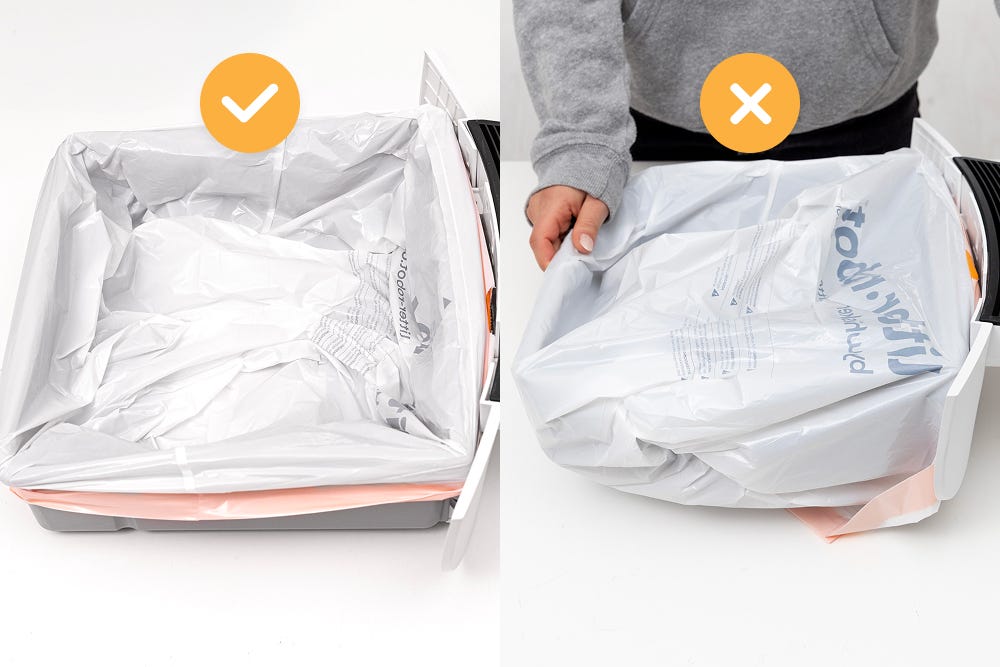
Litter-Robot EVO is equipped with a drawer full indicator (“DFI”) that will notify you once the drawer is full.
Stretched bags or bags not pressed flat will cause the drawer full indicator to inaccurately detect when the drawer is full.
Ensure the bag is pushed flat against the side walls and bottom of the drawer.
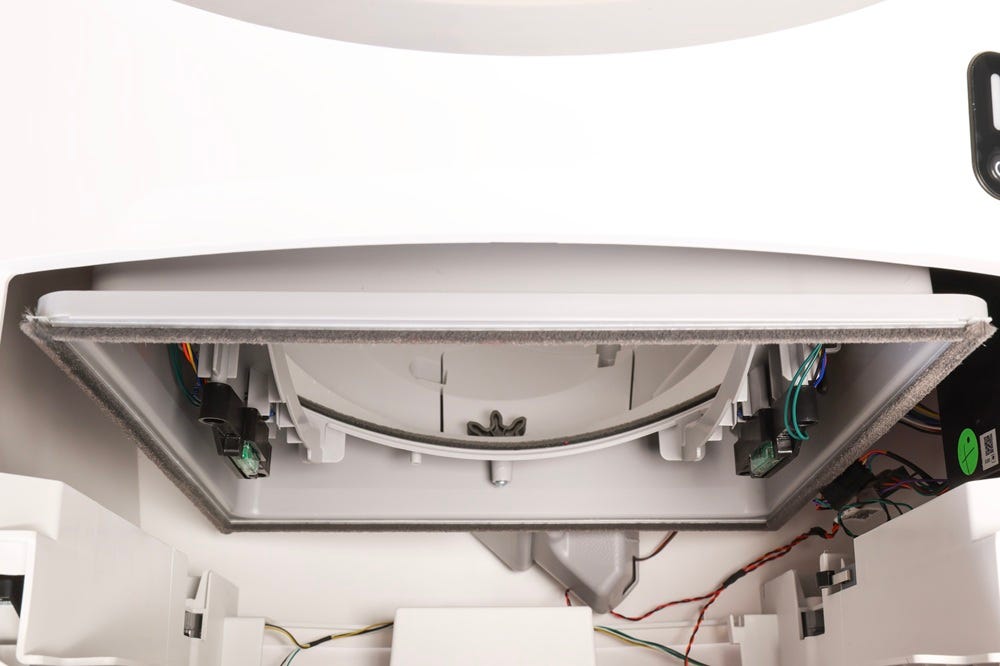
- Check the inside of the base for any obstructions, such as wires or packaging, before reinstalling the waste drawer.
-
-
Finally, push the drawer back into the unit
-
If the unit is powered on, short press the
Cancel button to zero the weight sensors.
-
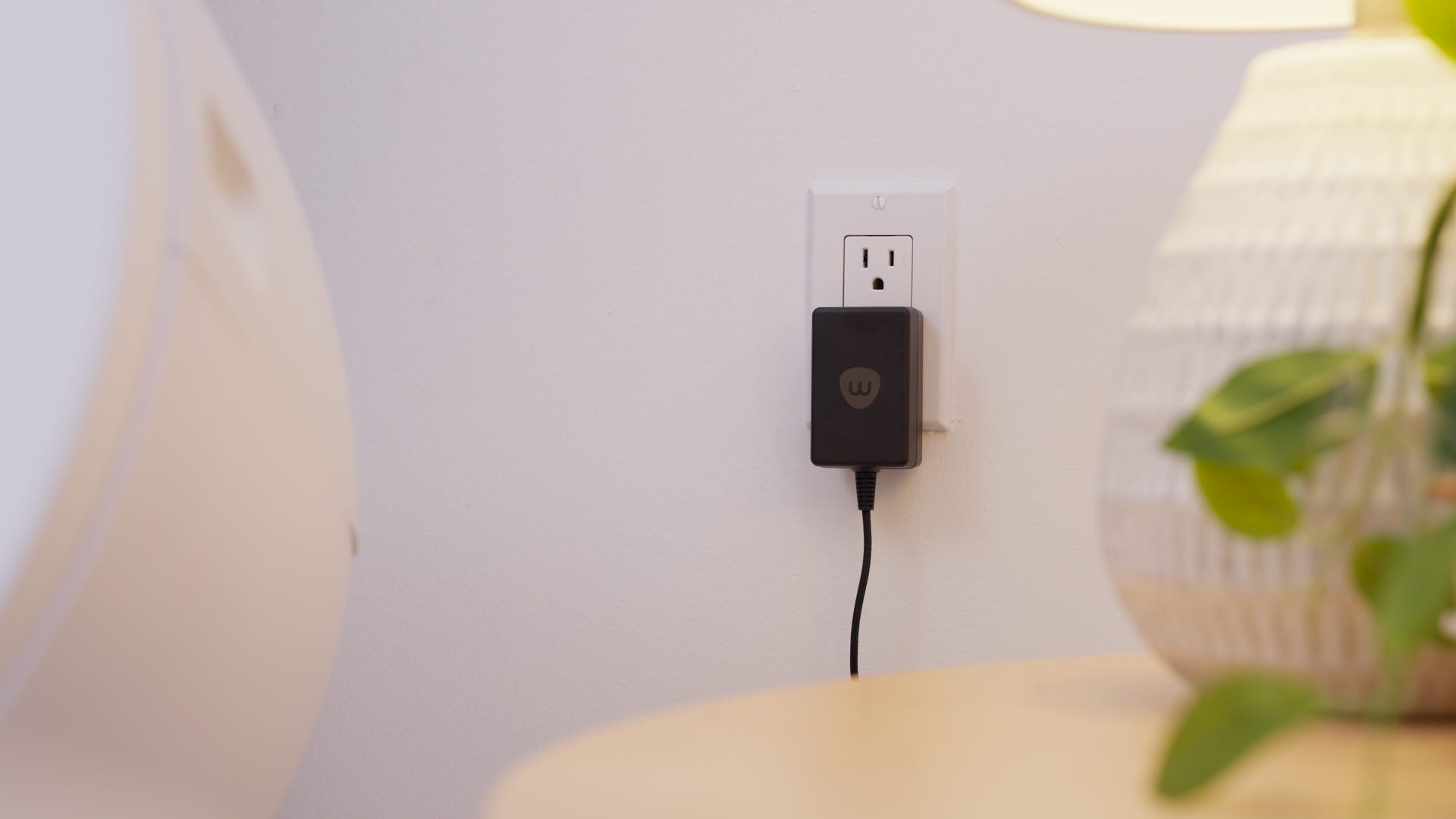
If not, plug the unit in and power it on.
Carbon filter
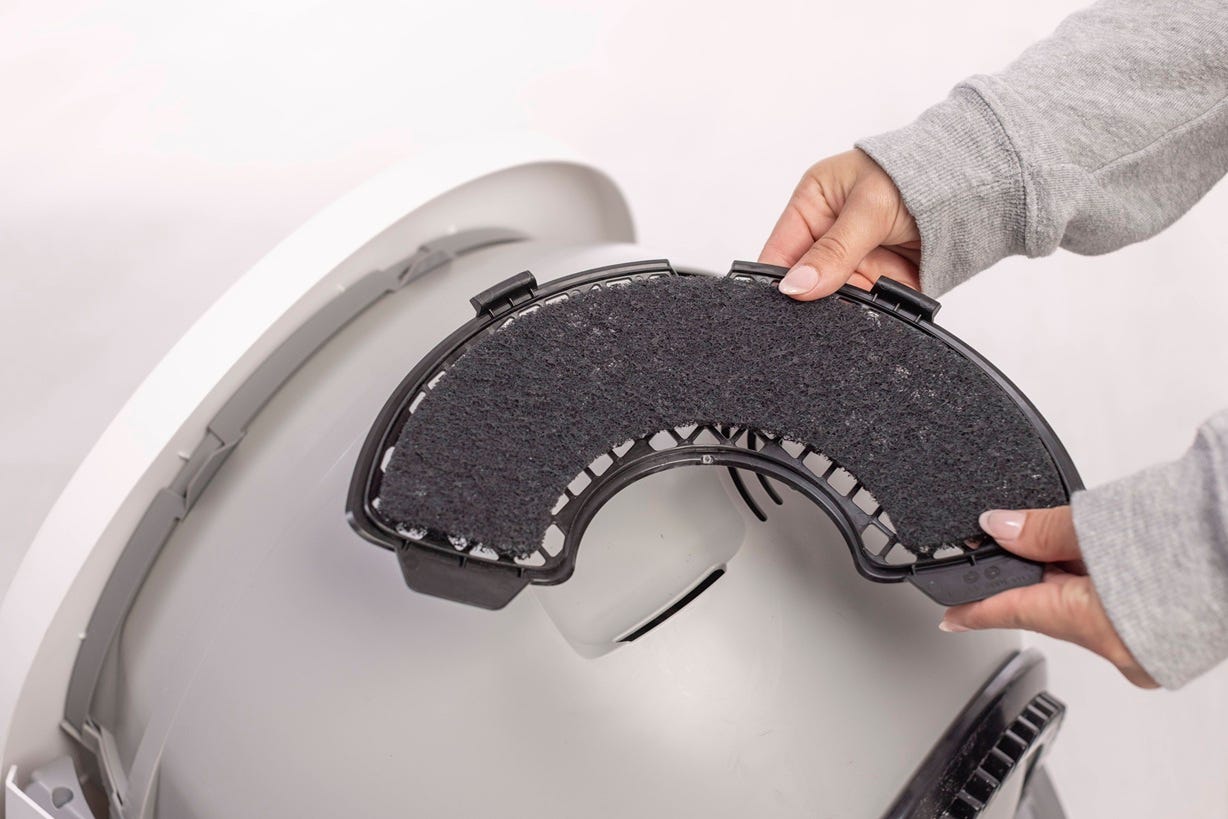
Litter-Robot EVO is equipped with a carbon filter that is installed on the outside of the globe. When the globe is in the Home position, the filter sits directly over the waste drawer to absorb odors.
OdorTrap® Packs may also be used instead of the carbon filter. Neither the carbon filter nor OdorTrap® is required for operation.
The filter pocket holds one (1) carbon filter. If using an OdorTrap® holder, it can hold up to three (3) OdorTrap® Packs. The carbon filter and OdorTrap packs cannot be used together.
Need more help?
Please contact Whisker Customer Experience for further assistance.
Didn't find what you're looking for?
Live support available Mon-Fri: 9AM-9PM EST and Sat-Sun: 9AM-5PM EST, or submit a ticket anytime.