The store will not work correctly in the case when cookies are disabled.

Litter-Robot EVO: Bonnet removed
If your Litter-Robot EVO displays a Bonnet Removed error on the LCD screen, the bonnet may not be properly installed. This guide will help you inspect, reseat, and secure the bonnet so your robot can resume normal operation.
Before you begin
Make sure:
- Your unit is plugged in.
- Your unit is connected and online (if you use the Whisker app).
- Your firmware is up to date. (If the app does not give you the option to update, you already have the latest version.)
Open the bonnet
Let's check how the bonnet is installed and confirm the sensor is clear.
- Use the handles on both sides of the bonnet to lift and rotate it upwards to its open position.
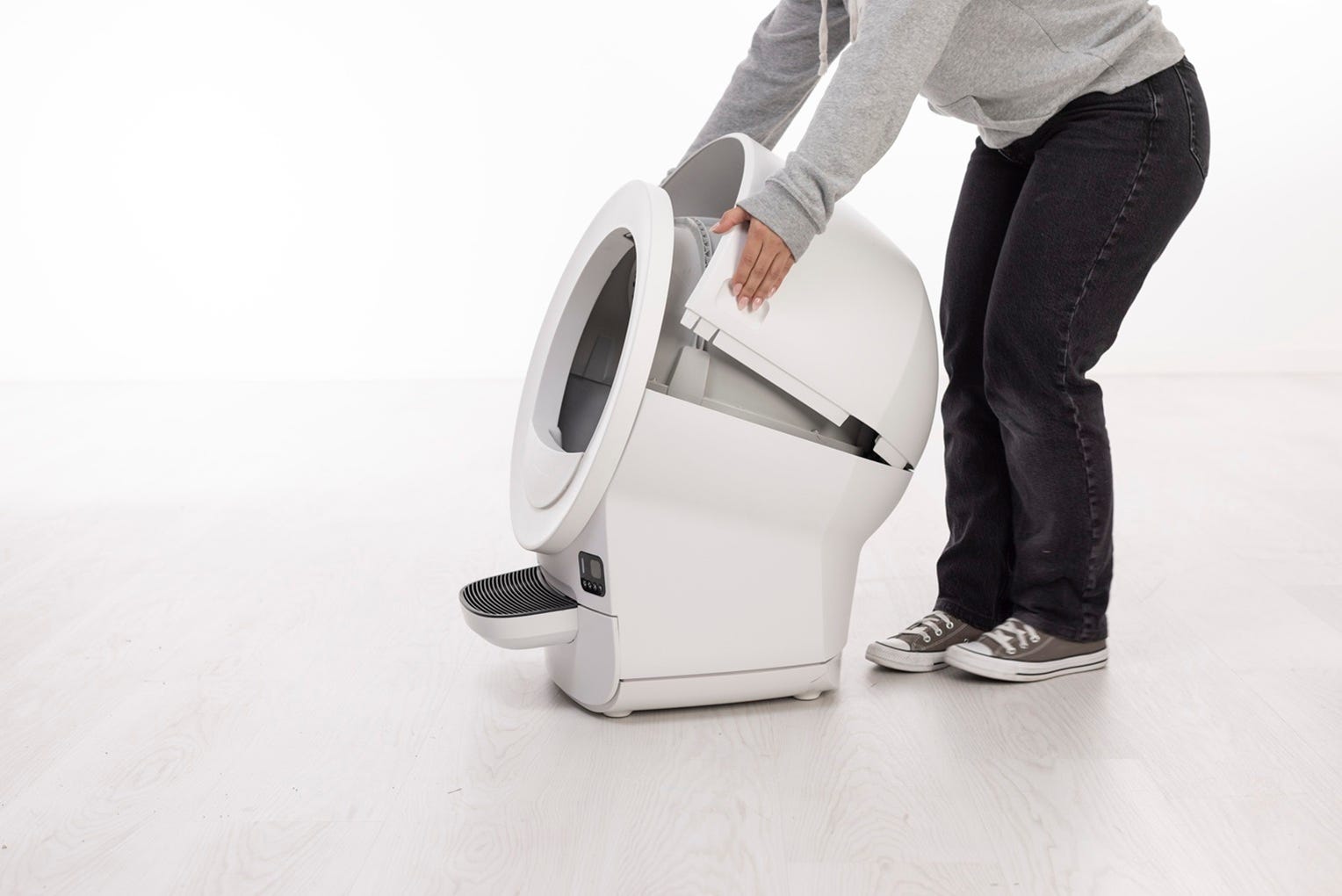
- Remove and set aside.
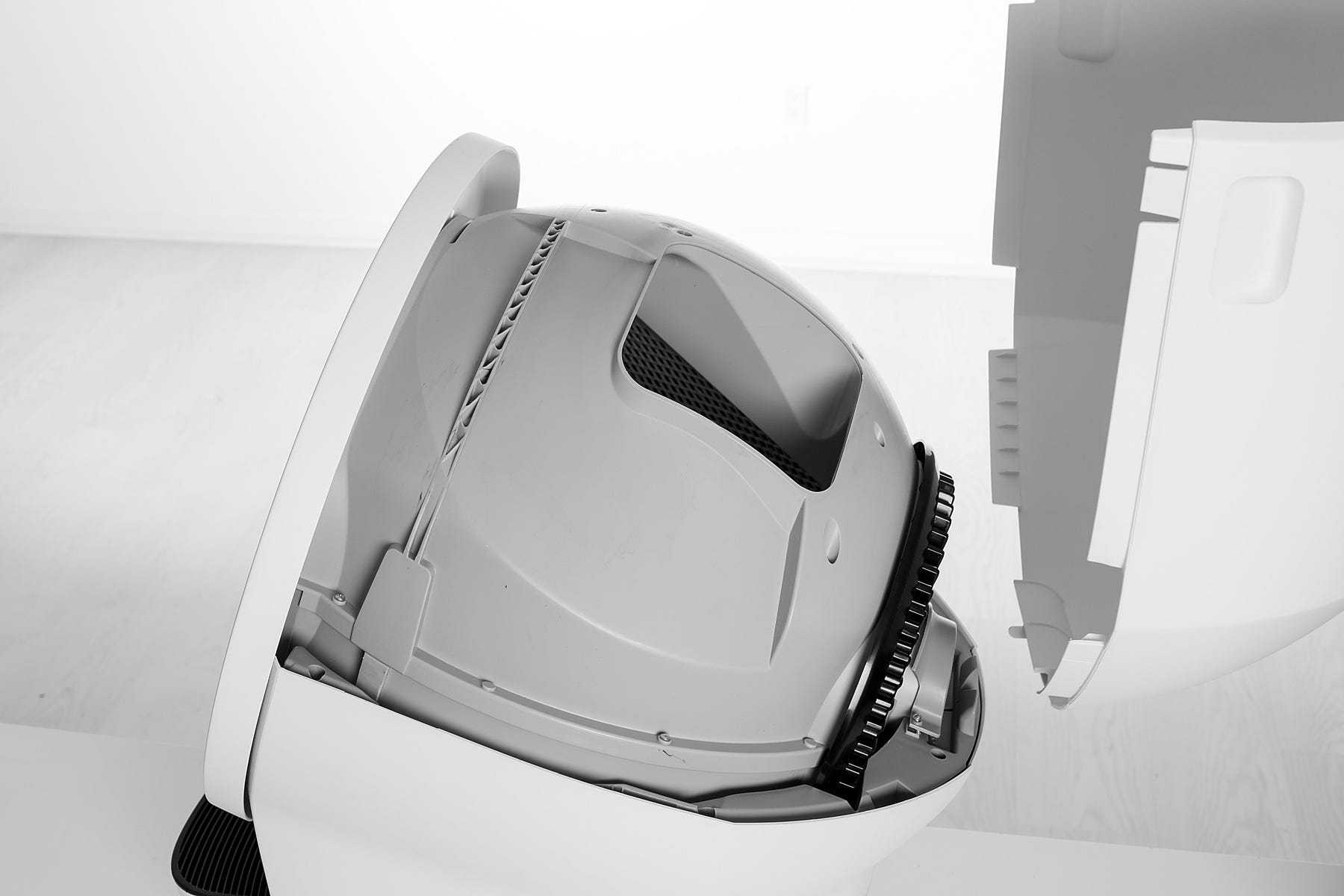
Inspect the bonnet
- Check the bonnet tabs for cracks or damage.
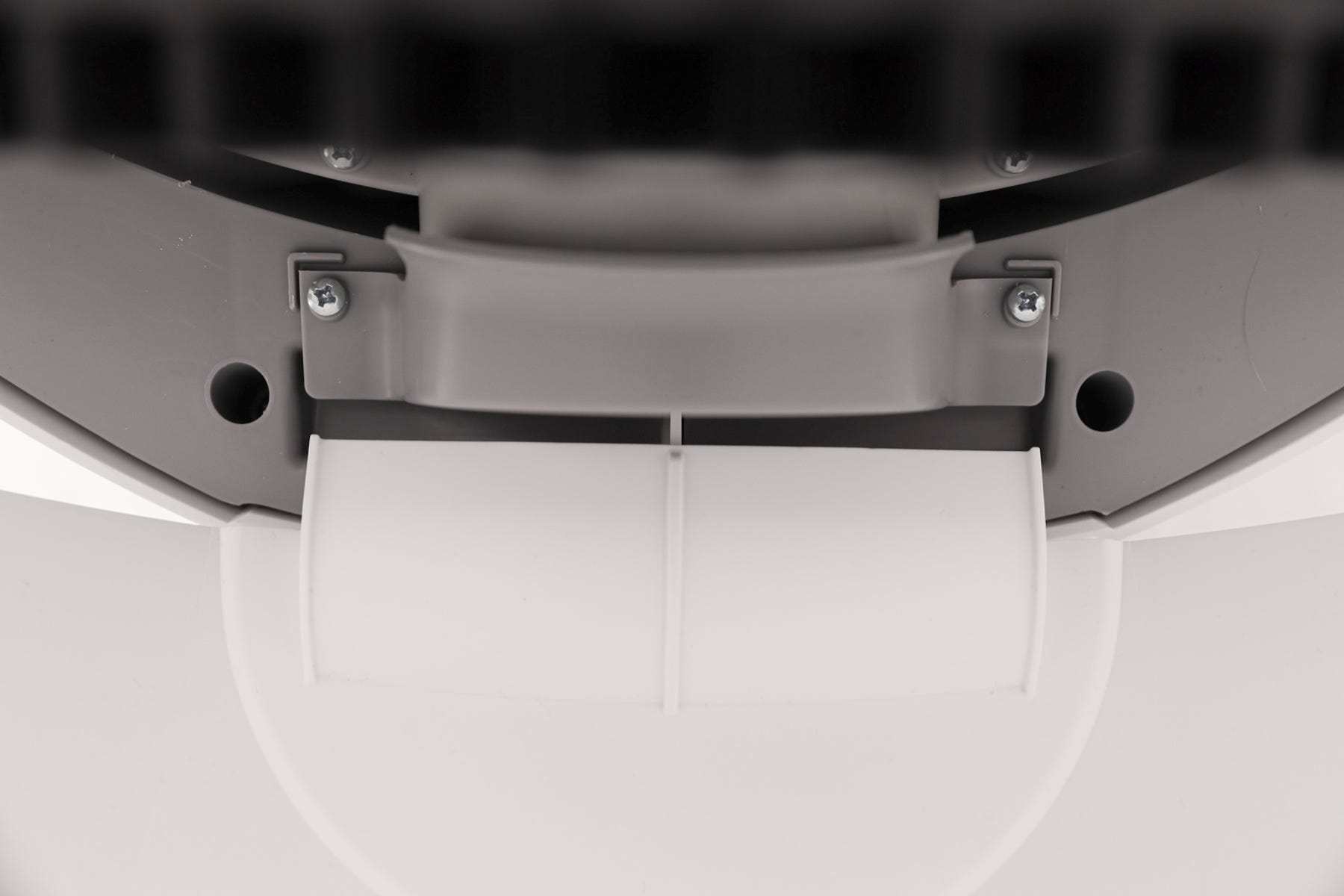
- Inspect the bonnet sensor located in the back hinge where the bonnet rests for debris and confirm they are not broken.
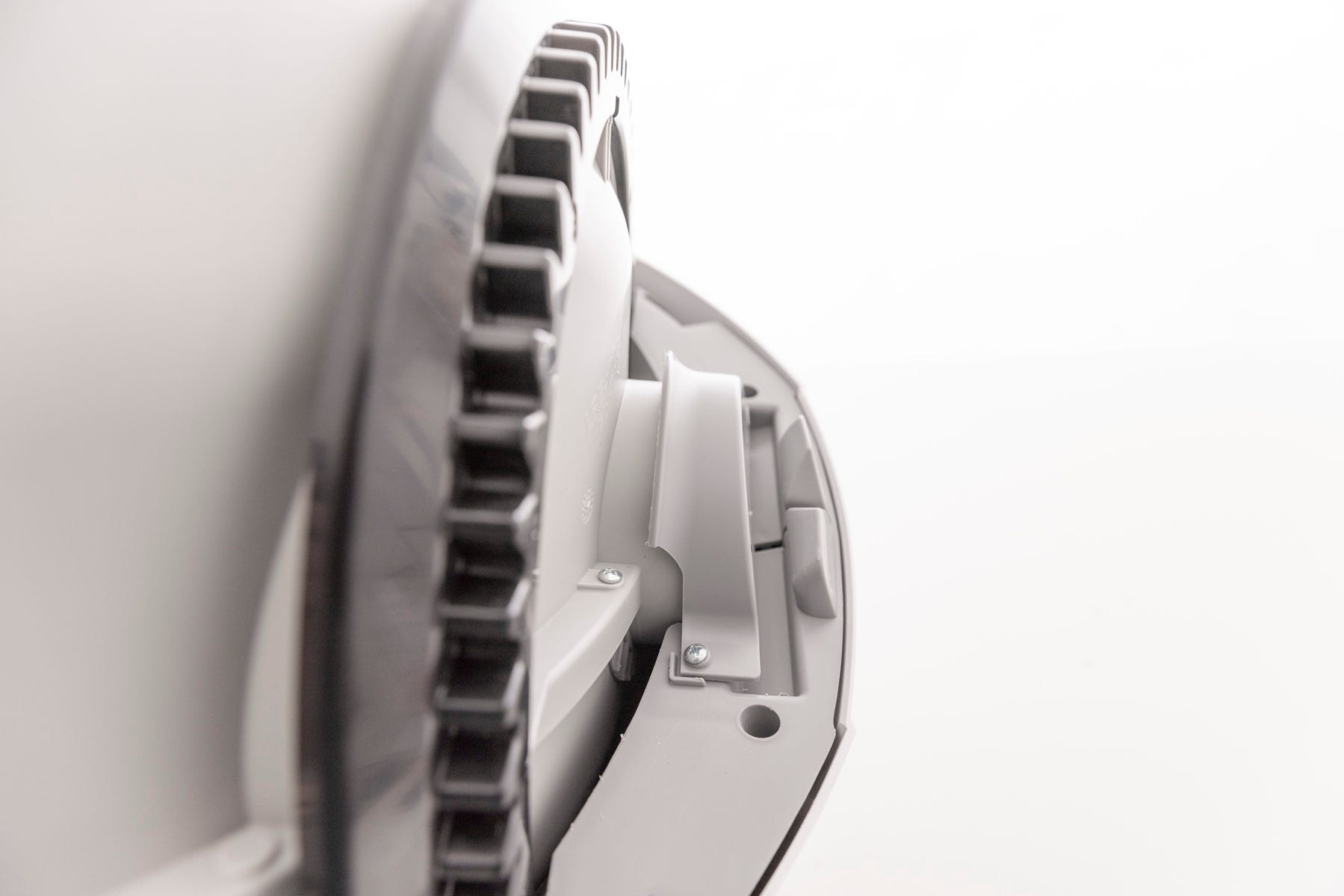
- Verify the globe is fully seated in the base.
Reassembly
- Replace the bonnet by aligning the tab at the back of the bonnet with the slot in the bonnet hinge.
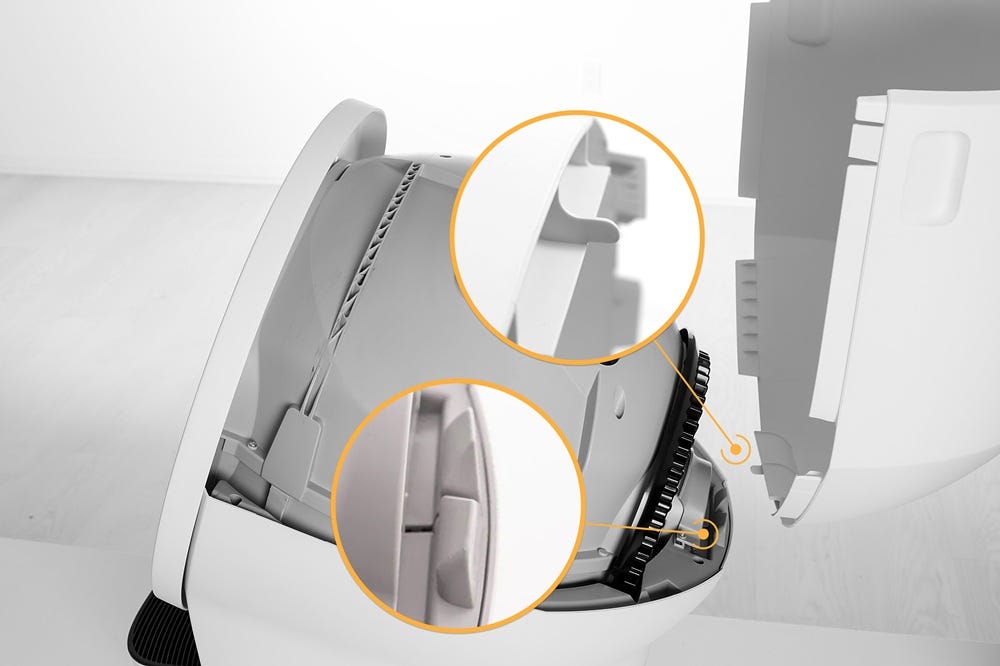
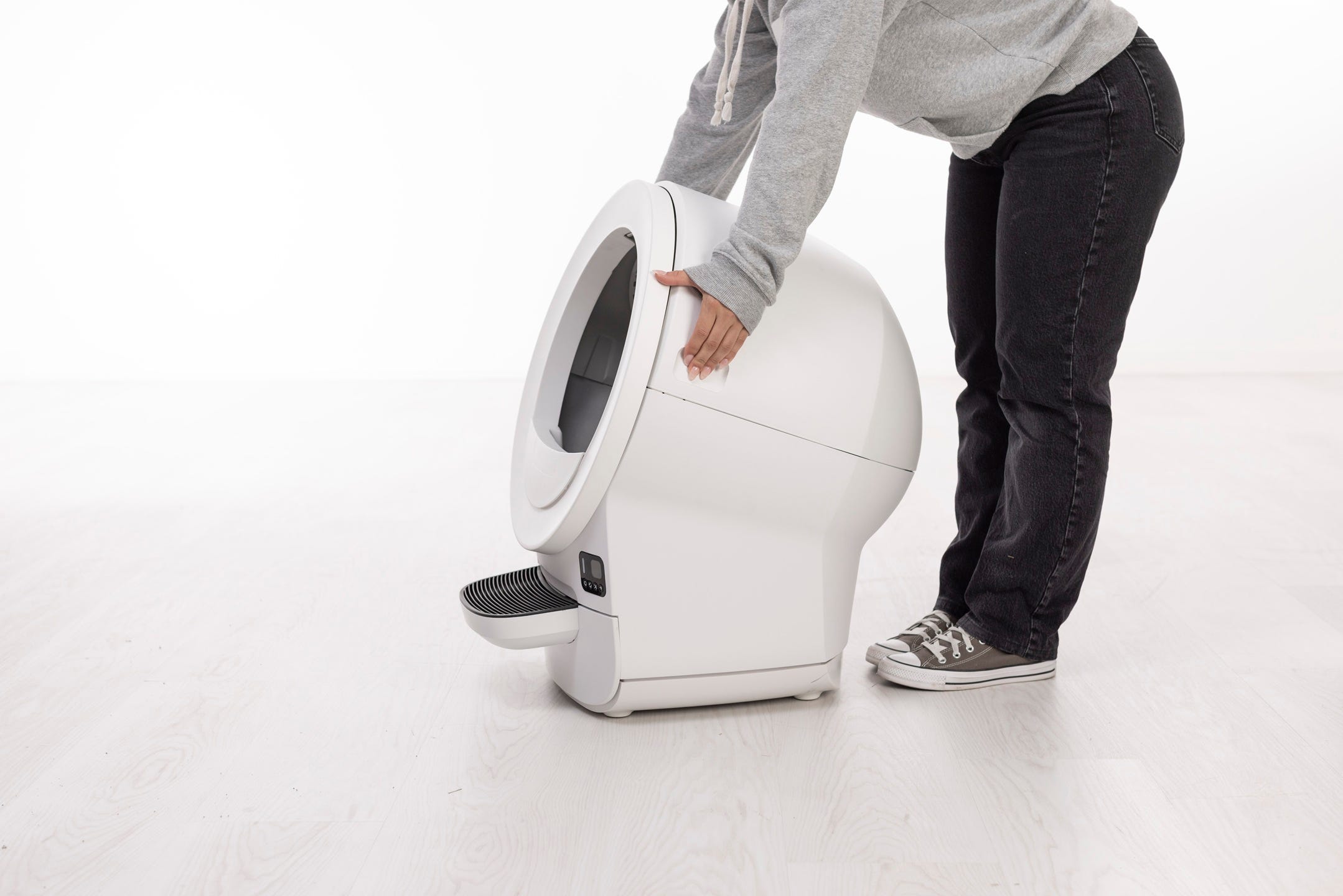
- Rotate the bonnet downward with light pressure on the sides so that it hugs the globe. This will help ensure proper alignment of the bonnet latches in the base.
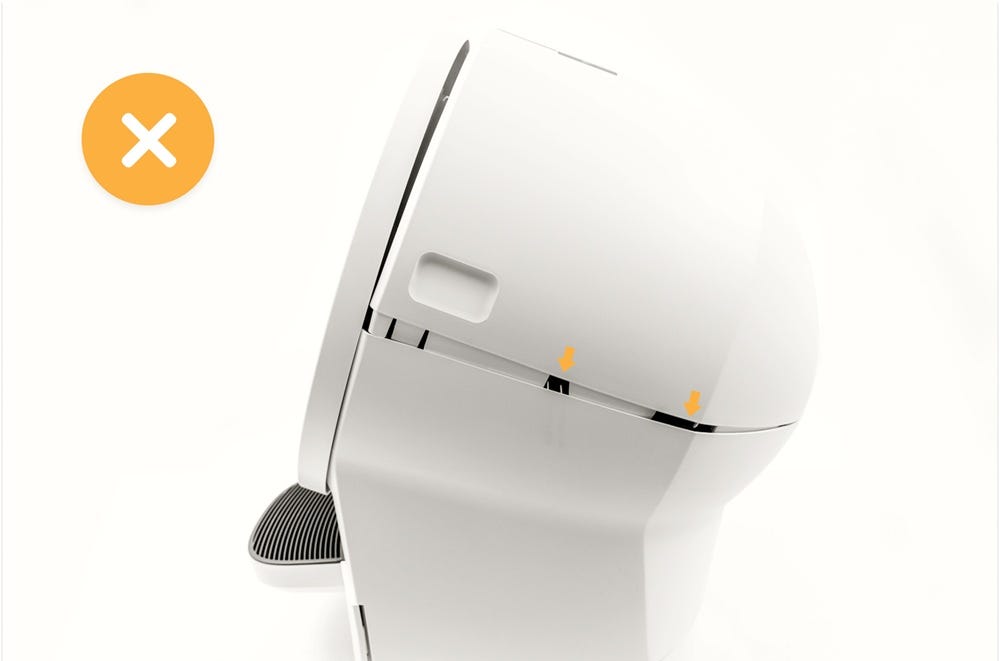
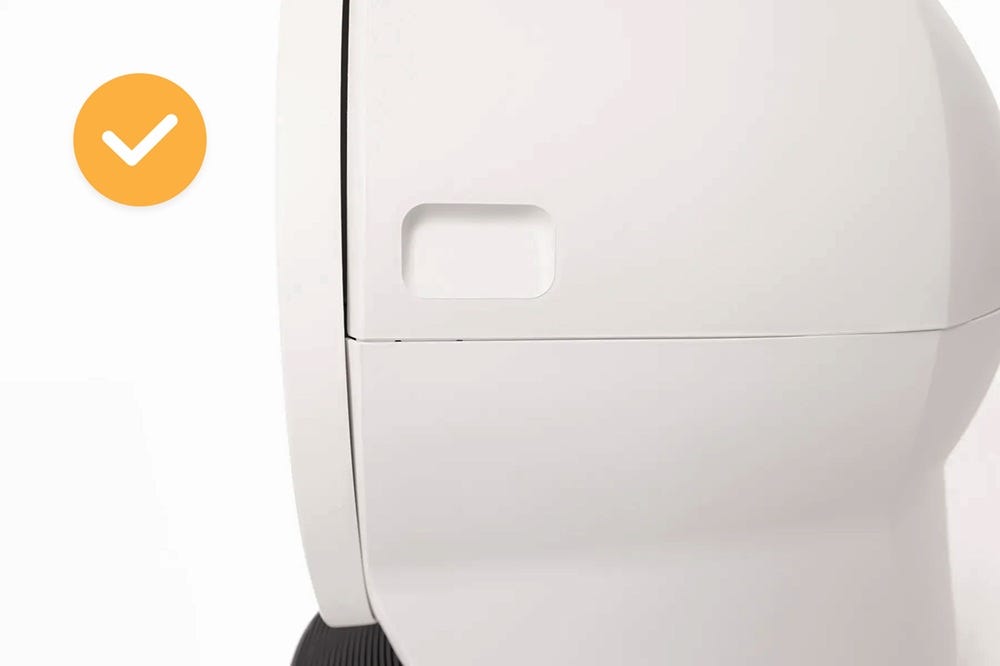
- Confirm that the two channels on each side of the base are properly aligned and that there are no gaps between the bonnet and the base.
- Incorrect:
- Correct:
Successful: The unit returns to Home with a solid white light, indicating it is ready for use.
Unsuccessful: If the Bonnet Removed notification remains, there may be an issue with the bonnet.
Need more help?
If you are still experiencing a Bonnet Removed notification, please contact Whisker Customer Experience for further assistance.
Didn't find what you're looking for?
Live support available Mon-Fri: 9AM-9PM EST and Sat-Sun: 9AM-5PM EST, or submit a ticket anytime.