The store will not work correctly in the case when cookies are disabled.

Litter-Robot EVO: Cycle interrupted
If you receive a Cycle Interrupted notification in the Whisker app and your Litter-Robot EVO will not cycle, the robot detected unexpected weight during rotation. This guide will help you identify common causes, clear false detections, and restore normal operation.
Quick links
Before you begin
Make sure:
Your unit is plugged in.
Your WiFi network is working normally.
Your firmware is up to date in the Whisker app.
How EVO detects motion and weight
Litter-Robot EVO uses internal weight monitoring to keep your cat safe during operation.
A Cycle Interrupted notification generally means:
The unit sensed unexpected weight during rotation
A pet attempted to enter during a Clean Cycle
The robot believes a cat has entered but not exited
To protect your pet, Litter-Robot EVO pauses the cycle until the movement or weight change has cleared.
Troubleshooting cycle interruptions
If a Cycle Interrupted notification persists, follow the steps below to clear false detections.
Make sure Litter-Robot is on a level surface
If the base is unstable, sitting on uneven flooring, or touching a wall or furniture, the unit may detect false motion or weight shifts.
Check that:
The unit is not touching a wall
The floor is level.
If the unit is on a tiled floor, ensure that it is not resting on any grout lines.
No mats, rugs, or objects are partially beneath the base
Resetting the SmartScale®
If Litter-Robot EVO paused mid-cycle:
- Short press the Cancel button once to return the globe to the Home position.
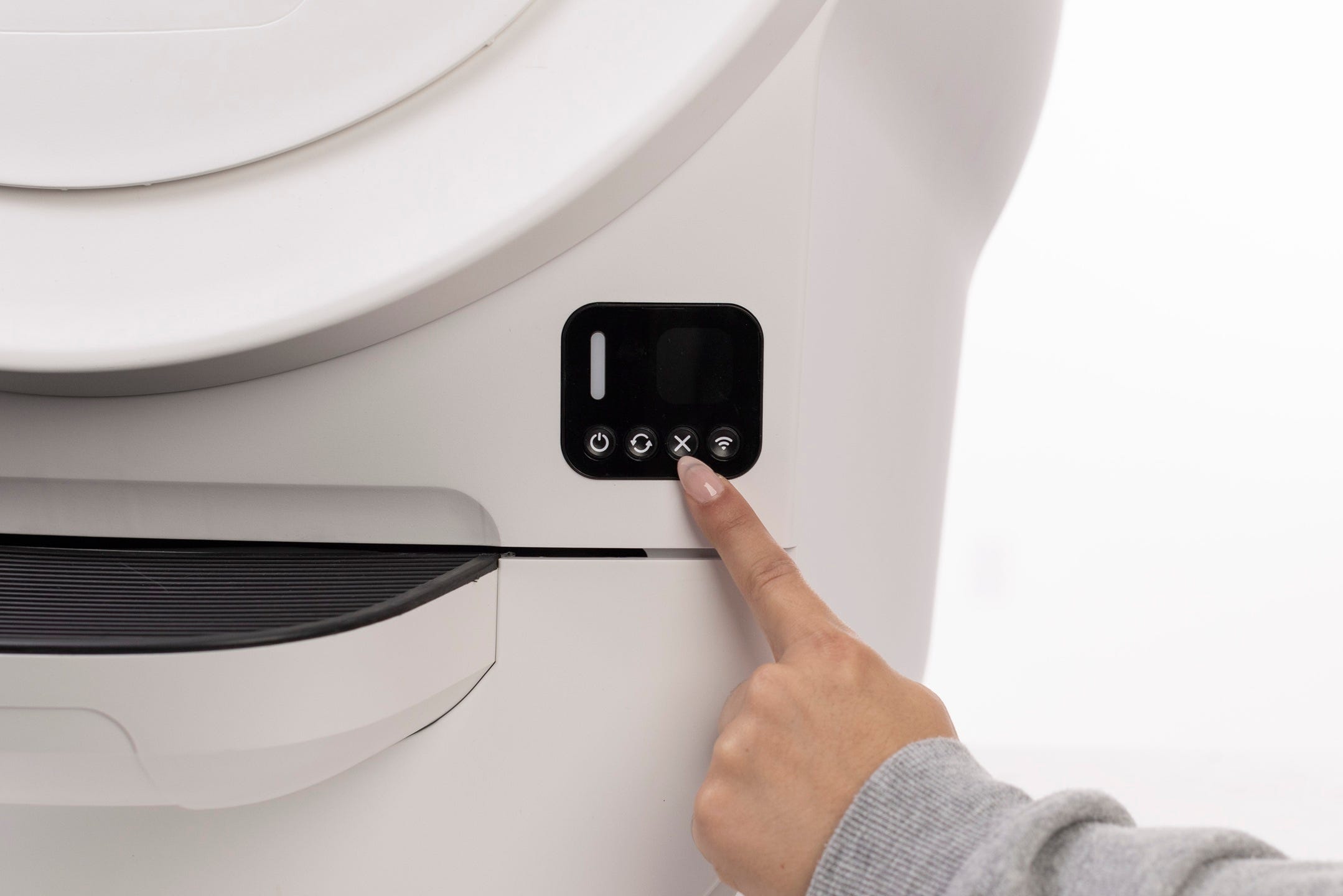
From there, short press Cancel again to zero the weight sensors
Important: Do not rest your hand or body weight on the unit while pressing Cancel.
Run a test cycle
Short press Cycle to start a Clean Cycle.
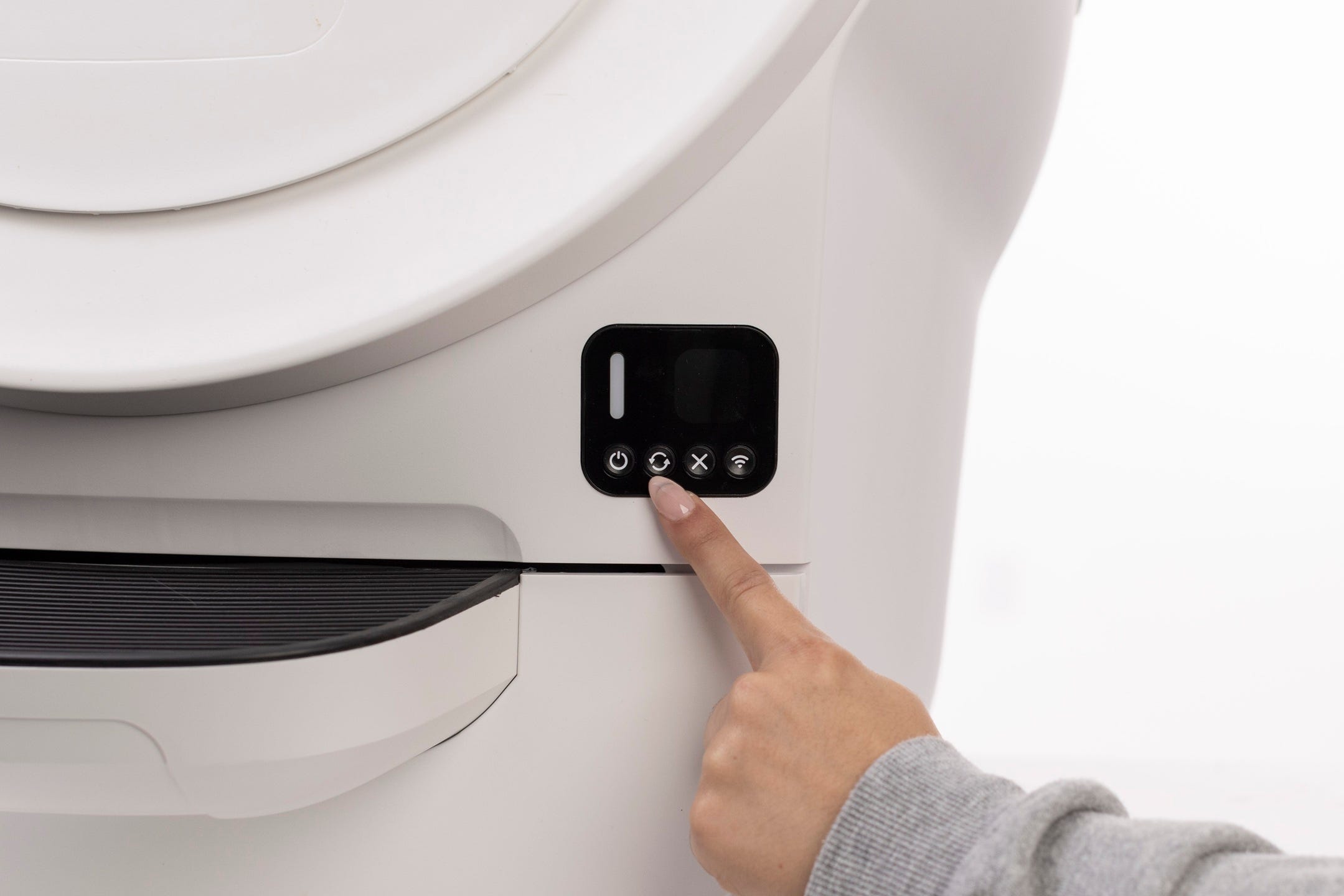
Successful: Litter-Robot completes rotation and returns to Home.
Unsuccessful: Continue to the next steps.
Check for obstructions
Anything that causes resistance or unexpected movement may trigger a cycle interruption.
Make sure the unit is in the Home position.
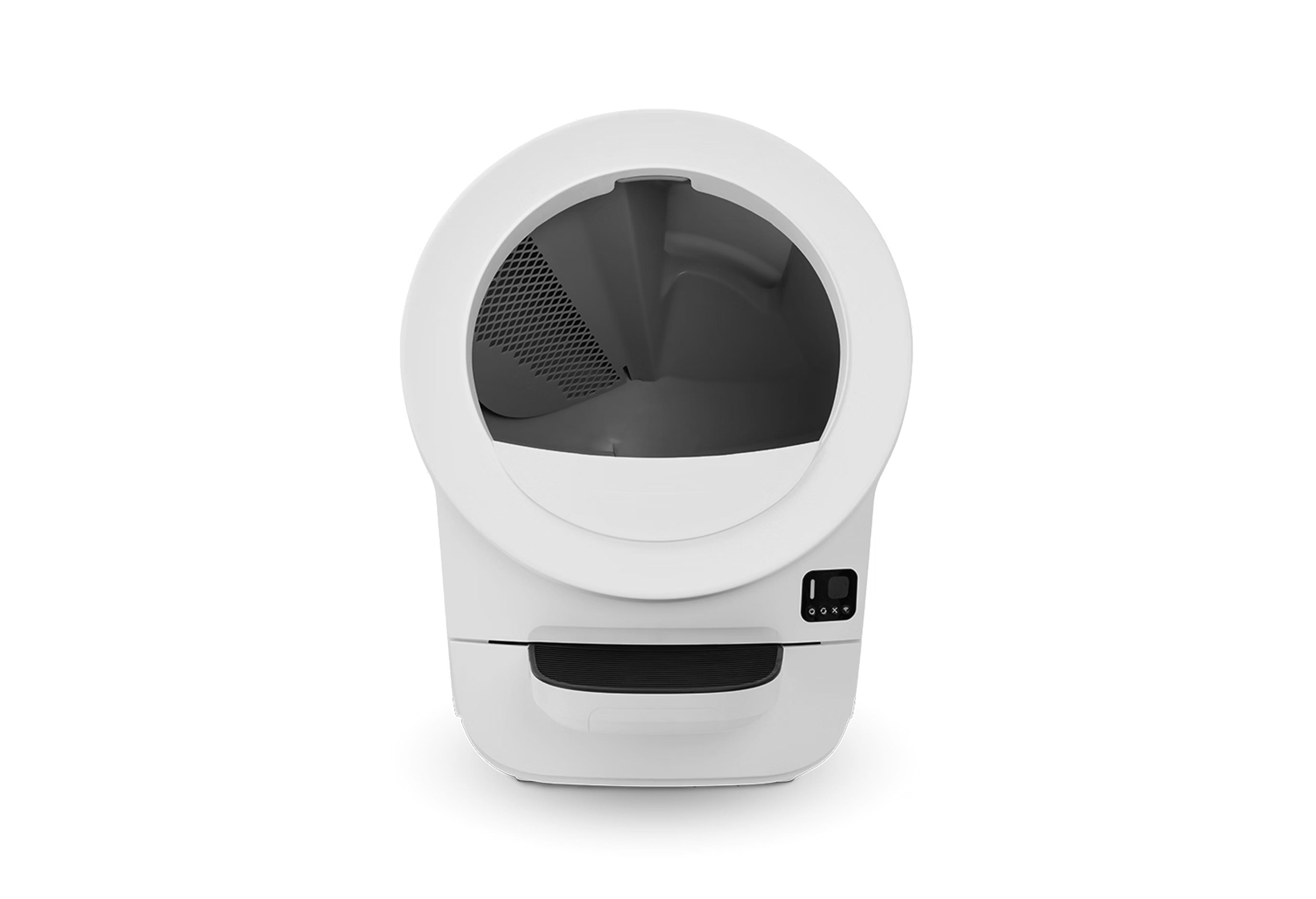
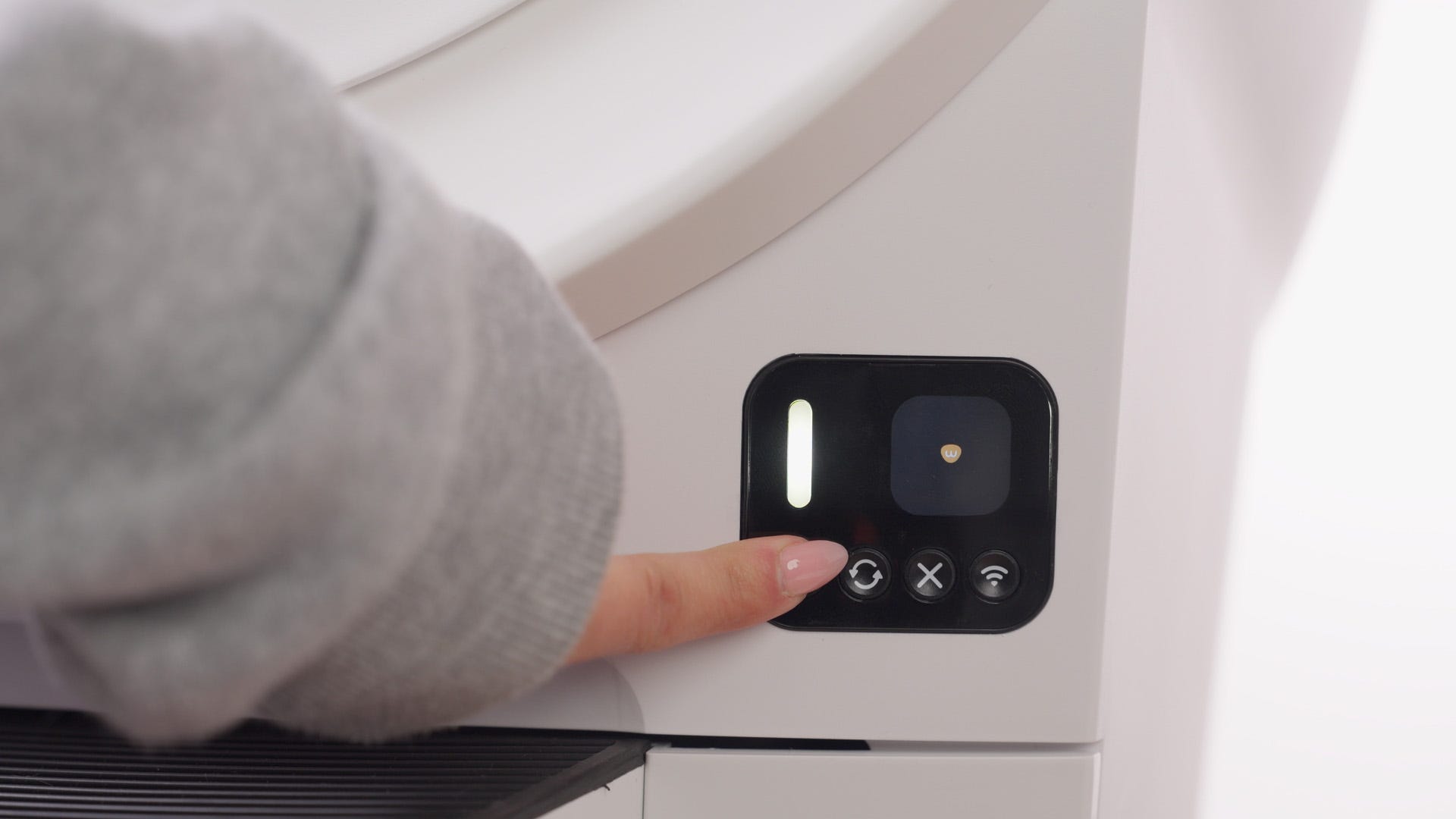
Press the Power button to turn the unit off, then unplug it.
- Use the handles on both sides of the bonnet to lift and rotate it upwards to its open position. Remove the bonnet and set aside.
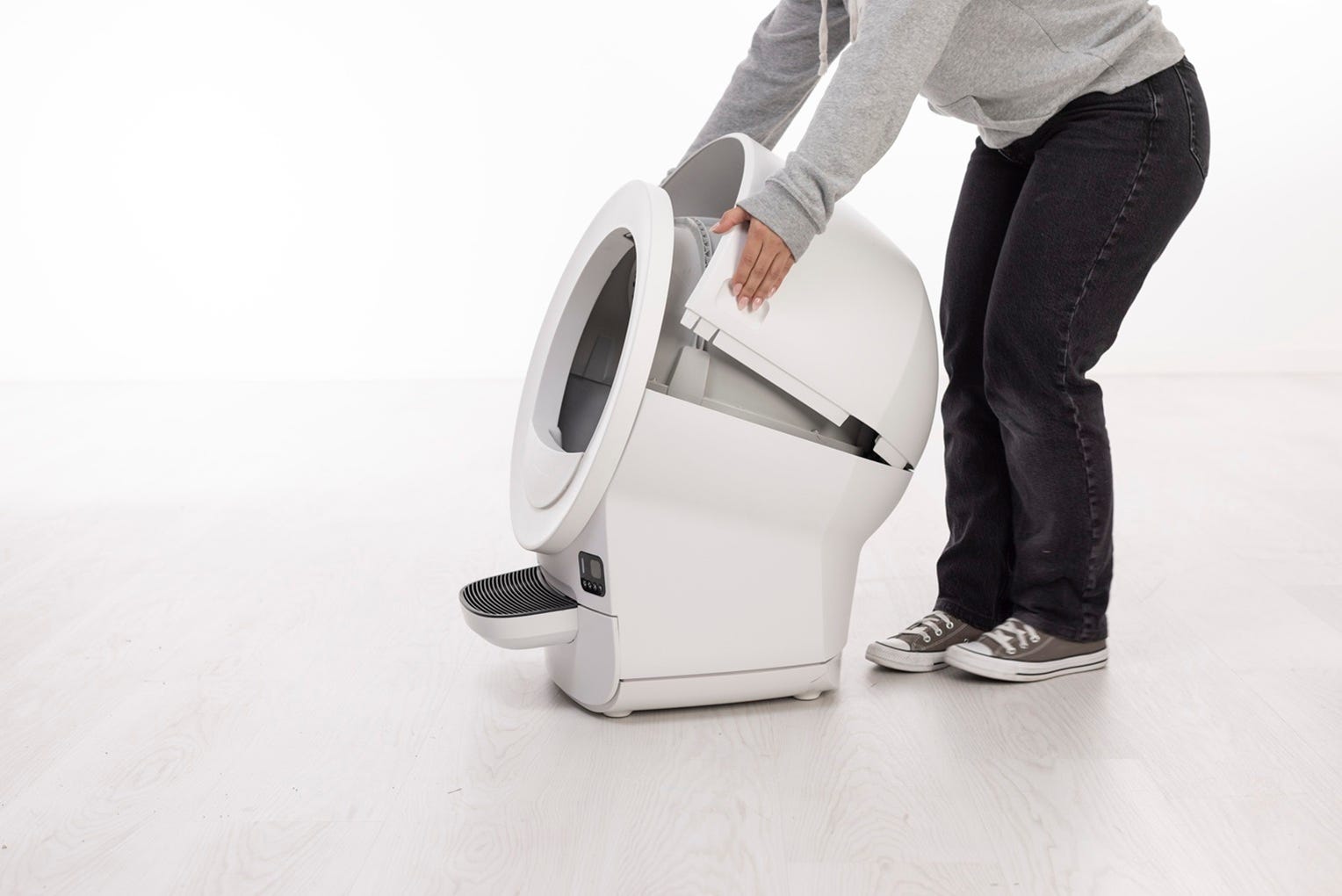
Using the rib at top of the globe entrance, lift the globe out of the base and set it on a flat surface.
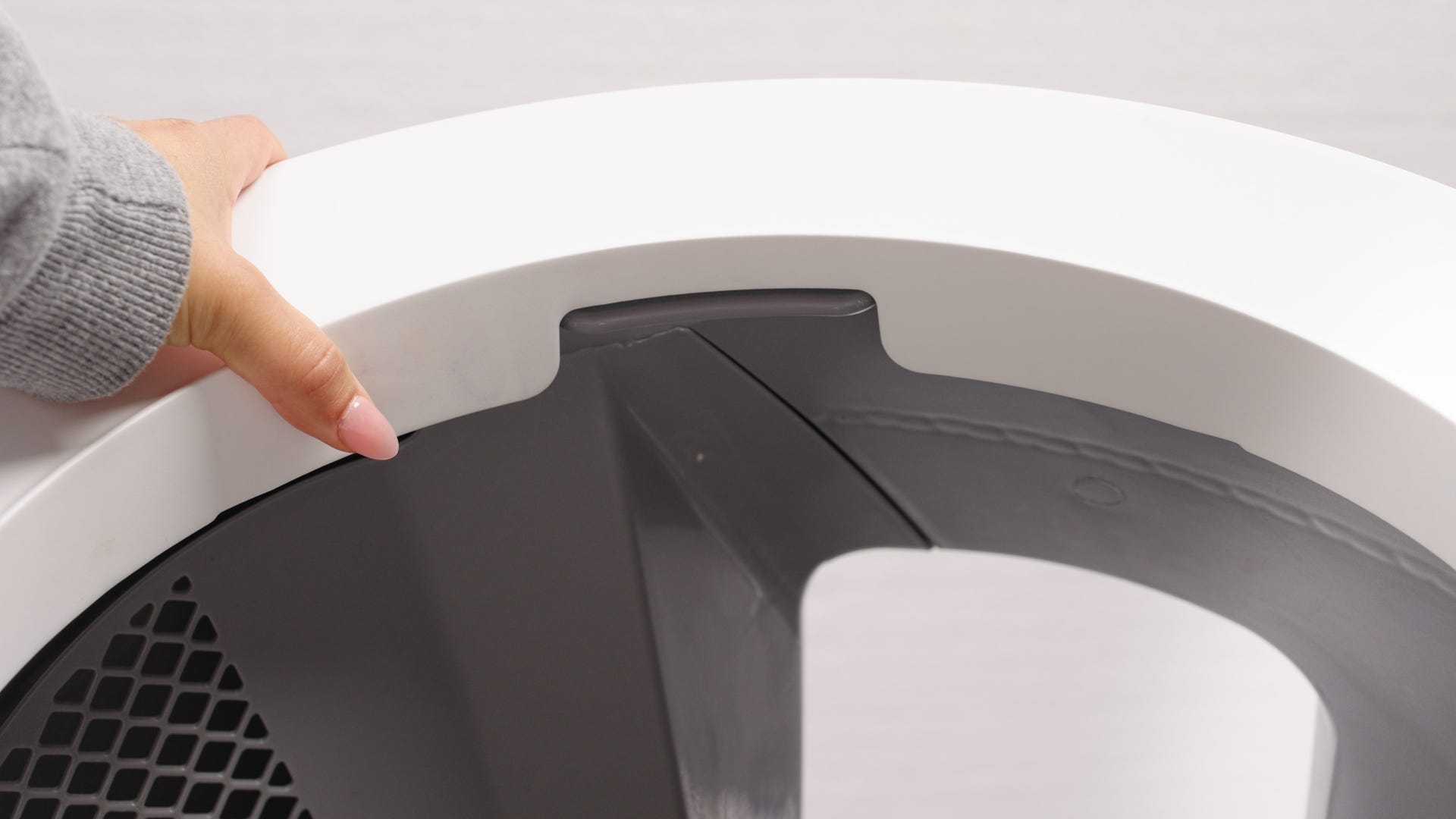
Inspect the drawer and base
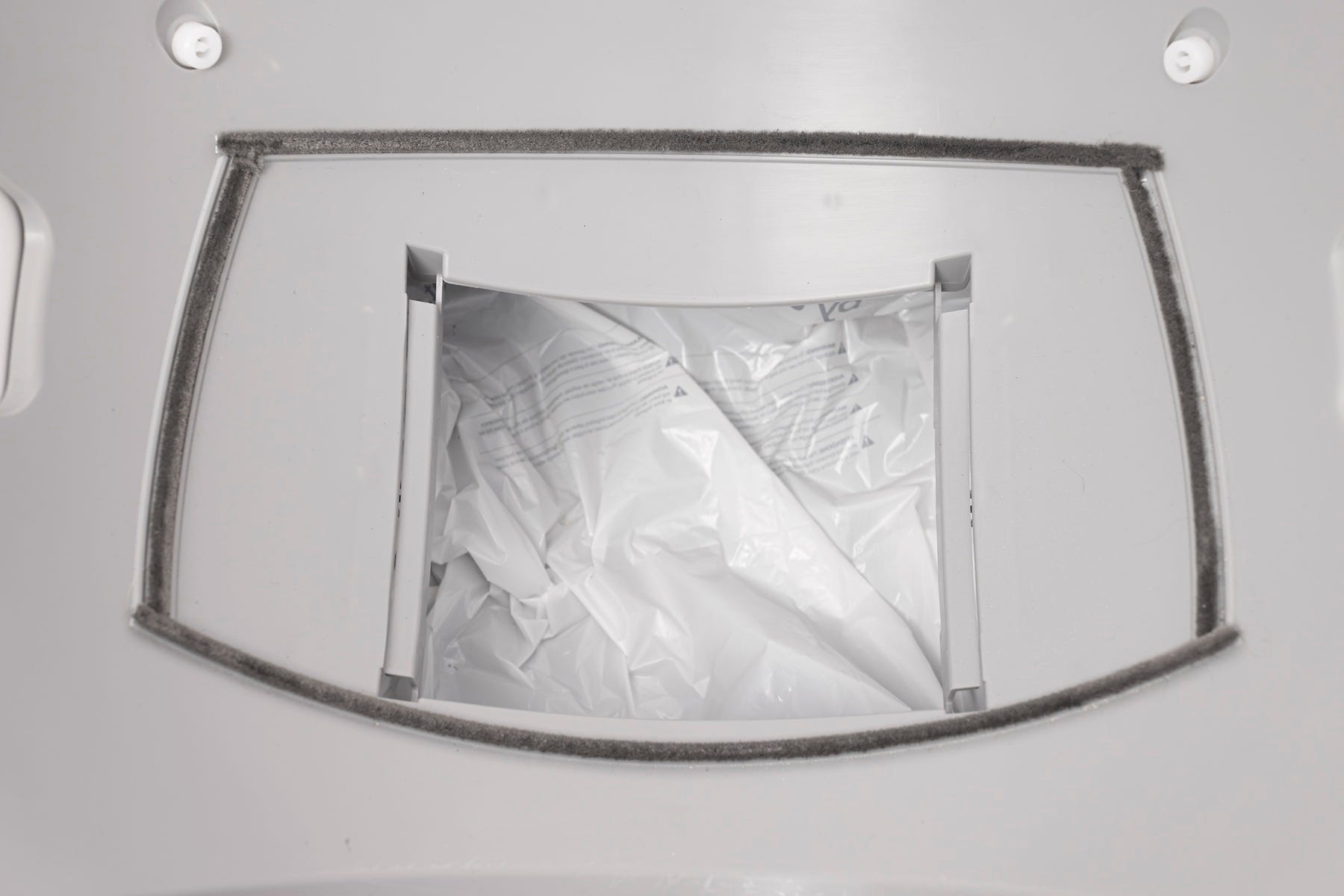
Inspect the base:
To ensure that the waste drawer is inserted properly and not pressing down on the scale plate underneath the drawer
Anything touching the scale feet under the base
Reinstall the globe and bonnet
Improper seating of the globe or bonnet can cause false detections.
Installing the globe
To reinstall the globe, hold it by the rib at the top of the globe entrance and set it into the base.
When installing the globe, keep the waste port oriented toward the top to ensure it is close to the Home position.
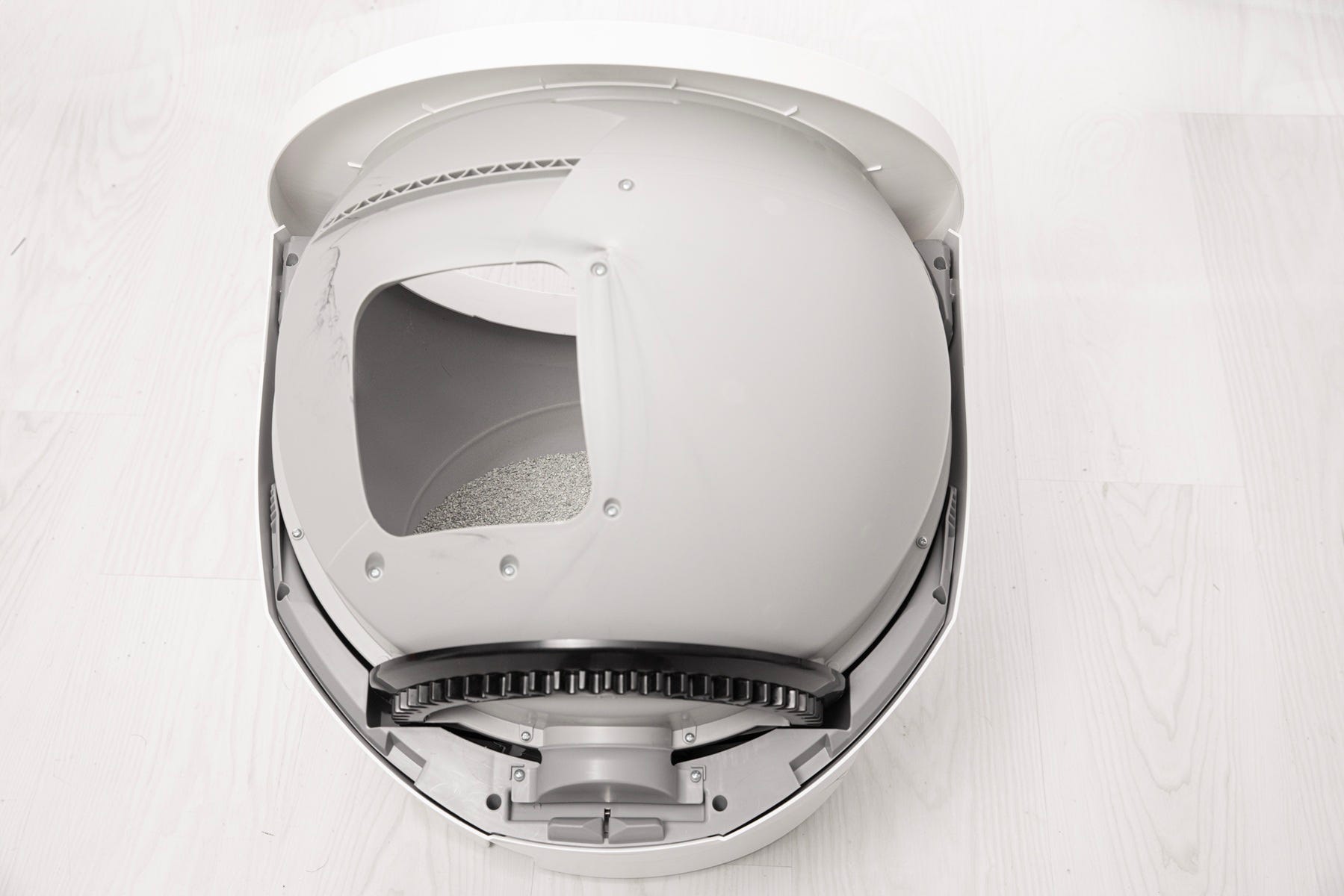
Ensure that the globe end is aligned properly at the back of the unit and that the gear is within the track.
Check that the globe is properly seated: the cylindrical end should align directly beneath the retaining bracket at the rear of the base.
If the globe does not spin after reassembly and initiating a cycle, inspect the alignment and reseat the globe.
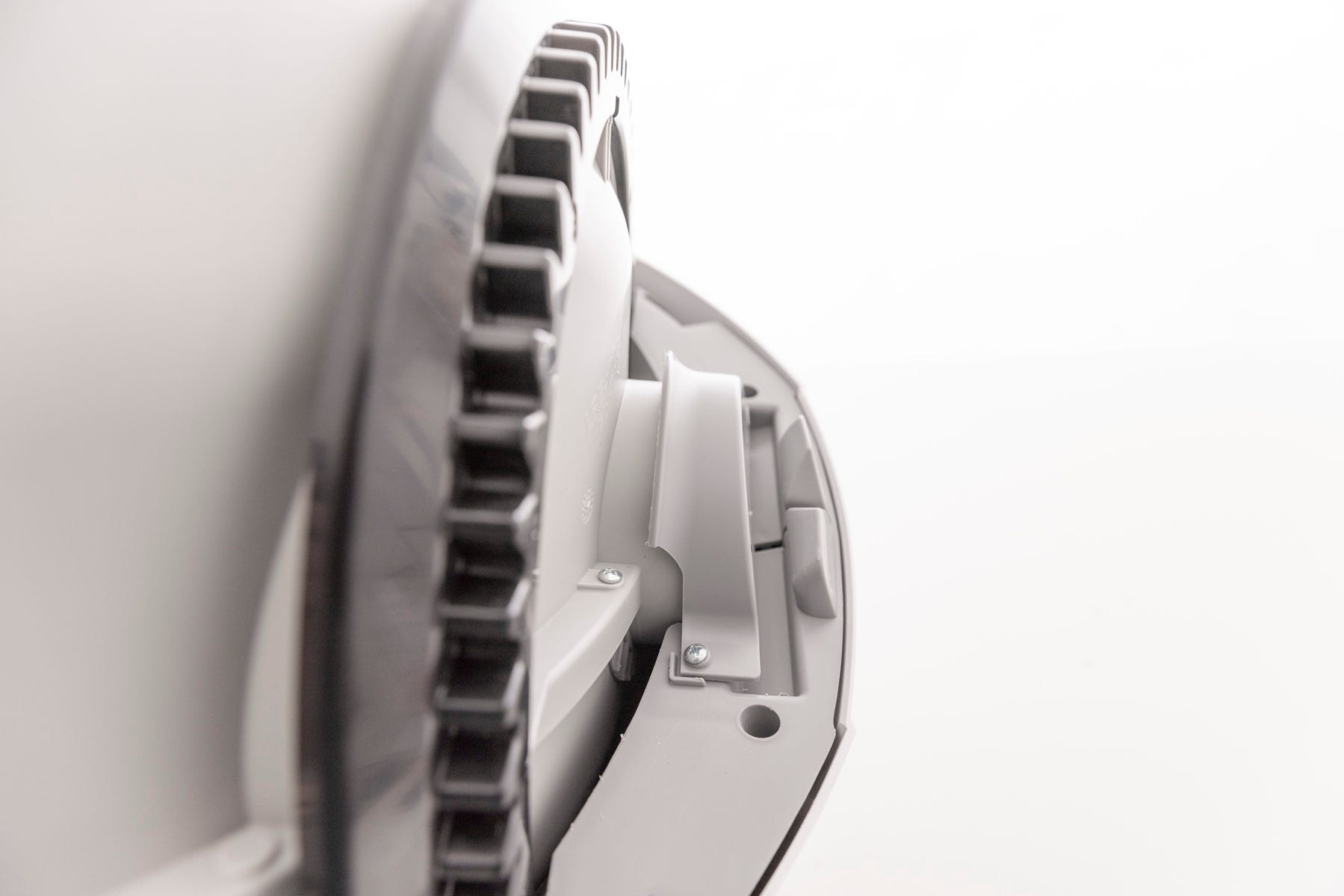
Installing the bonnet
Replace the bonnet by aligning the tab at the back of the bonnet with the slot in the bonnet hinge.
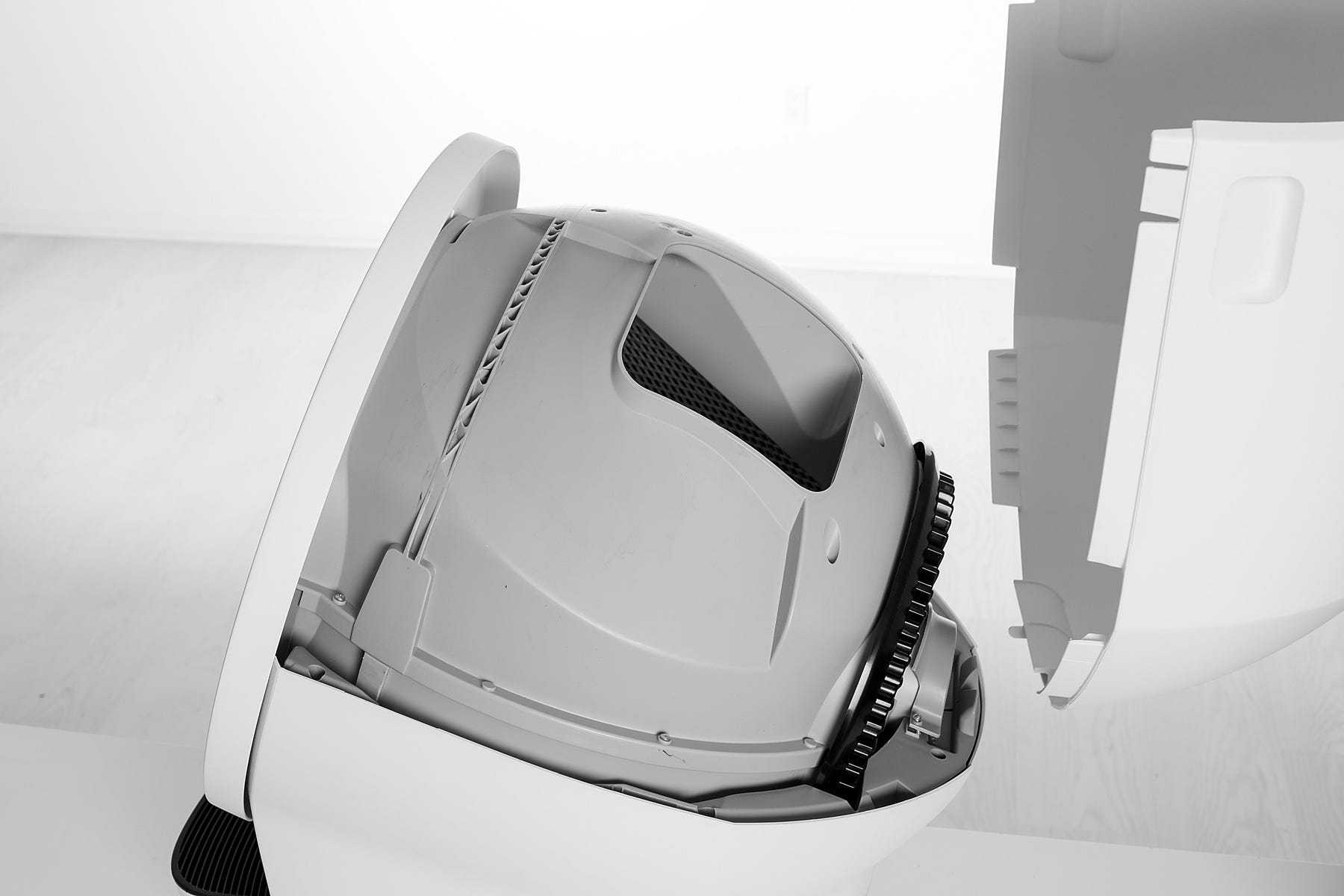
Rotate the bonnet downward with light pressure on the sides so that it hugs the globe. This will help ensure proper alignment of the bonnet latches in the base.
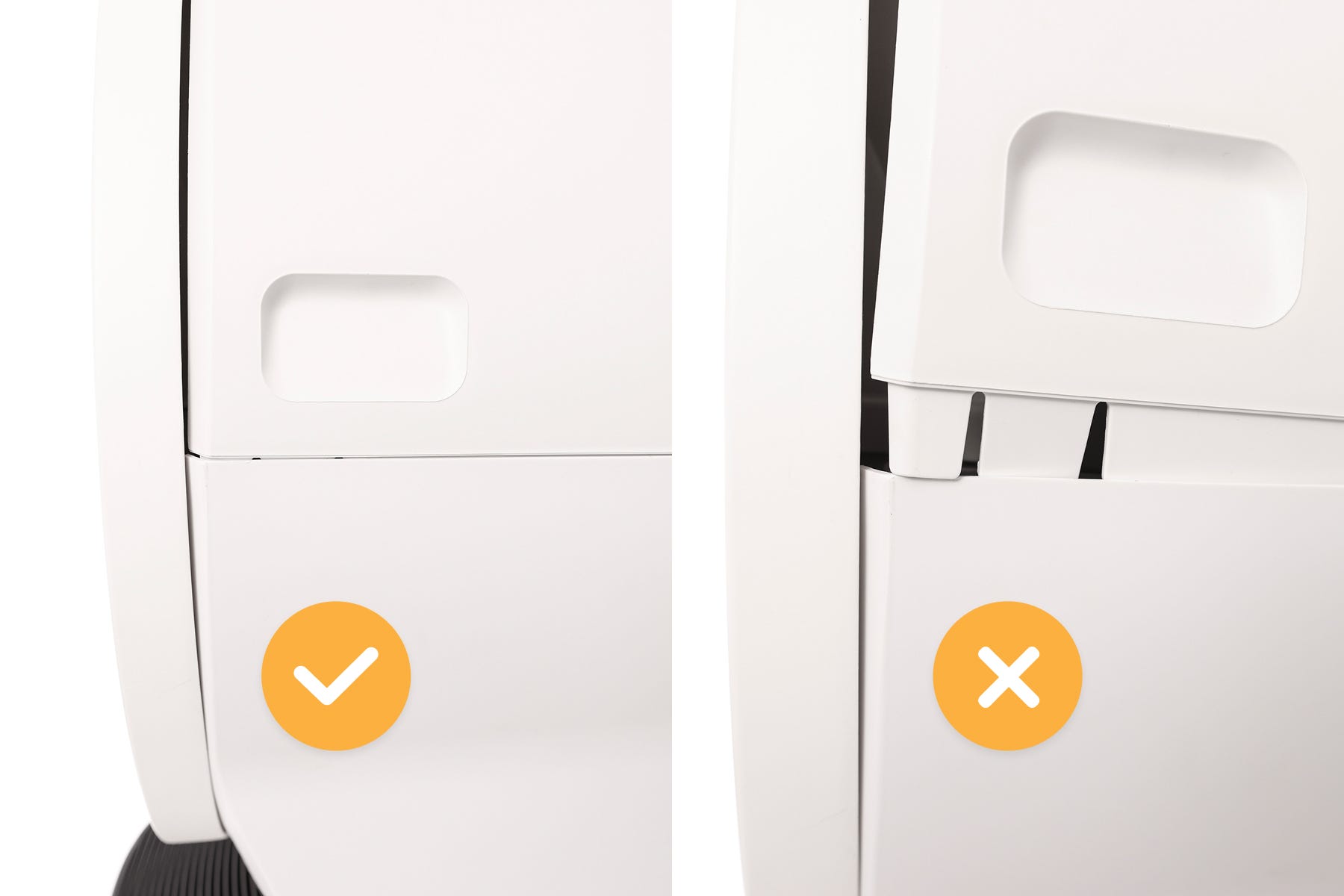
Push down on the bonnet near the handles located on either side to make sure it has latched into place and feels secure.
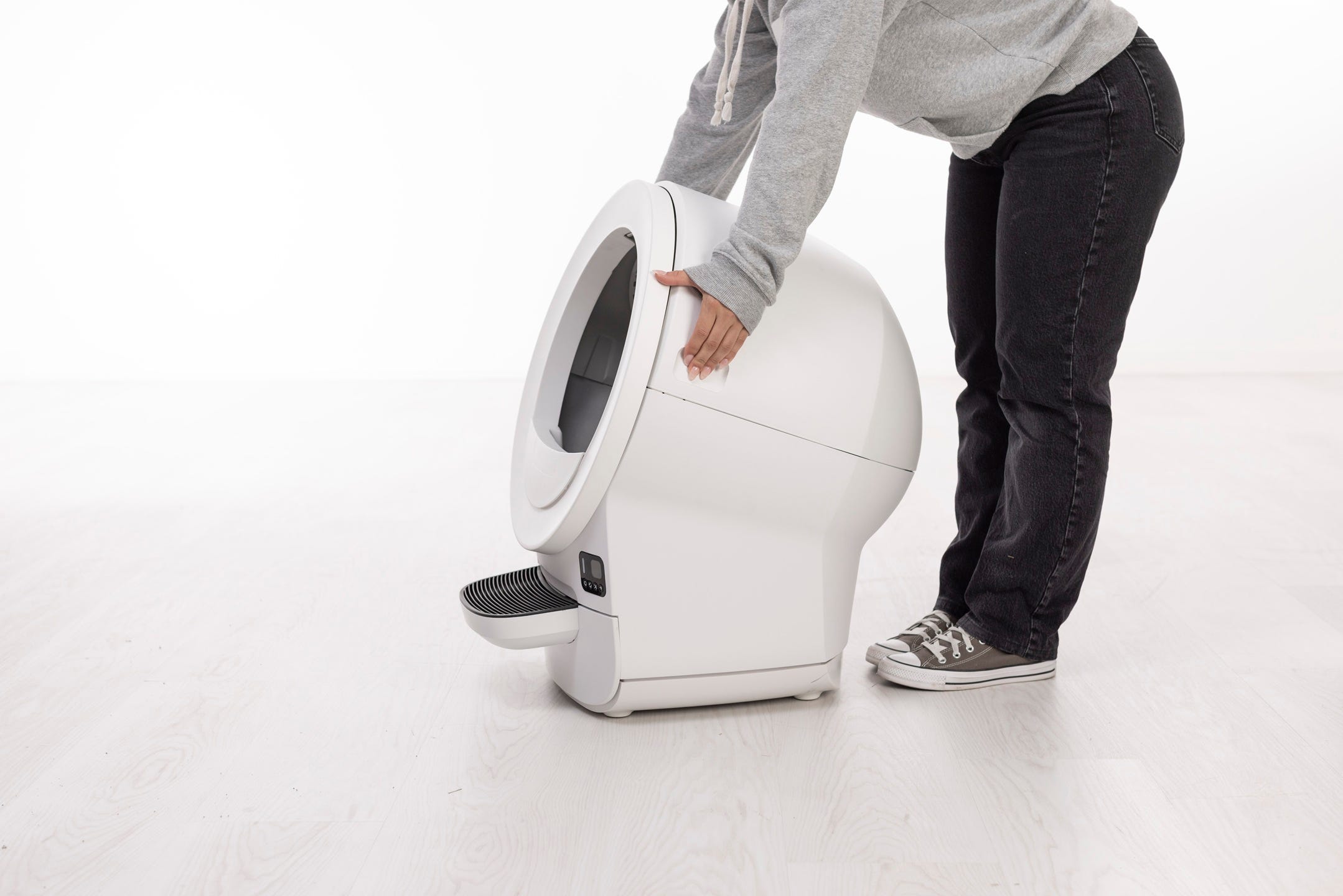
Final steps
Plug the unit in and power on.
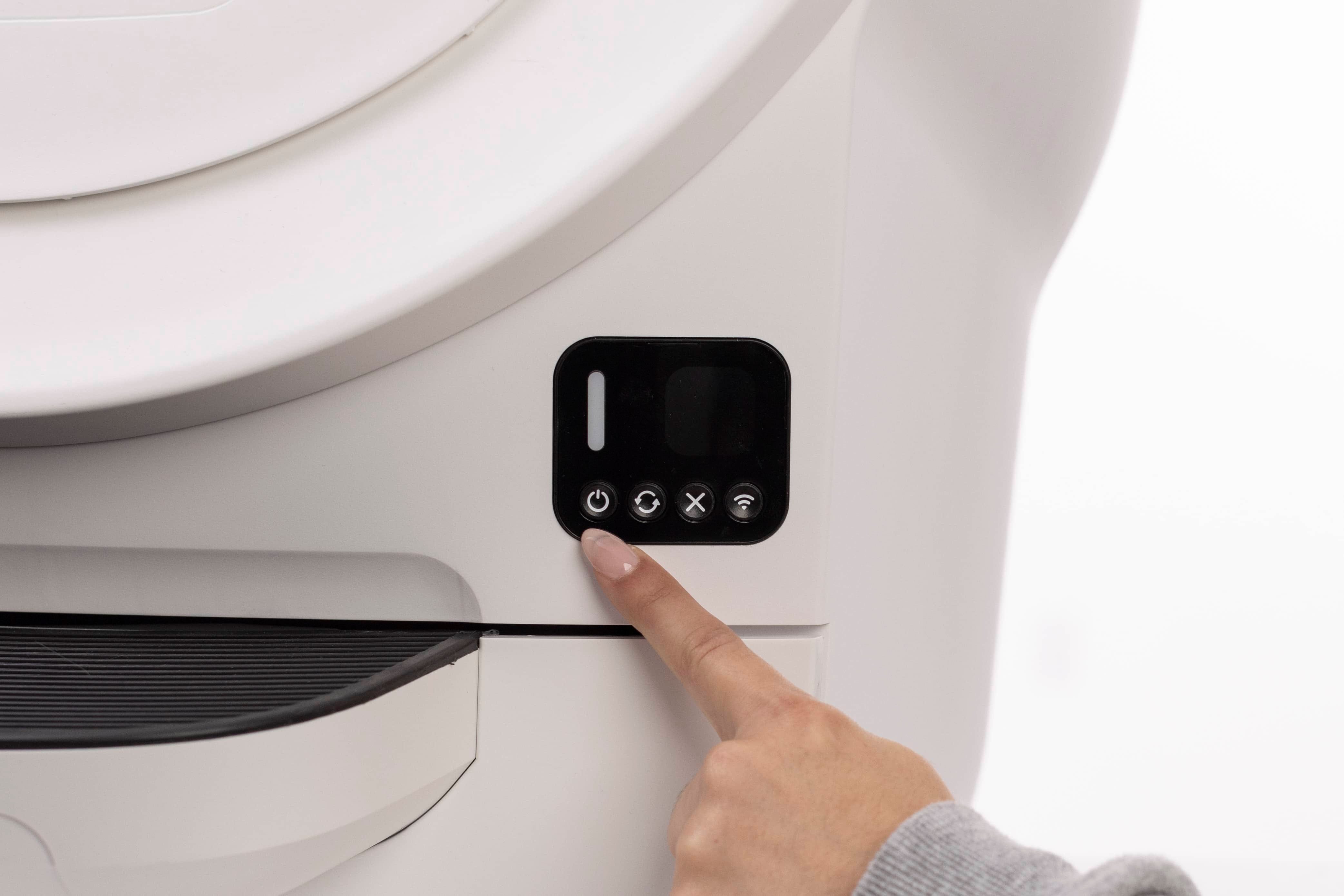
Short press the Cancel button to zero the SmartScale.
Short press the Cycle button to allow the unit to complete a Clean Cycle.
Need more help?
If your Litter-Robot EVO continues to show a Cycle Interrupted notification, please contact Whisker Customer Experience for additional assistance.
Didn't find what you're looking for?
Live support available Mon-Fri: 9AM-9PM EST and Sat-Sun: 9AM-5PM EST, or submit a ticket anytime.