The store will not work correctly in the case when cookies are disabled.


Litter-Robot: OdorTrap® installation guide
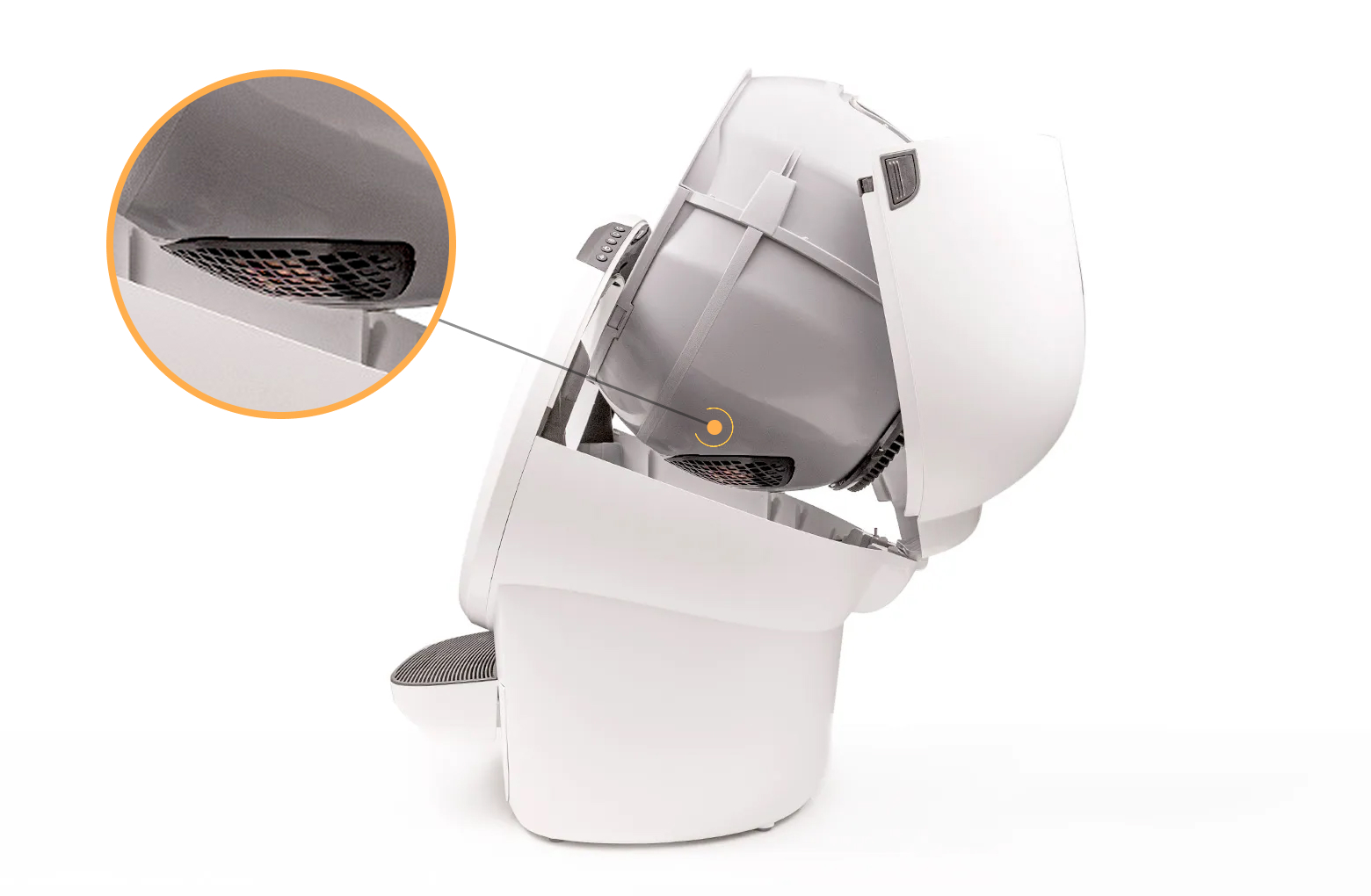
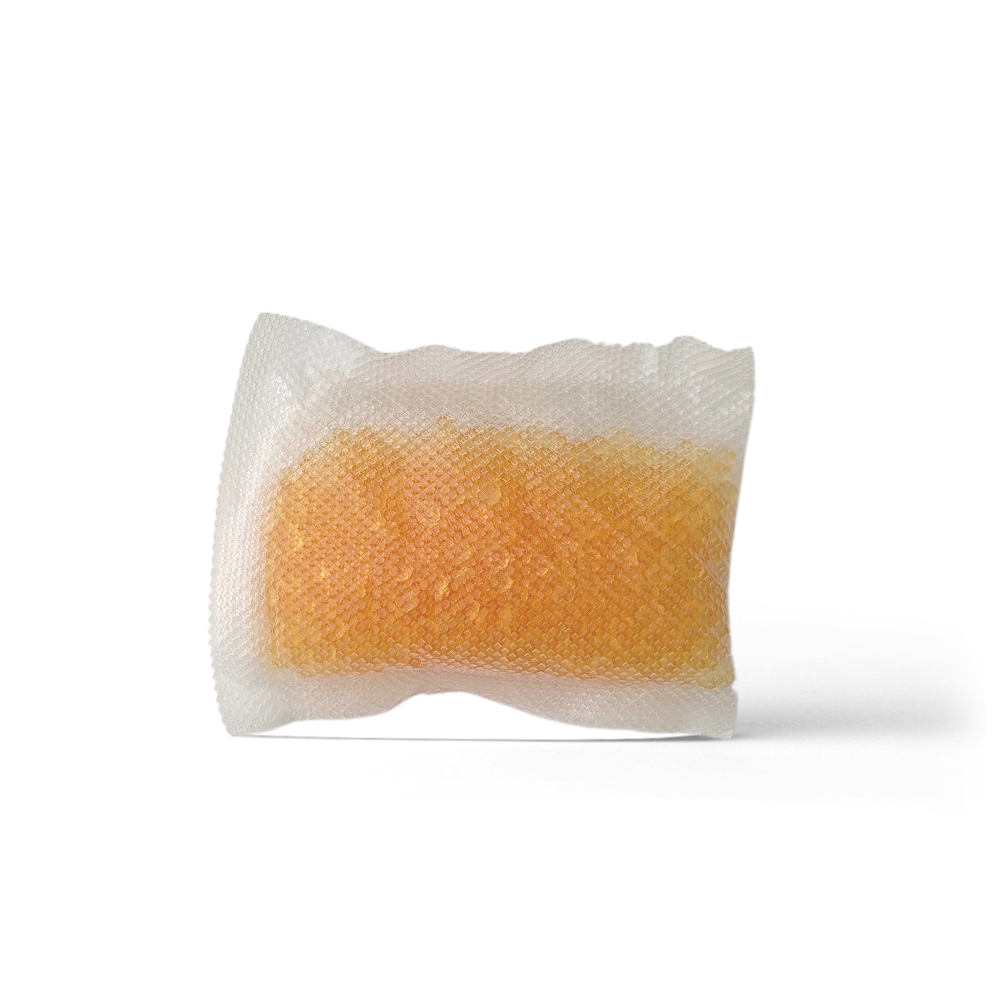
Litter-Robot can be equipped with (3) OdorTrap® Packs that are installed on the outer bottom area of the globe. The packs sit directly over the waste drawer to eliminate odors. Our OdorTrap® Holder snaps right into the Litter-Robot filter cover and can fit up to three OdorTrap® Packs.
OdorTrap® Packs are sold separately and not required for the unit to function. We recommend replacing OdorTrap® Packs every 2-4 weeks for optimal performance.
Before you start
- The carbon filter and OdorTrap® Packs cannot be used together.
- The filter pocket is underneath the globe and sits directly over the waste drawer when Litter-Robot is in the Home position.
Quick links
Litter-Robot 5 & Pro: OdorTrap® installation
Preparing the unit
- Make sure Litter-Robot is in the Home/Ready position.
-
Tap "Replace Filter" under Controls in the Whisker app, or, on the
control panel, press and hold the
 Cancel button for 3 seconds.
- A filter change cycle will begin; the cycle will pause when the globe reaches the “replace filter” position.
-
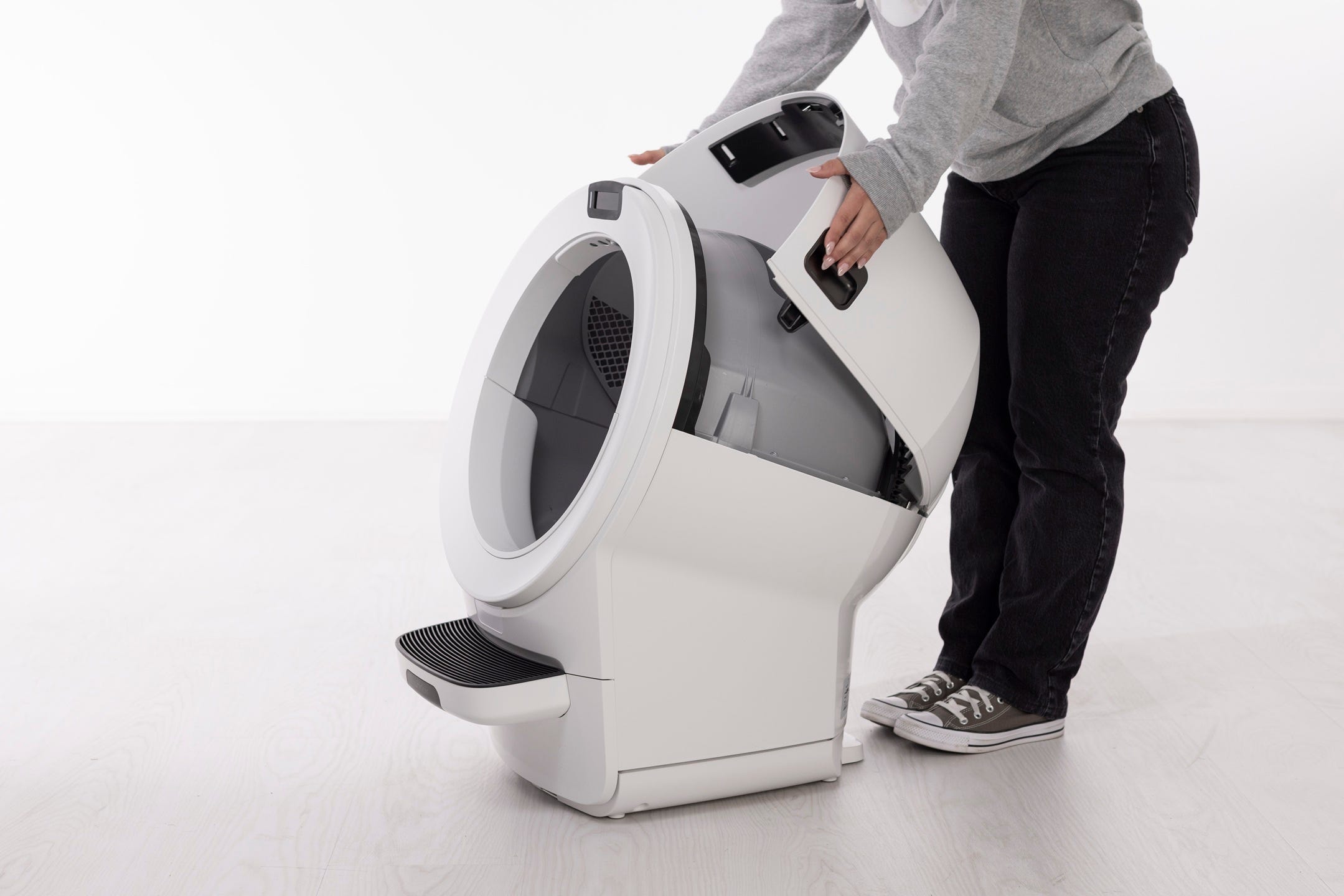
Press and hold the latches on both sides of the bonnet, then lift and rotate the bonnet to its open position to reveal the filter pocket.
-
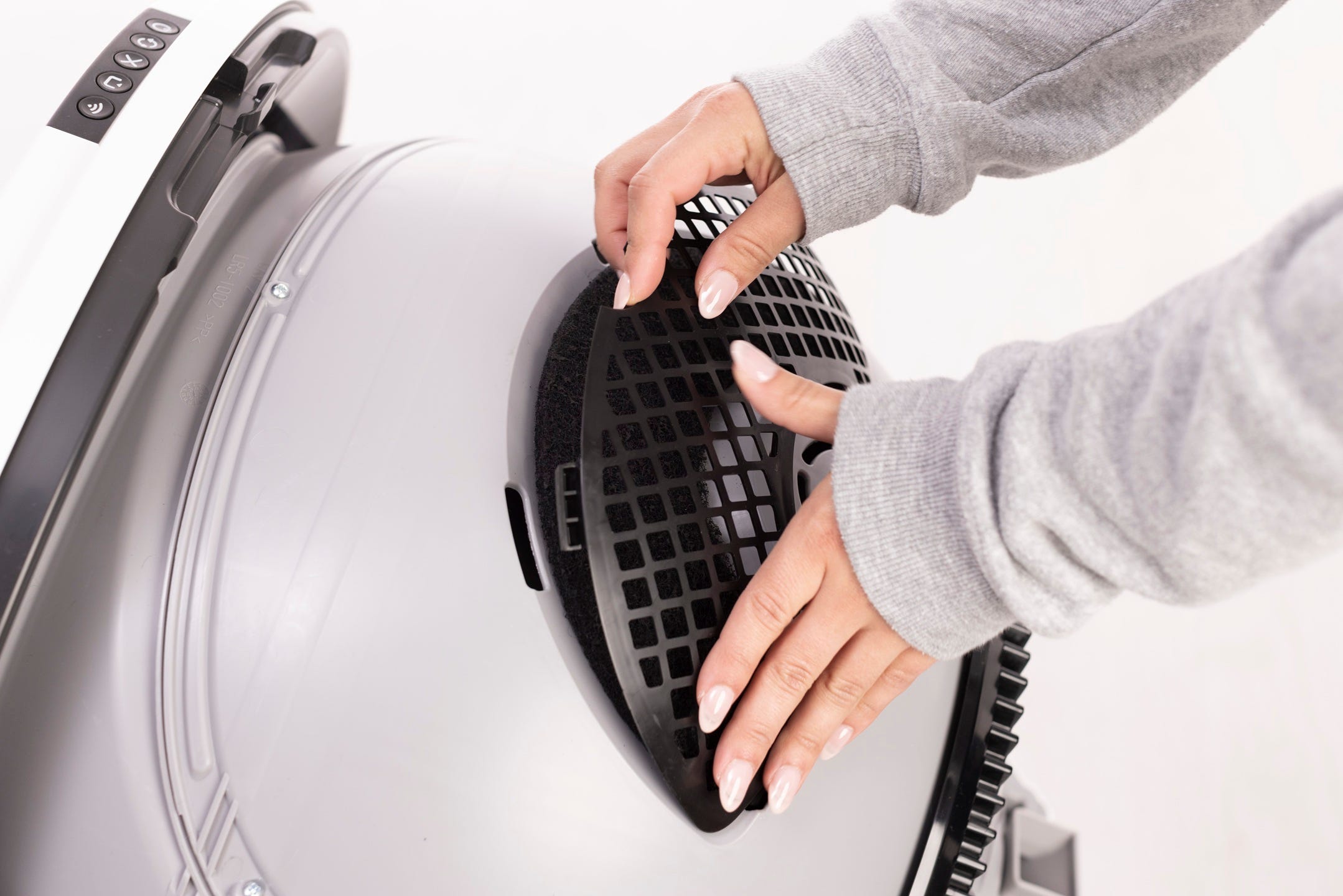
Lift the small notch to release the filter cover snaps from the globe.
6. Remove the carbon filter (if installed) and prepare to install the OdorTrap Holder and/or OdorTrap Packs.
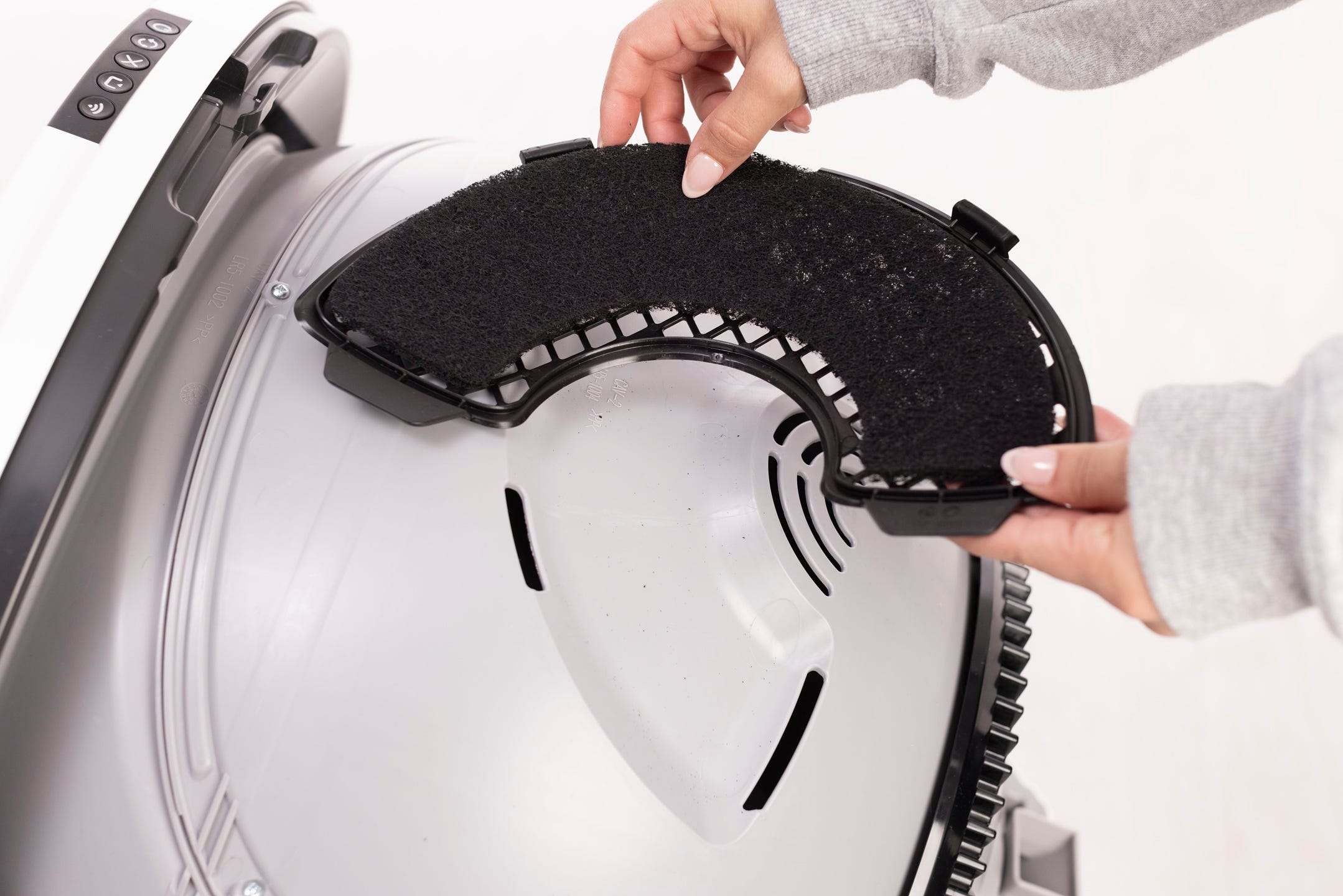
Note: The filter pocket holds one (1) carbon filter. If using an OdorTrap Holder, it can hold up to (3) OdorTrap Packs. The carbon filter and OdorTrap Packs cannot be used together.
Installing the OdorTrap® Holder (if applicable)
-
Open the OdorTrap Holder by unsnapping the two (2) side clips.
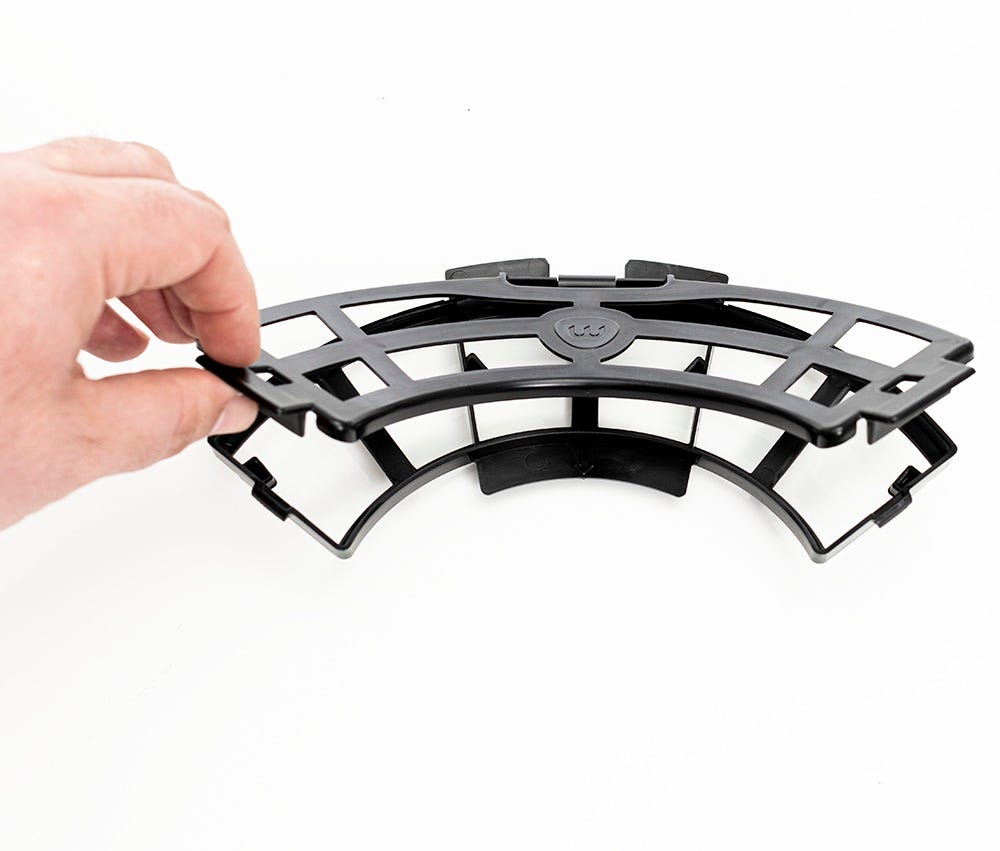
-
Place the opened OdorTrap Holder on the filter cover. The center arrow on
the OdorTrap Holder must line up with the small dot on the center of the
filter cover.
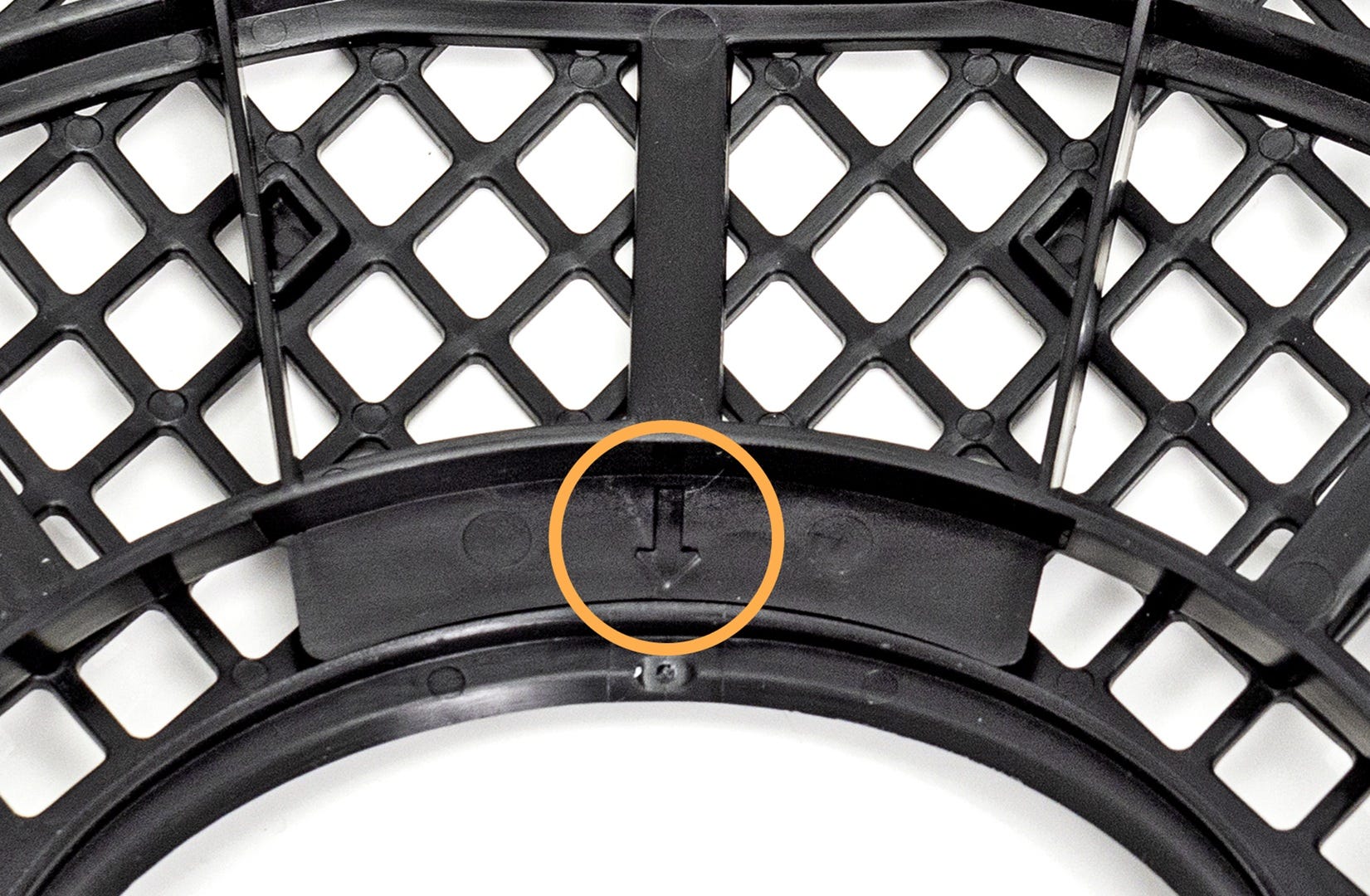
-
Flip the filter cover over and snap the two outer pieces of the OdorTrap
Holder into the filter cover. Then snap the two inner pieces of the OdorTrap
Holder into the filter cover.
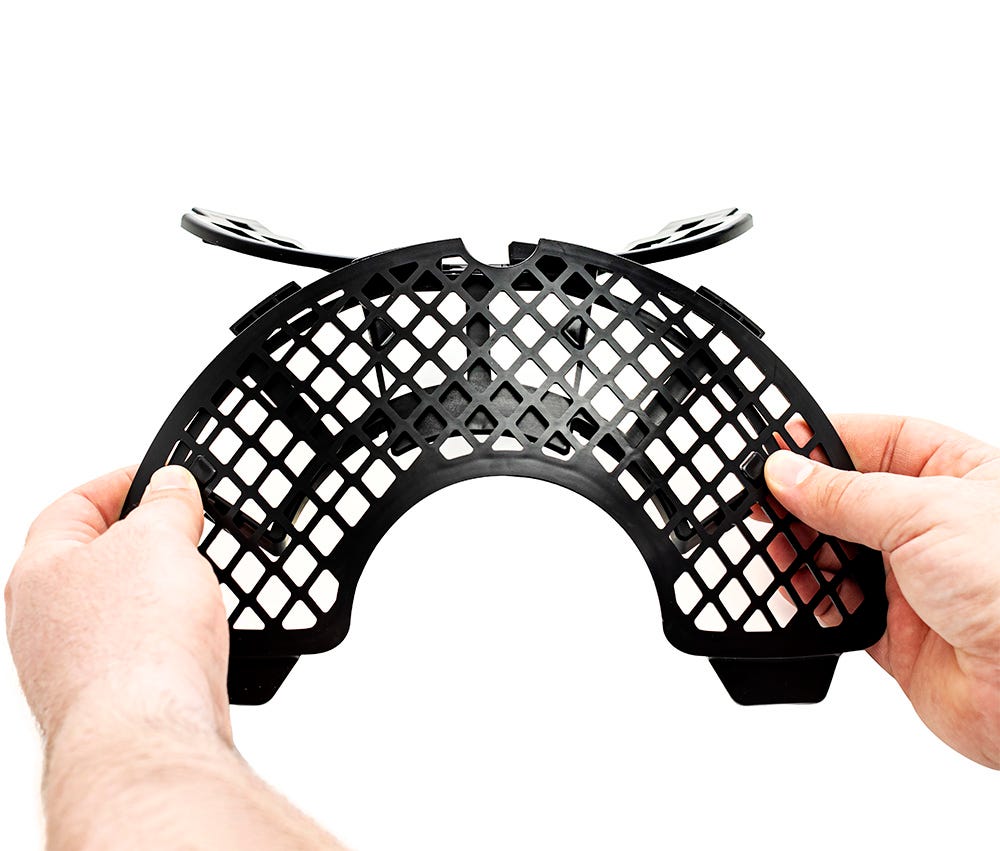
-
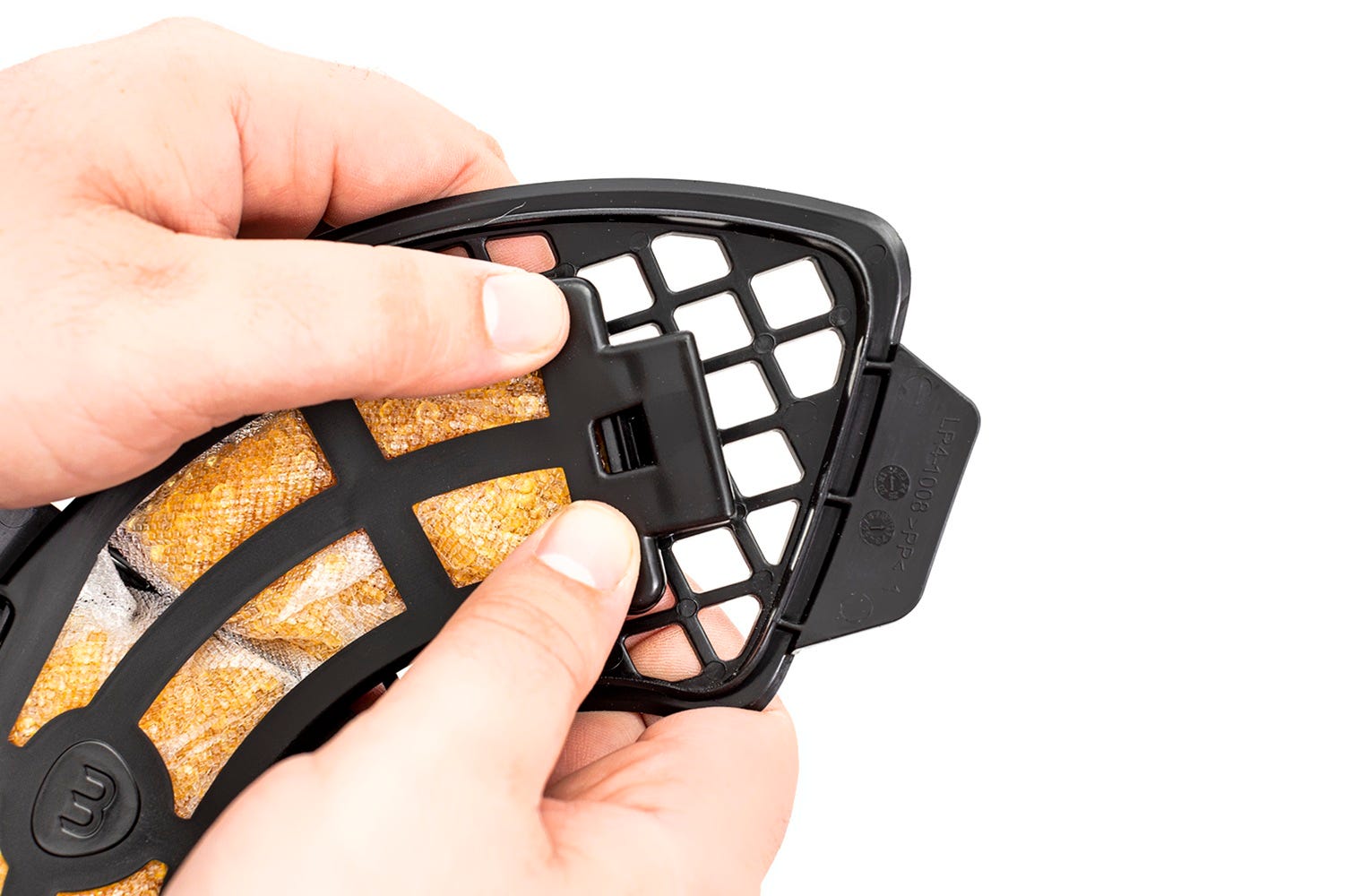
Place up to (3) OdorTrap Packs inside the OdorTrap Holder.
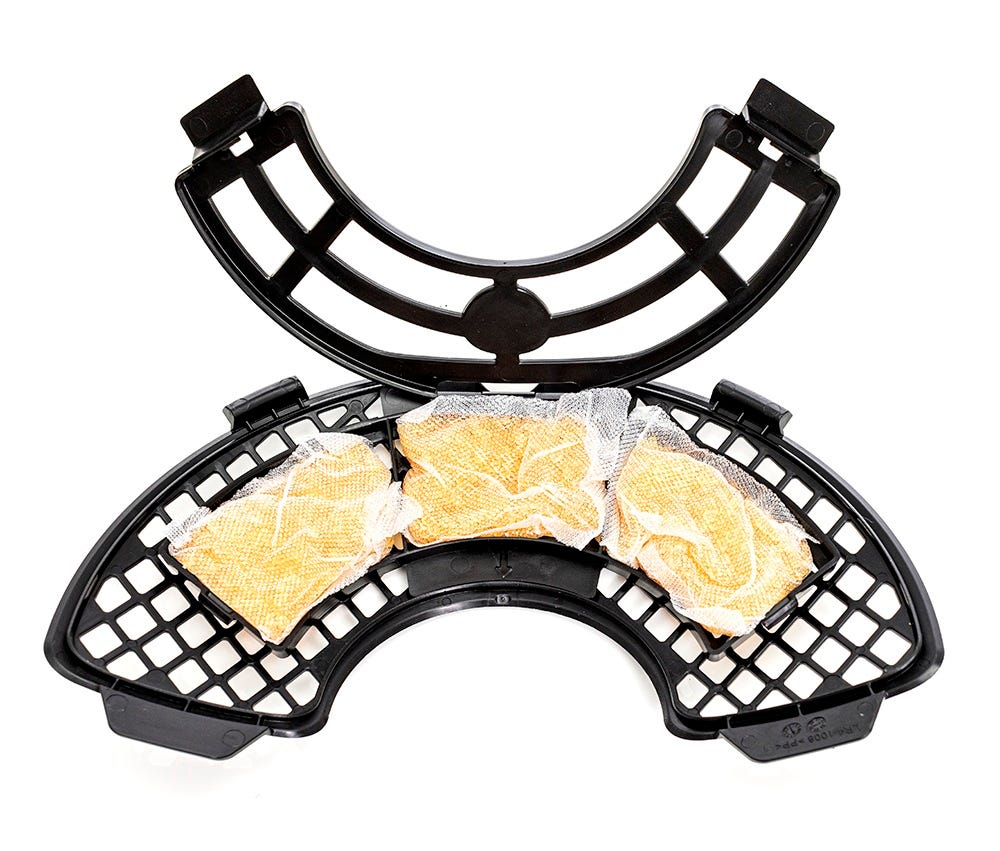
-
Secure the OdorTrap Packs by closing the OdorTrap Holder (snap the side
clips closed).
- Replace the filter cover in the filter pocket on the globe with the OdorTrap Holder facing down.
- Slide the bottom two tabs on the filter cover into the corresponding slots on the globe.
-
Next, tuck the two tabs at the top of the cover into the corresponding slots
on the globe. Make sure the filter cover is completely flush with the globe
to prevent obstruction while the globe rotates.
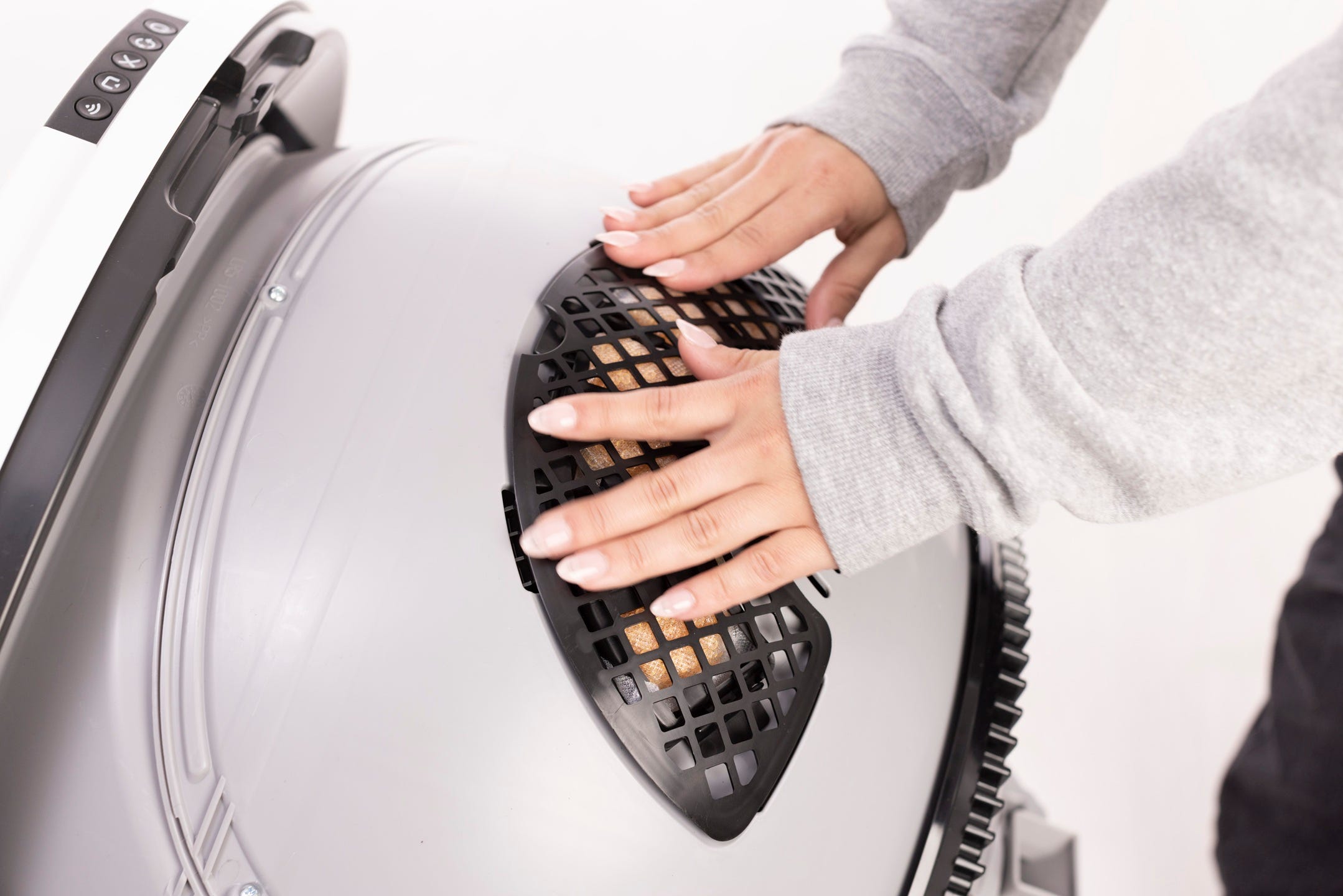
- If you do not have the OdorTrap Holder, place 3 OdorTrap Packs under the filter cover and reinstall the cover. Make sure the filter cover is completely flush with the globe to prevent obstruction while the globe rotates.
Final Steps
-
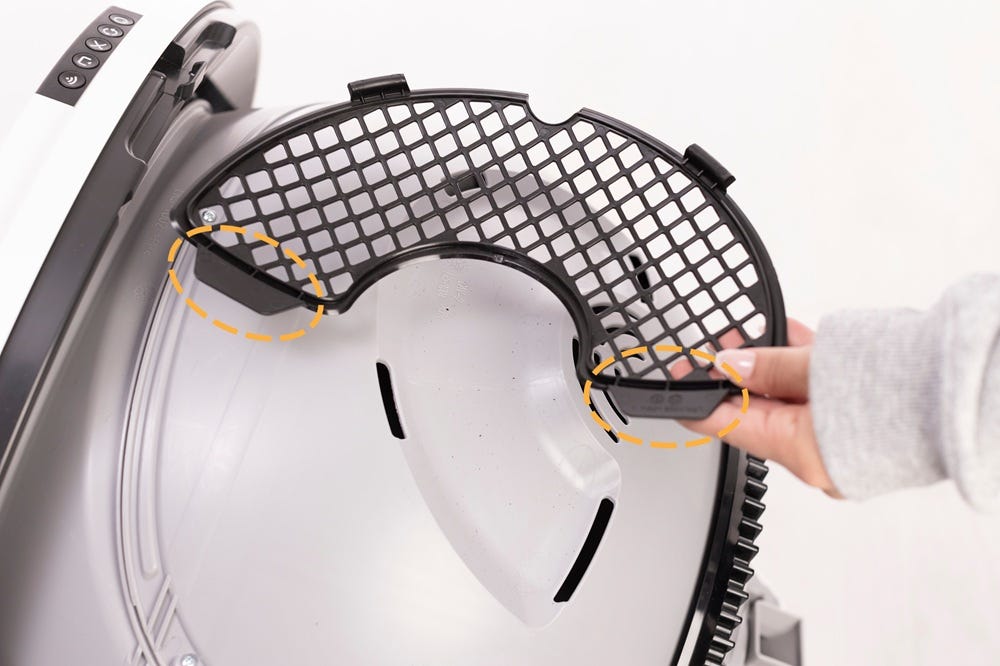
Rotate the bonnet downward over the globe and push down on the bonnet from
the top to make sure it is latched and secure.
-
Short press the
 Empty button to return the unit to the Home
position.
Empty button to return the unit to the Home
position.
-
Once the clean cycle is complete, zero the weight sensors. by short pressing
the
Cancel button.
Litter-Robot EVO: OdorTrap® installation
Preparing the unit
-
Make sure the Litter-Robot is in the Home/Ready position.
-
Tap "Replace Filter" under Controls in the Whisker app, or, on the control panel, press and hold the
 Cancel button for 3 seconds.
-
A filter change cycle will begin; the cycle will pause when the globe
reaches the “replace filter” position.
-
Press and hold the latches on both sides of the bonnet, then lift and rotate
the bonnet to its open position to reveal the filter pocket.
-
Remove the bonnet and set aside.
-
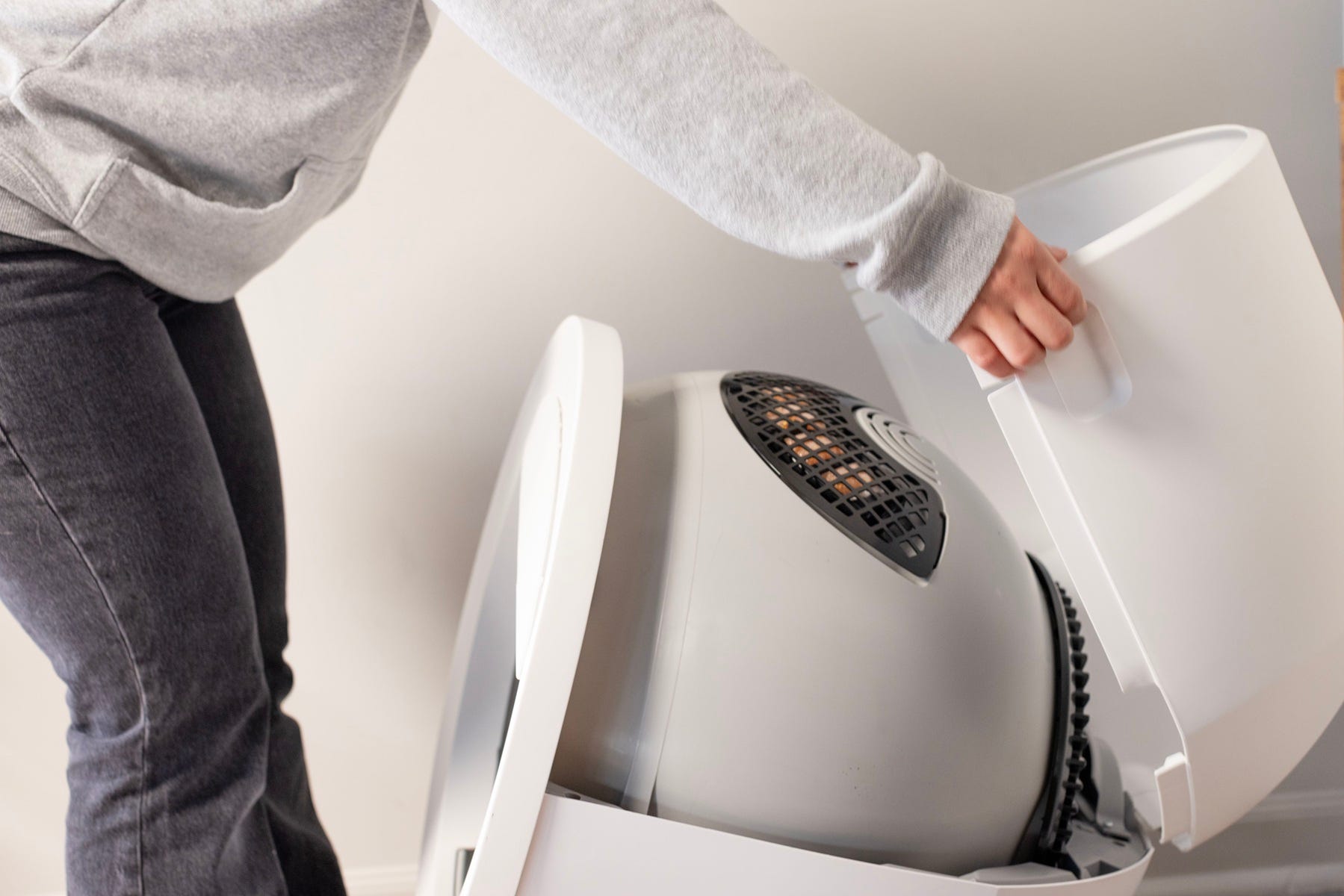
- Lift the small notch to release the filter cover snaps from the globe.
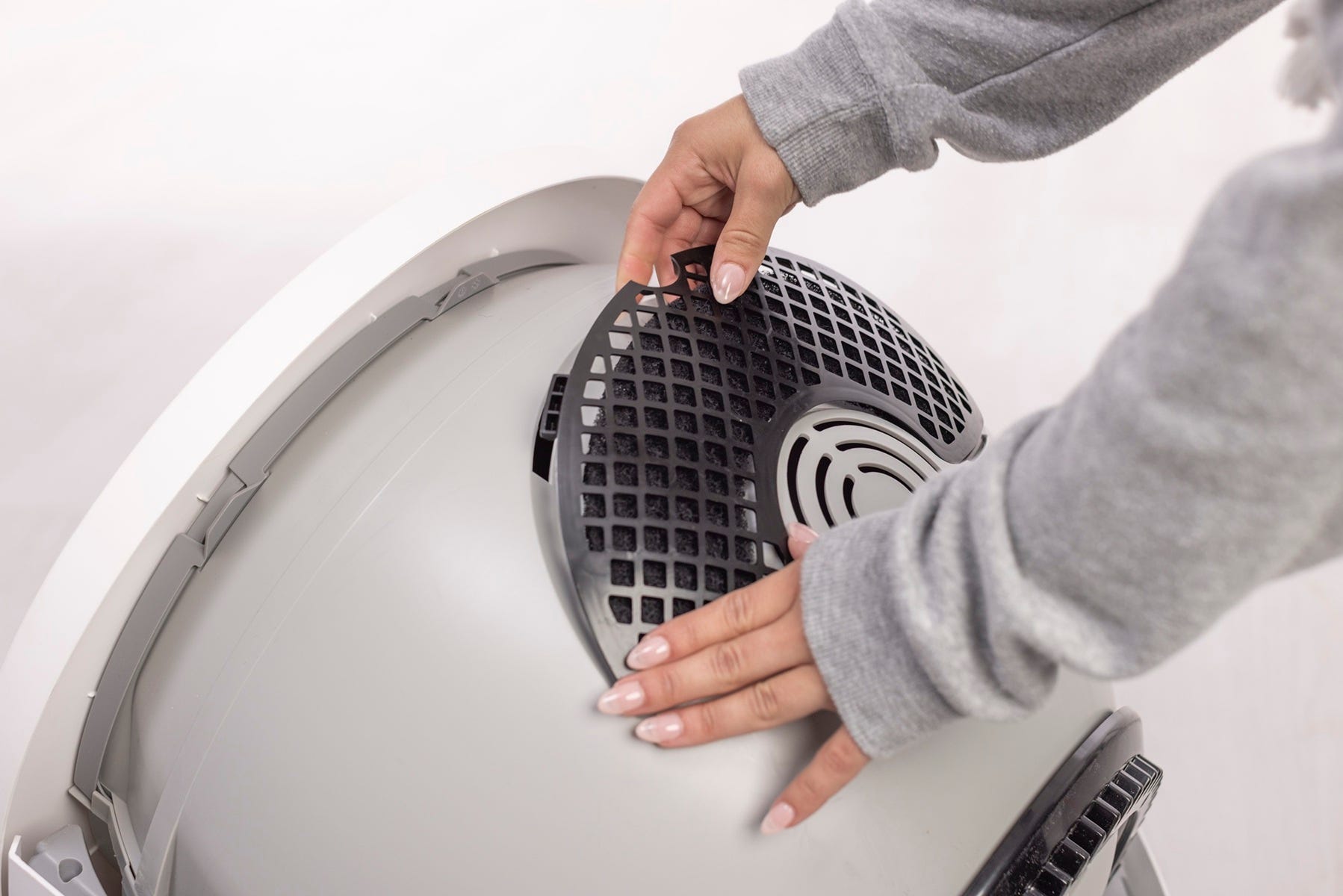
- Remove the carbon filter (if installed) and prepare to install the OdorTrap Holder and/or OdorTrap Packs.
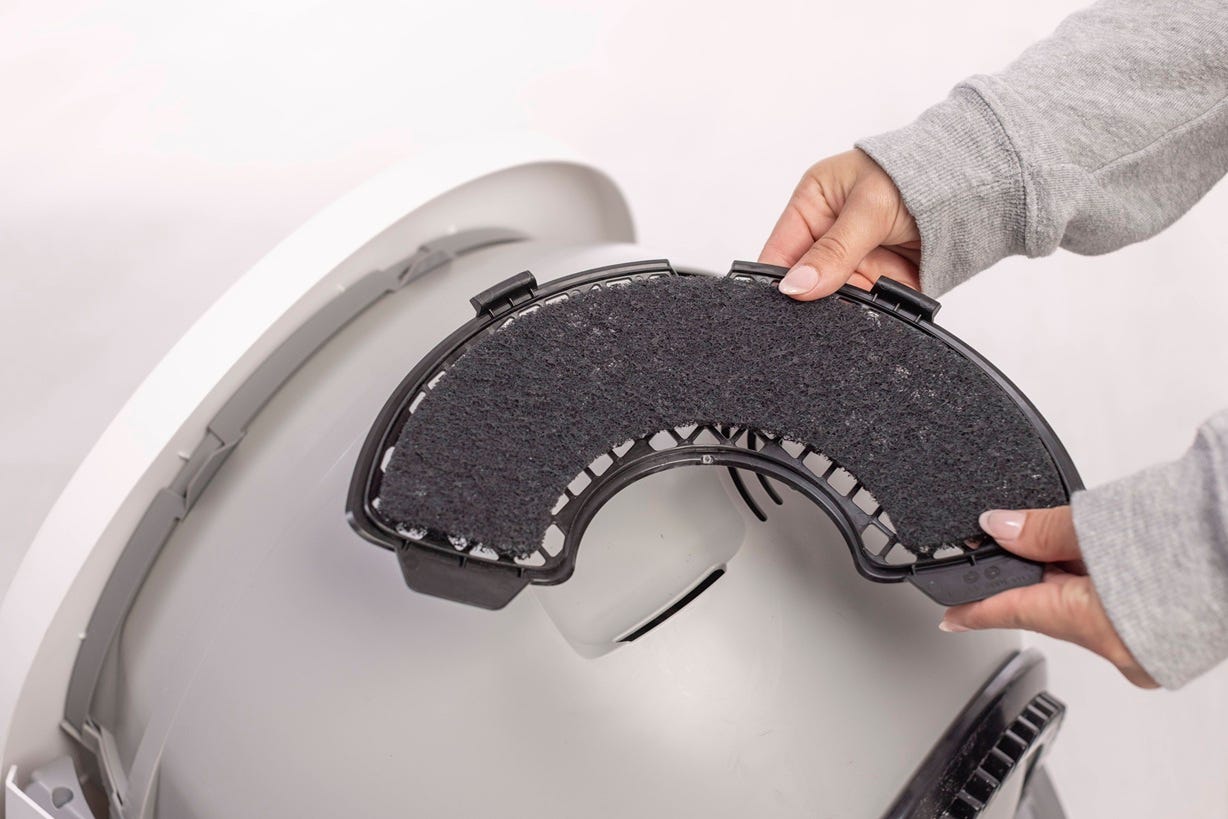
Note: The filter pocket holds one (1) carbon filter. If using an OdorTrap Holder, it can hold up to (3) OdorTrap Packs. The carbon filter and OdorTrap Packs cannot be used together.
Installing the OdorTrap® Holder (if applicable)
-
Open the OdorTrap Holder by unsnapping the two (2) side clips.
-
Place the opened OdorTrap Holder on the filter cover. The center arrow on
the OdorTrap Holder must line up with the small dot on the center of the
filter cover.
-
Flip the filter cover over and snap the two outer pieces of the OdorTrap
Holder into the filter cover. Then snap the two inner pieces of the OdorTrap
Holder into the filter cover.
-
Place up to (3) OdorTrap Packs inside the OdorTrap Holder.
-
Secure the OdorTrap Packs by closing the OdorTrap Holder (snap the side
clips closed).
- Replace the filter cover in the filter pocket on the globe with the OdorTrap Holder facing down.
- Slide the bottom two tabs on the filter cover into the corresponding slots on the globe.
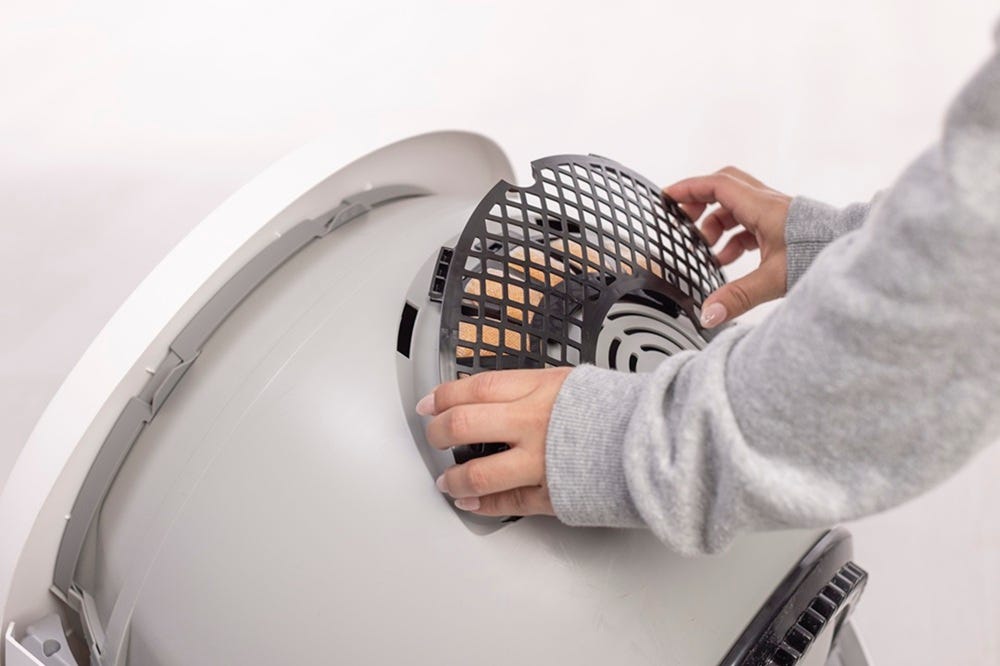
- Next, tuck the two tabs at the top of the cover into the corresponding slots on the globe. Make sure the filter cover is completely flush with the globe to prevent obstruction while the globe rotates.

- If you do not have the OdorTrap Holder, place 3 OdorTrap Packs under the filter cover and reinstall the cover. Make sure the filter cover is completely flush with the globe to prevent obstruction while the globe rotates.
Final Steps
-
Rotate the bonnet downward over the globe and push down on the bonnet from the top to make sure it is latched and secure.
-
Short press the
 Connect button to return the unit to the home
position.
Connect button to return the unit to the home
position.
-
Once the filter change cycle is complete, zero the weight sensor by short pressing the
Cancel button.
Litter-Robot 4: OdorTrap® installation
Preparing the unit
-
Make sure the Litter-Robot is in the Home/Ready position.
-
Tap "Replace Filter" under Controls in the Whisker app, or, on the control panel, press and hold the
 Cycle and
 Empty buttons for 3 seconds.
- A filter change cycle will begin; the cycle will pause when the globe reaches the “replace filter” position.
-
Press and hold the latches on both sides of the bonnet, then lift and rotate the bonnet to its open position to reveal the filter pocket.
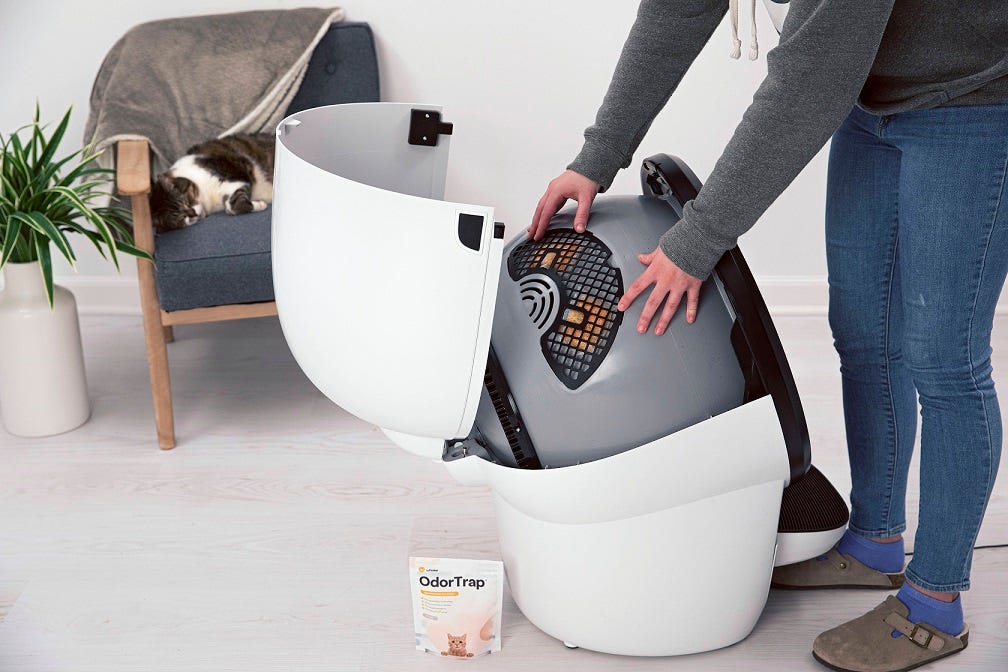
Note: The filter pocket holds one (1) carbon filter. If using an OdorTrap Holder, it can hold up to (3) OdorTrap Packs. The carbon filter and OdorTrap Packs cannot be used together.
Installing the OdorTrap® Holder (if applicable)
-
Open the OdorTrap Holder by unsnapping the two (2) side clips.
-
Place the opened OdorTrap Holder on the filter cover. The center arrow on
the OdorTrap Holder must line up with the small dot on the center of the
filter cover.
-
Flip the filter cover over and snap the two outer pieces of the OdorTrap
Holder into the filter cover. Then snap the two inner pieces of the OdorTrap
Holder into the filter cover.
-
Place up to (3) OdorTrap Packs inside the OdorTrap Holder.
-
Secure the OdorTrap Packs by closing the OdorTrap Holder (snap the side
clips closed).
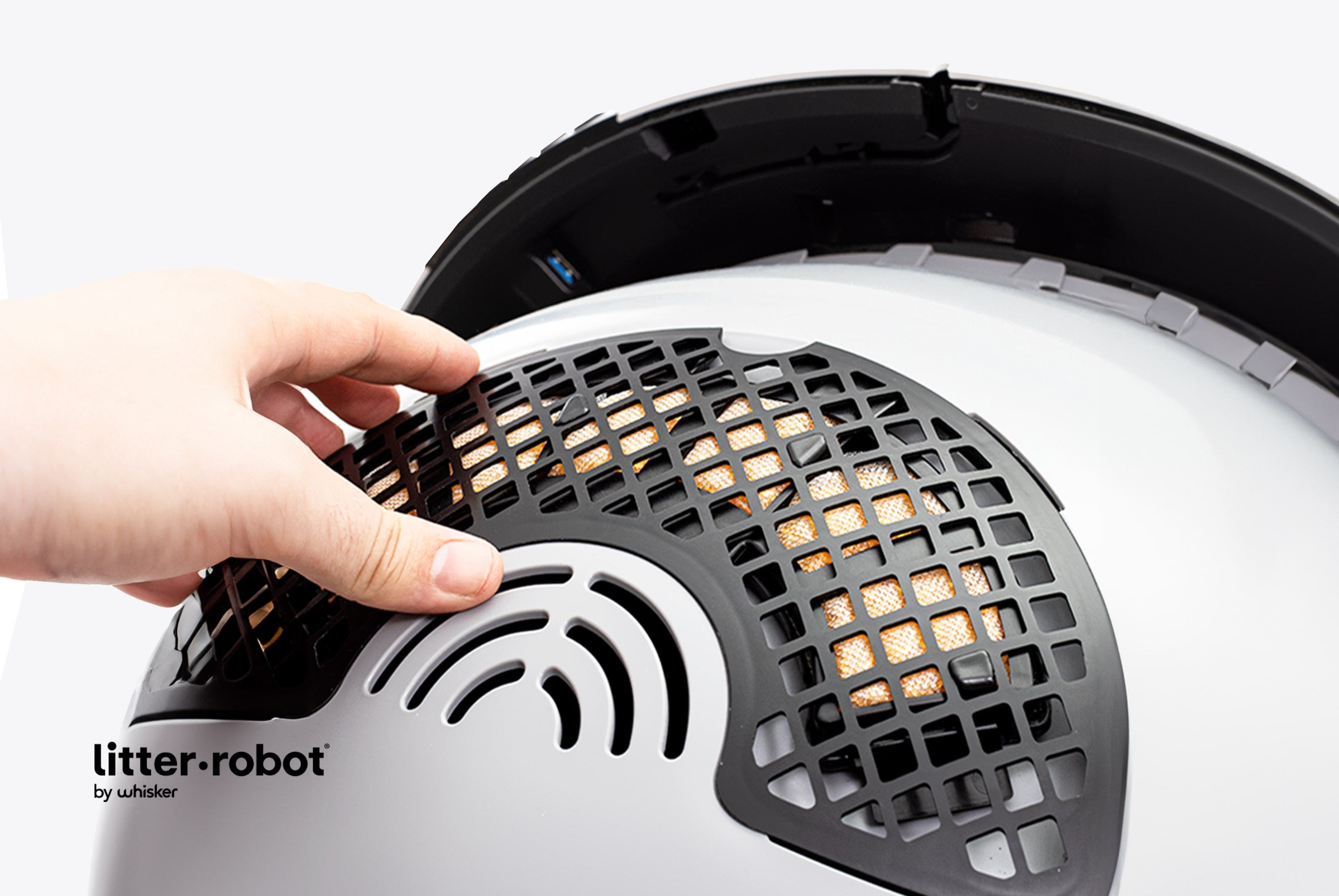
- Replace the filter cover in the filter pocket on the globe with the OdorTrap Holder facing down. Make sure the filter cover is completely flush with the globe to prevent obstruction while the globe rotates.
-
If you do not have the OdorTrap Holder, place 3 OdorTrap Packs under the filter cover and reinstall the cover. Make sure the filter cover is completely flush with the globe to prevent obstruction while the globe rotates.
Final Steps
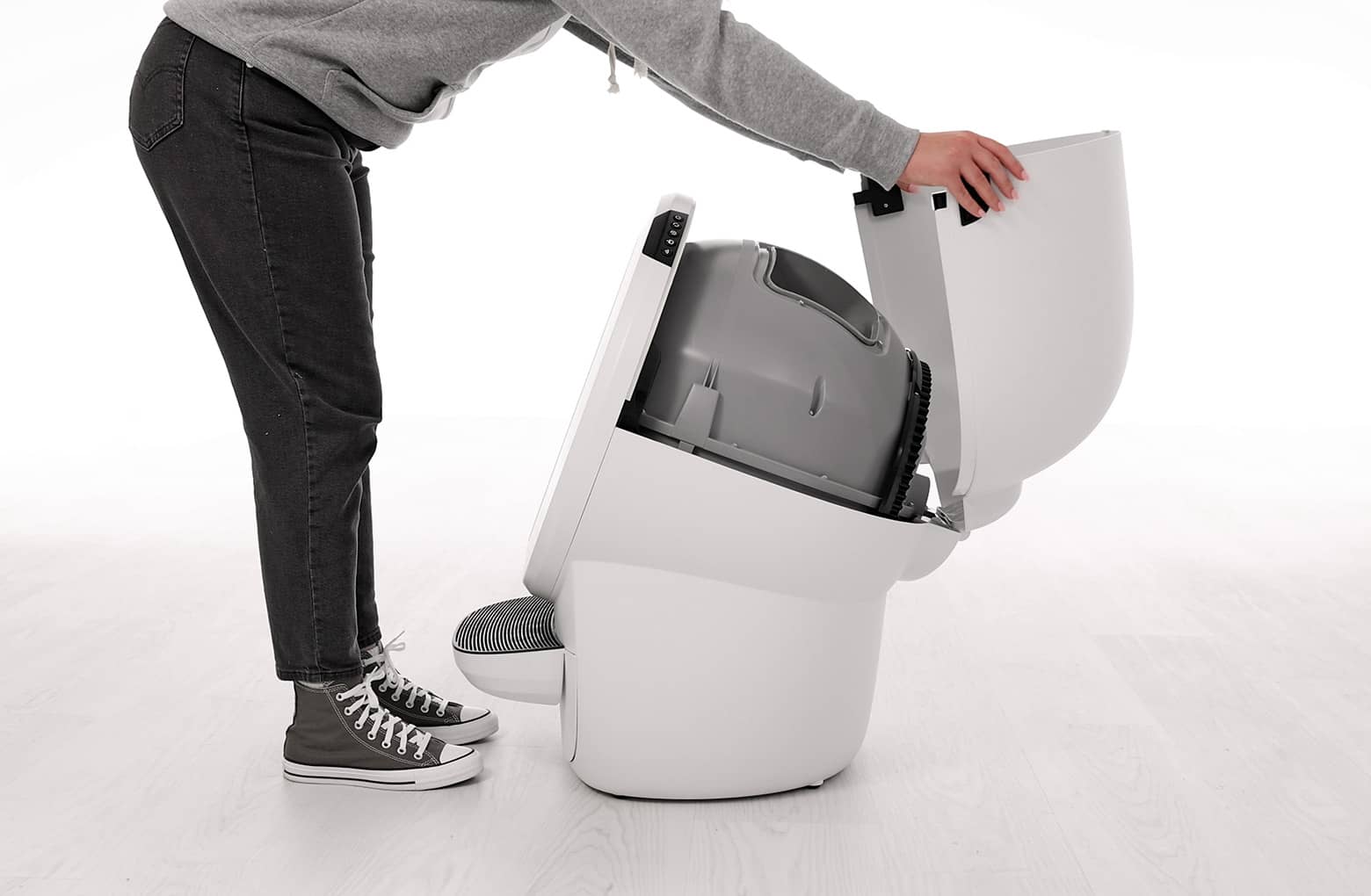
- Rotate the bonnet downward over the globe and push down on the bonnet from the top to make sure it is latched and secure.
-
Short press the
Cycle button to resume the clean cycle.
-
Once the clean cycle is complete, zero the weight sensors by short pressing
the
 Reset button.
Download PDF (English/Français/Deutsch/Italiano)
Whisker’s OdorTrap contains essential oils. While the majority of cats are not sensitive to the essential oils used in this product, be sure to carefully observe how your cat(s) reacts upon introducing OdorTrap. If irritation or other adverse reactions occur, discontinue the use of OdorTrap in your Litter-Robot.
Didn't find what you're looking for?
Live support available Mon-Fri: 9AM-9PM EST and Sat-Sun: 9AM-5PM EST, or submit a ticket anytime.