The store will not work correctly in the case when cookies are disabled.

Return packaging instructions
Learn how to package your Litter-Robot unit or base for return.
Quick links
Packaging Litter-Robot 5 / EVO
Use the original Litter-Robot 5 or Litter-Robot EVO box. Alternatively, purchase a 24” x 24” x 31” box from a shipping or home supply store.
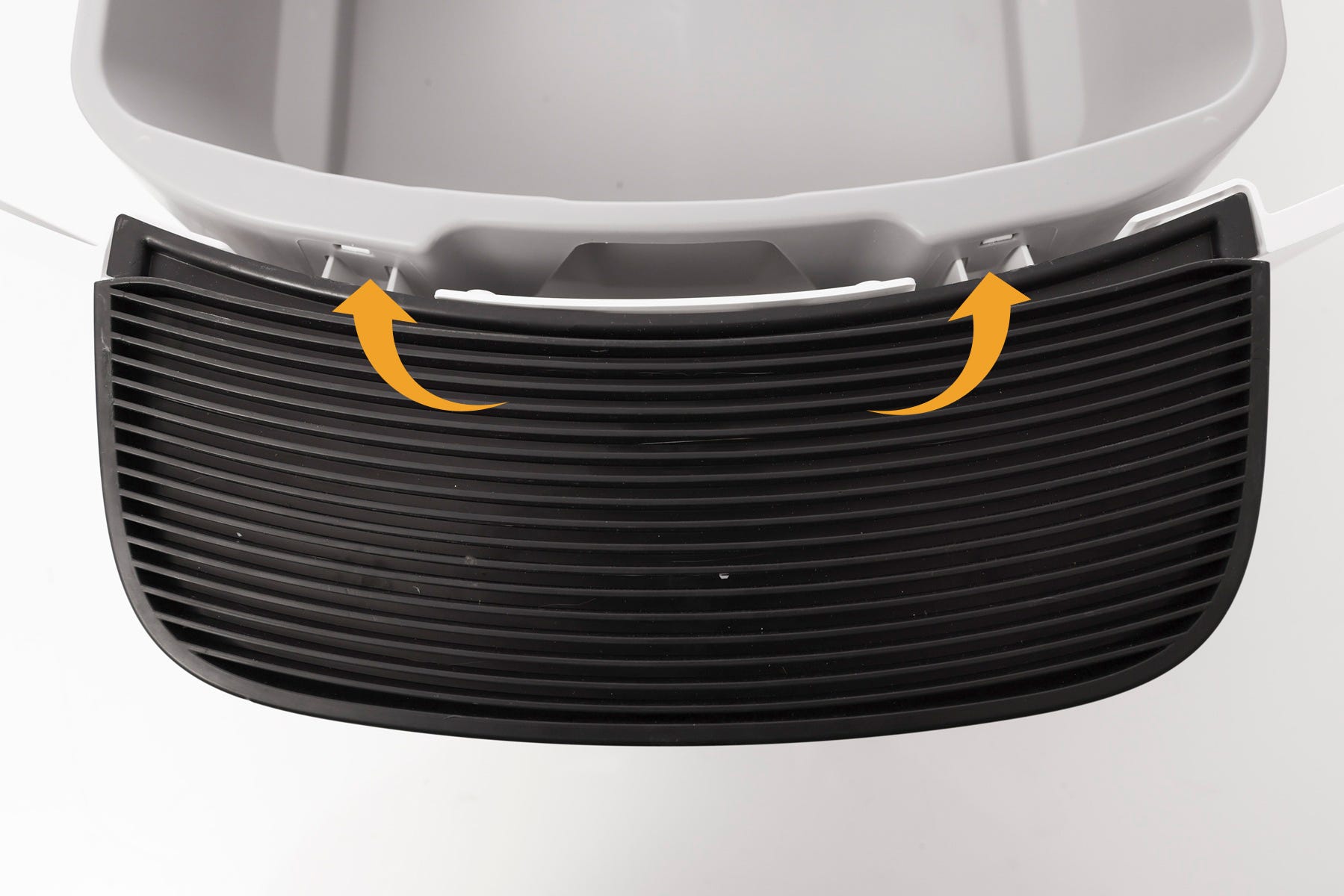
Disassembling Litter-Robot 5 & Pro Waste Drawer
- To remove the step from the drawer body, press the two drawer tabs inward, one side at a time, to unlock the two hooks from the slots.
Note: You may need a flathead screwdriver to unlatch the hooks from the slots.
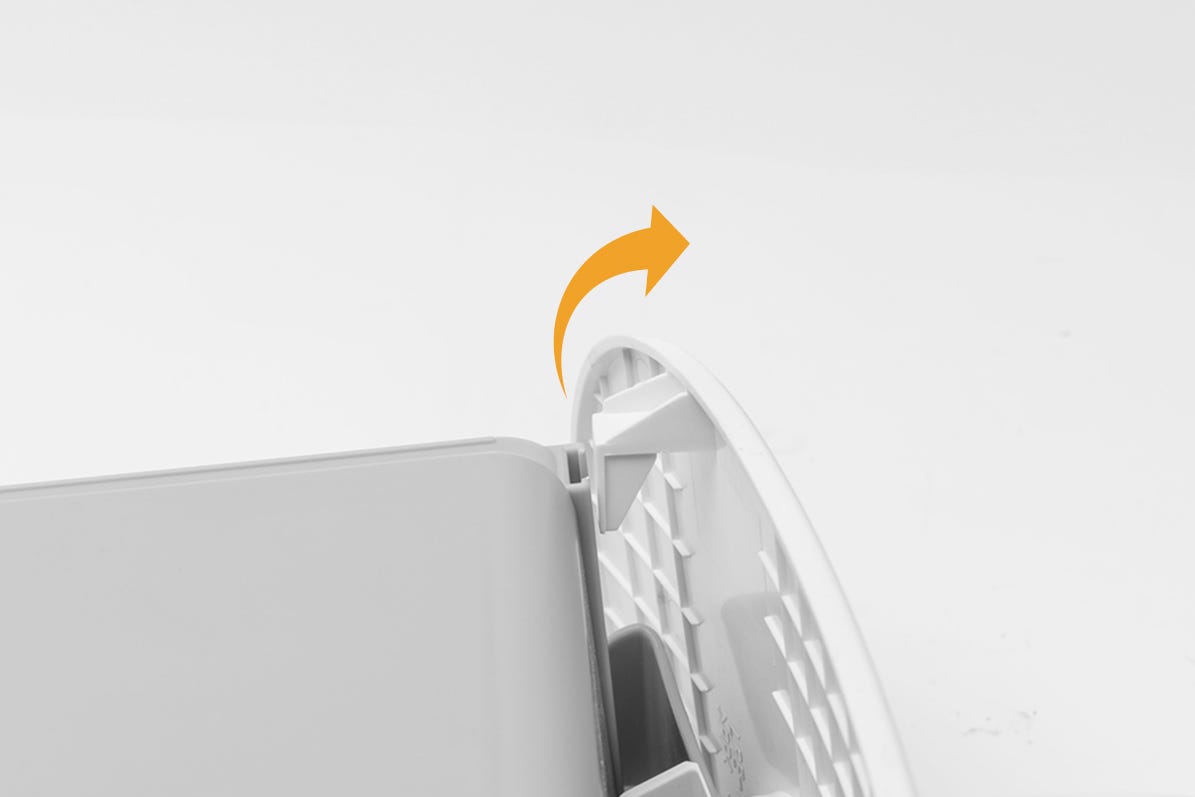
Disassembling Litter-Robot EVO Waste Drawer
- To remove the step from the drawer body, flip the waste drawer upside down. Unhook the tabs from the drawer body by sliding the tabs up and outward to release the front panel. Pull up and away to separate the two pieces.
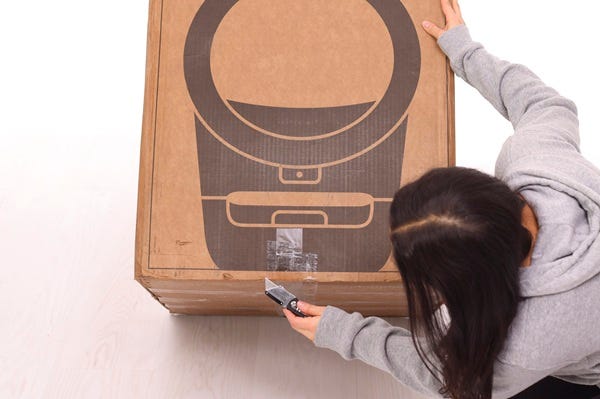
Dismantling the box
Cut the tape strips connecting the side panels of the bottom of the box and bottom tray (only on the two sides that do not have box connecting clips).
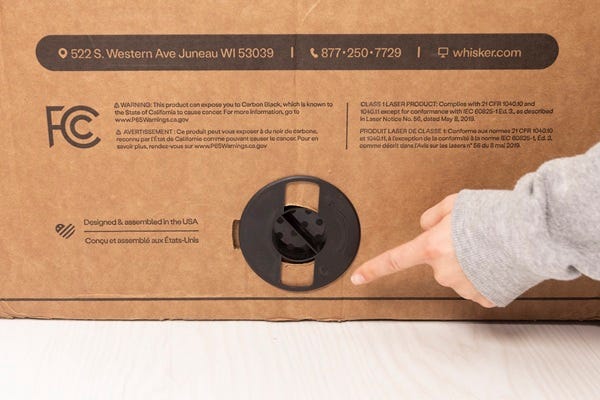
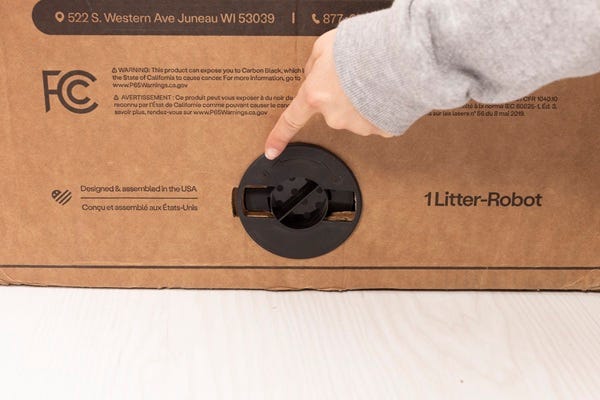
Rotate the box-connecting clips counter-clockwise to unlock them. Then pull the clips to remove them. Set the clips aside.
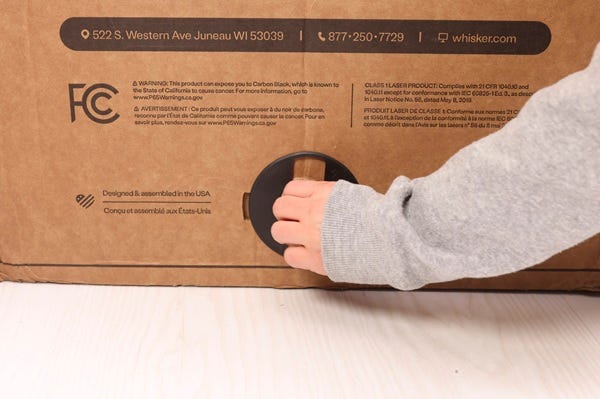
- Clip in locked position
- Clip in unlocked position
- Use the box handles to lift the box up and off the bottom tray.
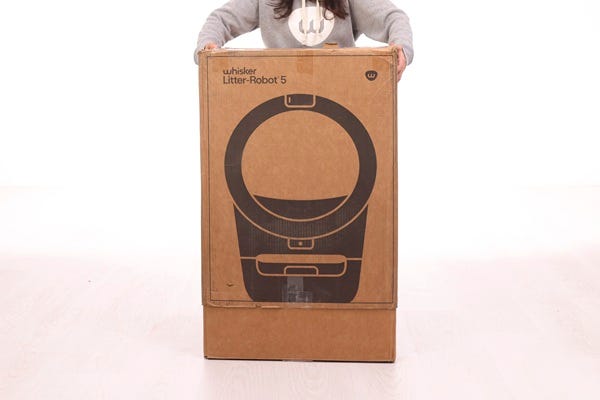
Note: If you are returning a Litter-Robot EVO in its original packaging, you may notice a small cardboard insert in the corner of the bottom tray. This insert is not needed for return and can be discarded.
Identifying the molded inserts
There are three molded inserts total:
- Bottom back molded insert
- Bottom front molded insert
- Top molded insert
Bottom back molded insert
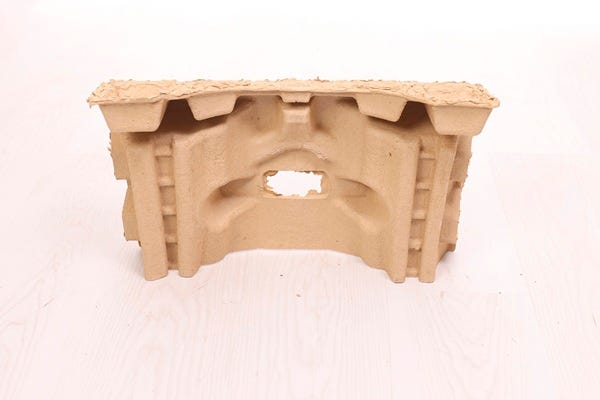
Bottom front molded insert
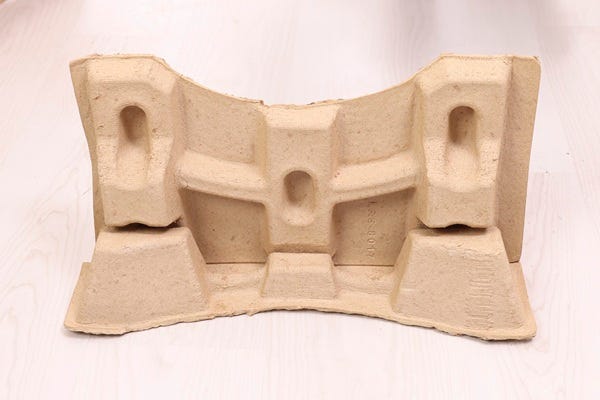
Top molded insert
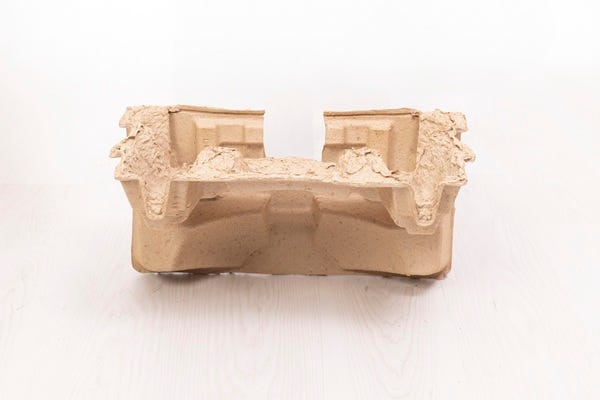
Packaging the unit
- Place the bottom back molded insert and bottom front molded insert in the bottom tray as shown.
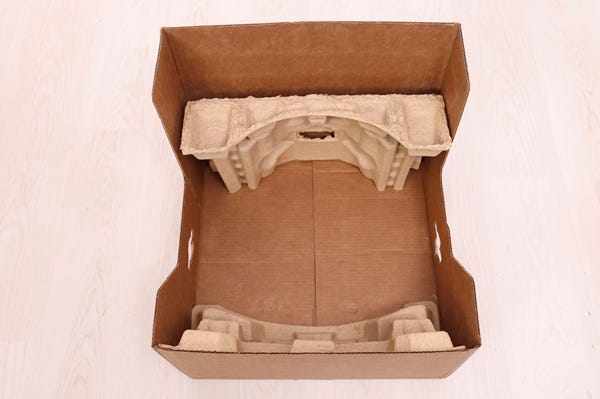
- If applicable, place the flat cardboard insert along the edge of the bottom tray. (If you ordered a LitterTrap Mat with your original purchase, this is not applicable.)
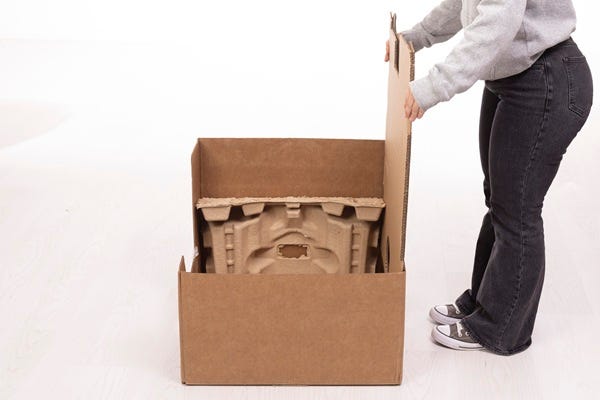
- Place Litter-Robot into the bottom tray.
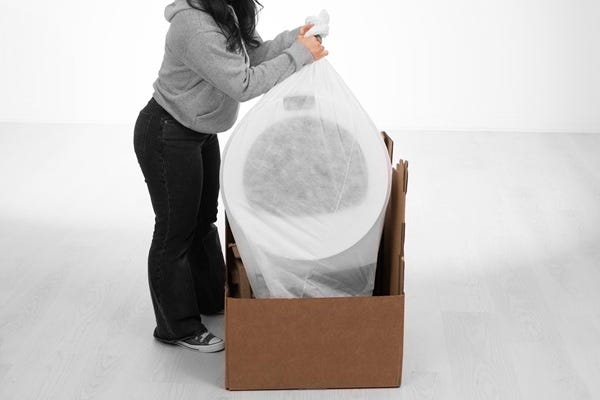
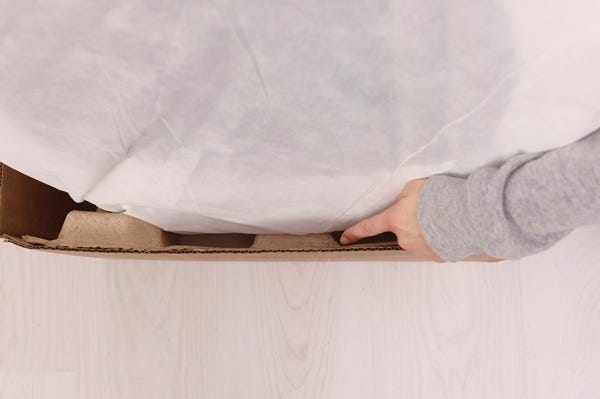
- Ensure the bottom of the bezel is resting on the molded inserts as shown.
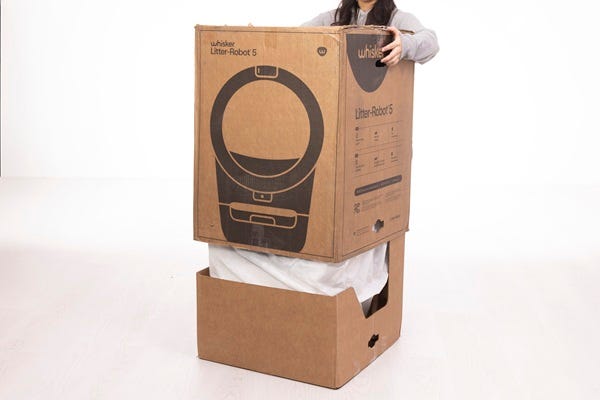
- Ensure the tape around the top flaps is cut, then slide the box over the bottom tray. Ensure the box is oriented so that the clip holes on the box and the bottom tray are aligned.
- Fold and place the top molded insert between the back wall of the box and the robot as shown.
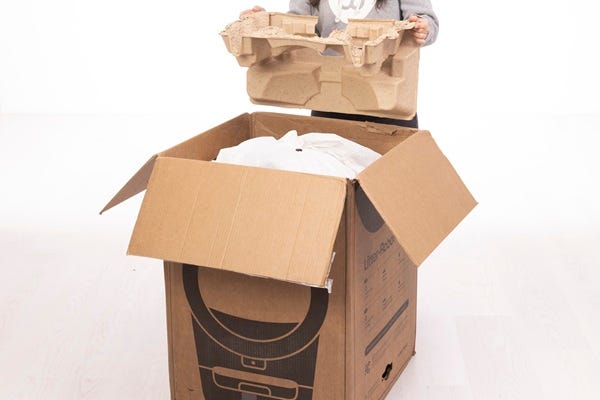
- Add the drawer step into the opening in the top molded insert.
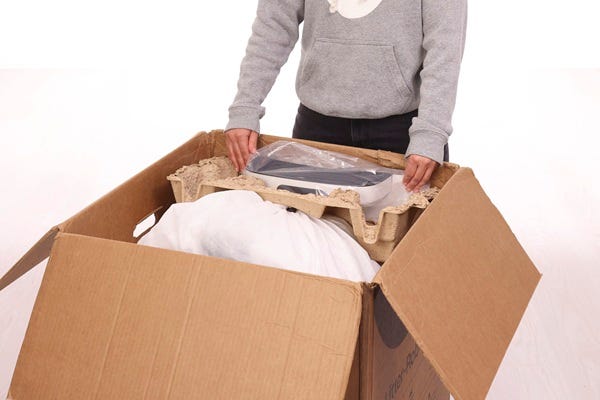
- Place the welcome tray on top of the package as shown. Place the power supply into the designated slot in the welcome tray.
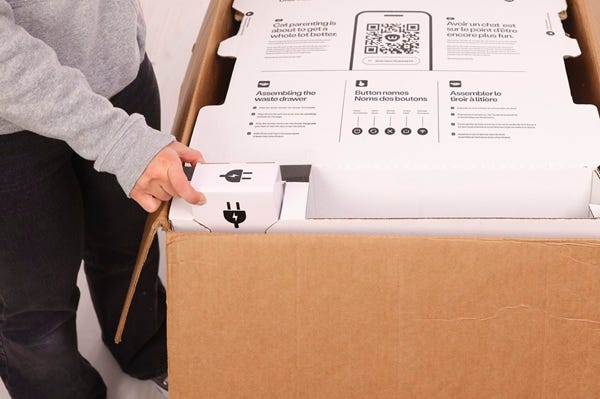
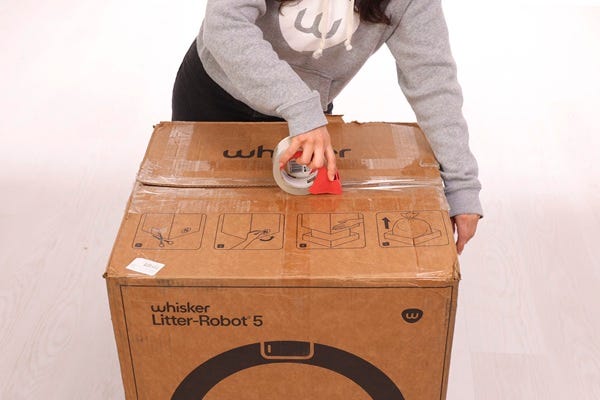
- Close the box flaps and tape the box shut.
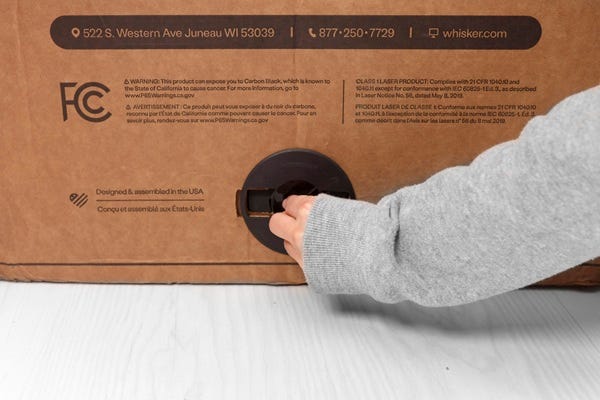
- Insert the box connecting clips into the clip holes and rotate the clips clockwise into the locked position.
Packaging Litter-Robot 4
Use the original Litter-Robot 4 box. Alternatively, purchase a 24” x 24” x 31" box from a shipping or home supply store.
- Place the bottom insert in the box. Then place the foam collar on the Litter-Robot 4 unit as shown.
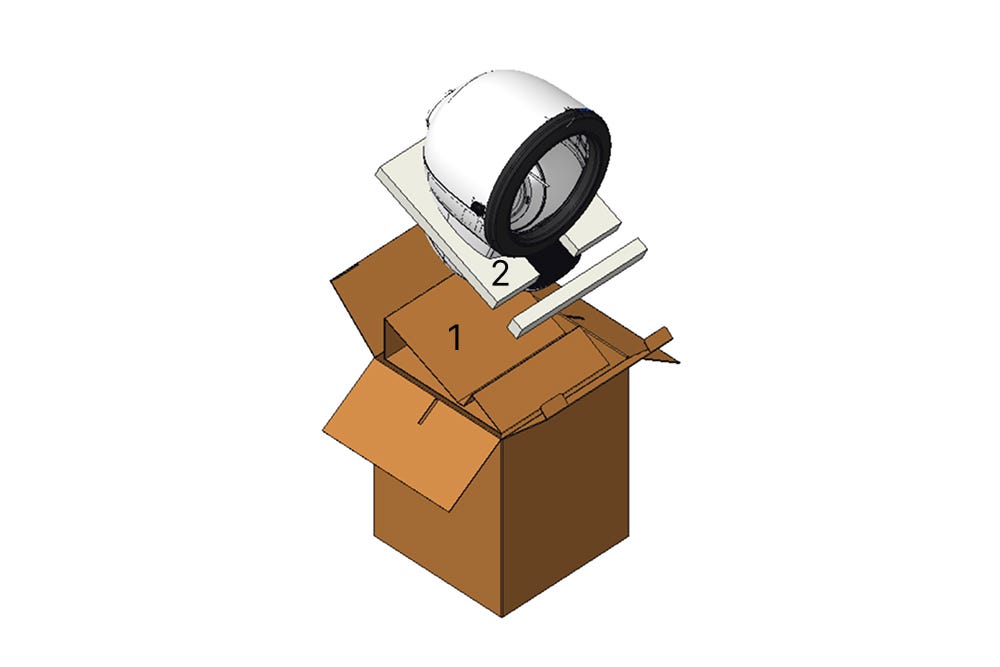
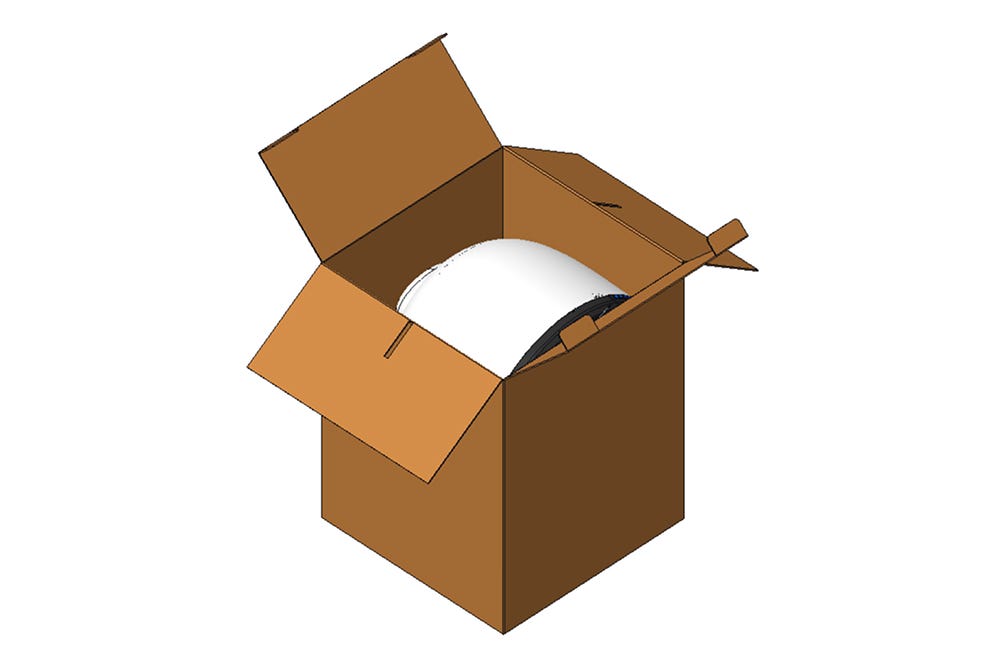
- Place the Litter-Robot 4 unit in the box.
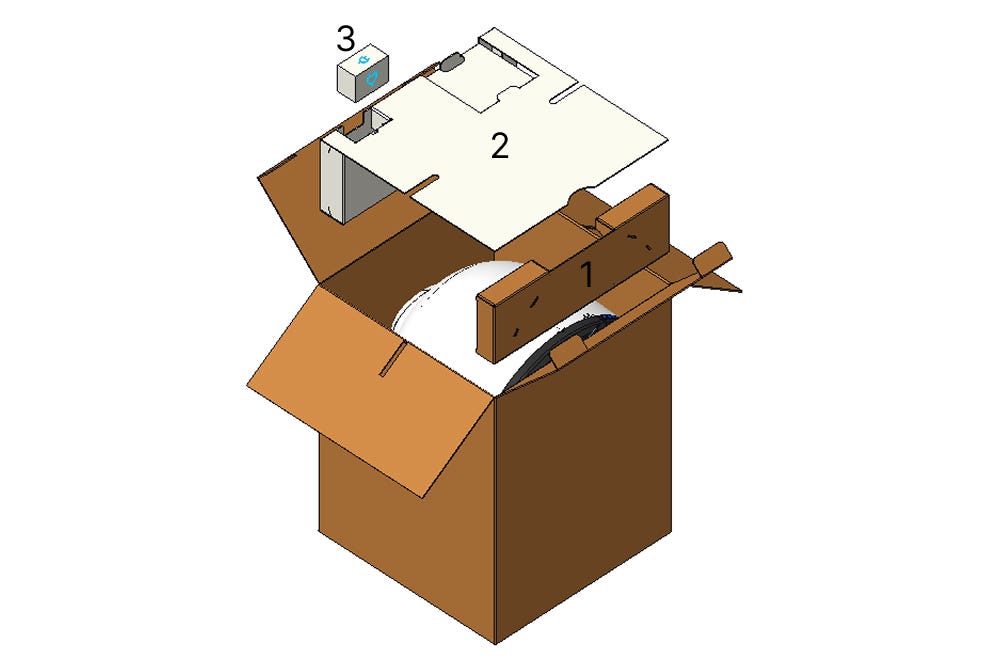
- Position the front insert (1) so that the front of the Litter-Robot 4 unit sits in the groove. Cover the back of the unit with the top insert (2). Place the power supply in the top pocket (3). Write your name and RMA number prominently on the outside of the box and on an interior box flap prior to sealing the box with tape.
Packaging Litter-Robot 3
Use the original Litter-Robot 3 box. Alternatively, purchase a 33" x 24" x 24" box from a shipping or home supply store.
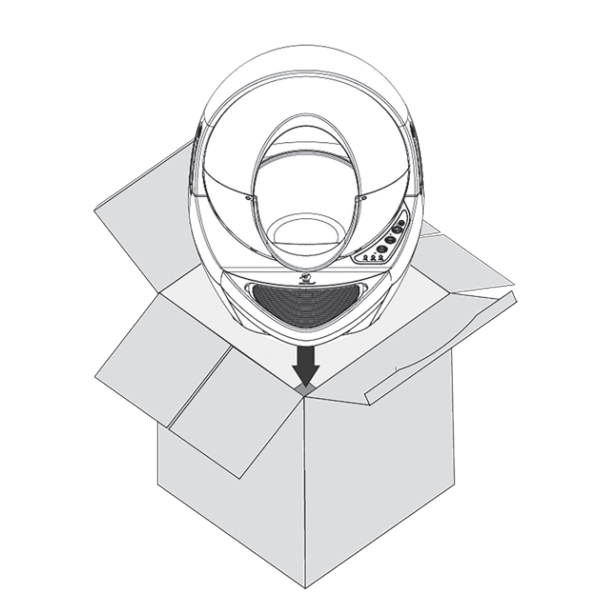
- Place Litter-Robot 3 into the box so it faces the corner and aligns with the cardboard insert on the bottom.
- Slide corner braces into place: rear corner brace with cutout (1), side corner braces (2), small front corner brace (3).
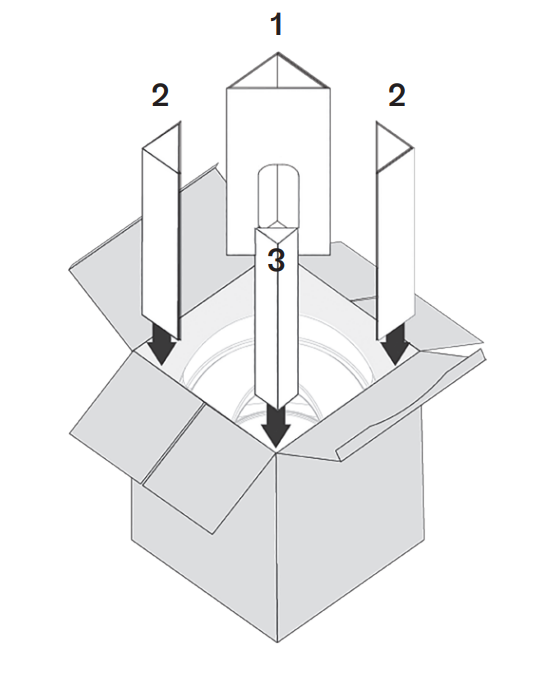
- Safely pack the power supply inside the rear corner brace (1).
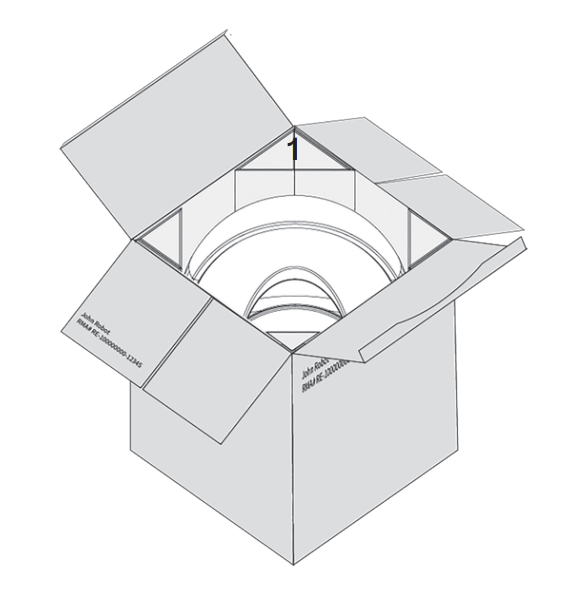
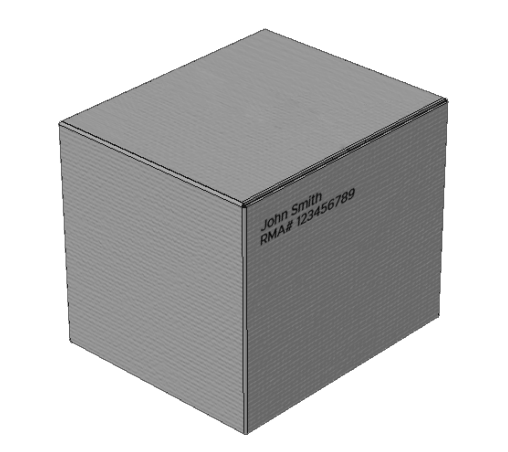
- Write your name and RMA number prominently on the outside of the box and on an interior box flap prior to sealing the box with tape.
Didn't find what you're looking for?
Live support available Mon-Fri: 9AM-9PM EST and Sat-Sun: 9AM-5PM EST, or submit a ticket anytime.