The store will not work correctly in the case when cookies are disabled.

Whisker PetTag: Not recognized
If your Whisker PetTag isn't being recognized in the Whisker app or by your robot, follow these troubleshooting steps to get it working.
Quick links
Before you begin
Make sure:
- Your Whisker app is updated to the latest version.
- You are using a compatible collar (0.35-0.5 in / 9-13 mm wide).
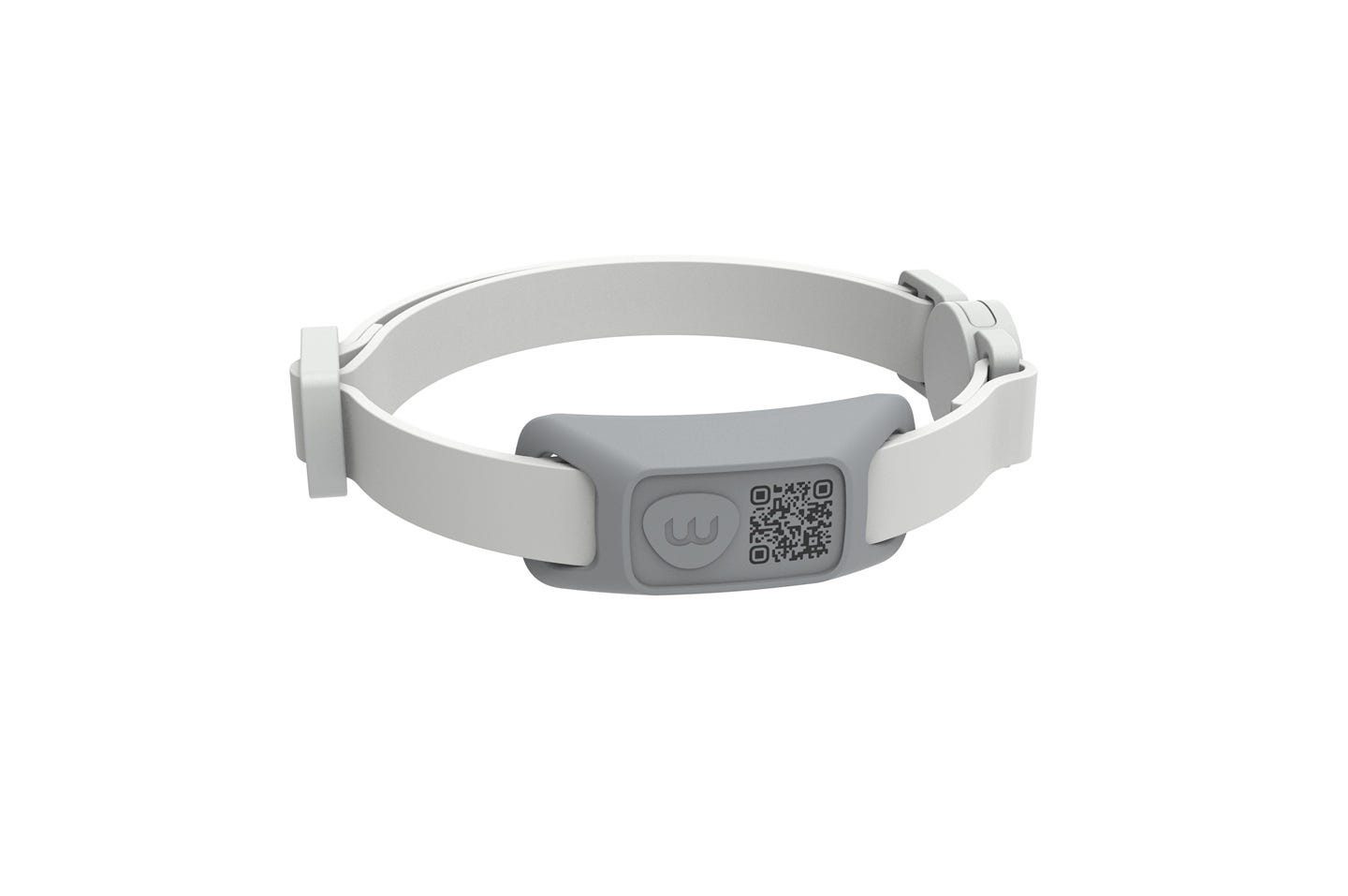
- The PetTag is properly installed, with the QR code facing outward and downward.
- Your cat is wearing the PetTag within range (1-8 inches) of a compatible Whisker robot.
Reminder: PetTag is not a GPS tracker. It uses passive RFID for reliable identification, not location tracking.
Setup and onboarding checks
If your PetTag does not appear in the Whisker app during onboarding:
- Confirm the Whisker app is updated.
- If the RFID scan fails, use the QR code on the PetTag as a fallback.
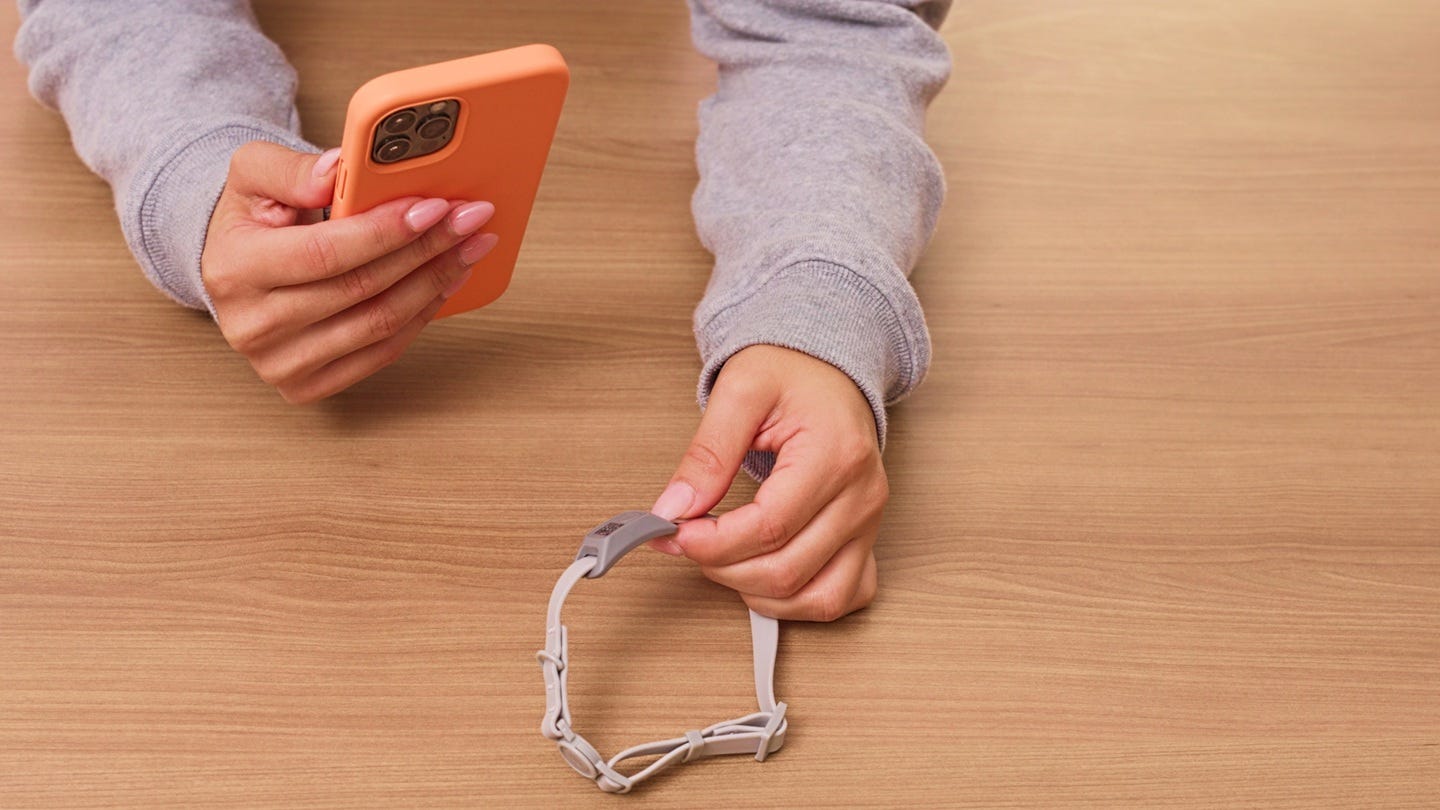
- Once detected, assign the PetTag to a pet profile in the app.
Detection issues
If your robot isn't recognizing the PetTag after onboarding:
- Verify the QR code faces outward/downward when worn.
- Ensure your cat is within detection range (1-8 inches) during use.
- Confirm the PetTag is still assigned to the correct pet profile in the app.
- Try unassigning and reassigning the PetTag in PetTag Manager.
- If issues persist, try deleting the PetTag and re-onboarding it.
Successful: The app correctly logs pet-specific usage.
Unsuccessful: Continue to the next step.
Collar fit and orientation
Incorrect fit can prevent detection.
- The collar should be snug but not tight, you should be able to fit two fingers between the collar and the cat's neck.
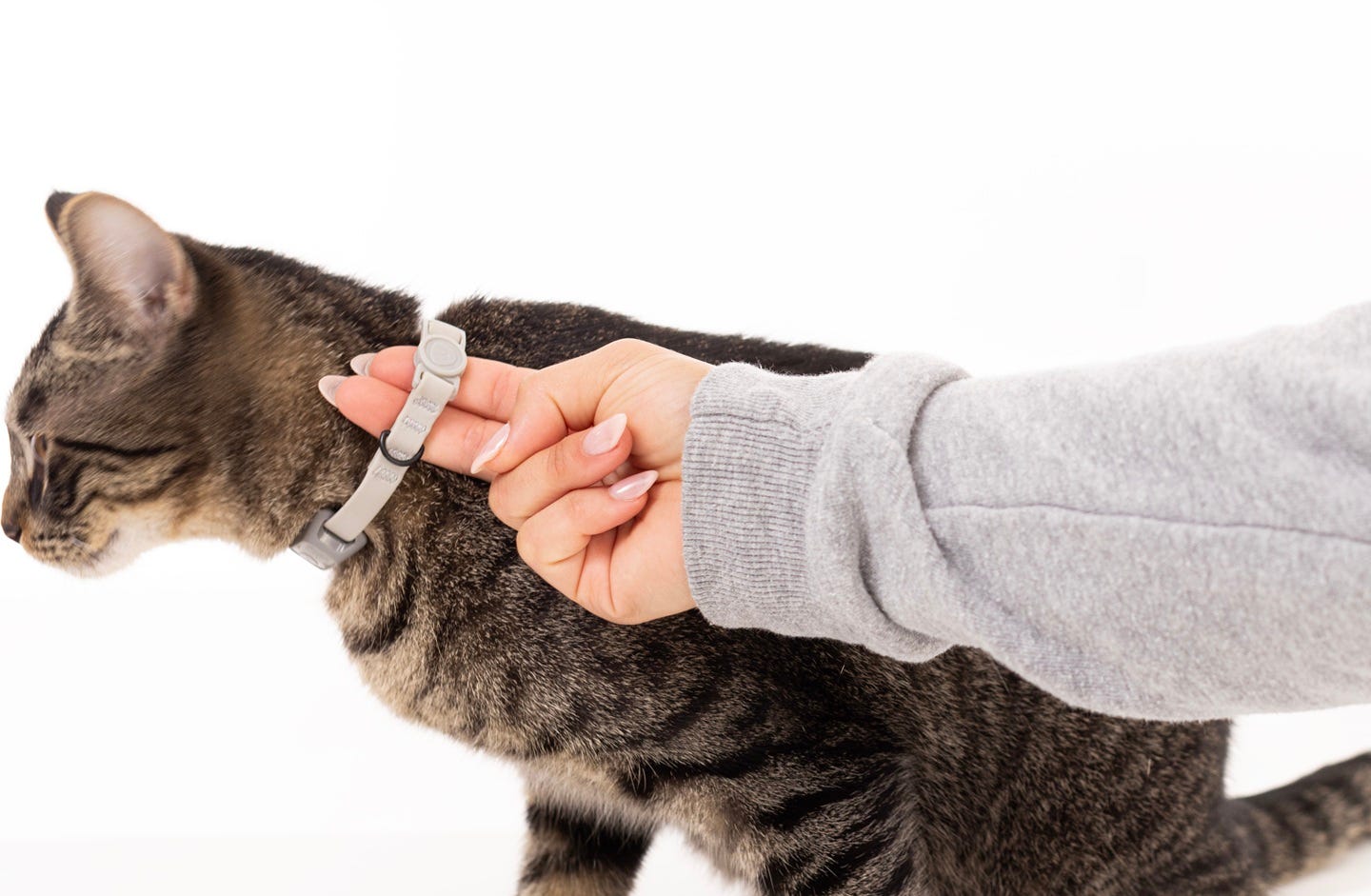
- Avoid collars that are too loose (entanglement risk) or too tight (comfort issue).
- PetTag should sit near the front of your cat's neck for best performance.
Feature expectations
- Lost Pet Mode (coming soon) is QR code-based, it does not provide GPS or real-time tracking.
- PetTag is designed to identify which cat is using a compatible robot, not to locate them.
- Even if your robot has a camera, PetTag ensures consistent identification in low light, with similar-looking cats, or when the camera view is obstructed.
Need more help?
If your PetTag is still not recognized after completing these steps, please contact Whisker Customer Experience for further assistance.
Didn't find what you're looking for?
Live support available Mon-Fri: 9AM-9PM EST and Sat-Sun: 9AM-5PM EST, or submit a ticket anytime.