The store will not work correctly in the case when cookies are disabled.


Litter-Robot 4: Seal strips installation guide
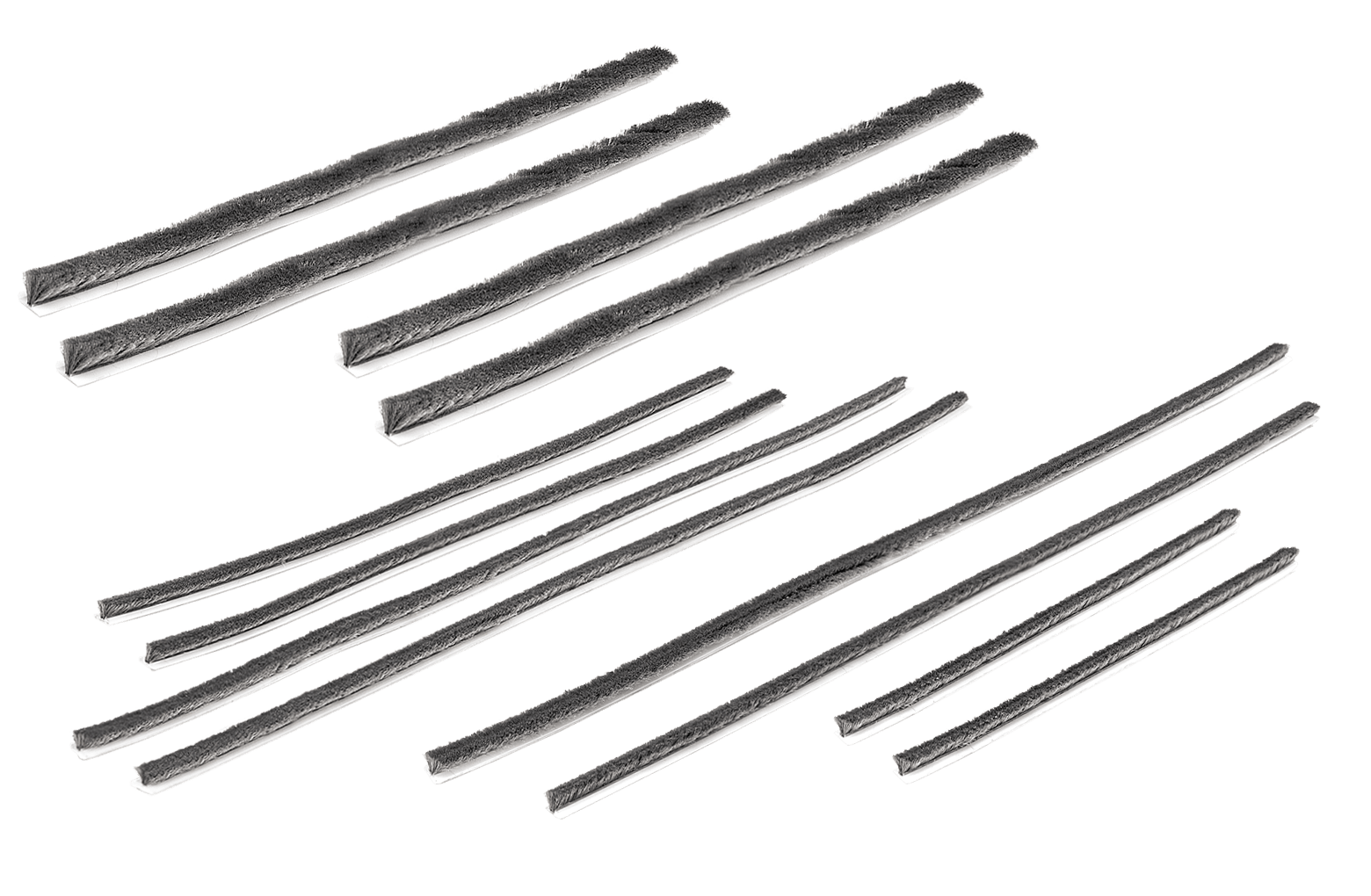
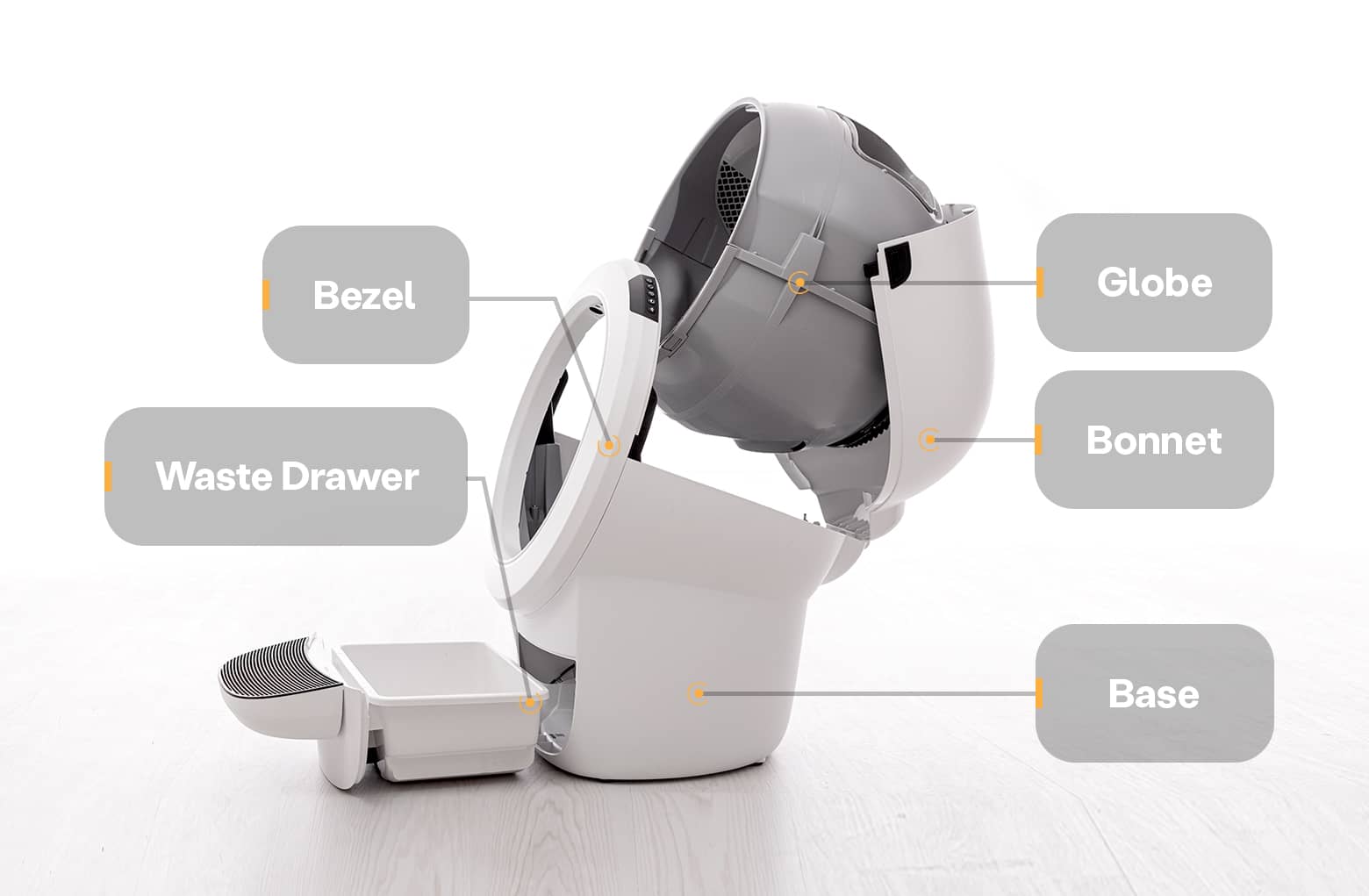 Litter-Robot 4 is equipped with brush-type seal strips that sit along the
lower globe, bezel, and waste port. This pack contains all varieties of seal
strips found on Litter-Robot 4.
Litter-Robot 4 is equipped with brush-type seal strips that sit along the
lower globe, bezel, and waste port. This pack contains all varieties of seal
strips found on Litter-Robot 4.
Learn how to install Litter-Robot 4 Seal Strips in various locations on the unit. Seal strips can help reduce odors, as well as reduce litter and waste leaking between parts.
Installing Litter-Robot 4 Lower Globe Seal Strips
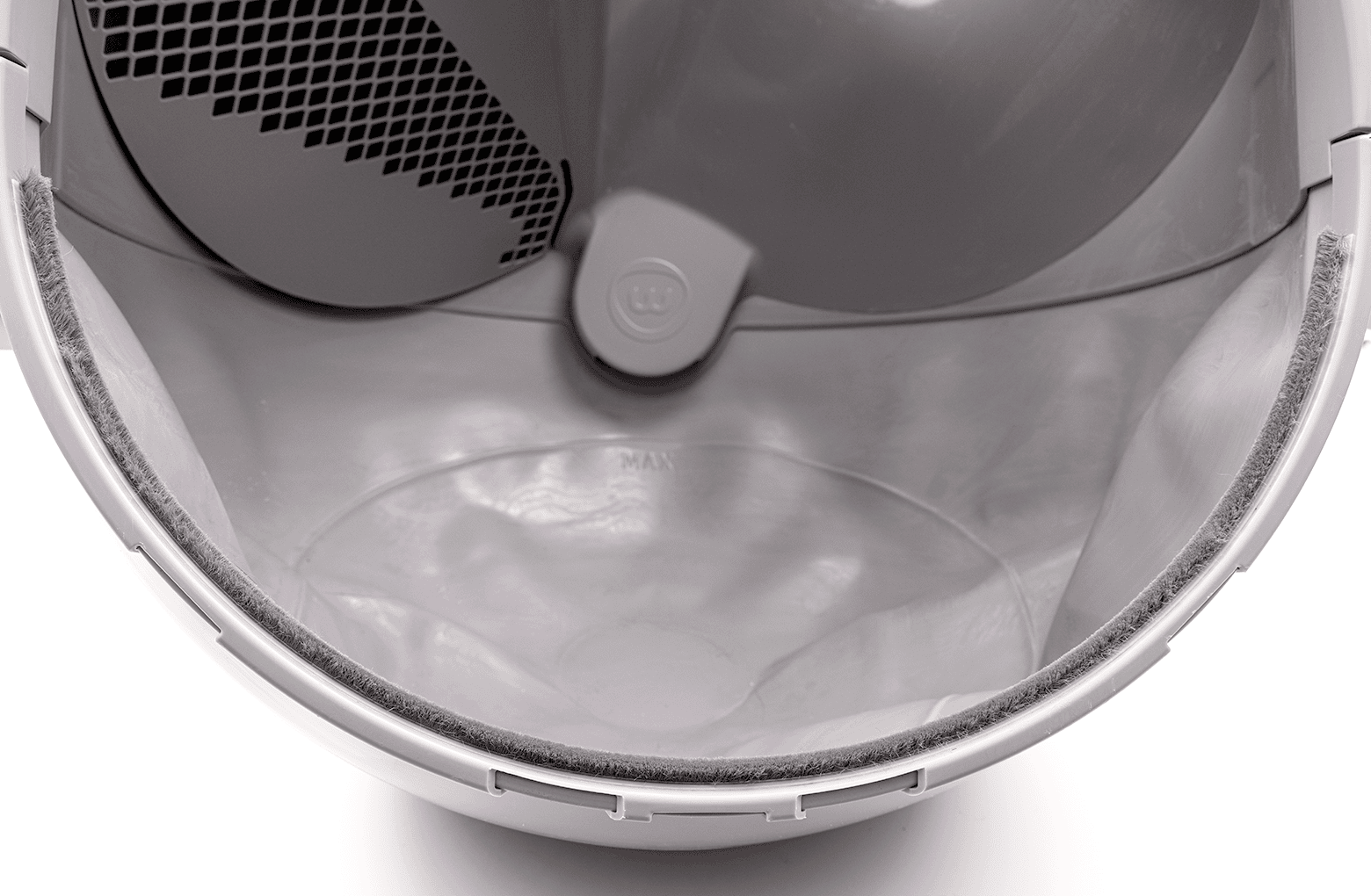
Add seal strips to the lower front of the globe to help reduce litter and waste leaking between the globe and bezel.
You will need:
- (2) lower globe seal strips: 11.5-inches (29.2 cm)
- Putty knife or flathead screwdriver (optional)
- Duct tape
- Rubbing alcohol
- Steps
-
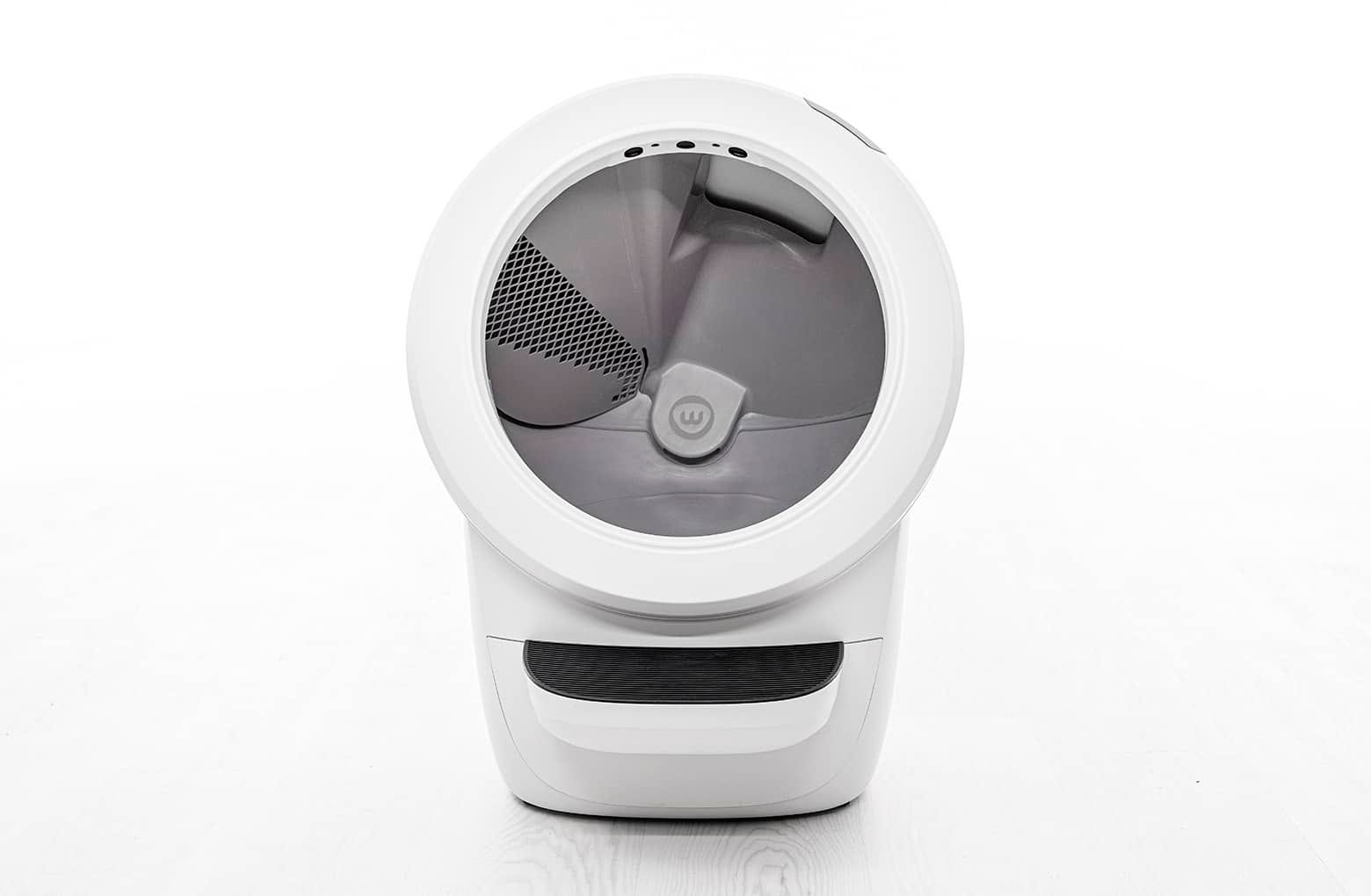
Make sure the unit is in the Home/Ready position.
-
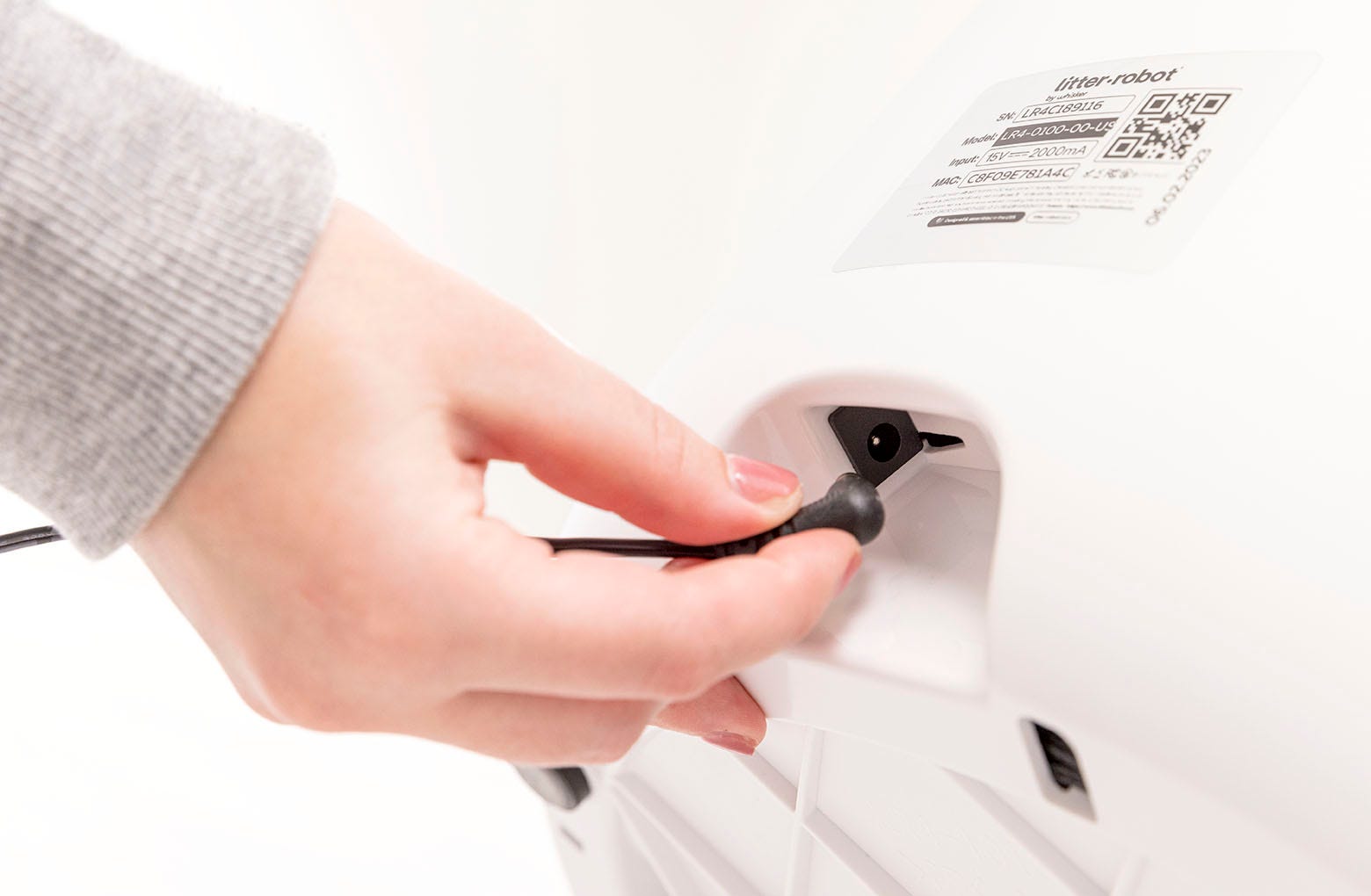
Press the Power button to turn the unit off, then unplug the unit.
-
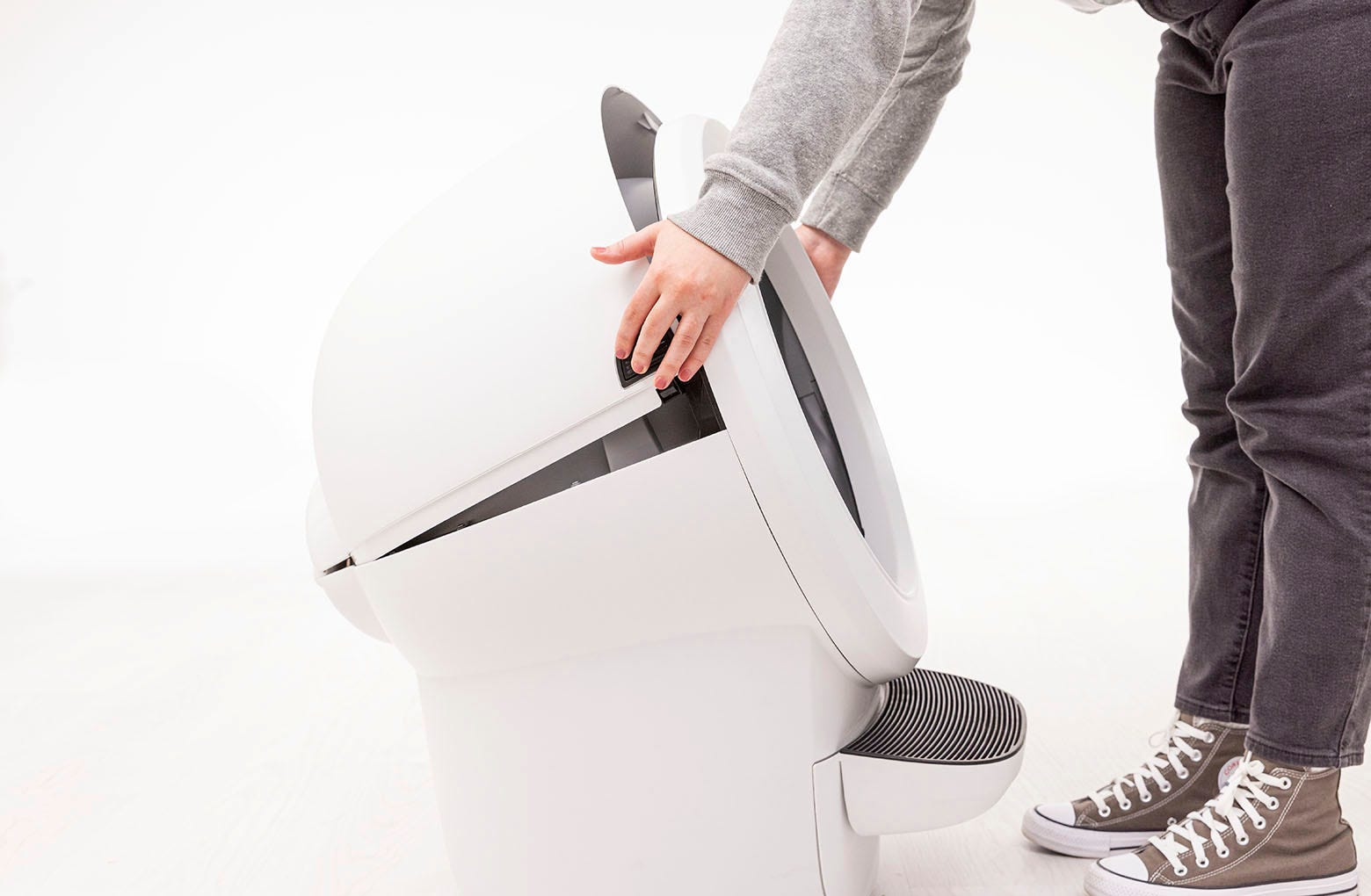
Open the bonnet. Press and hold the latches on both sides of the bonnet,
then lift and rotate the bonnet to its open position.
-
Remove any accessories (if installed).

-
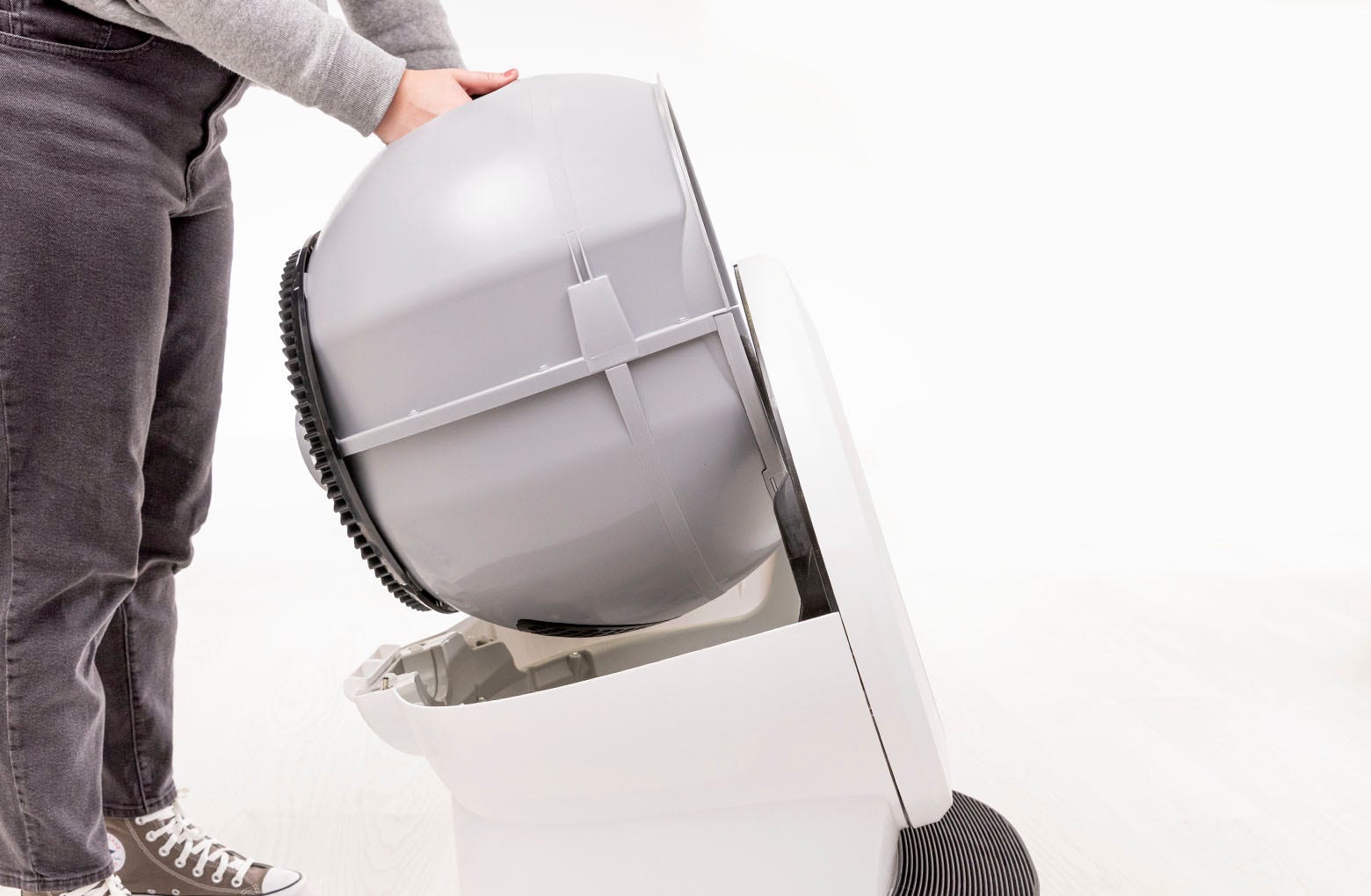
Remove the globe: Grab the black handle located on top of the globe, lift
the globe off the base, and set it on the floor.
-
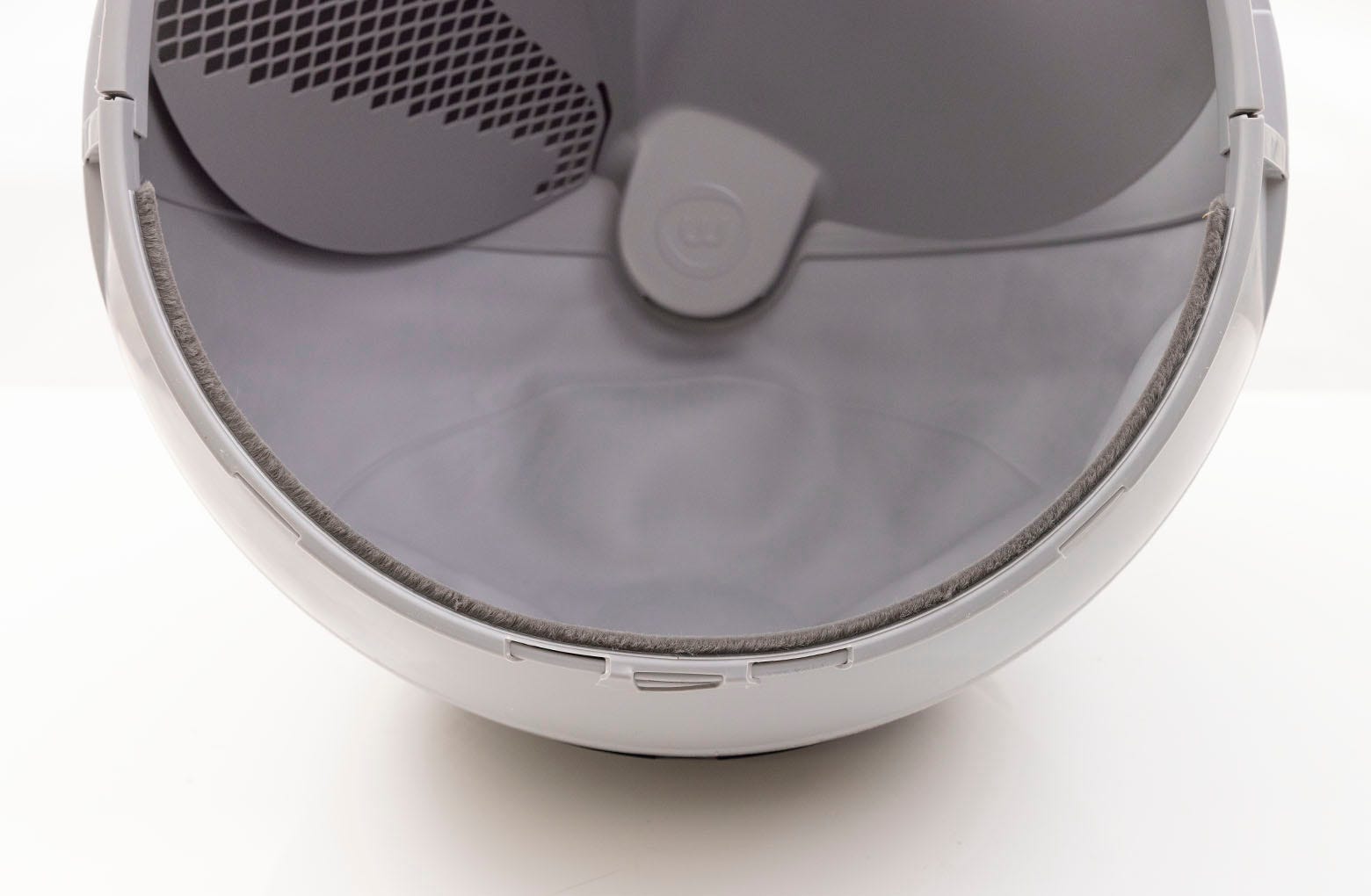
Locate the area where the seal strips will be installed either along the
front edge of the globe or on top of the liner retainer clip.
-
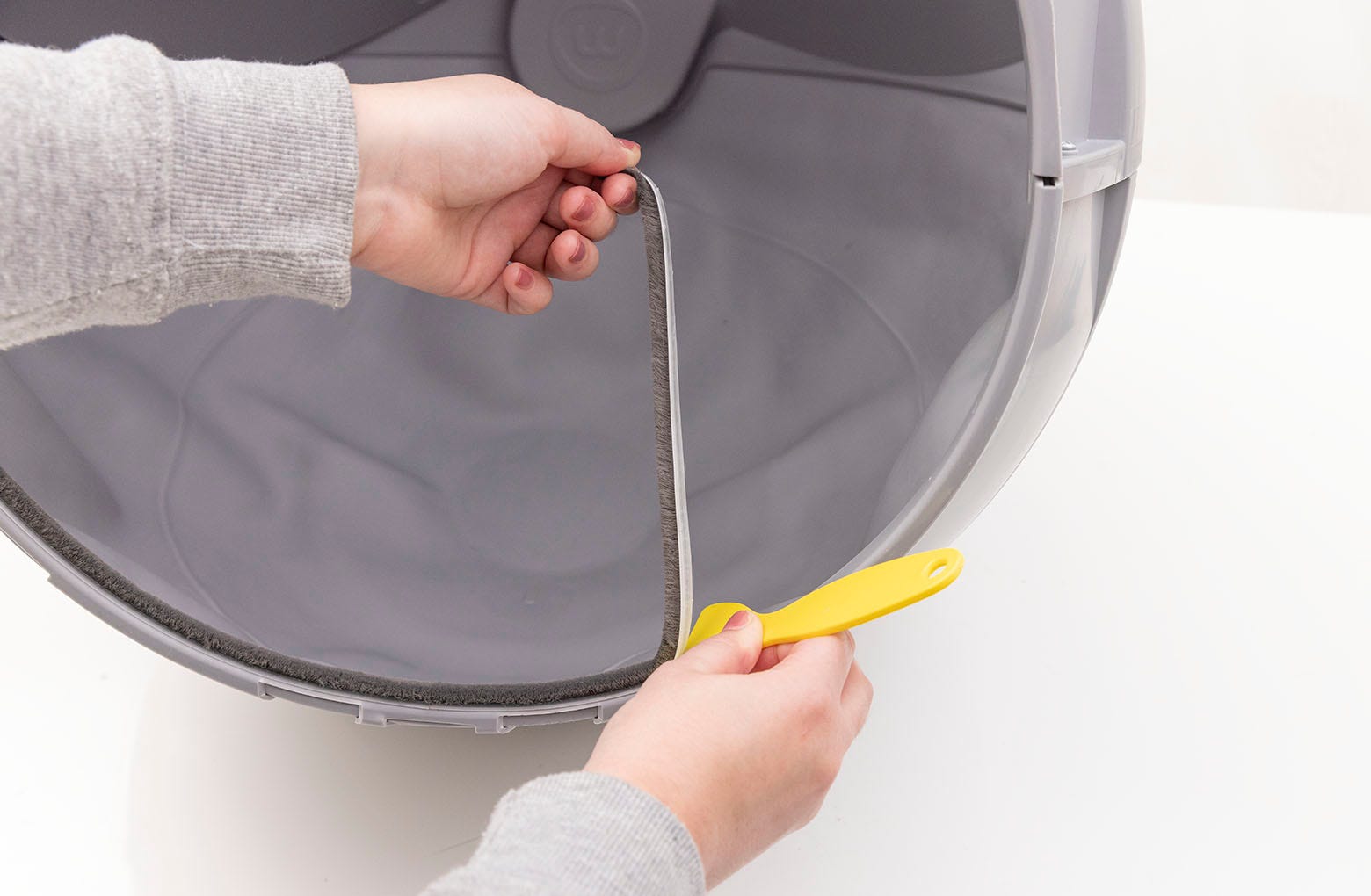
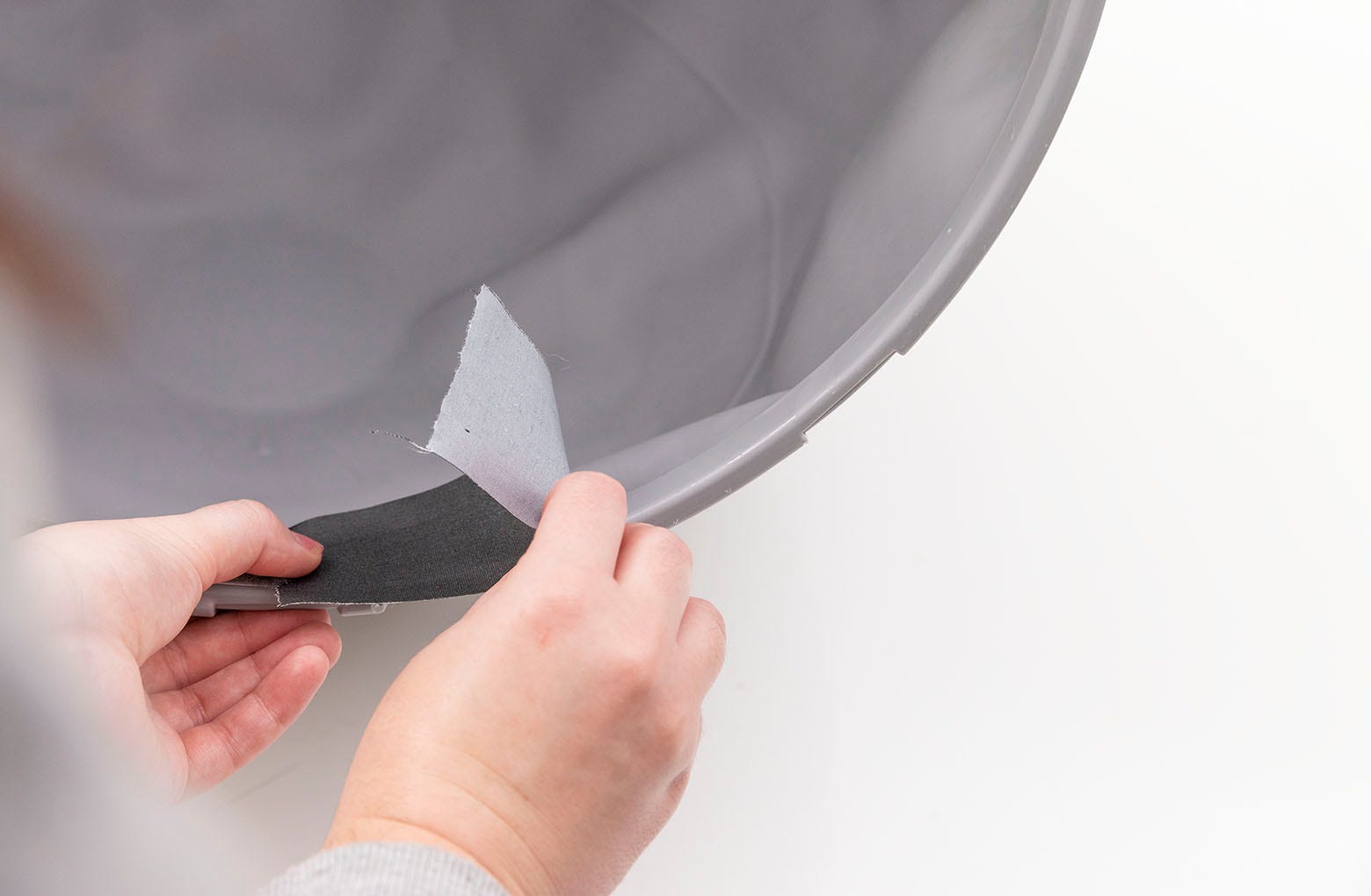
If seal strips have already been installed here, you’ll need to remove
the old strip and any residue to install the new seal strip. To do this, use
a putty knife, flathead screwdriver, or your fingernail to lift the corner
of the strips and peel them off.
-
You can also use ⅜-inch (9.5 mm) strips of sturdy duct tape. Apply tape
to residue, rub to adhere firmly, and pull off. Repeat around the port.
Clean any residue left behind with rubbing alcohol.
-
You can also use ⅜-inch (9.5 mm) strips of sturdy duct tape. Apply tape
to residue, rub to adhere firmly, and pull off. Repeat around the port.
Clean any residue left behind with rubbing alcohol.
-
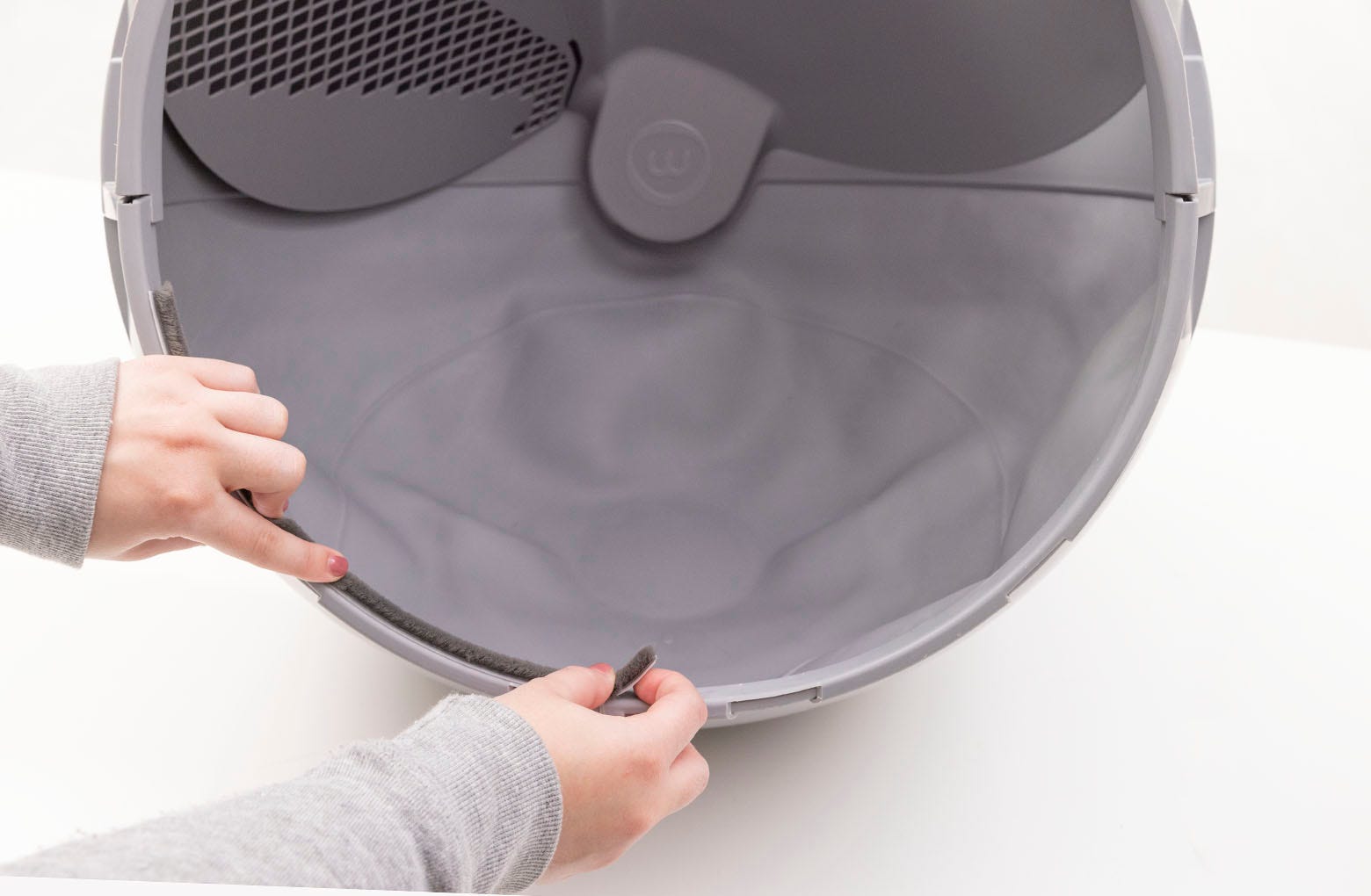
To apply a new strip, peel off the adhesive backing on the first seal strip.
Adhere the first seal strip to the left side of the globe entrance. Place
the strip toward the FRONT edge of the globe lip to avoid visibility when
the unit is reassembled.
-
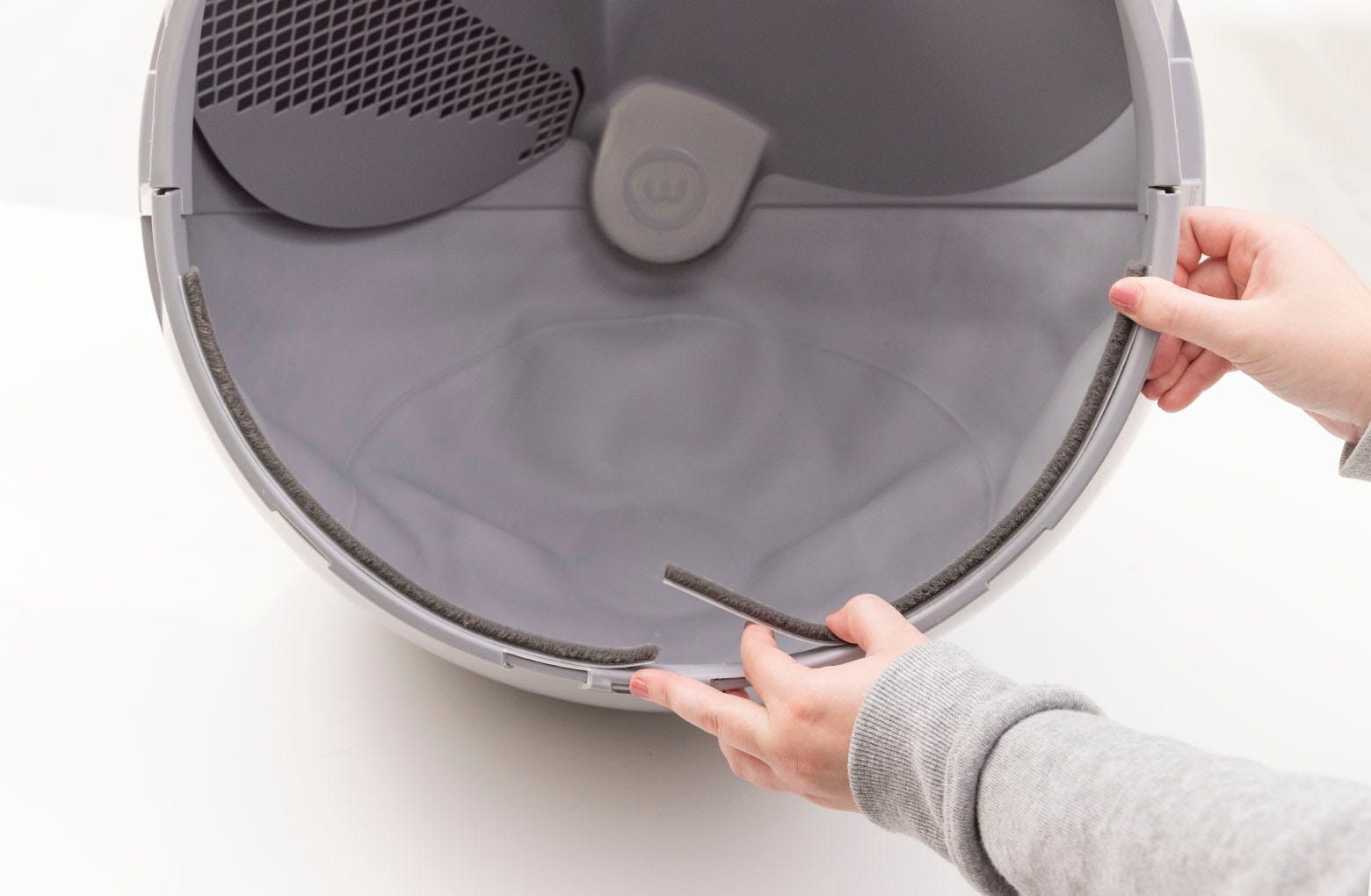
Repeat the process for the second seal strip: Remove the adhesive backing
and place the strip on the right side of the globe entrance. Again, the
strip should be placed toward the front edge of the globe lip.
-
Replace the globe: Hold the globe by the handle and slide it back into the
base. Ensure the back of the globe is sitting flush in the rear bearing
pocket. The large black gear on the rear of the globe will line up with the
small white gear in the base.

-
Close the bonnet: Rotate the bonnet downward over the globe and push down on
the bonnet from the top to make sure it is latched and secure.
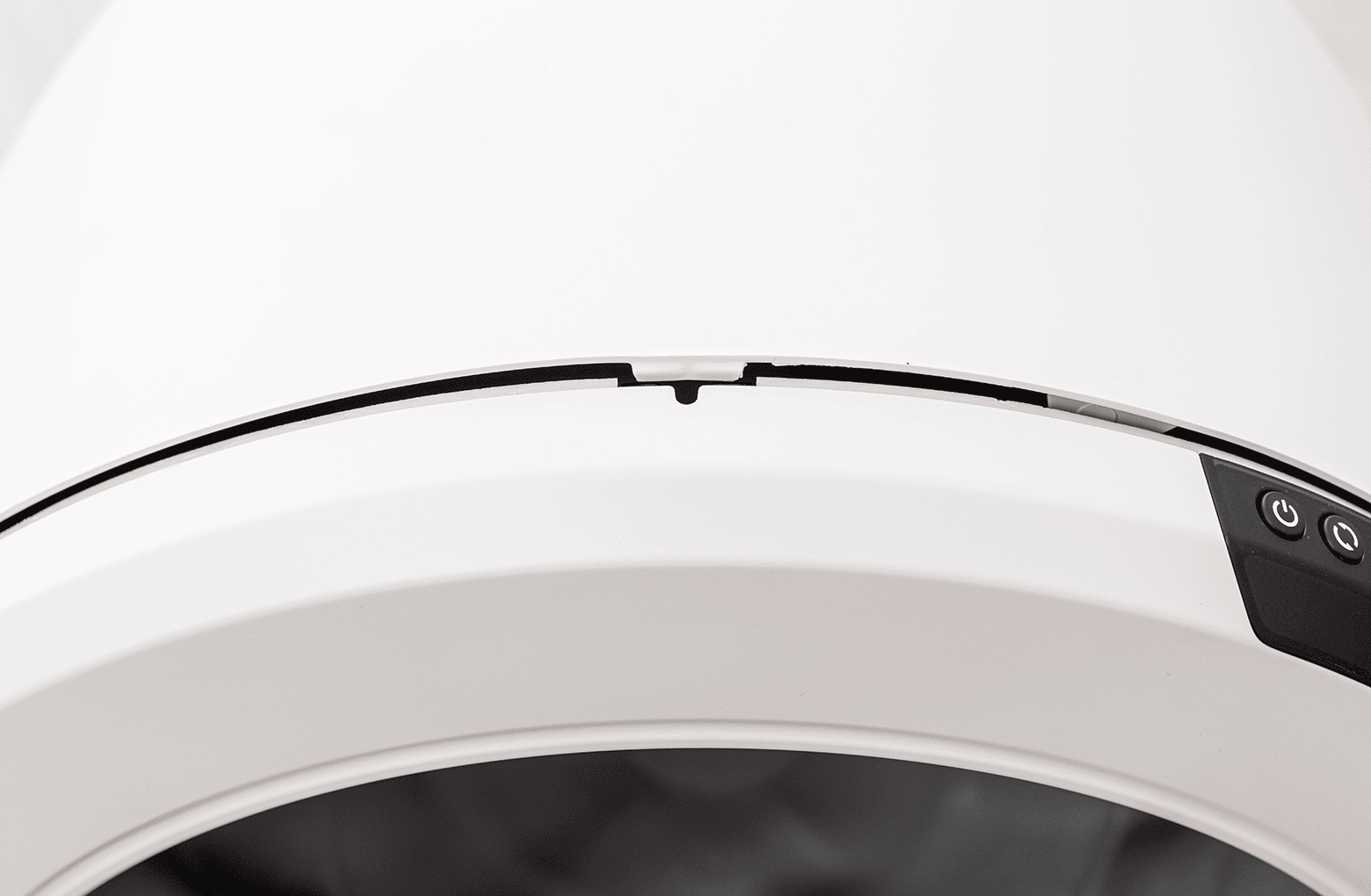
- Note that the seal strips will be slightly visible, just behind the lower edge of the bezel.
-
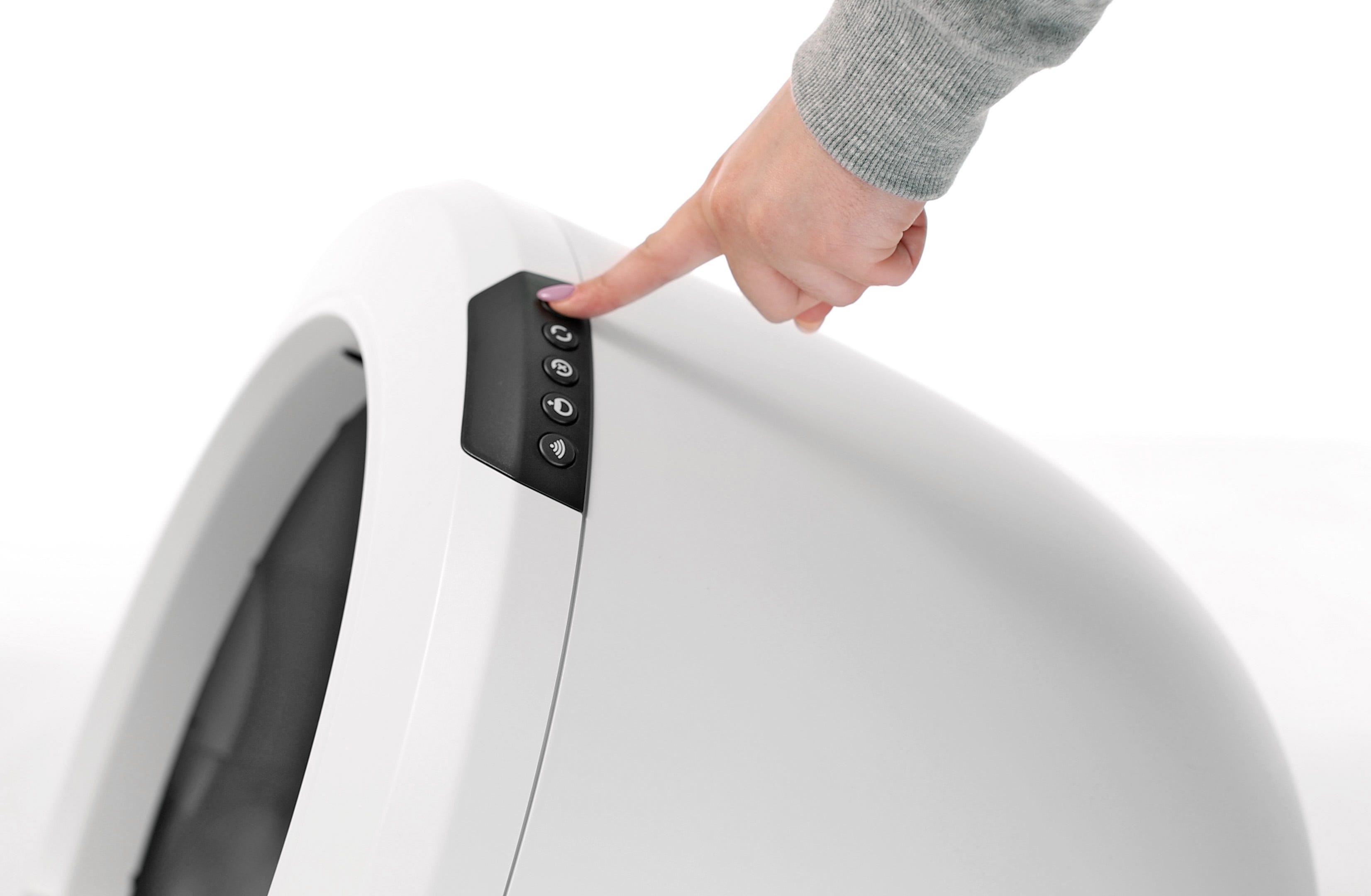
Plug the unit back in and power it on.
Installing Litter-Robot 4 Bezel Seal Strips

You will need:
- (2) side seal strips: 10.25-inches (26 cm)
- (1) forward seal strip, (1) rear seal strip: 13.5-inches (34.3 cm)
- Table or box at least 13.5-inches (34.3 cm) H
- Putty knife or flathead screwdriver (optional)
- Duct tape
- Rubbing alcohol
-
Make sure the unit is in the Home/Ready position.
-
Press the Power button to turn the unit off, then unplug the unit.
-
Remove the bonnet:
-
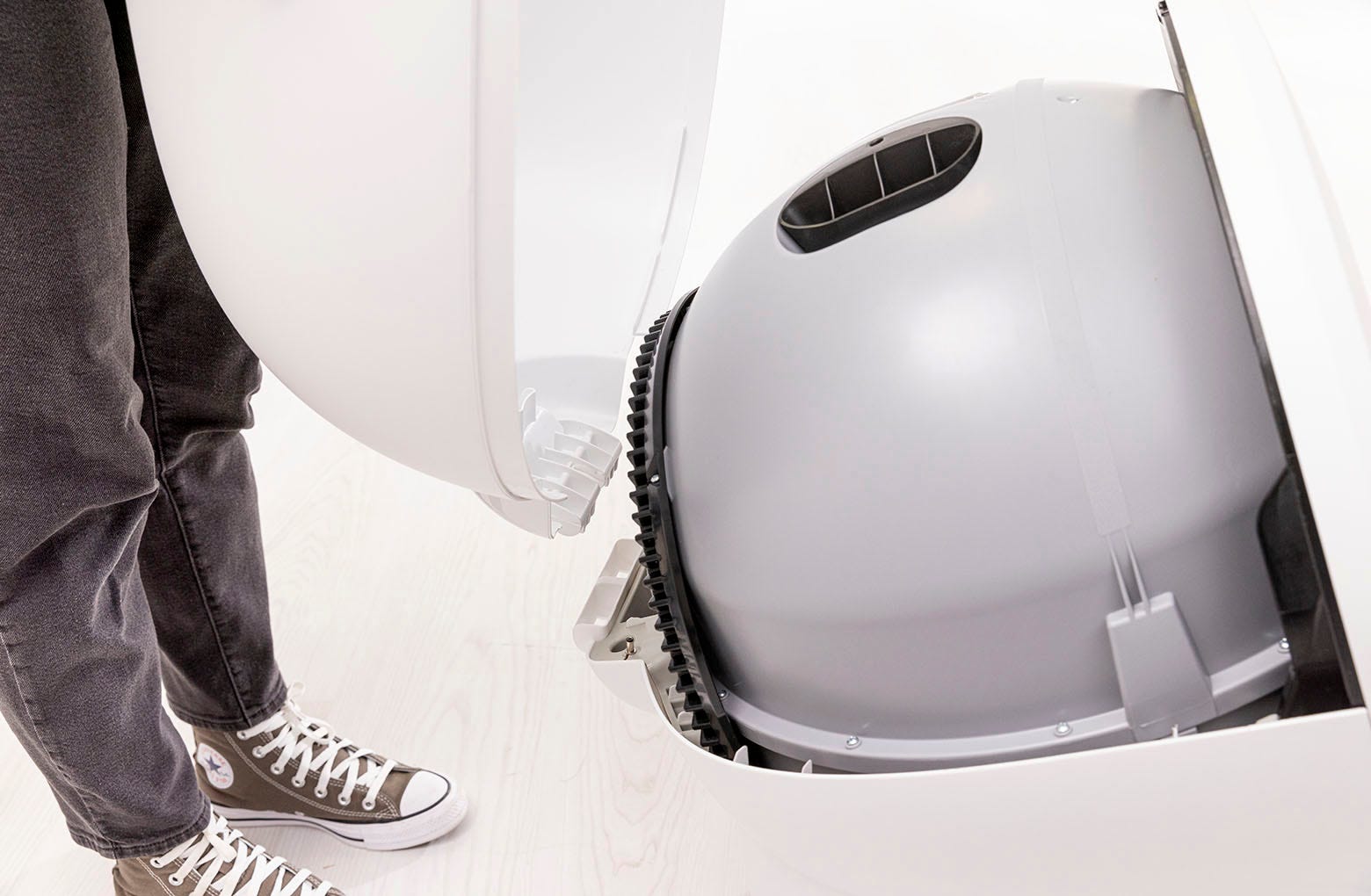
Press and hold the latches on both sides of the bonnet, then lift and
rotate the bonnet to its open position.
-
Unlatch the center tab on the bonnet from the catch clip on the unit
frame behind the robot. Set the bonnet aside.
-
Press and hold the latches on both sides of the bonnet, then lift and
rotate the bonnet to its open position.
-
Remove any accessories (if installed).
-
Remove the globe: Grab the black handle located on top of the globe, lift
the globe off the base, and set it on the floor.
-
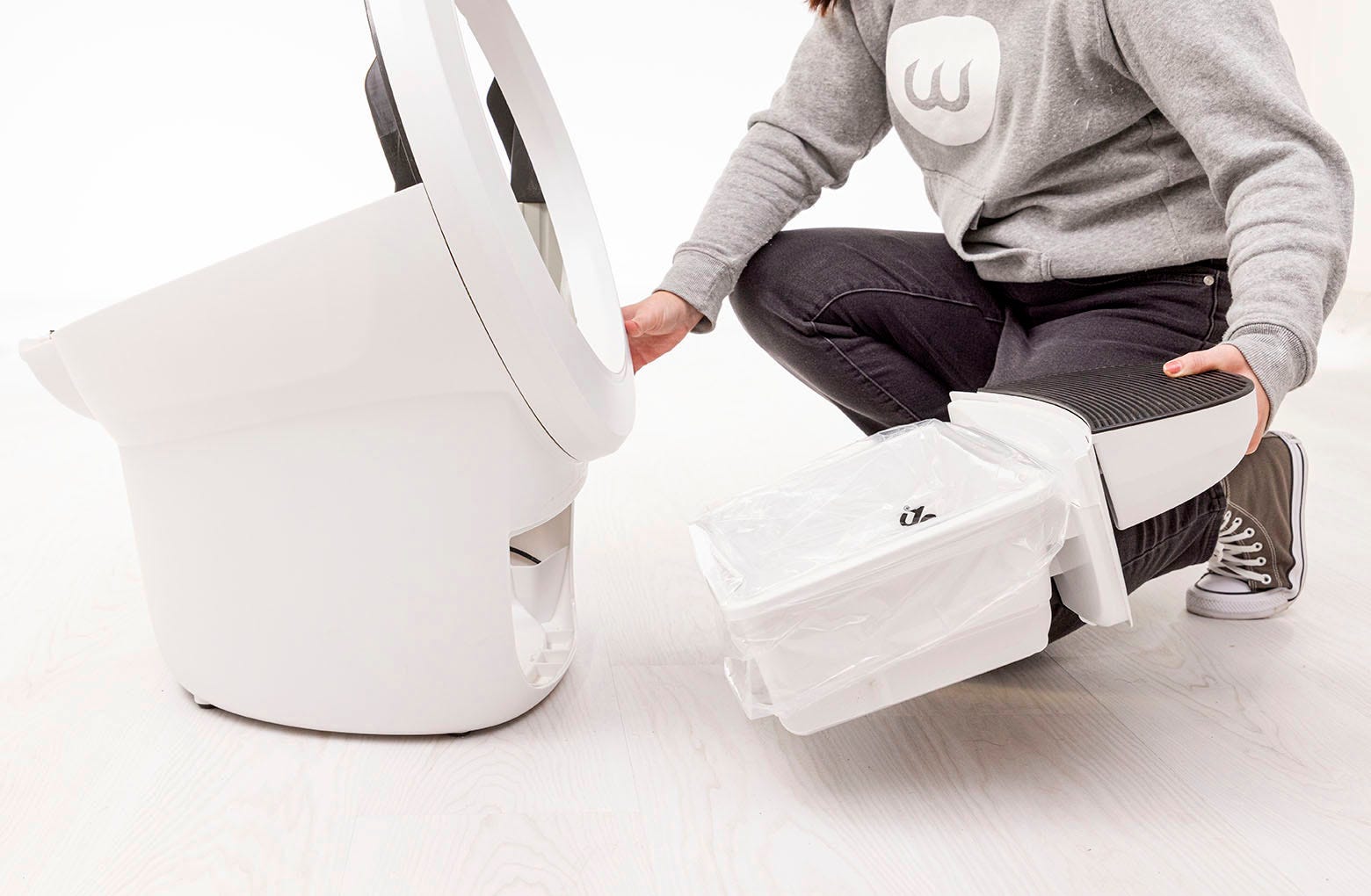
Remove the waste drawer from the base and set aside.
-
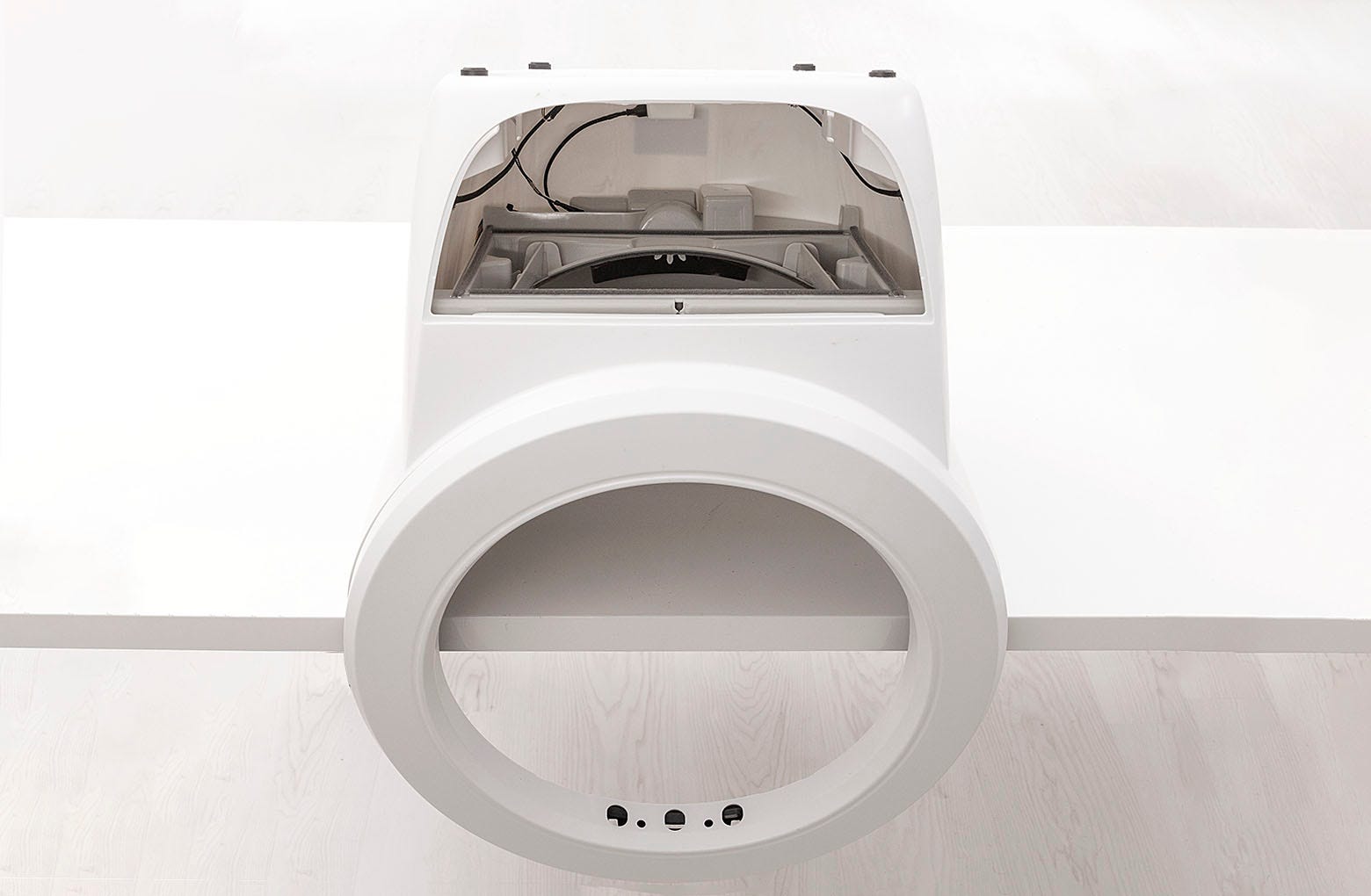
Have a table or a box at least 13.5-inches (34.3 cm) H handy. Turn the base
upside down and set it on top of the table or box so that the bezel hangs
over the edge.
-
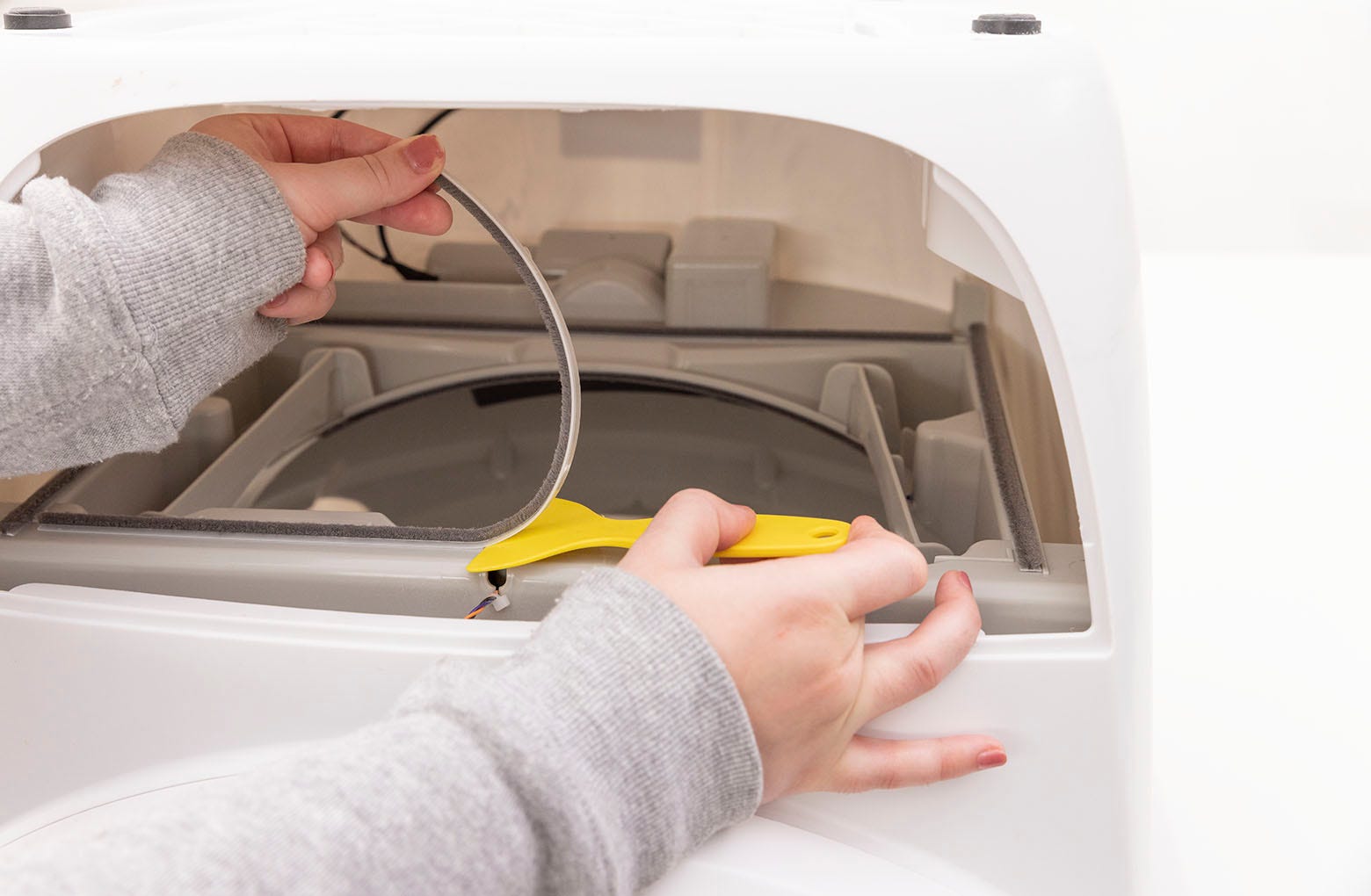
Locate the old lower waste port seal strips. Use a putty knife, flathead
screwdriver, or your fingernail to lift the corner of a strip and peel off
all four (4) strips.
-
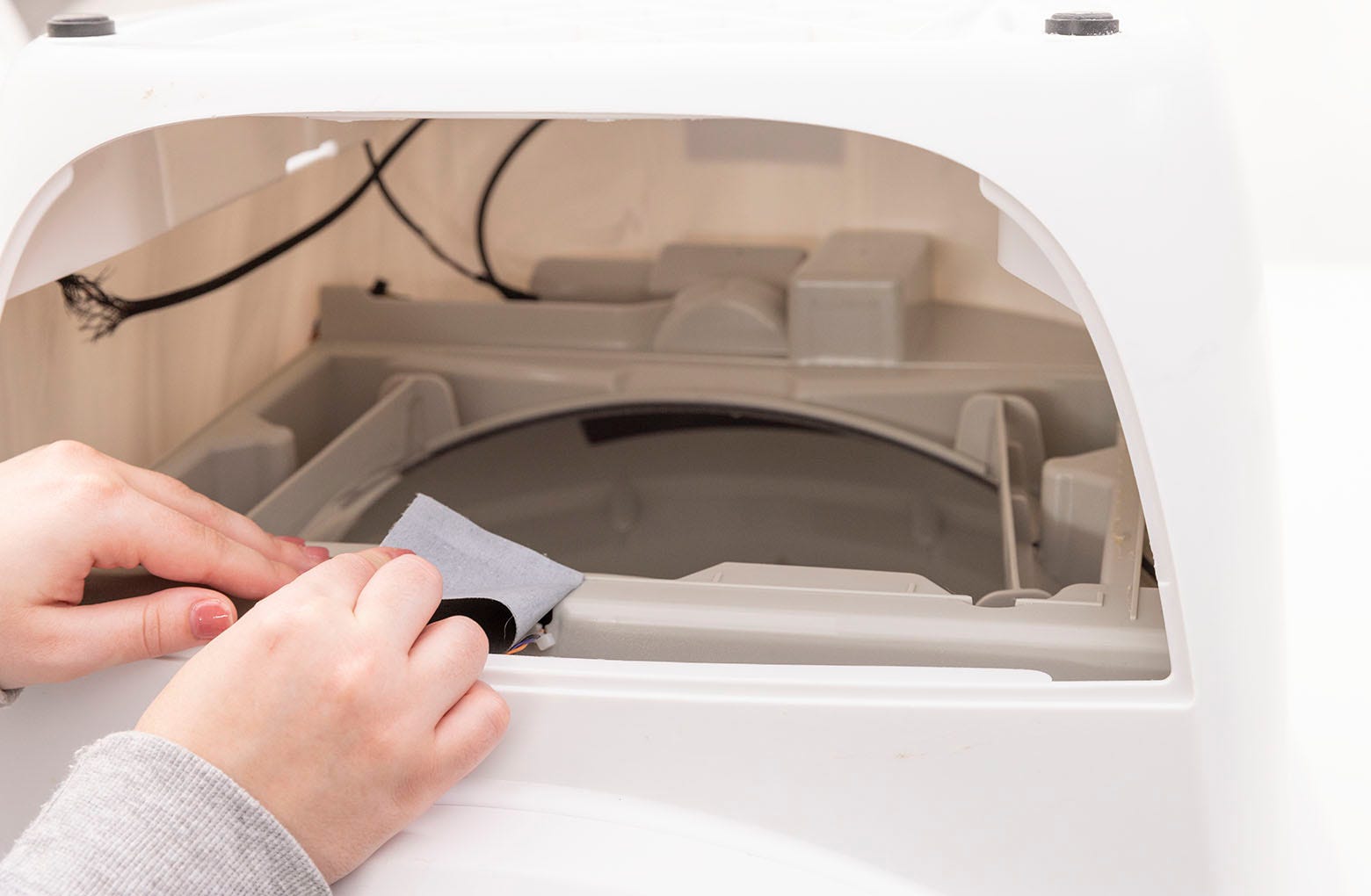
To ensure that the new seal strips adhere to the base, remove any litter and
old strip residue. This can be done with some ⅜-inch (9.5 mm) strips of
sturdy duct tape. Apply tape to residue, rub to adhere firmly, and pull off.
Repeat around the port. Clean any residue left behind with rubbing alcohol.
-
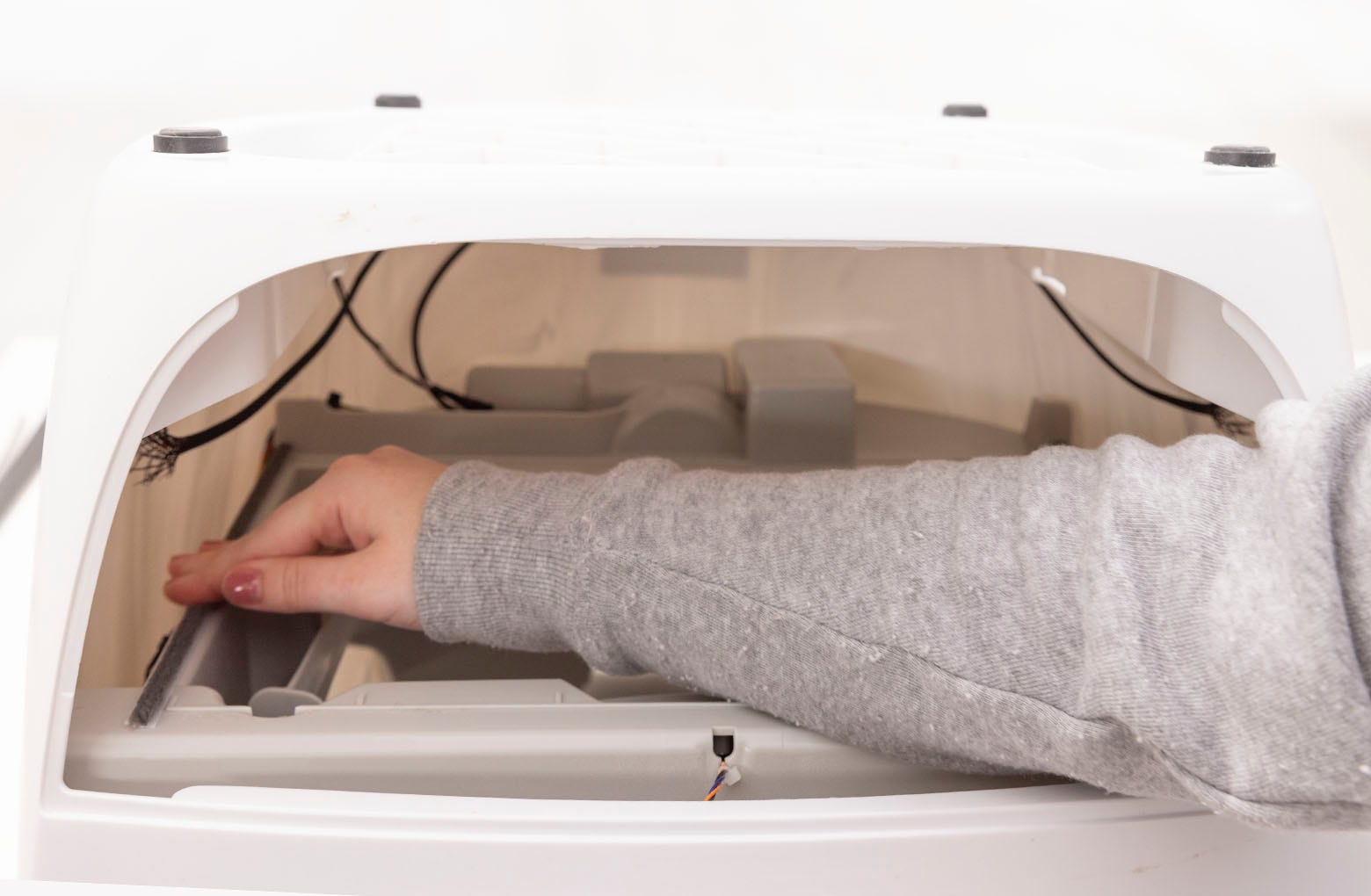
Replace the (2) side seal strips first. These are 10.25-inches (26 cm). Peel
off the adhesive backing on the first seal strip. Start at the back, and
place the strip forward along the strip guideline. Run your finger along the
strip a few times to ensure adhesion. Repeat with the other side seal strip.
-
Proceed to the forward and rear seal strips, which are 13.5-inches (34.3
cm). Place the rear seal strip in front of the strip guideline, and the
forward seal strip behind the seal strip guideline.

-
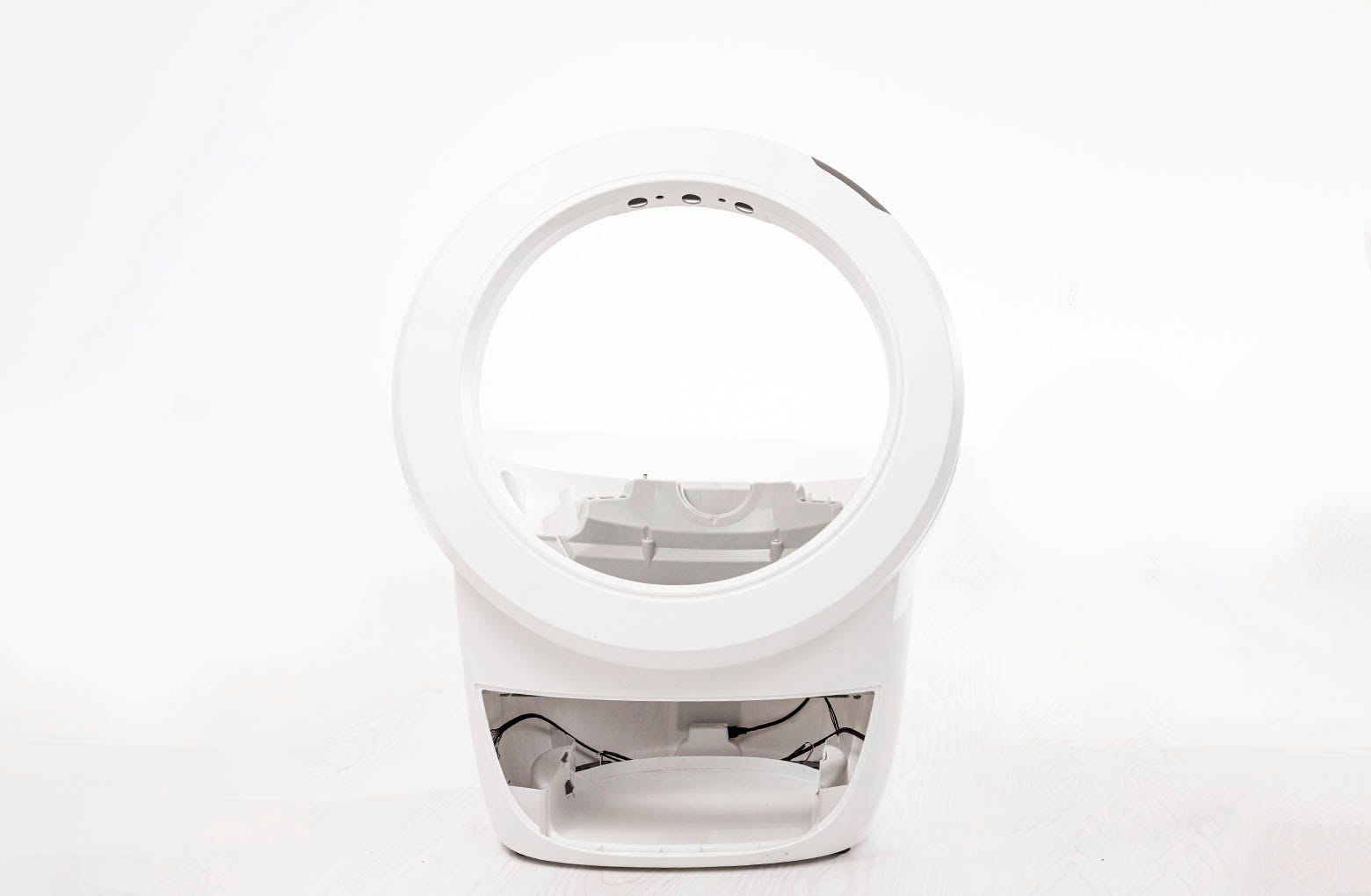
Place the base and bezel right side up on the floor.
-
Replace the globe: Hold the globe by the handle and slide it back into the
base. Ensure the back of the globe is sitting flush in the rear bearing
pocket. The large black gear on the rear of the globe will line up with the
small white gear in the base.
-
Replace the bonnet:
-
Latch the center tab on the bonnet into the catch clip on the unit frame
behind the robot.
-
Rotate the bonnet downward over the globe and push down on the bonnet
from the top to make sure it is latched and secure.
-
Latch the center tab on the bonnet into the catch clip on the unit frame
behind the robot.
-
Slide the waste drawer back into the base.

-
Plug the unit in and power it on.
Installing Litter-Robot 4 Lower Waste Port Seal Strips
Add seal strips to the lower waste port to help reduce odors.
You will need:
- (2) side seal strips: 10.25-inches (26 cm)
- (1) forward seal strip, (1) rear seal strip: 13.5-inches (34.3 cm)
- Table or box at least 13.5-inches (34.3 cm) H
- Putty knife or flathead screwdriver (optional)
- Duct tape
- Rubbing alcohol
-
Make sure the unit is in the Home/Ready position.
-
Press the Power button to turn the unit off, then unplug the unit.
-
Remove the bonnet:
-
Press and hold the latches on both sides of the bonnet, then lift and
rotate the bonnet to its open position.
-
Unlatch the center tab on the bonnet from the catch clip on the unit
frame behind the robot. Set the bonnet aside.
-
Press and hold the latches on both sides of the bonnet, then lift and
rotate the bonnet to its open position.
-
Remove any accessories (if installed).
-
Remove the globe: Grab the black handle located on top of the globe, lift
the globe off the base, and set it on the floor.
-
Remove the waste drawer from the base and set aside.
-
Have a table or a box at least 13.5-inches (34.3 cm) H handy. Turn the base
upside down and set it on top of the table or box so that the bezel hangs
over the edge.
-
Locate the old lower waste port seal strips. Use a putty knife, flathead
screwdriver, or your fingernail to lift the corner of a strip and peel off
all four (4) strips.
-
To ensure that the new seal strips adhere to the base, remove any litter and
old strip residue. This can be done with some ⅜-inch (9.5 mm) strips of
sturdy duct tape. Apply tape to residue, rub to adhere firmly, and pull off.
Repeat around the port. Clean any residue left behind with rubbing
alcohol.
-
Replace the (2) side seal strips first. These are 10.25-inches (26 cm). Peel
off the adhesive backing on the first seal strip. Start at the back, and
place the strip forward along the strip guideline. Run your finger along the
strip a few times to ensure adhesion. Repeat with the other side seal
strip.
-
Proceed to the forward and rear seal strips, which are 13.5-inches (34.3
cm). Place the rear seal strip in front of the strip guideline, and the
forward seal strip behind the seal strip guideline.
-
Place the base and bezel right side up on the floor.
-
Replace the globe: Hold the globe by the handle and slide it back into the
base. Ensure the back of the globe is sitting flush in the rear bearing
pocket. The large black gear on the rear of the globe will line up with the
small white gear in the base.
-
Replace the bonnet:
-
Latch the center tab on the bonnet into the catch clip on the unit frame
behind the robot.
-
Rotate the bonnet downward over the globe and push down on the bonnet
from the top to make sure it is latched and secure.
-
Latch the center tab on the bonnet into the catch clip on the unit frame
behind the robot.
-
Slide the waste drawer back into the base.
-
Plug the unit in and power it on.
Installing Litter-Robot 4 Upper Waste Port Seal Strips
Add seal strips to the upper waste port to help reduce odors.
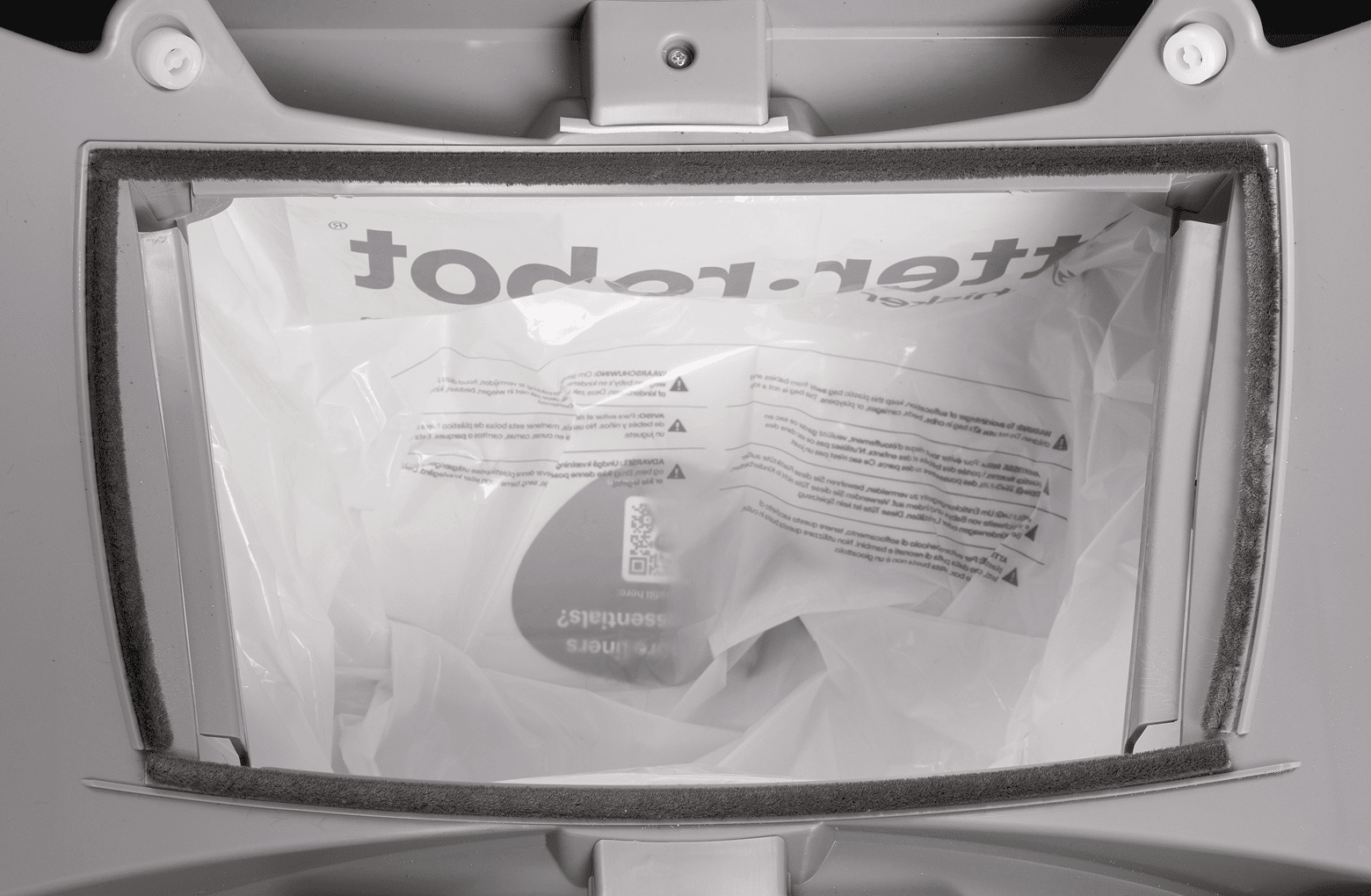
You will need:
- (1) forward seal strip: 13.5-inches (34.3 cm)
- (2) side seal strips: 6-inches (15.25 cm)
- (1) rear seal strip: 12-inches (30.5 cm)
- Putty knife or flathead screwdriver (optional)
- Duct tape
- Rubbing alcohol
-
Make sure the unit is in the Home/Ready position.
-
Press the Power button to turn the unit off, then unplug the unit.
-
Open the bonnet: Press and hold the latches on both sides of the bonnet,
then lift and rotate the bonnet to its open position.
-
Remove any accessories (if installed).
-
Remove the globe: Grab the black handle located on top of the globe, lift
the globe off the base, and set it on the floor.
-
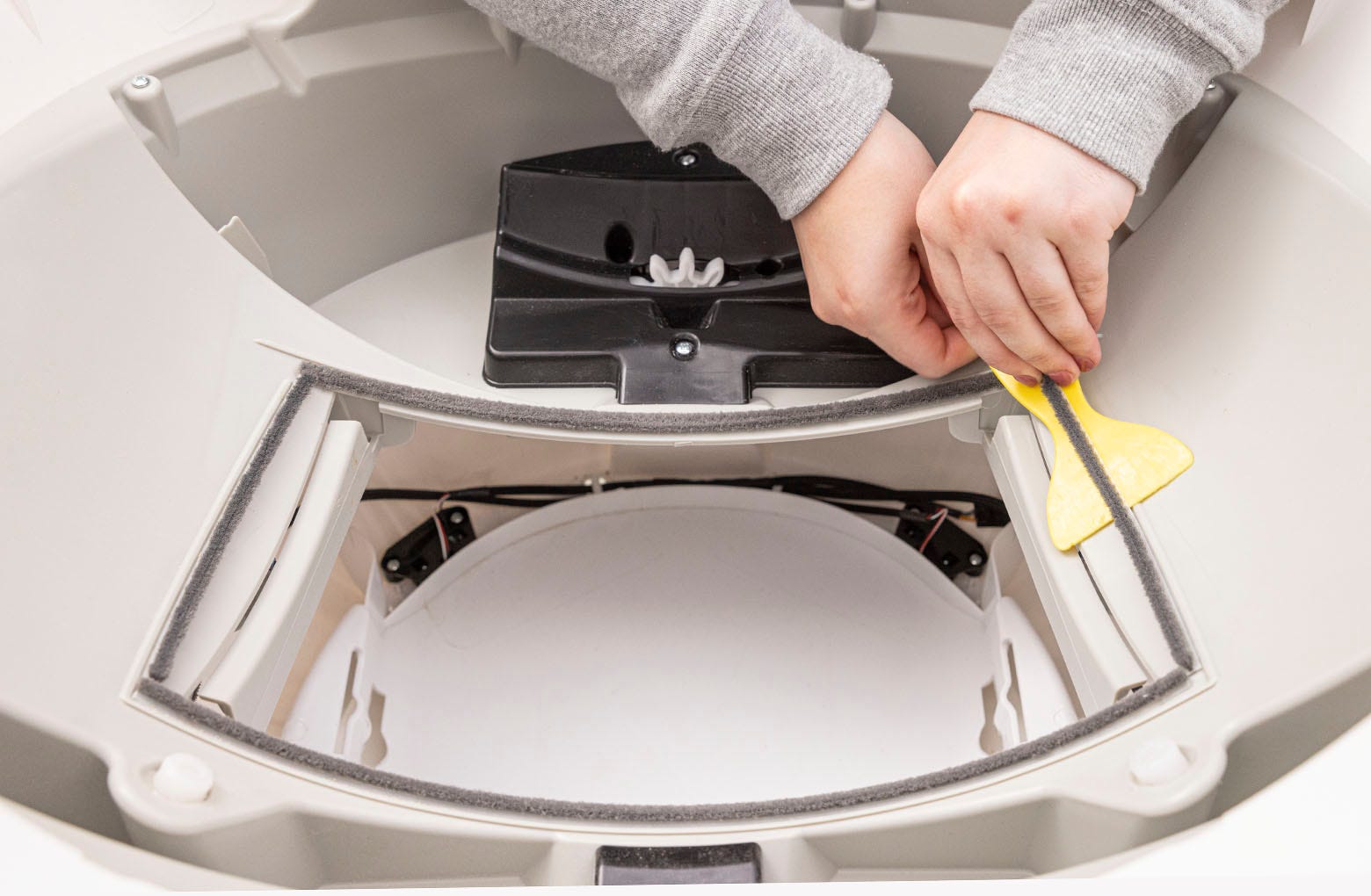
Locate the old upper waste port seal strips in the base. Use a putty knife,
flathead screwdriver, or your fingernail to lift the corner of a strip and
peel off all four (4) strips.
-
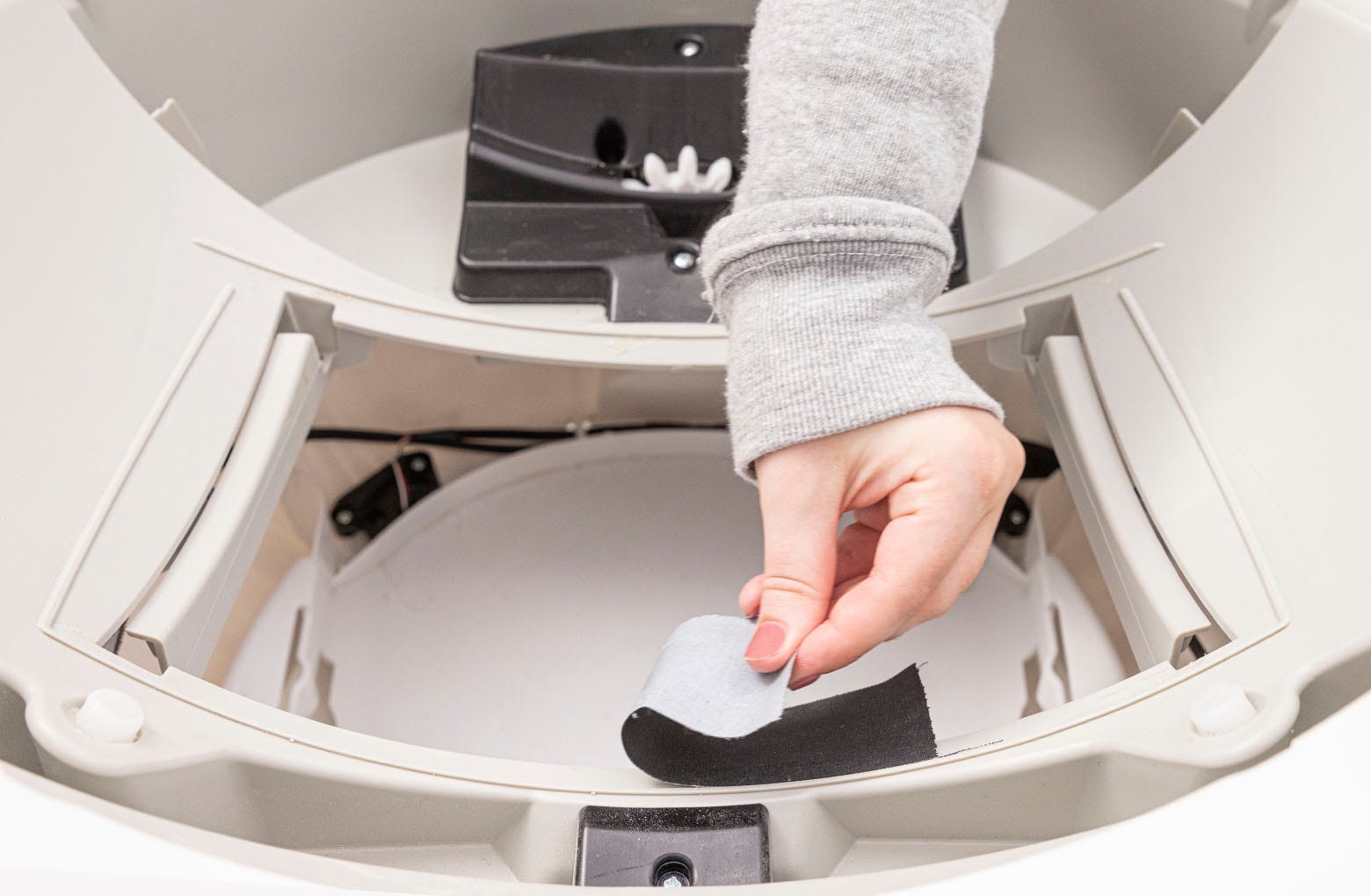
To ensure that the new seal strips adhere to the base, remove any litter and
old strip residue. This can be done with some ⅜-inch (9.5 mm) strips of
sturdy duct tape. Apply tape to residue, rub to adhere firmly, and pull off.
Repeat around the port. Clean any residue left behind with rubbing alcohol.
-
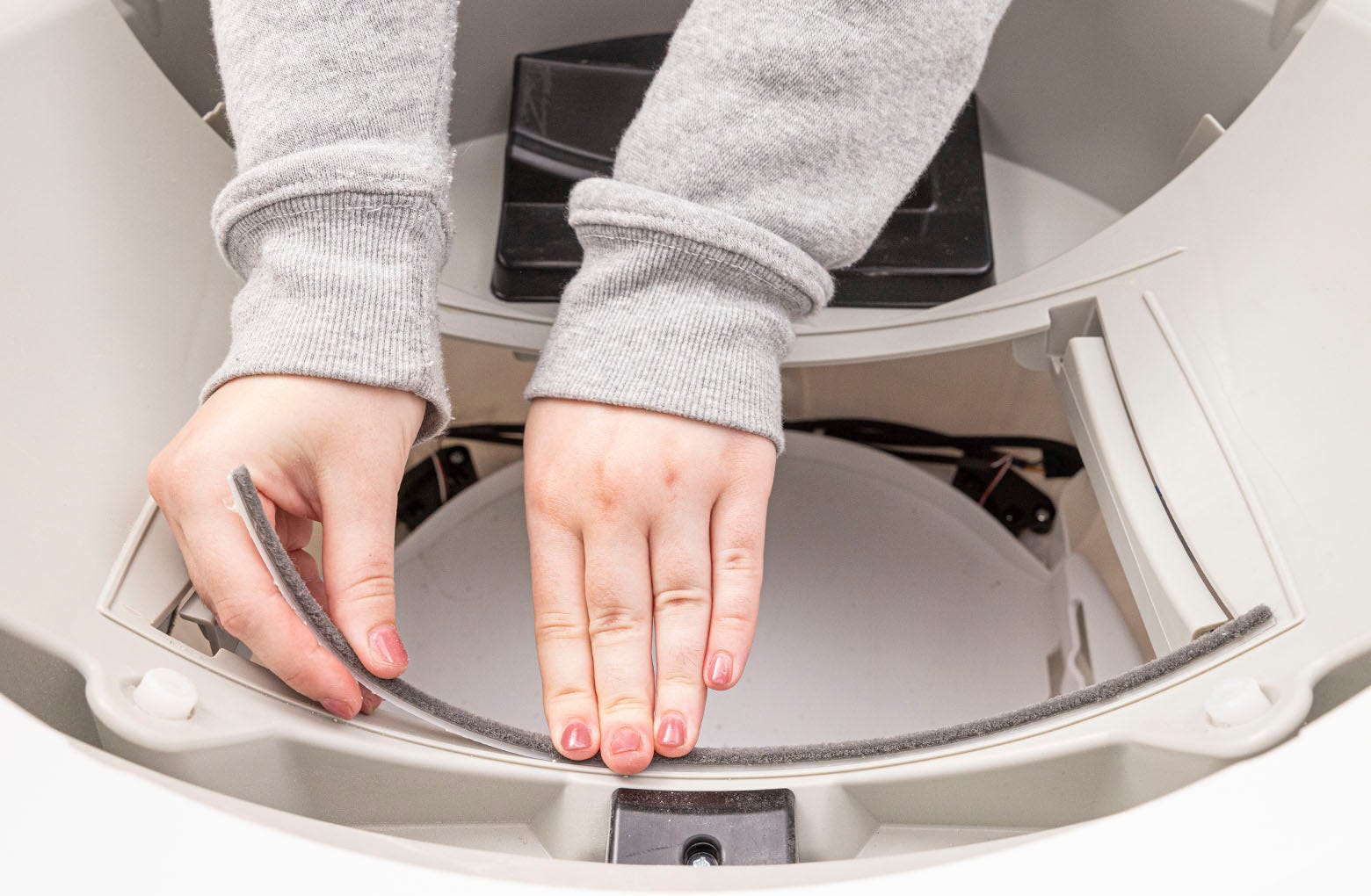
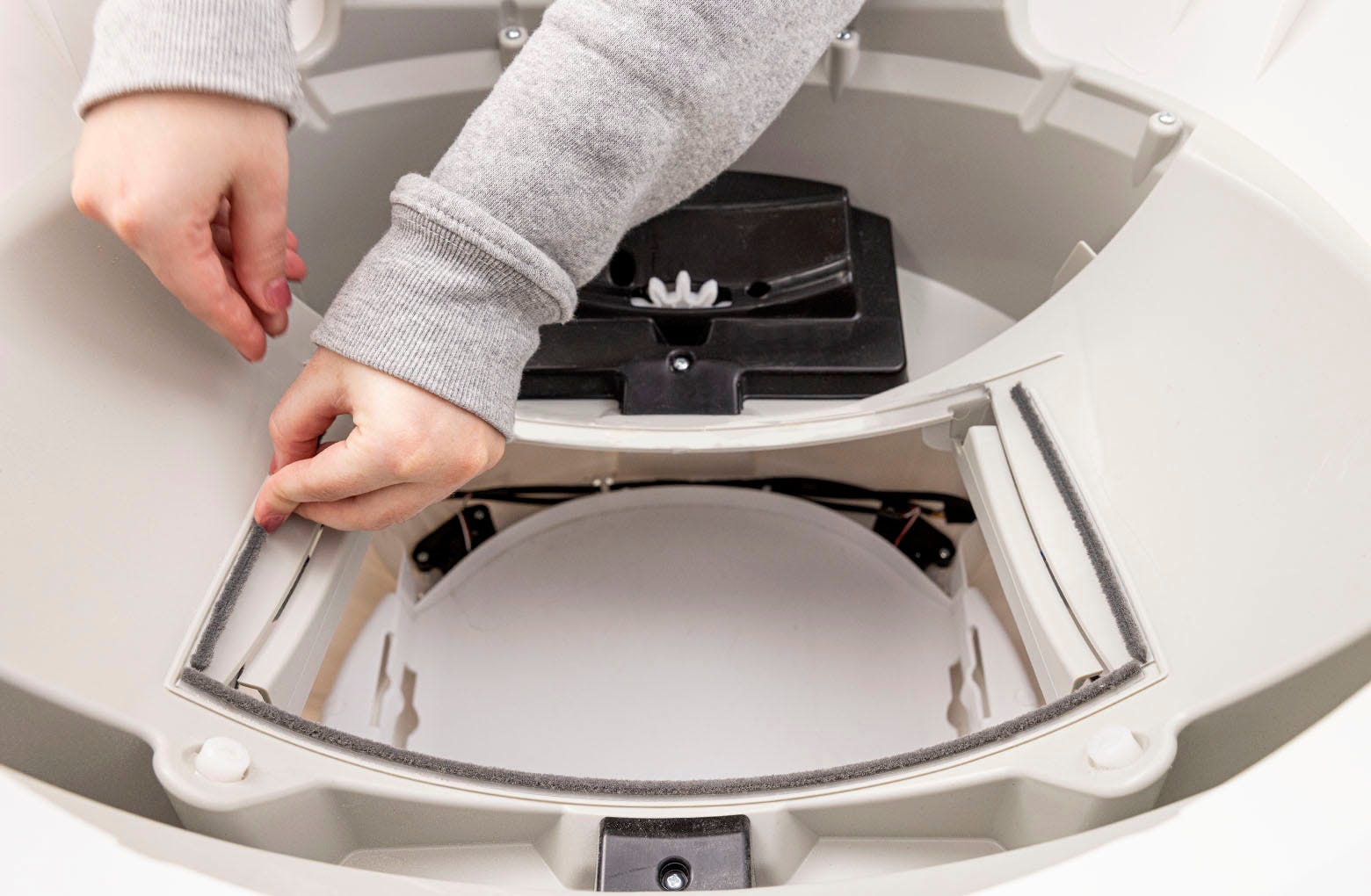
Replace the forward seal strip first, which is 13.5-inches (34.3 cm). Peel
off the adhesive backing on the strip and place it along the inside of the
strip guideline. Run your finger along the strip a few times to ensure
adhesion.
-
Next, replace the (2) side seal strips, which are 6-inches (15.25 cm). Place
immediately adjacent to the forward seal strip, and along the inside of the
strip guideline.
-
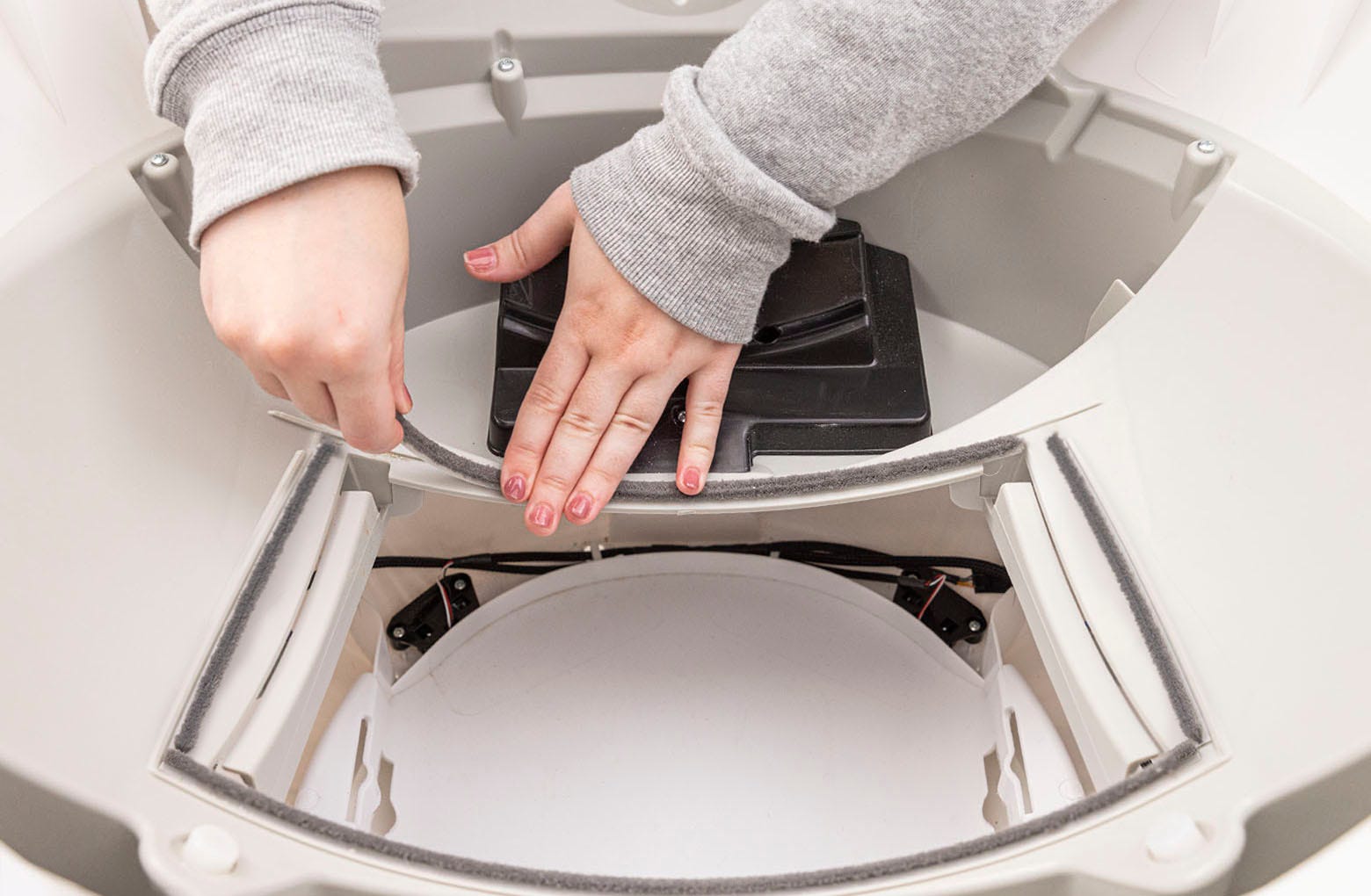
Finally, replace the rear seal strip, which is 12-inches (30.5 cm).
-
Replace the globe: Hold the globe by the handle and slide it back into the
base. Ensure the back of the globe is sitting flush in the rear bearing
pocket. The large black gear on the rear of the globe will line up with the
small white gear in the base.
- Close the bonnet: Rotate the bonnet downward over the globe and push down on the bonnet from the top to make sure it is latched and secure.
-
Plug the unit back in and power it on.
-
Observe two clean cycles to ensure the new seal strips don’t get pulled up.
Watch as the dump port rotates over the waste port area—if the seals are not
adhered well enough, they could get pulled up by the rotating globe and
cause an
over-torque fault
or a
globe position fault.

Didn't find what you're looking for?
Phone and Chat support available Mon-Fri: 9AM-9PM EST and Sat-Sun: 9AM-5PM EST, or submit a ticket anytime.