The store will not work correctly in the case when cookies are disabled.

Litter-Robot 5 & Pro: LitterHopper® not dispensing or jammed
Litter-Robot 5 LitterHopper is designed to automatically maintain the optimal litter level inside the globe of Litter-Robot.
Litter-Robot 5 uses sensors in the bezel to measure the height of the litter bed at the end of each clean cycle. If the litter level is below the optimal range, LitterHopper will dispense litter during the next clean cycle.
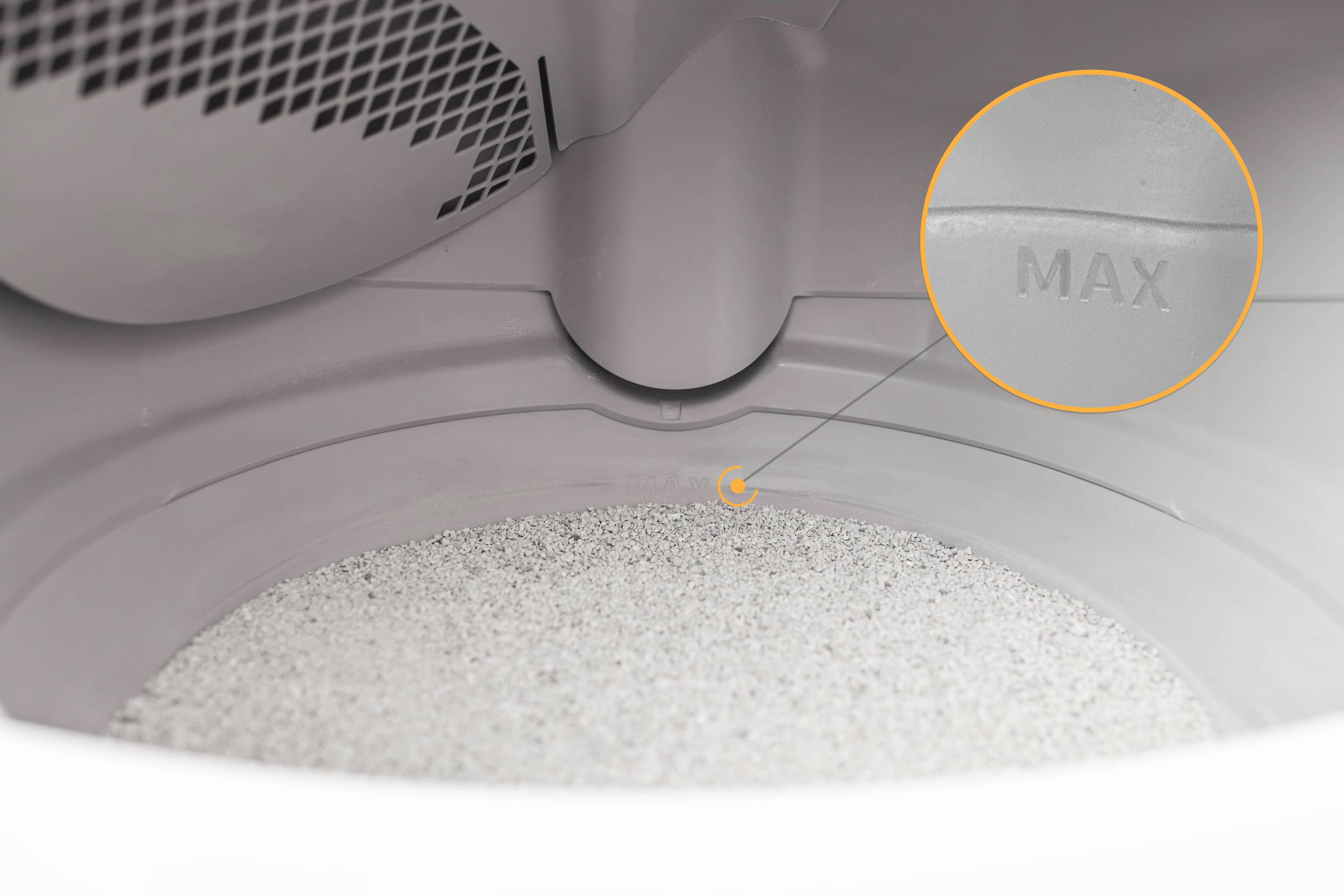
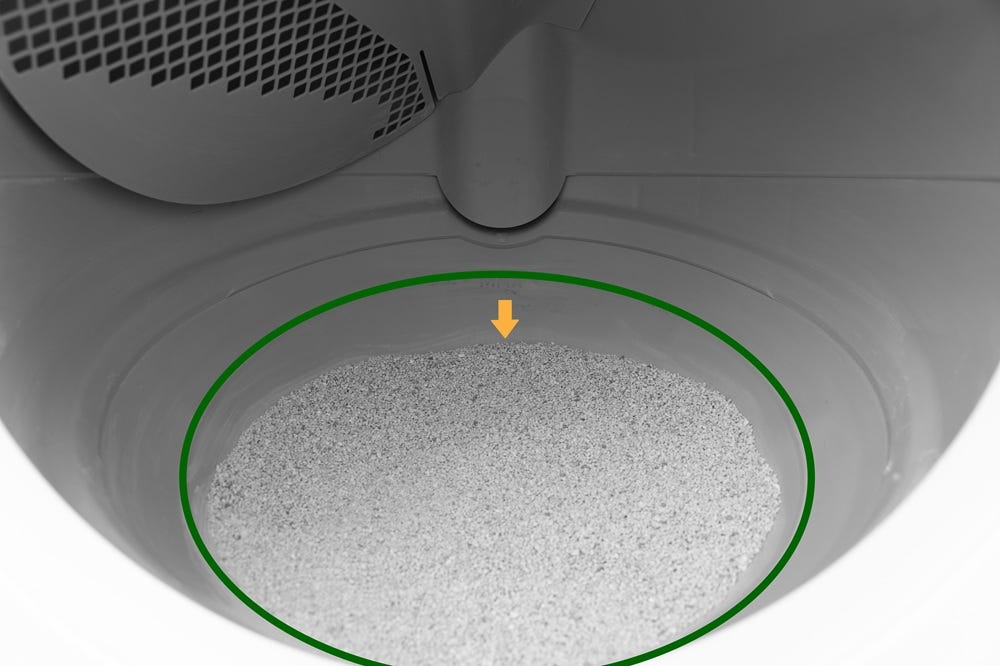
The optimal litter level is at the MAX fill line inside the globe.
If LitterHopper is not dispensing as expected, follow the steps below to identify and resolve the issue.
Quick links
How LitterHopper dispensing works
LitterHopper is designed to maintain the optimal litter bed level, which is at the MAX fill line inside the globe.
At the end of each clean cycle, Litter-Robot measures the litter level using sensors in the bezel.
If the litter level is low, LitterHopper will attempt to dispense litter during the next clean cycle.
Important:
- Dispensing does not happen immediately after a low level is detected
- A full clean cycle must complete before dispensing occurs on the following cycle
- If the LitterHopper is empty or low, it may attempt to dispense but will not be able to add litter
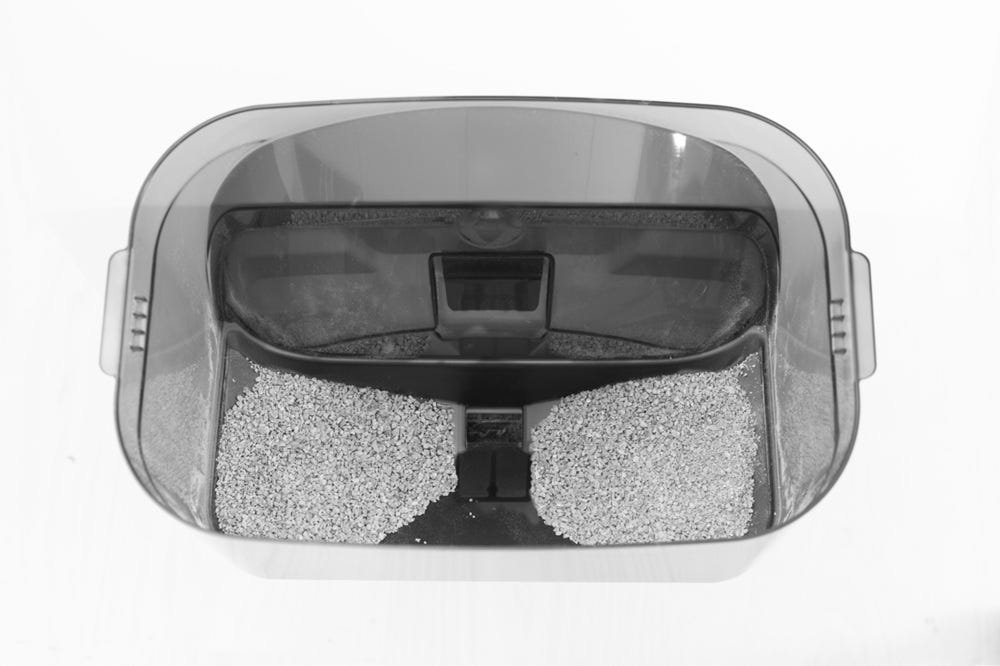
- An uneven litter bed (higher on the sides, lower in the center) may prevent the unit from detecting a low litter level correctly
LitterHopper will not dispense as expected if:
- The litter level is already within the optimal range
- The unit has an active error state
- The LitterHopper is empty, jammed, or not properly installed
Check for LitterHopper notifications
If LitterHopper is not dispensing, check the Whisker app for a notification such as:
LitterHopper low
LitterHopper jammed
You may see these as push notifications, on the LitterHopper status, or in Device Activity within the app.
These messages can help identify the issue, but additional troubleshooting may be required to restore normal operation.
Check LitterHopper installation
Remove the LitterHopper by lifting it up and away from Litter-Robot.
Note: If the LitterHopper contains litter, place a container underneath before removing to prevent spillage.
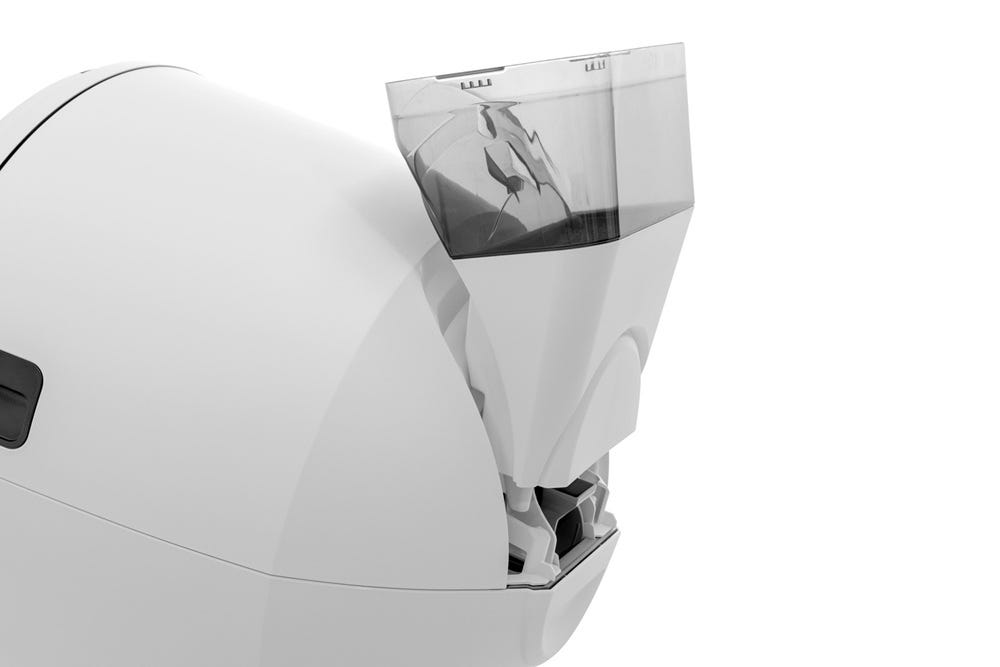
Empty the litter from the LitterHopper into a container.
Check the following areas on the unit:
Ensure there is no gap between the bonnet and the base
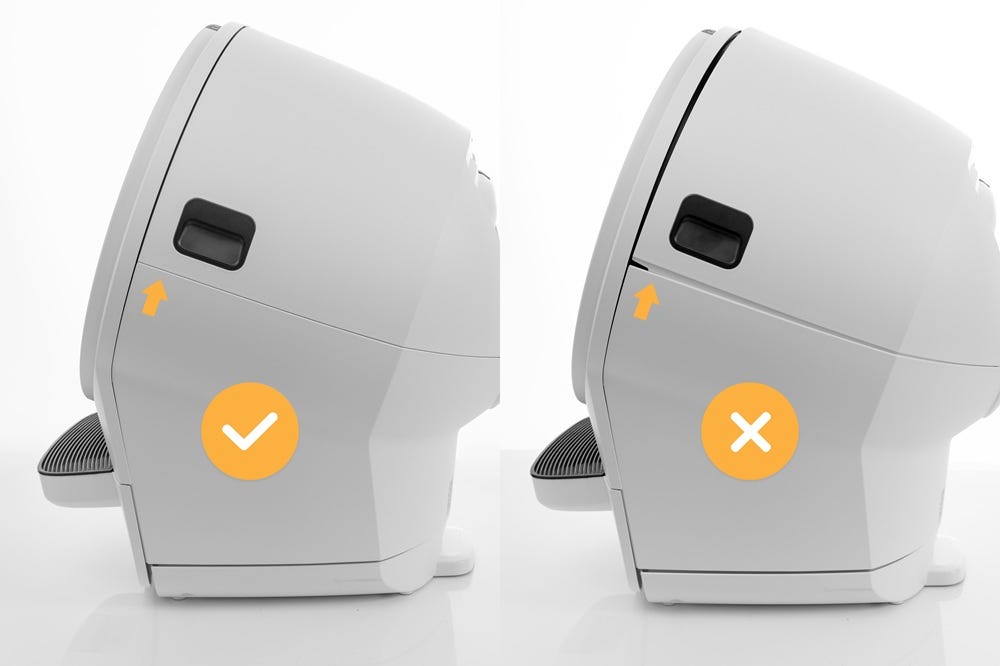
- Ensure the bonnet hinge is fully seated in the base hinge pocket
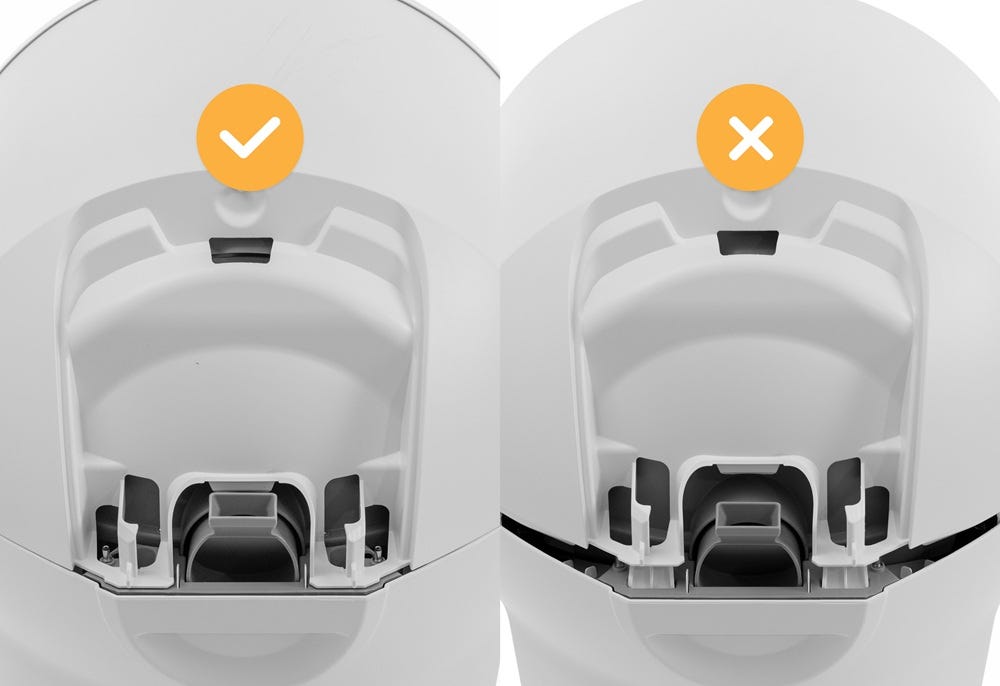
Continue to the next section to check for jams and obstructions.
Check LitterHopper motor for obstructions
If LitterHopper is not dispensing, check the motor and dispensing area for obstructions.
- Inspect the LitterHopper motor area near the flexible flaps
- If a foreign object is stuck in the flap area, use a small tool such as tweezers to remove it. Take care not to damage or bend the flexible flaps.
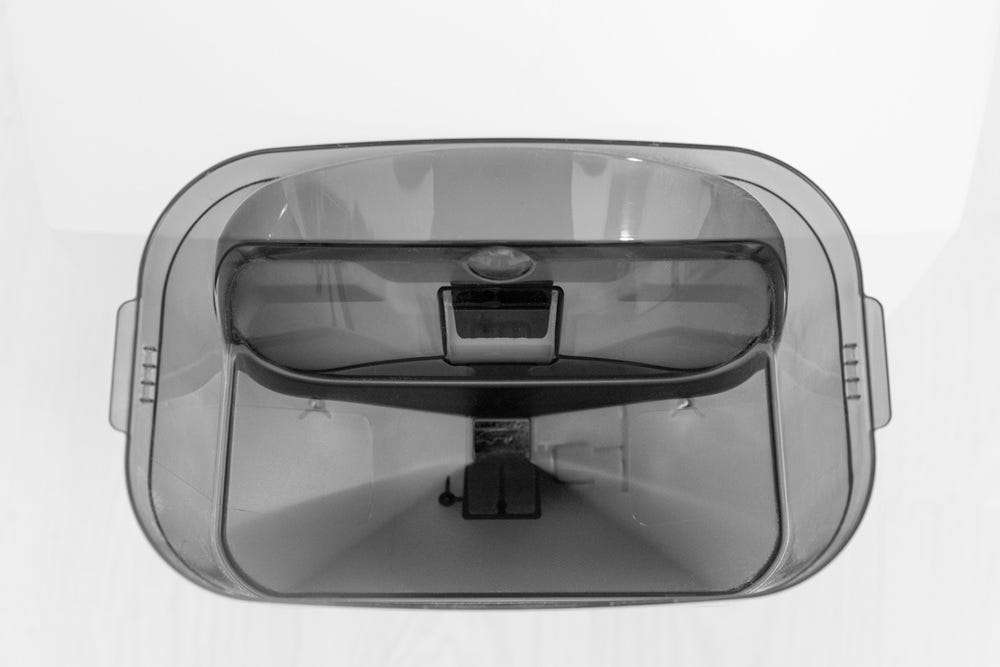
- Check the dispensing opening at the bottom of the LitterHopper and remove any clumps or buildup that may be blocking the flow of litter.
- Check the dispensing area inside the globe key and remove any clumps or debris that may be blocking the flow of litter.
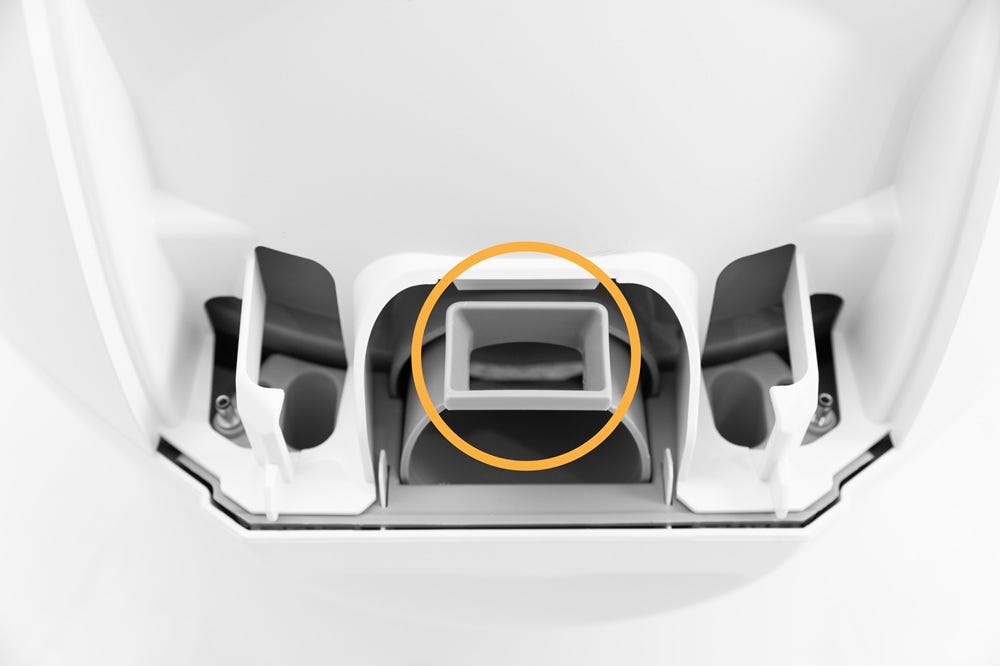
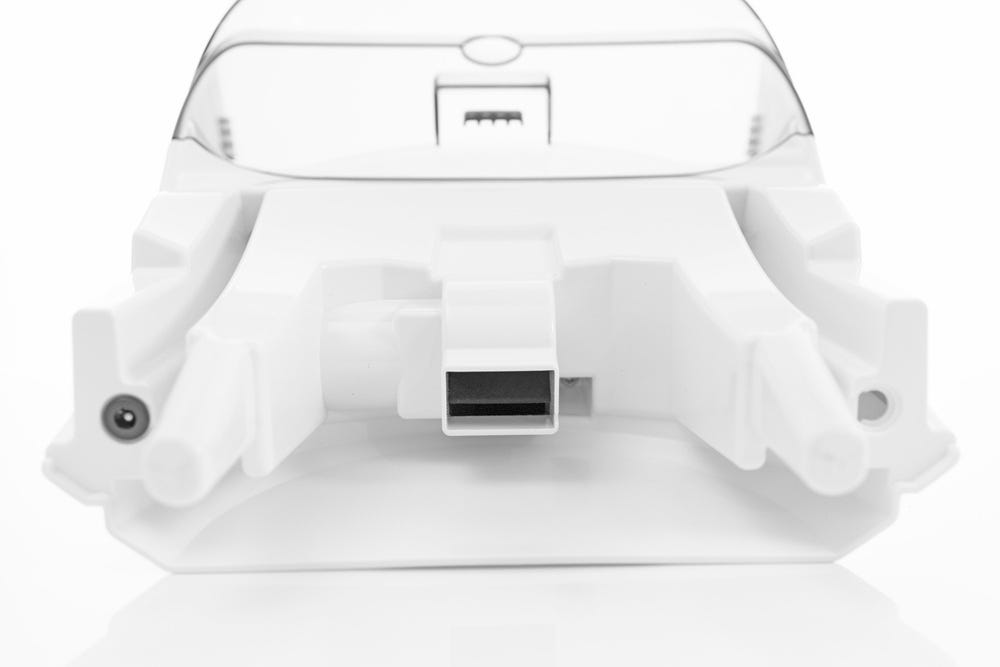
Ensure all areas are clear and unobstructed before continuing.
Disassembly
- Make sure the unit is in the Home/Ready position.
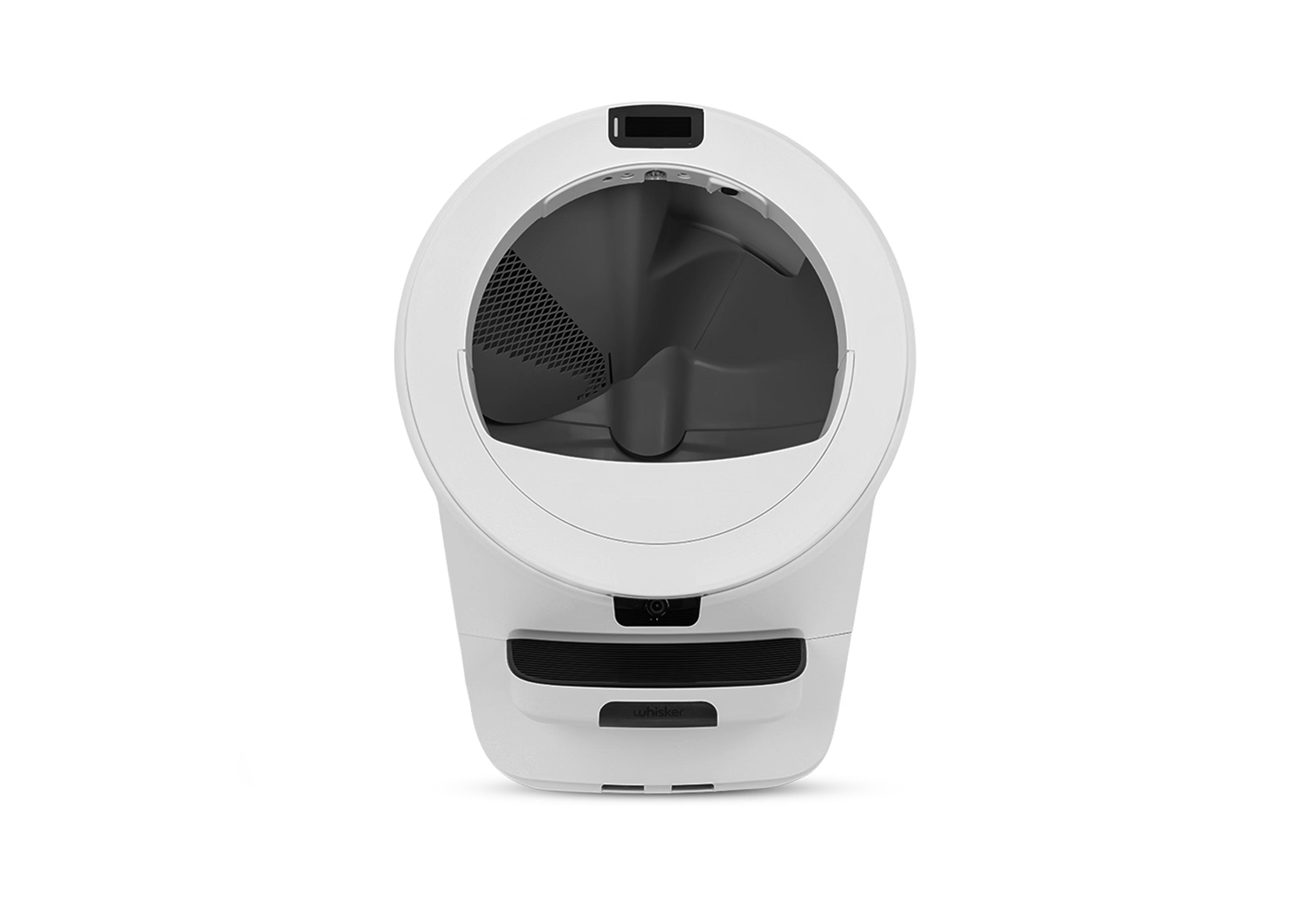
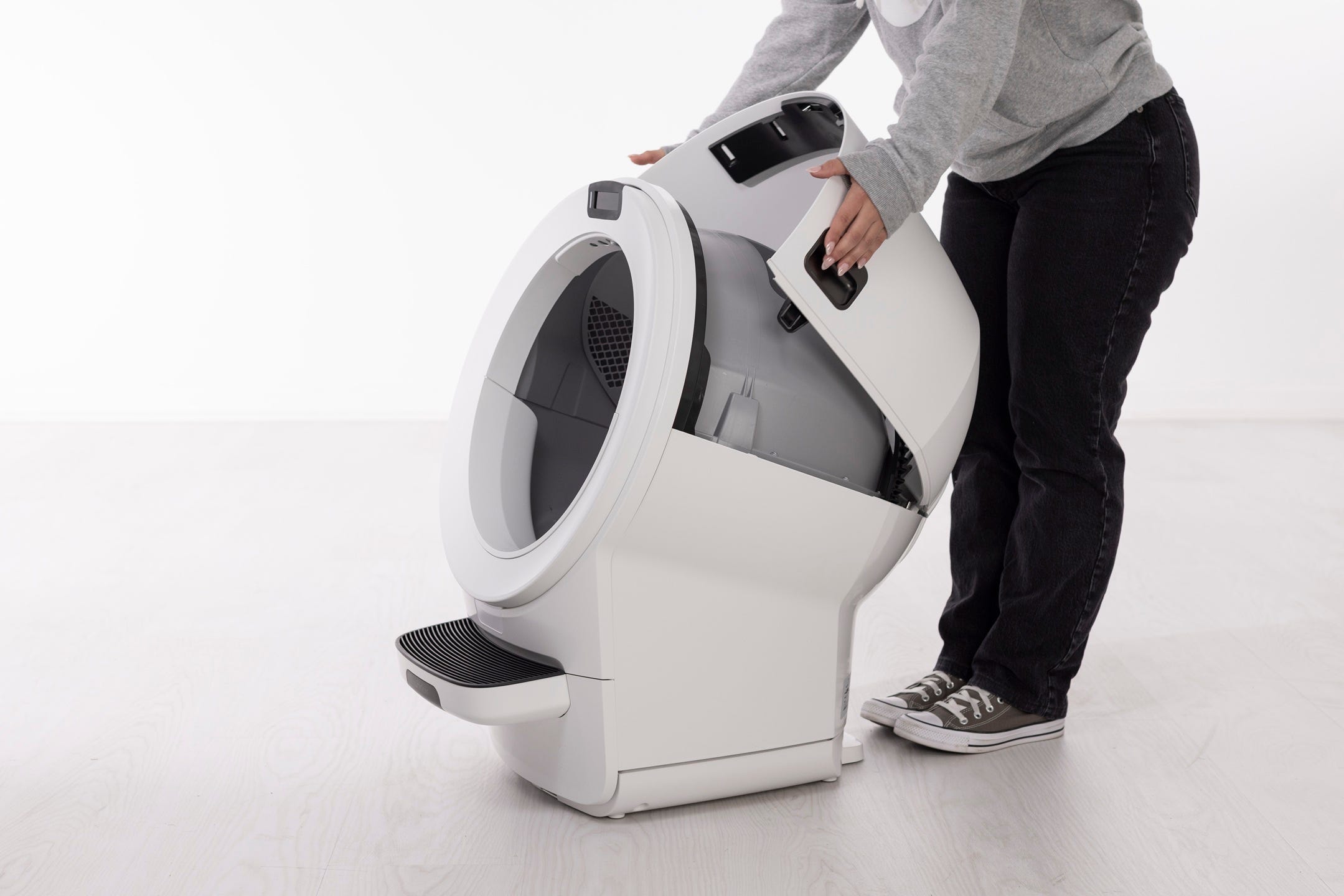
Remove the bonnet:
Press and hold the latches on both sides and rotate it to about 45° before pulling up and away. It cannot be removed in its fully open position. Set the bonnet aside.
- If any accessories are installed on the bezel (such as the fence or bezel guard), remove them.

- While holding the globe key in place, lift the globe by the black handle and remove it from the base.
- The globe key is designed to fit loosely in the globe, allowing the globe to rotate freely around it.
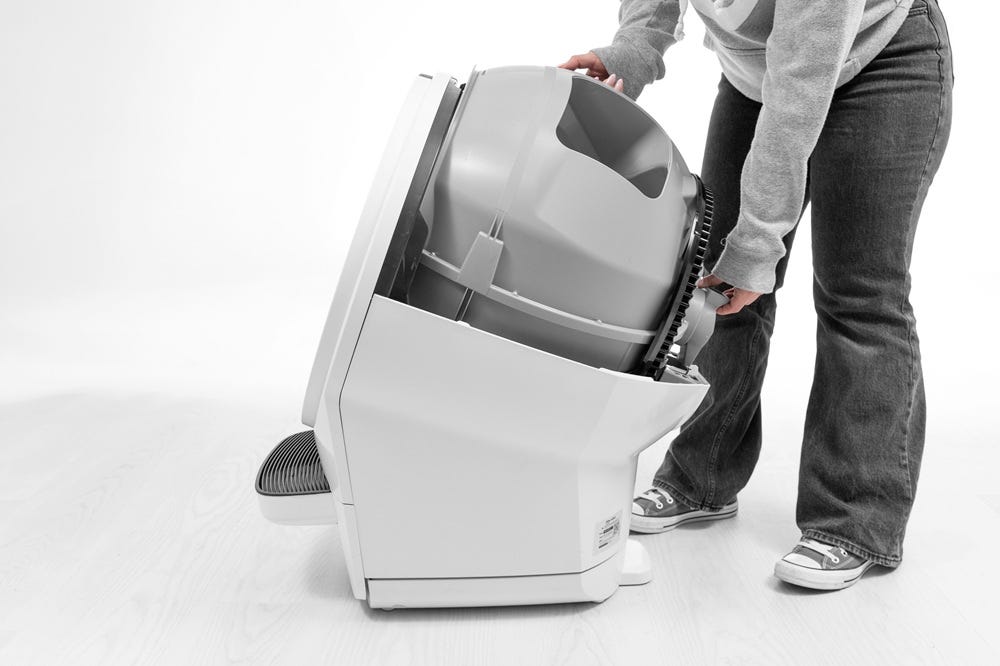
Check globe key and base pockets
There may be a blockage between your LitterHopper and Litter-Robot, preventing LitterHopper from dispensing litter into the globe.
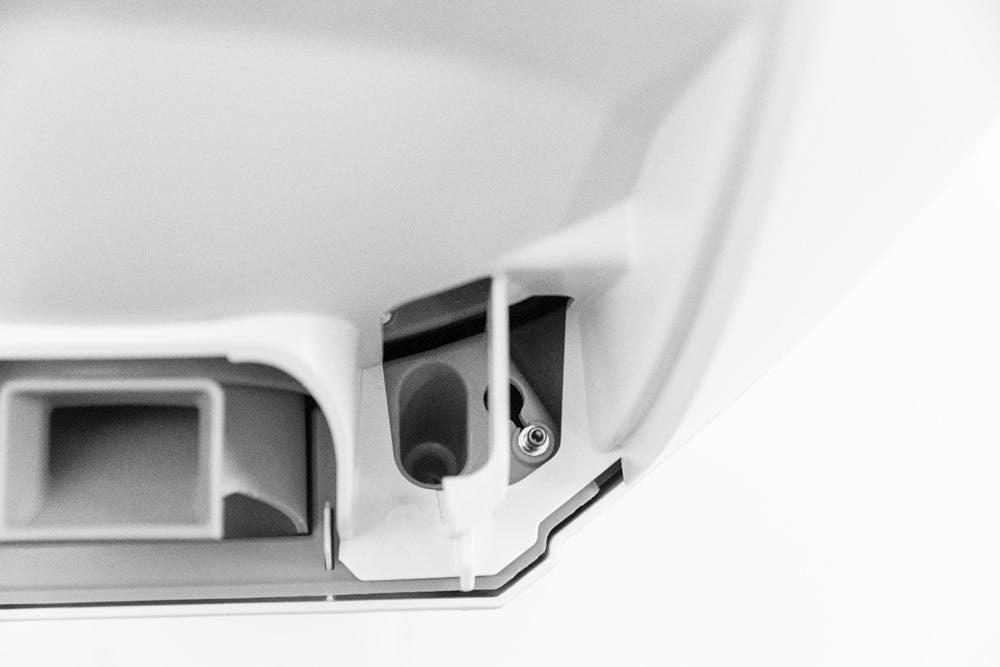
- Vacuum any dust, loose litter, or clumps from the circular pockets, base hinge pocket, and on the base.
- Regularly inspect and vacuum the dispensing area and circular pockets on both sides of the hinge to avoid recurrence of errors.
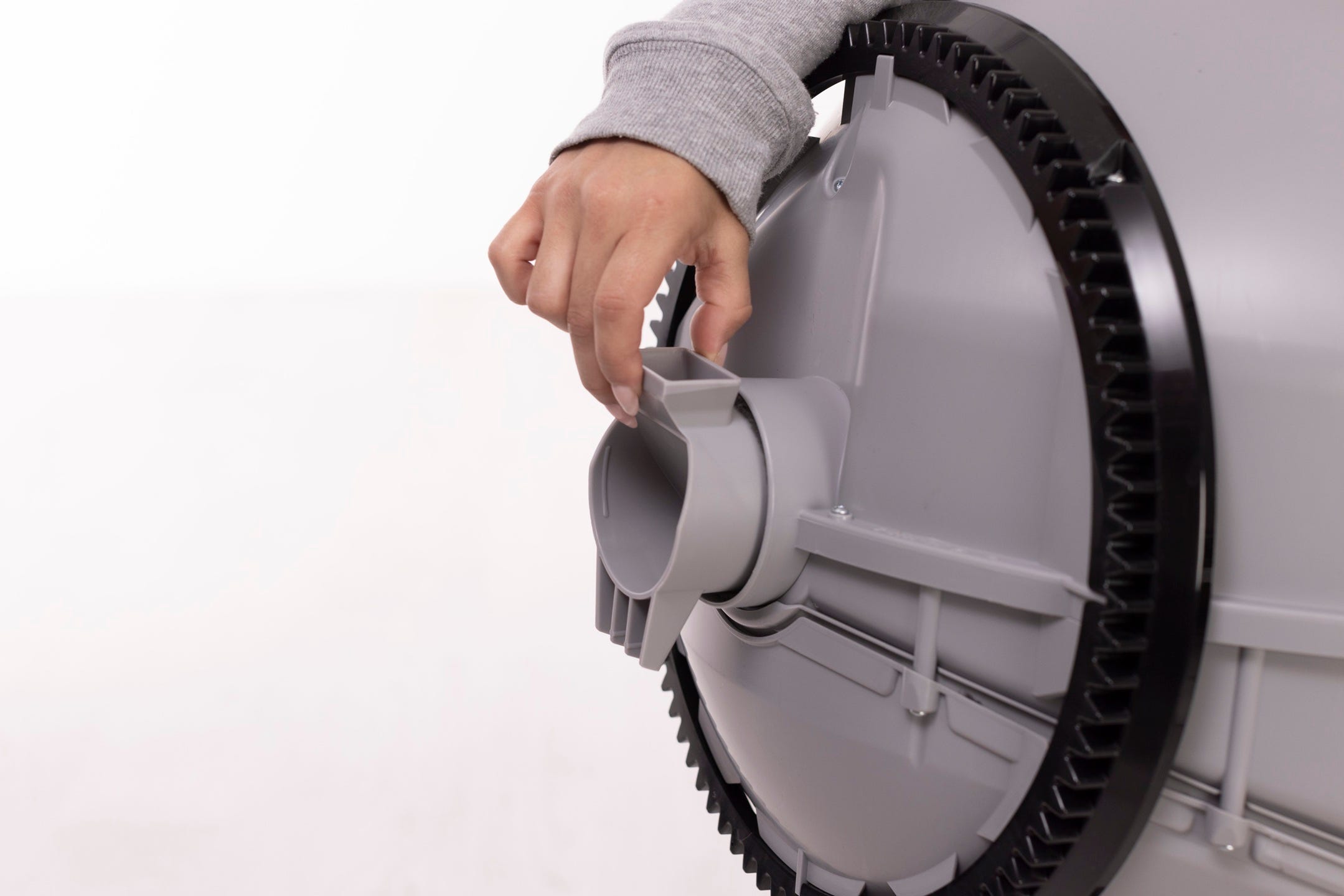
- Ensuring the globe key is free of any litter or debris, place it into the rear of the globe with the rectangular opening facing up.
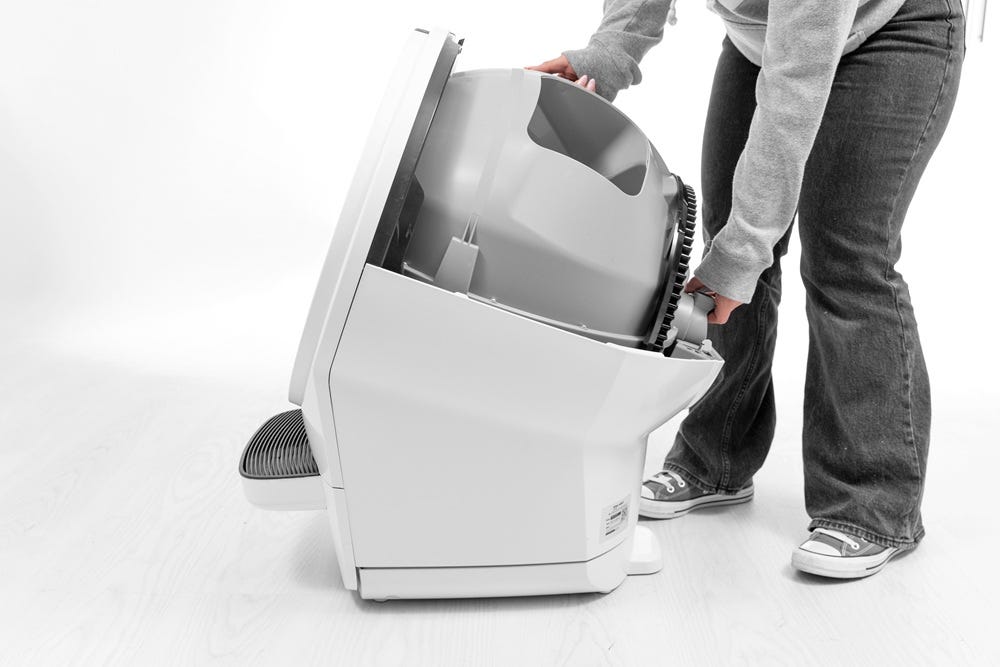
- While holding the key in place, lift the globe and place it back into the base. The key must drop down into the pocket completely.
Reassembly
- To install the bonnet, rotate the bonnet upward at a 45° angle and align the hinge on the back of the base.
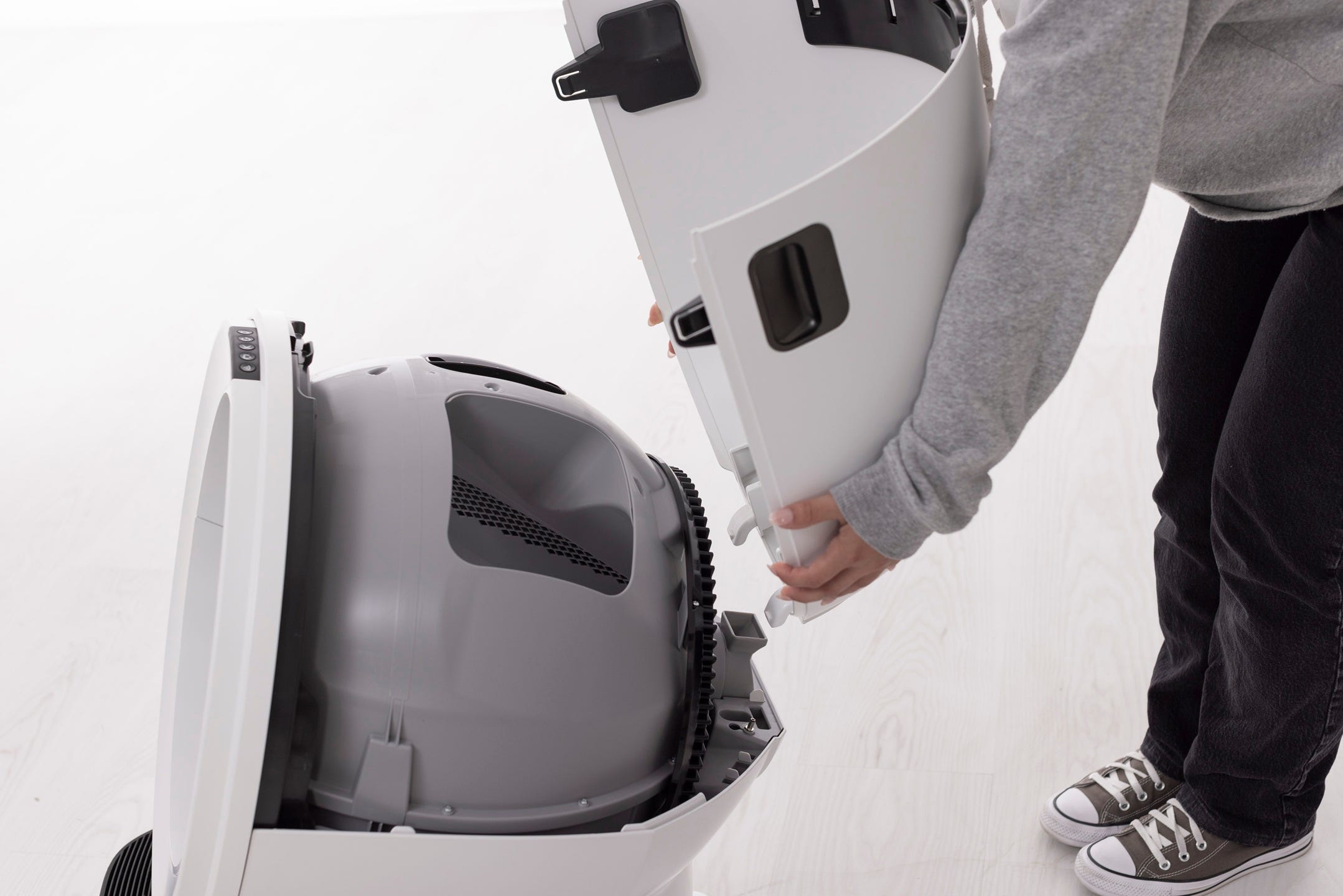
- Rotate the bonnet downward over the globe and push down on the bonnet from the top to make sure it is latched and secure. The key must protrude through the opening in the back of the bonnet.
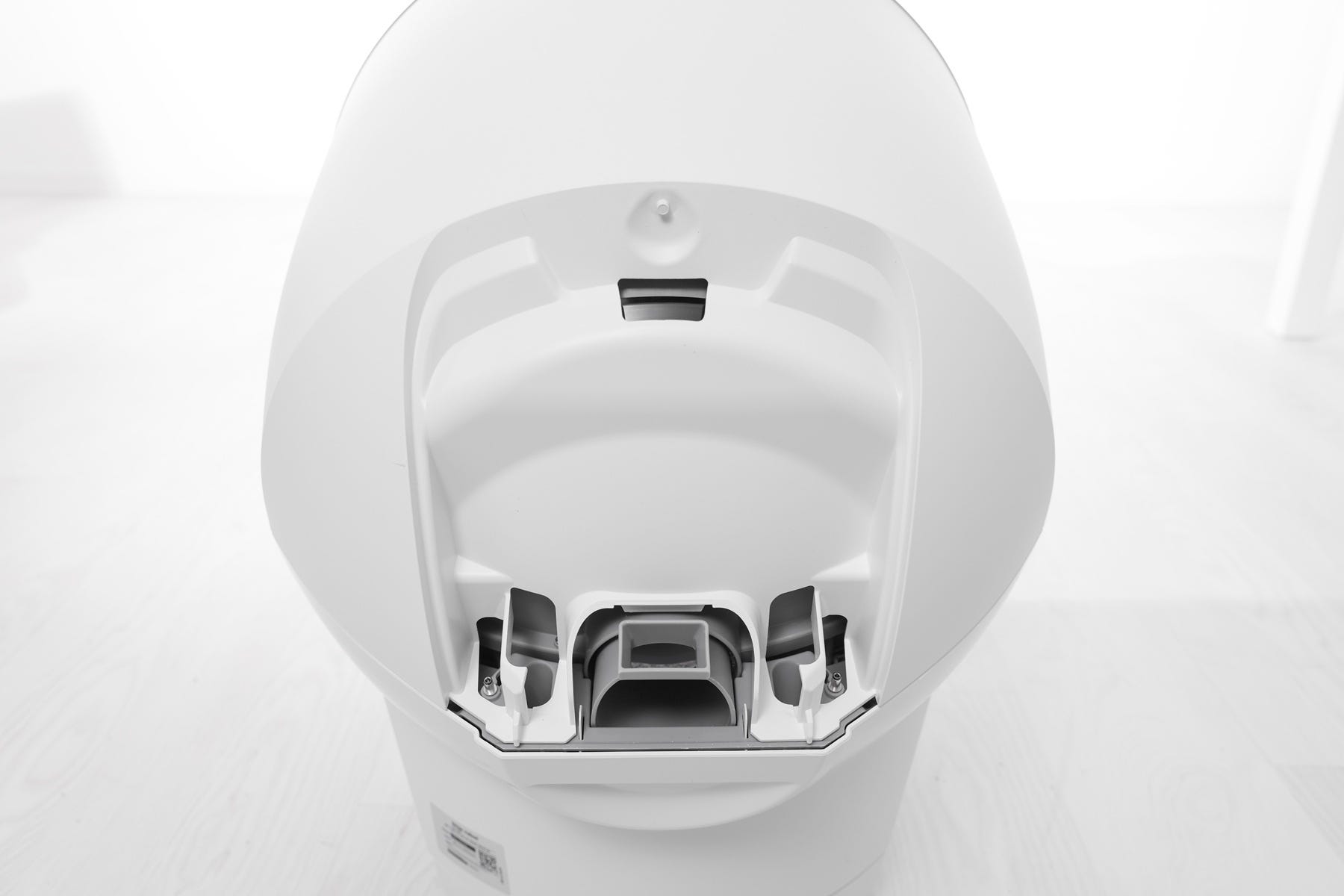
- Verify the bonnet and base are installed correctly.
- Ensure the bonnet hinge sits inside the base hinge pocket completely.
- The bonnet and base should align with no gap between them.
Reinstall LitterHopper
- Align the posts on the LitterHopper with the circular pockets and lower it into place
- Ensure there is no gap between the bottom of the LitterHopper and the base.
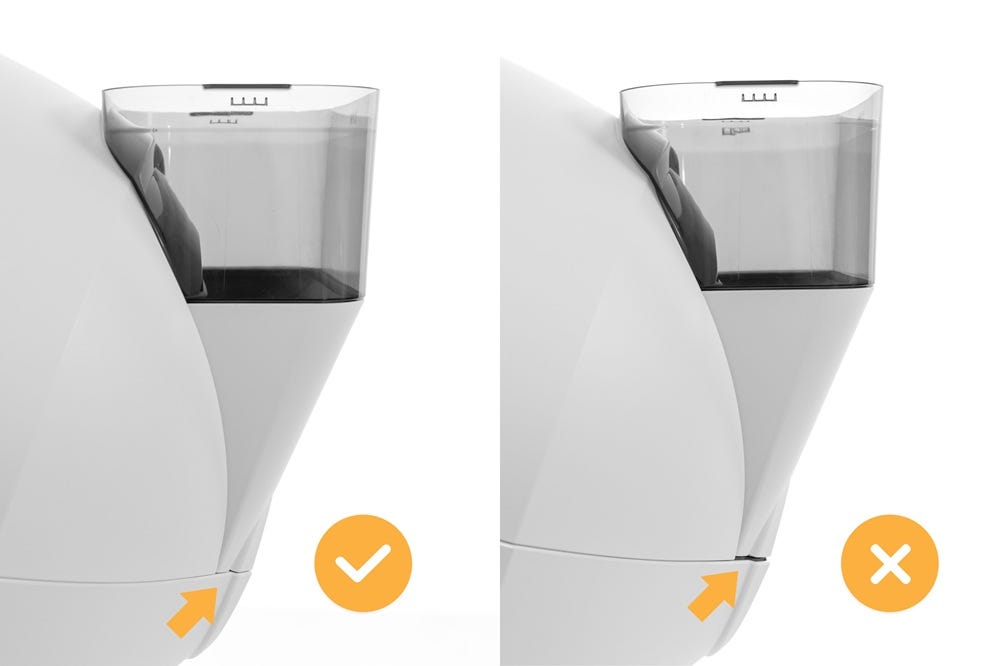
- Verify the mounting tab engages the slot in the bonnet.
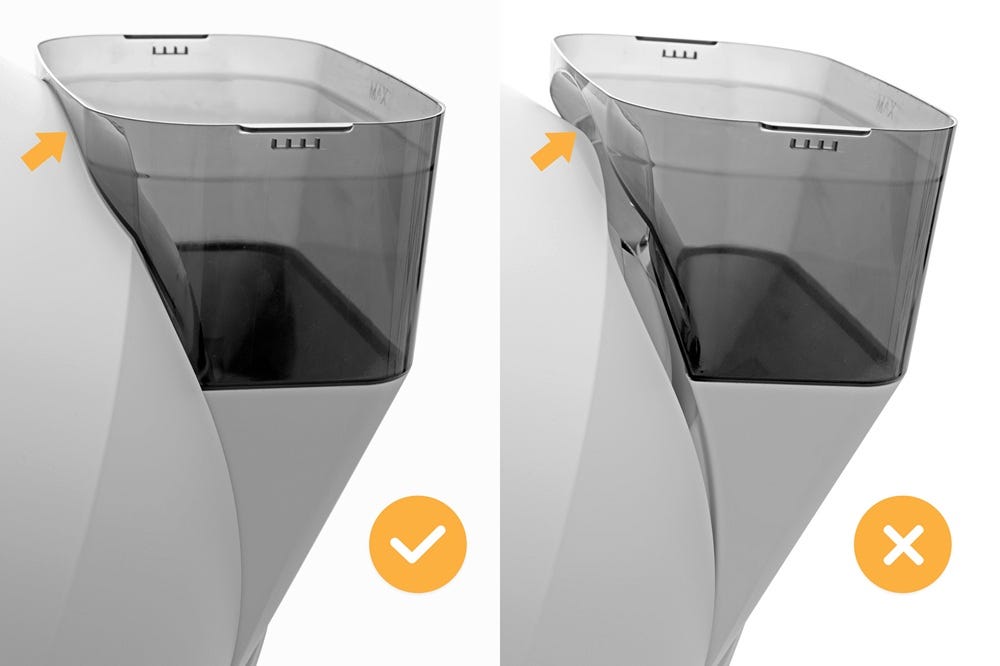
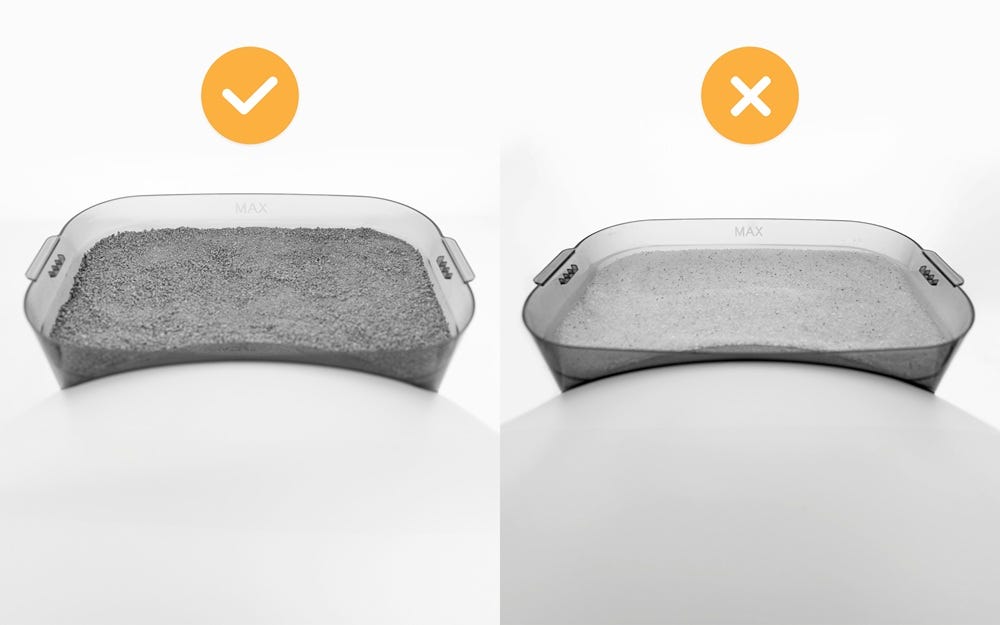
- Fill the LitterHopper with litter up to the MAX fill line. Install the lid and make sure it is securely attached to the LitterHopper.
- We recommend using clay-clumping litter in Litter-Robot. Translucent or white-colored litter (most often seen in crystal litter) may impact the litter level and Drawer Full Indicator (DFI) accuracy
Note:
As it dispenses litter, the litter level in the LitterHopper may become uneven. Litter may appear higher along the sides while the center is lower.If the litter level appears uneven, gently level the litter or add more litter until it reaches just below the MAX fill line.
Ensure optimal litter level
- Add litter to the globe until it is at the MAX fill line.
- Press the
 Cancel button to zero the weight scale.
 - Press the
 Cycle button to run a Clean cycle and sift any excess litter into the waste drawer.
Note:
If the LitterHopper was previously low and has been refilled, the low litter message may not clear immediately.
Run two clean cycles to allow Litter-Robot to detect the updated litter level and clear the message.
Clean curtain sensors
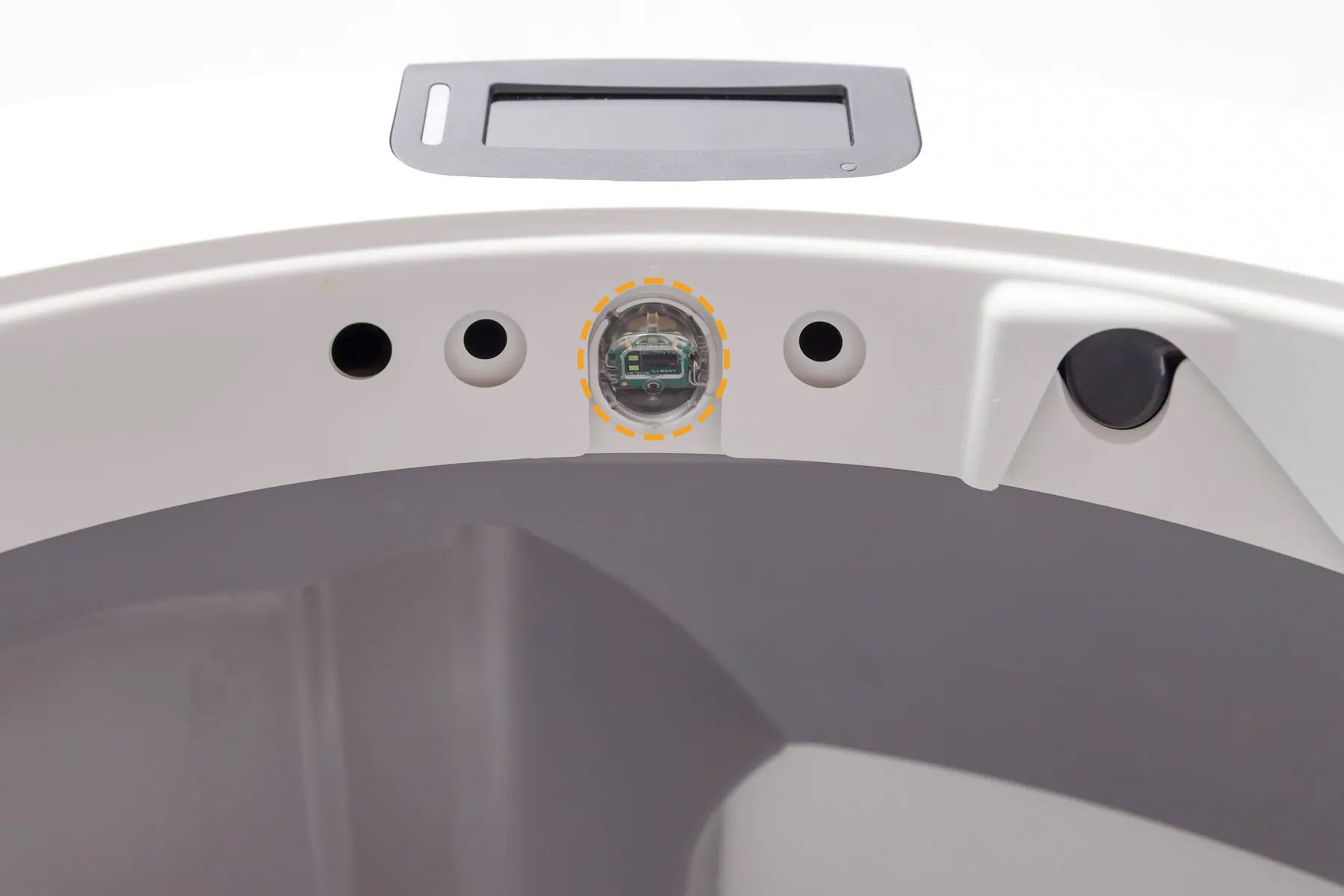
Dust, fur, or debris on the curtain sensor can interfere with litter level detection and prevent LitterHopper from dispensing correctly.
- Gently wipe the curtain sensor cover using a clean, dry microfiber cloth.
Important:
- Do not use water, liquids, or cleaning wipes
- Do not use a vacuum or compressed air
- Avoid scratching the sensor surface
- After cleaning, short press the
- Any time you affect the weight or placement of the unit (including emptying the waste drawer, adding or removing litter, or cleaning or moving the unit), press the
Calibrate optimal litter level
Preparation
Confirm in the Whisker App that your Litter-Robot 5 is updated to firmware version “5.09.06” or above.
If your firmware is not on the most current version, contact Whisker Customer Experience for assistance.
To calibrate Litter-Robot 5
- Simultaneously press and hold the Cancel and
 Empty buttons for 3 seconds.
- The robot will perform a Clean Cycle and calibrate the optimal litter bed level.

Run test cycles
- Remove litter from the globe until the litter level is significantly below the MAX fill line.
Note: The auto-dispense feature WILL NOT activate unless the litter level in the globe is low.
- Test the auto-dispense:
- Short press the Cancel button.
Short press the
Cycle button to run the first cycle. Your Litter-Robot will detect the litter level inside the globe as low and save it to memory.- Once Litter-Robot is in the home position, press the Cycle button again to run another cycle.
- Short press the
Note:
If the LitterHopper was previously low and has been refilled, the low litter message may not clear immediately.Run two clean cycles to allow Litter-Robot to detect the updated litter level and clear the message.
Successful: If your LitterHopper automatically dispenses litter during the test cycle you’ve been successful.
Unsuccessful: LitterHopper does not automatically dispense litter after a cycle, or the control panel or Whisker app displays a “LitterHopper jammed” error. Continue to the next step to verify the LitterHopper motor.
Verify LitterHopper motor function
To manually test that the LitterHopper motor is functioning properly, press and hold the
Empty and  Connect buttons simultaneously for 3 seconds.
 A small amount of litter should dispense.
Successful:
Litter dispenses during the test. The motor is functioning properly.
Unsuccessful:
Litter does not dispense during the test. There may be an issue with the LitterHopper or Litter-Robot. Continue to the next section for additional support.
Need more help?
Please contact our Customer Experience Team for further assistance.
Didn't find what you're looking for?
Live support available Mon-Fri: 9AM-9PM EST and Sat-Sun: 9AM-5PM EST, or submit a ticket anytime.