The store will not work correctly in the case when cookies are disabled.

Litter-Robot EVO: Globe position fault
If your Litter-Robot EVO displays a Position Fault message on the LCD screen, the globe may need attention. Here’s how to clear the Litter-Robot EVO position fault error.
Quick links
Before you begin
Make sure:
Your unit is plugged in.
Your unit is connected and online (if you use the Whisker app).
Your firmware is up to date. (If the app does not give you the option to update, you already have the latest version.)
How it appears
If your Litter-Robot EVO encounters a globe position issue:
The LCD screen will display “Position fault.”
You may also receive a notification in the Whisker app if connected.
Removing the bonnet and globe
We’ll check for anything that could interfere with the sensors or slow globe rotation.
- Press Power to turn the unit off, then unplug it.
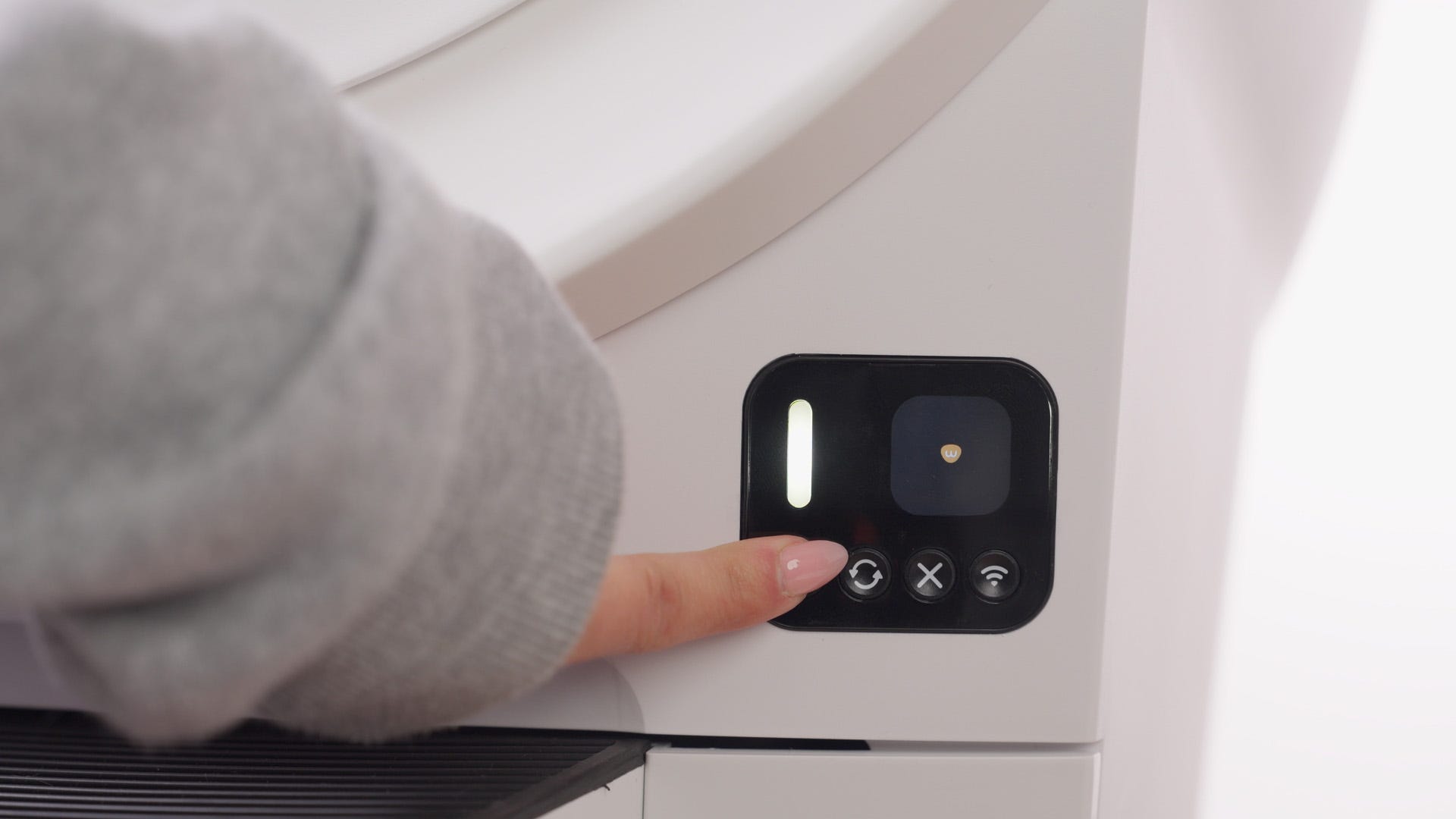
- Open the bonnet: press and hold latches on both sides, then lift and rotate back. Set aside.
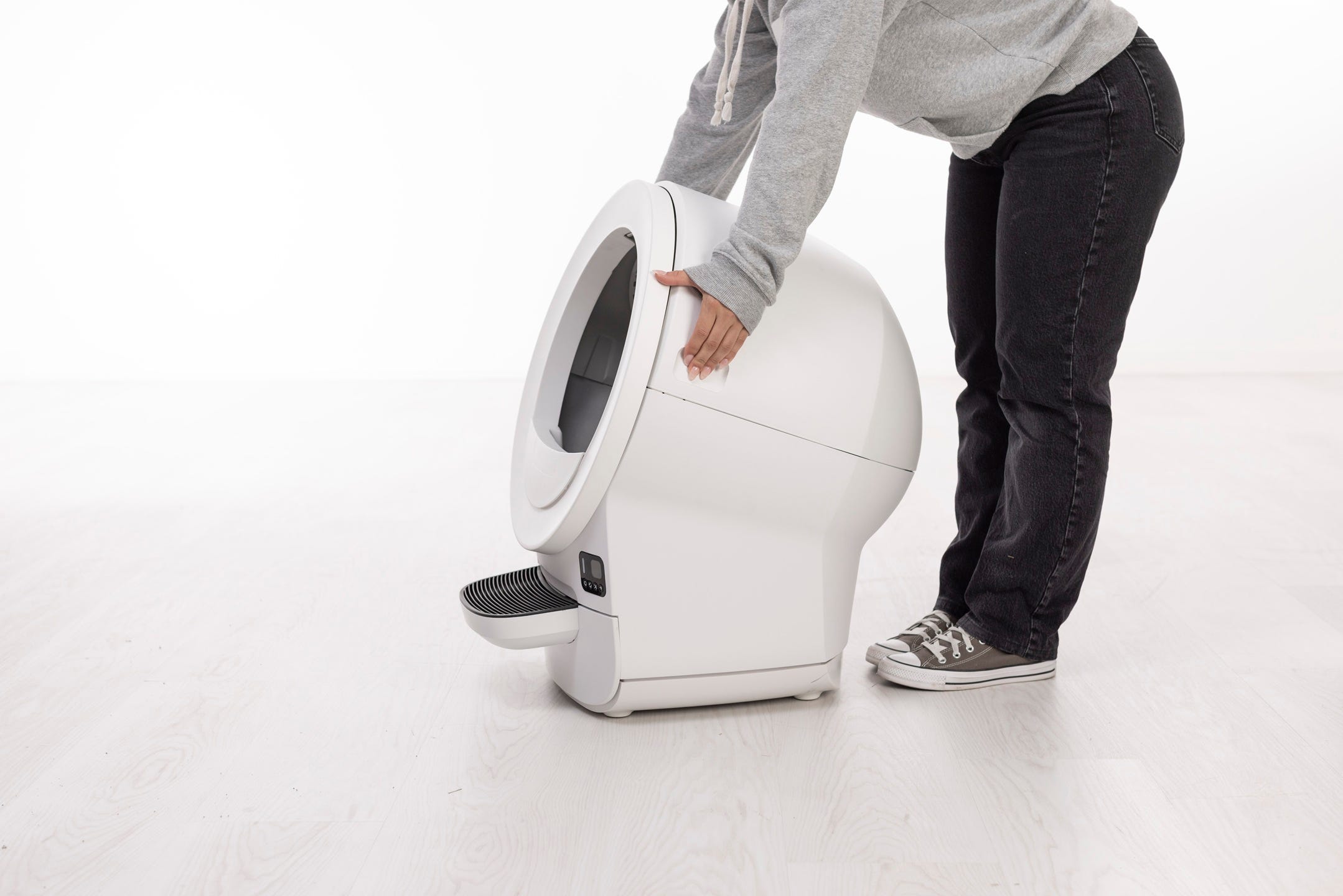
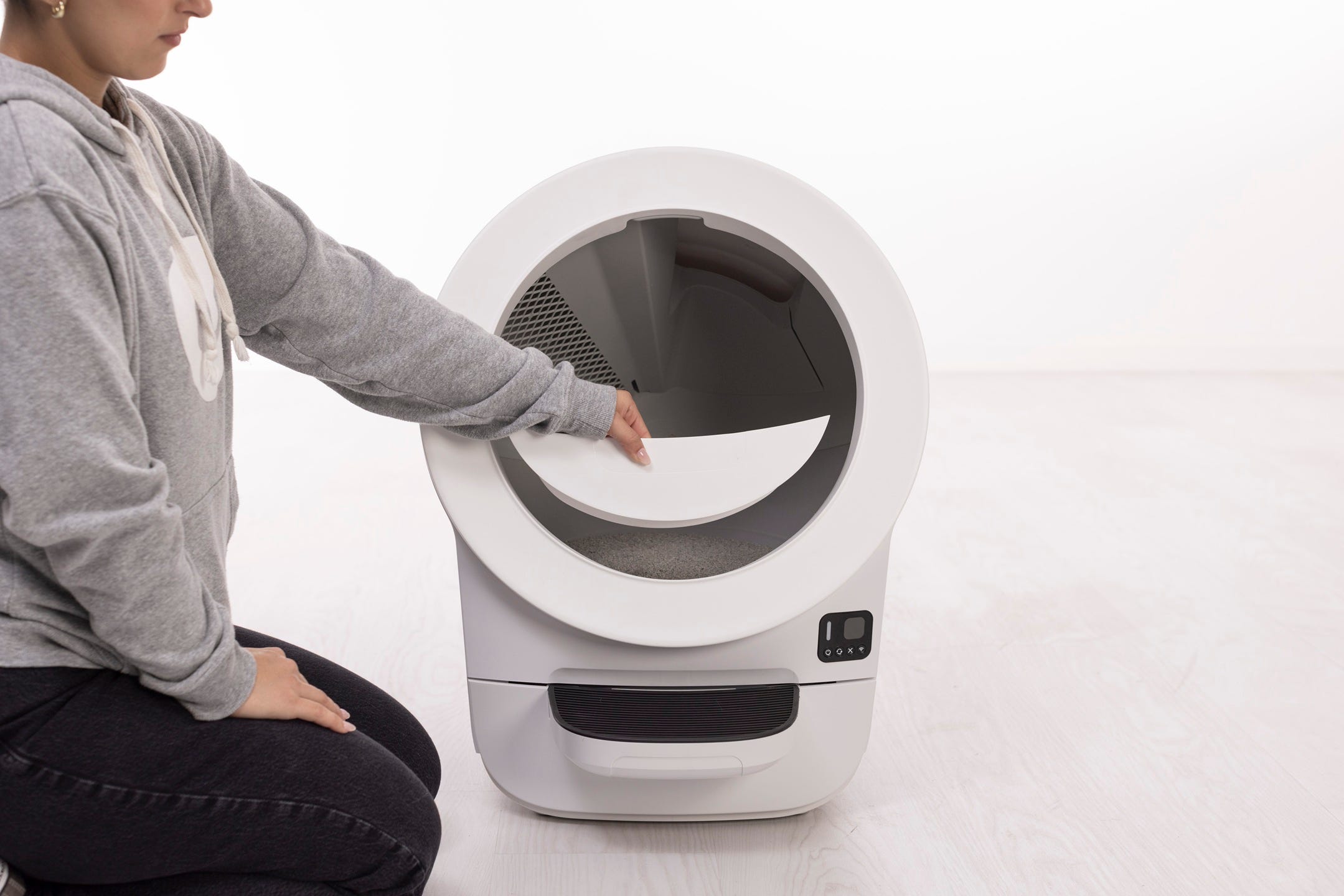
- Remove any accessories.
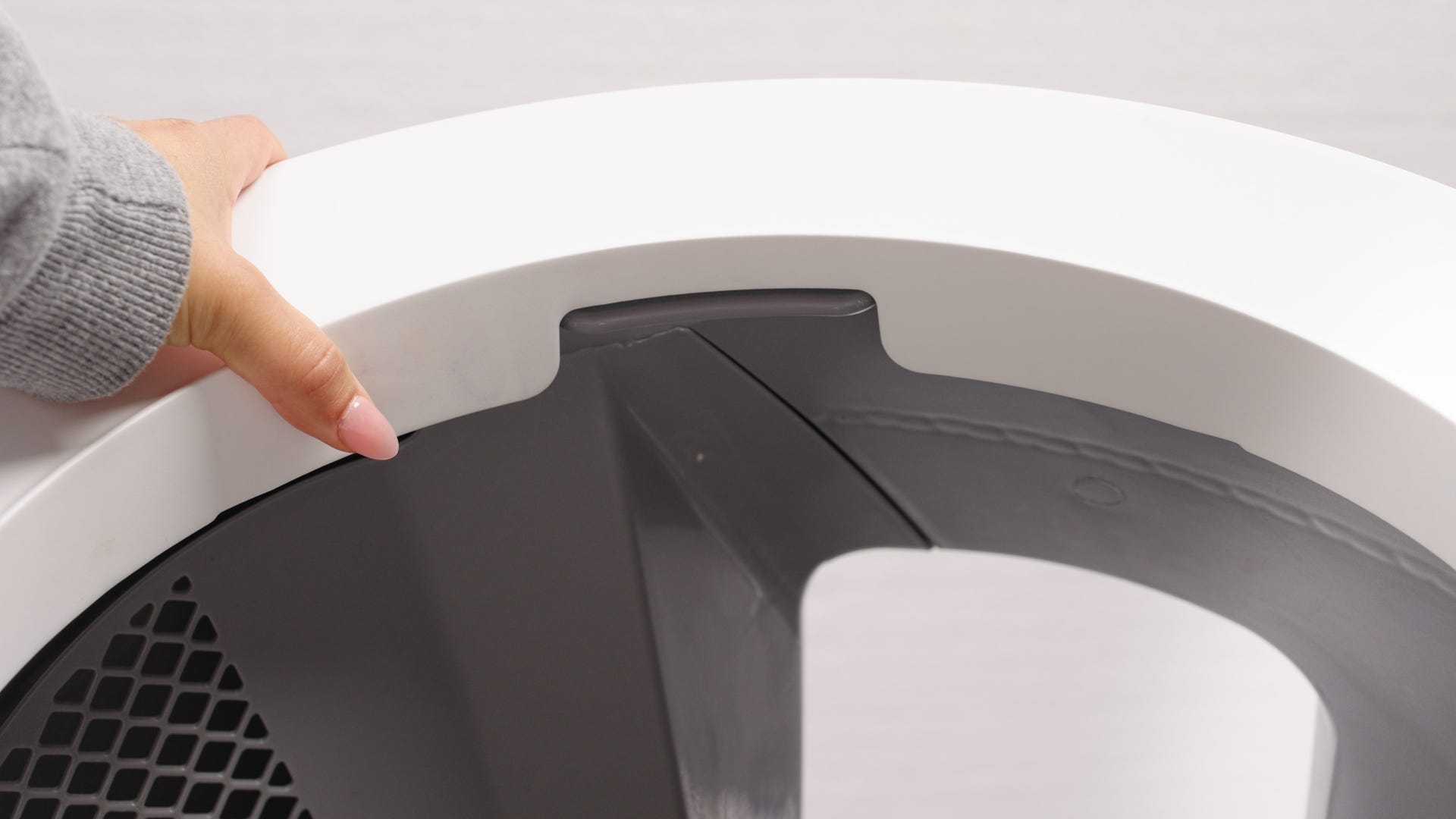
Remove the globe by grabbing the rib at the top of the globe entrance, then lift it out of the base and set aside.
Inspect the globe
Ensure the magnets in the gear track are present and properly seated—they provide position signals for the unit. If you’ve disassembled the globe, make sure the magnets are reinstalled with the correct polarity and orientation. Do not remove or unscrew the magnets
- Inspect for cracks, damage, or a loose gear track.
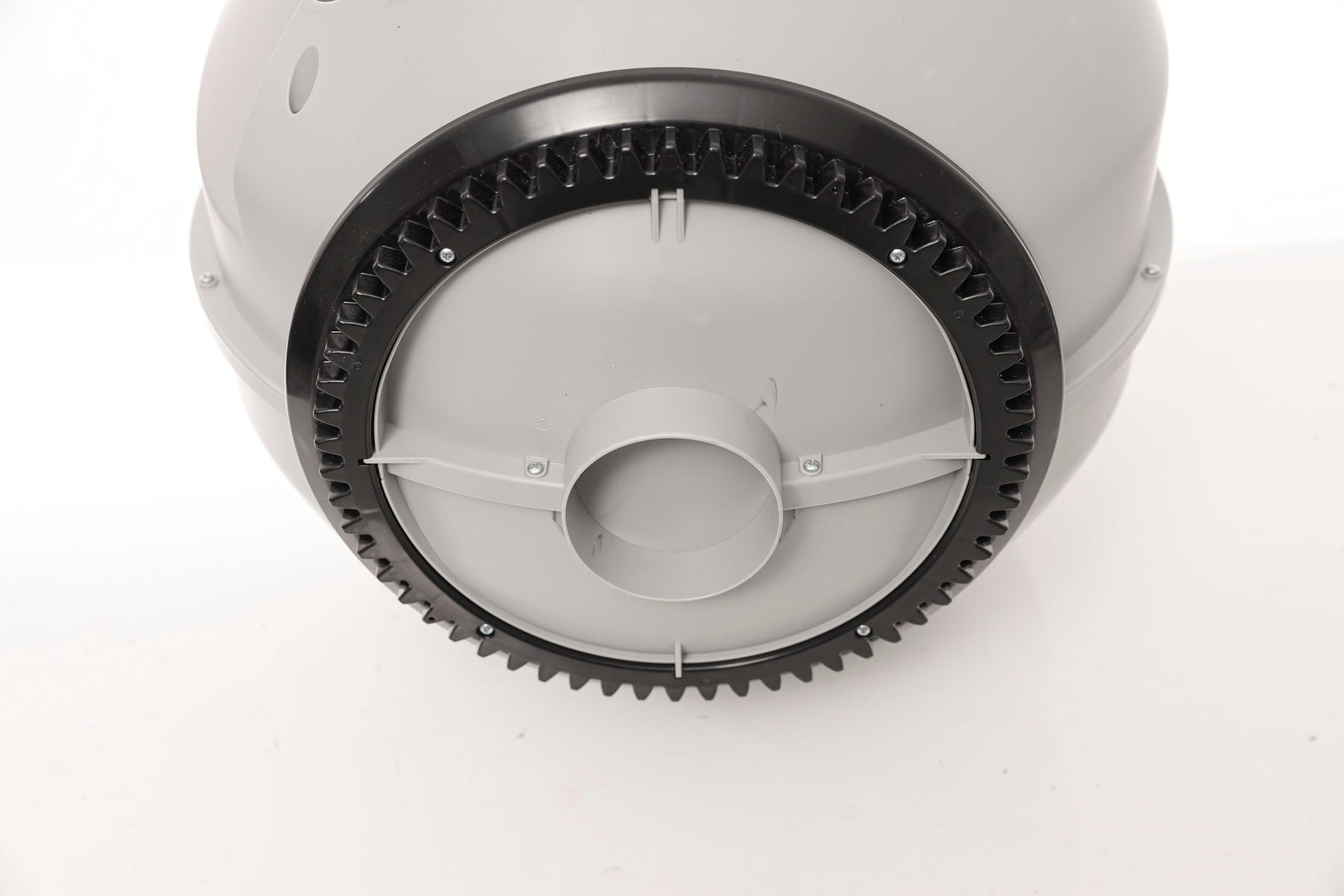
- Check seal strips inside the globe for peeling or debris buildup (fur, litter).
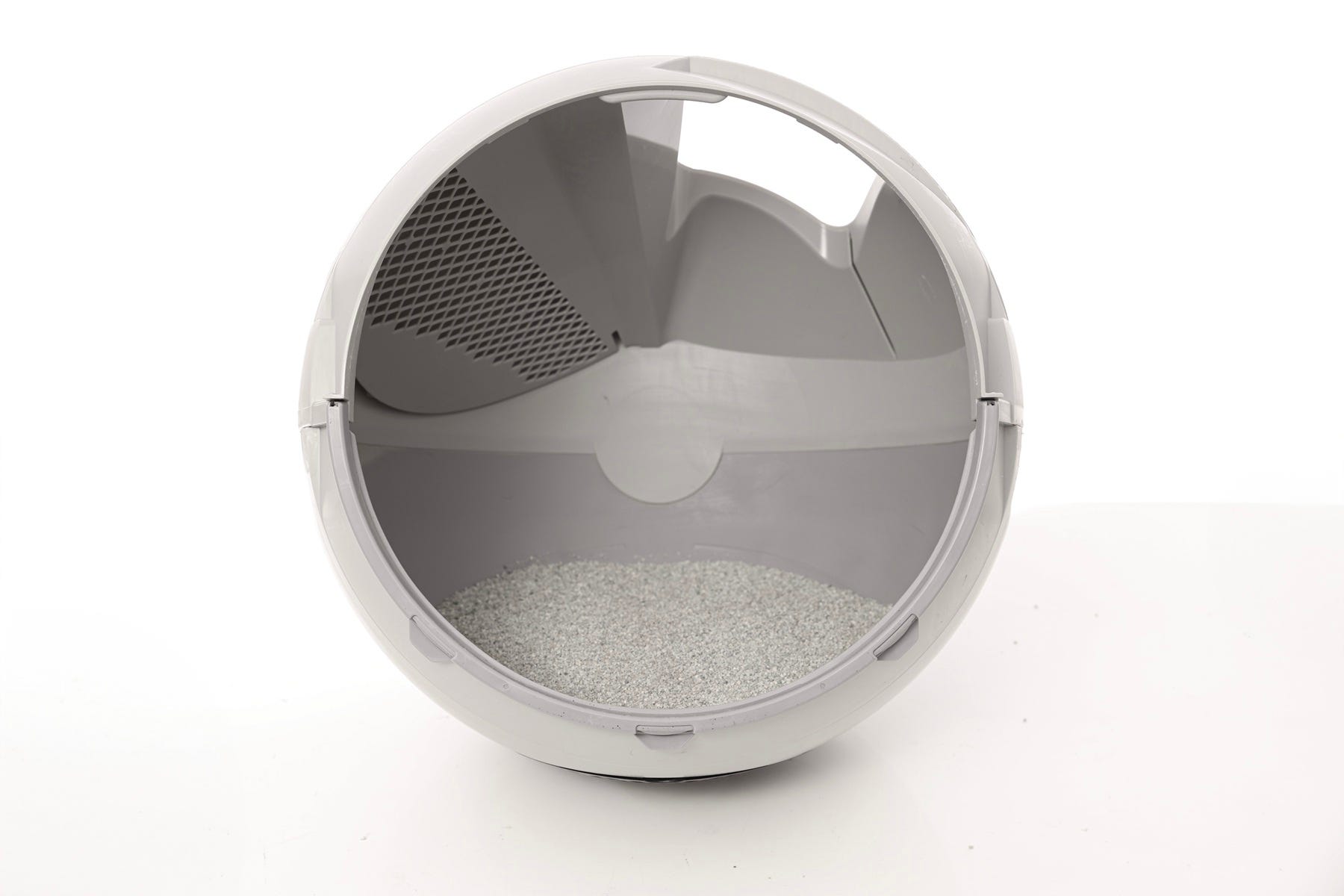
Confirm the carbon filter cover is seated properly with each of the four tabs inserted in their corresponding slots.

Inspect the base
- Check the top rim where the globe sits. Remove any debris or clumps near the dump port.
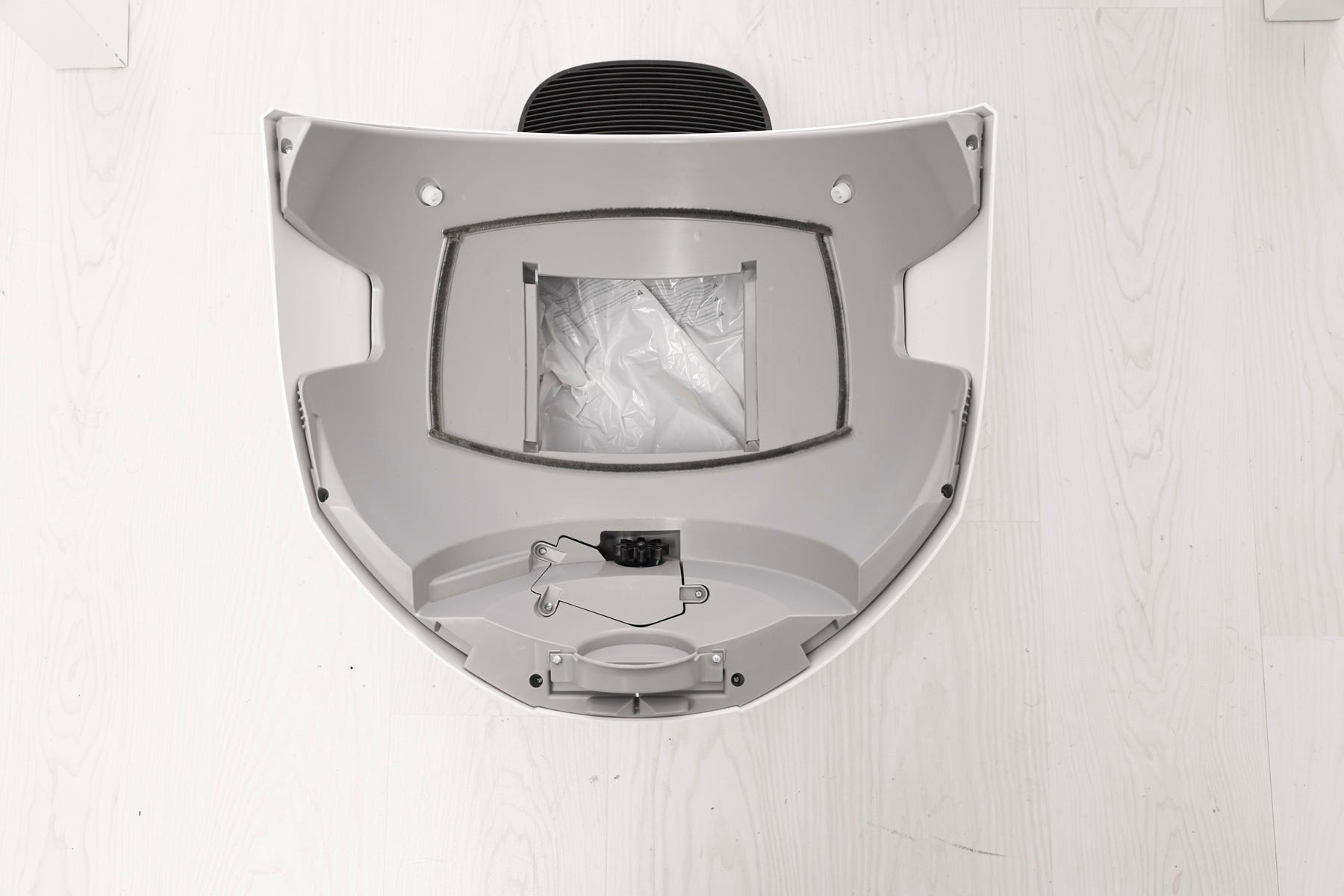
- Ensure seal strips are firmly in place and not peeling.
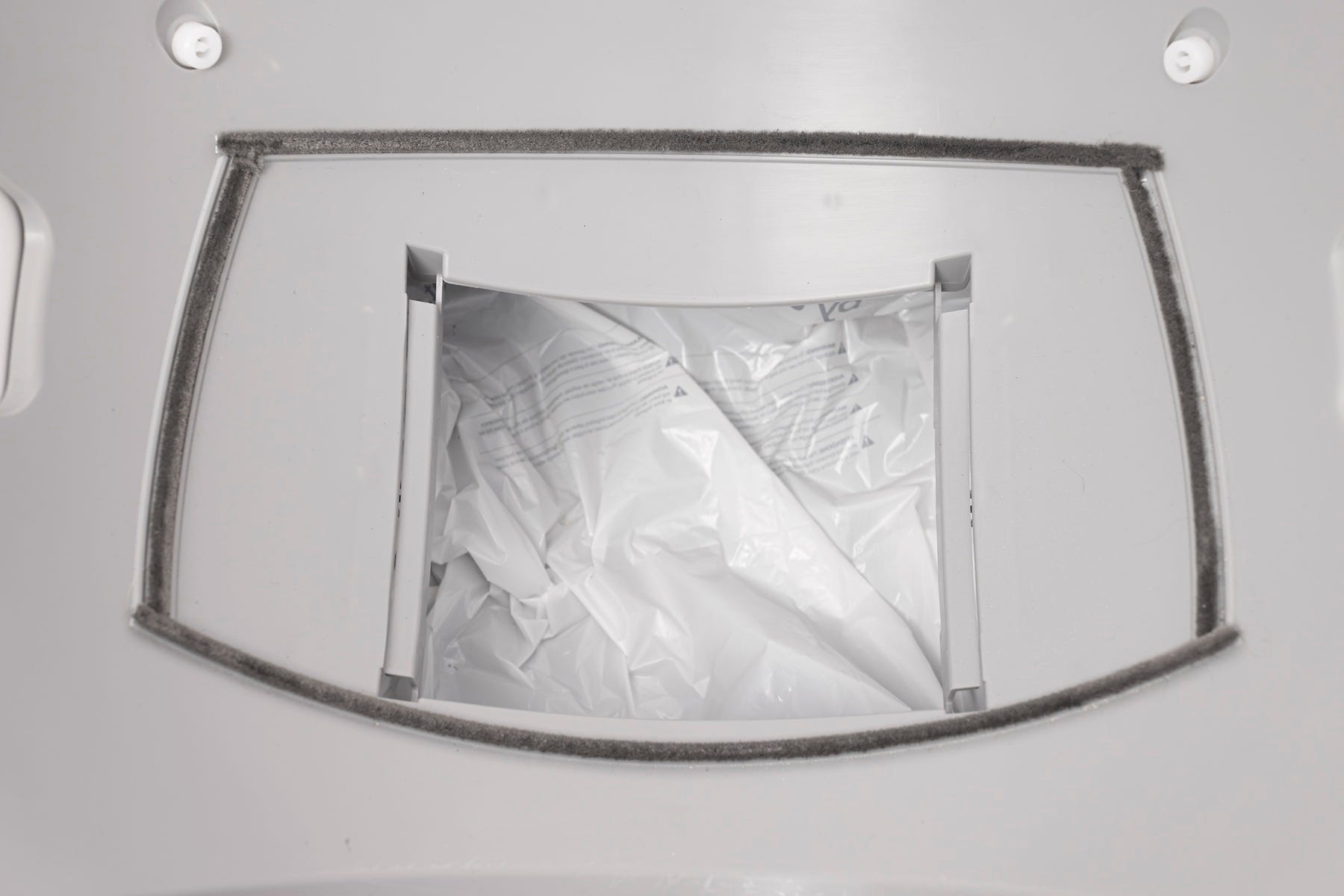
- Confirm the glider buttons are attached.

Vacuum any litter or debris.
Wipe away any residue that could cause drag.
Inspect the motor
- Verify the motor cover is tight and fully seated.

Check that the drive gear is secure and not slipping. A loose gear requires a new motor assembly.
Reassembly
- Place the globe back in the base, keeping the handle and waste port oriented at the top, close to Home position.
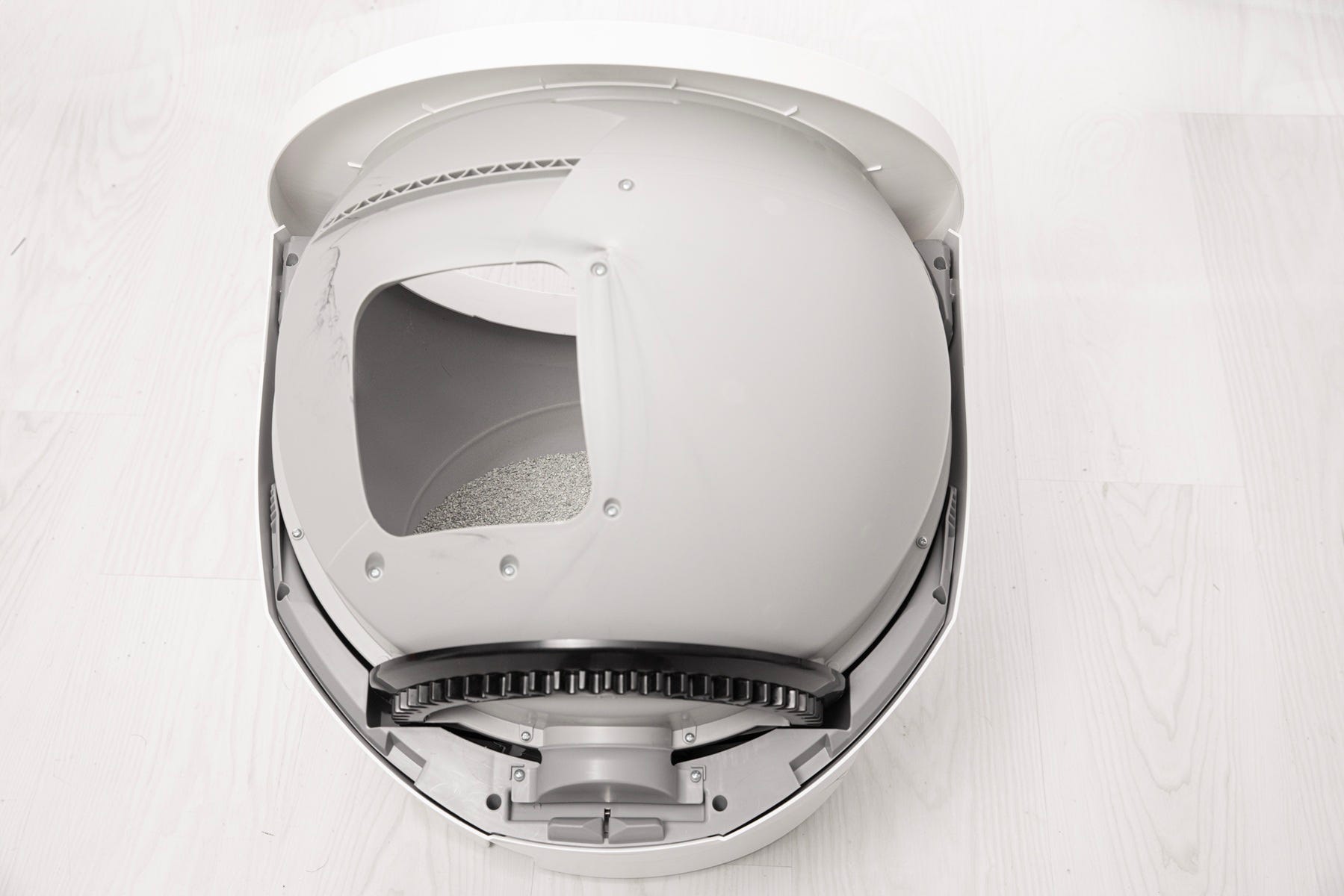
- Ensure the globe end is aligned properly with the retaining bracket at the back of the unit.
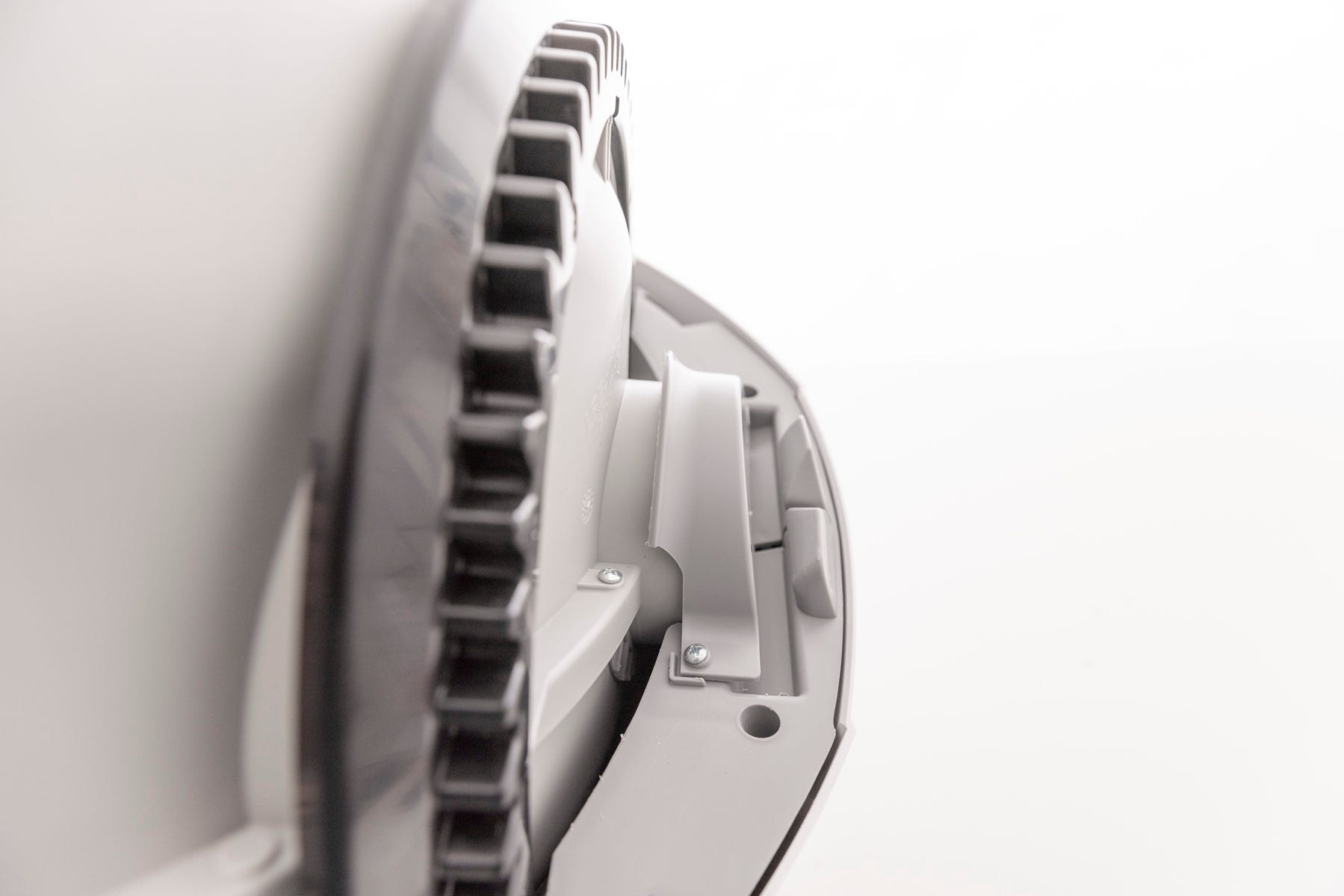
- If the globe does not spin after reassembly, reseat and realign it.

- Rotate the bonnet downward with light pressure on the sides so that it hugs the globe. This will help ensure proper alignment of the bonnet latches in the base.

- Reattach any accessories.

- Plug in and power on.
- Now, let's run a test cycle.
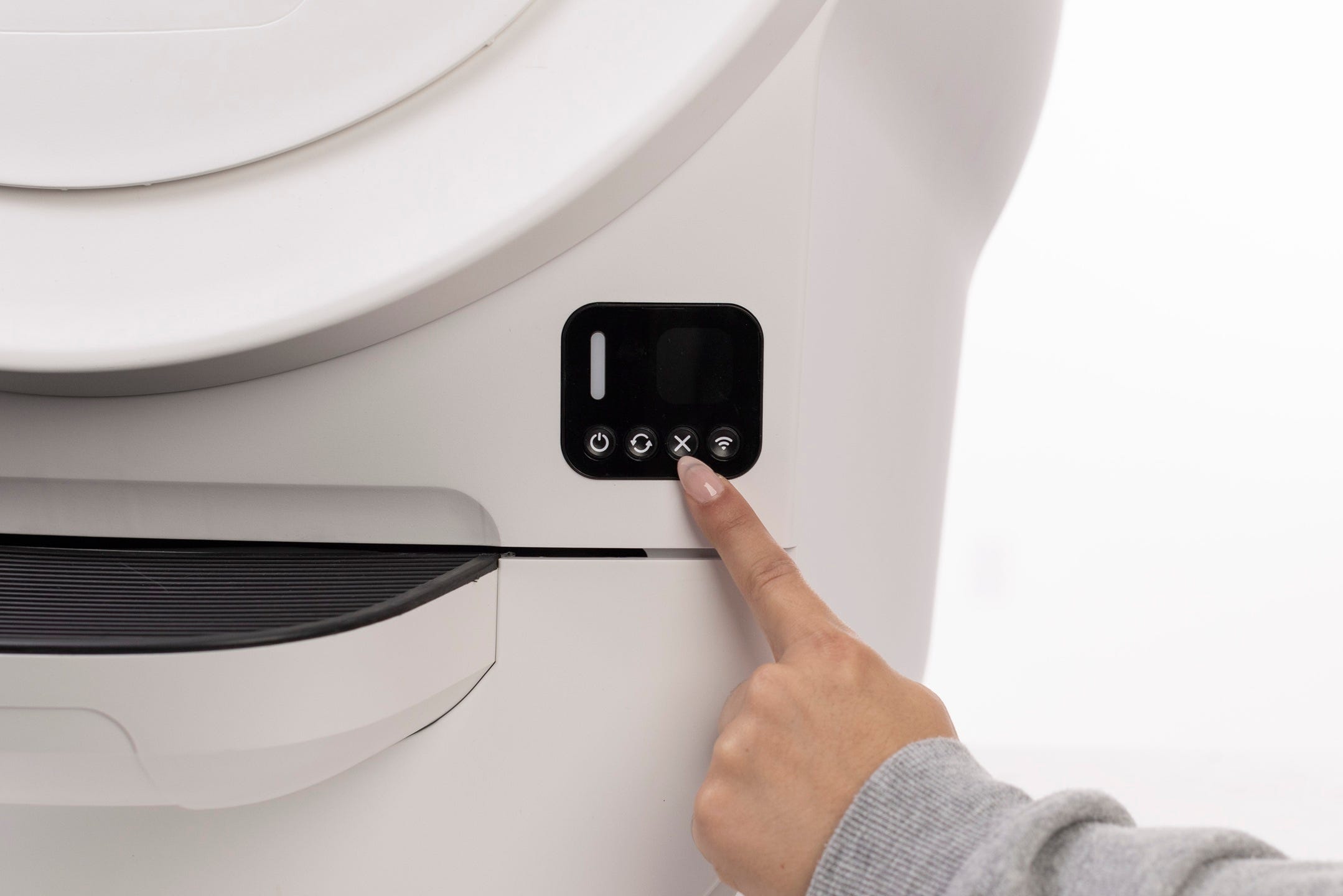
- Short press the Cancel button.
- Short press the Cycle button to run a Clean cycle.
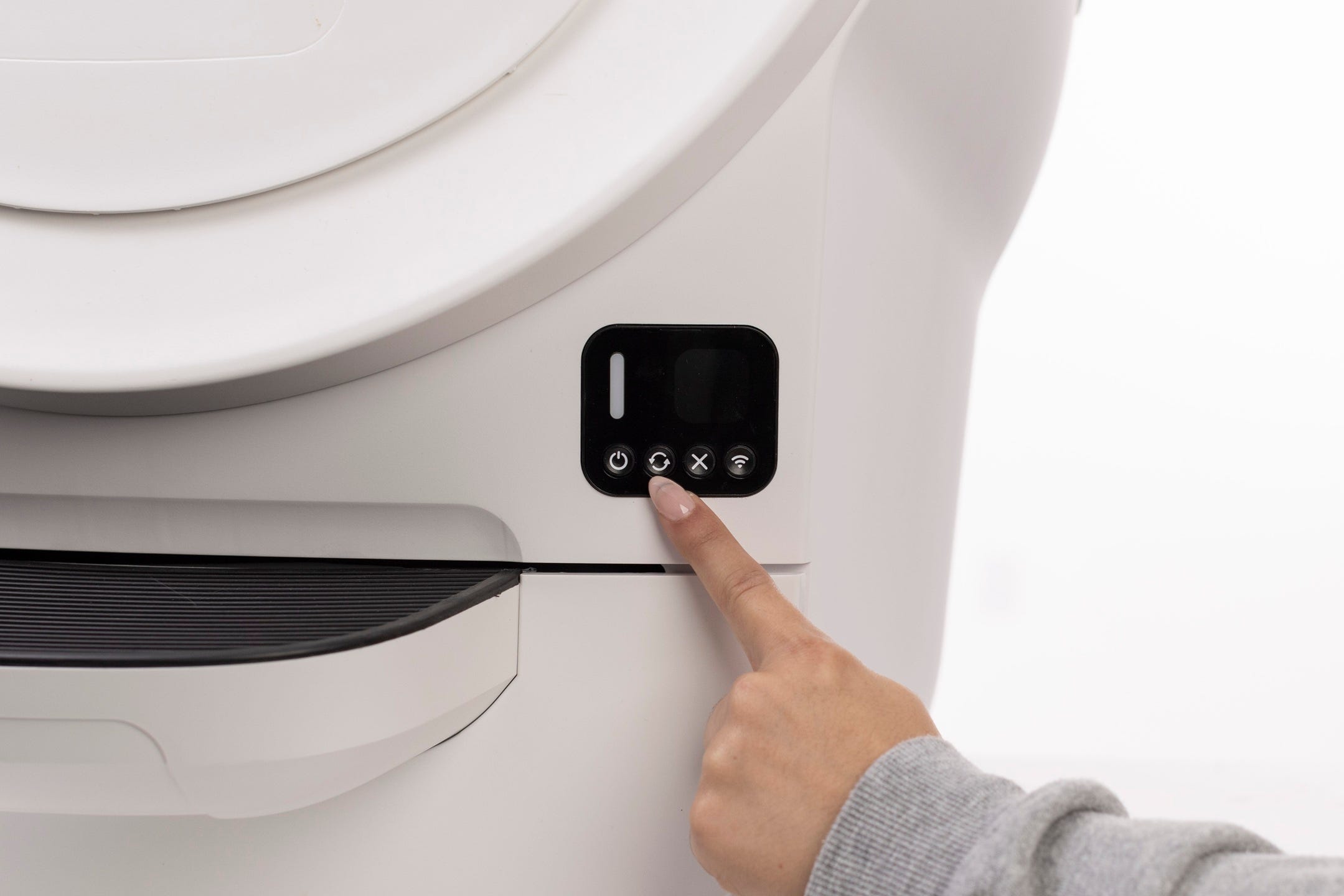
Successful: Fault clears and unit successfully returns Home.
Unsuccessful: If the “Position fault” error remains, continue to next steps.
Need more help?
If your unit continues to show a Position Fault message please contact Whisker Customer Experience.
Didn't find what you're looking for?
Phone and Chat support available Mon-Fri: 9AM-9PM EST and Sat-Sun: 9AM-5PM EST, or submit a ticket anytime.