The store will not work correctly in the case when cookies are disabled.

Litter-Robot EVO: Use and care guide
Your Litter-Robot EVO is designed to make life easier for both you and your cat. To keep it performing at its best, follow these care and maintenance tips. This guide explains how to clean your unit, maintain accessories, and ensure optimal performance.
Quick links
Cleaning your Litter-Robot EVO
It’s important to clean your Litter-Robot EVO regularly to prevent buildup that may cause weight-related or sensor errors.
Spot cleaning: As needed.
Basic globe cleaning: Every 1–3 months.
Deep cleaning: At least every 3 months.
Over time, small clumps can accumulate in the internal pockets of the globe. A thorough soak and clean will help prevent excess weight buildup.
Never submerge, spray, or soak the base or control panel, as they contain sensors and electronics.
Customers with multiple cats may need to clean more frequently.
Waste drawer cleaning frequency by number of cats
Here’s how often to empty the waste drawer and clean your Litter-Robot EVO:
1 cat: Empty drawer every 8 days; spot clean monthly; deep clean every 3 months.
2 cats: Empty drawer every 4 days; spot clean biweekly; deep clean every 2–3 months.
Litter-Robot EVO is recommended for up to 2 cats.
Waste drawer liners
Your Litter-Robot EVO comes with a waste drawer liner pre-installed. These liners are specifically designed for the unit, but you can also use any 8–13 gallon (30–49 L) white trash bag.
Recommendations
White bags provide the most accurate waste readings.
Dark bags may cause inaccurate readings, especially when the drawer is empty.
Stretched or wrinkled bags can cause the Drawer Full Indicator (DFI) to misread.
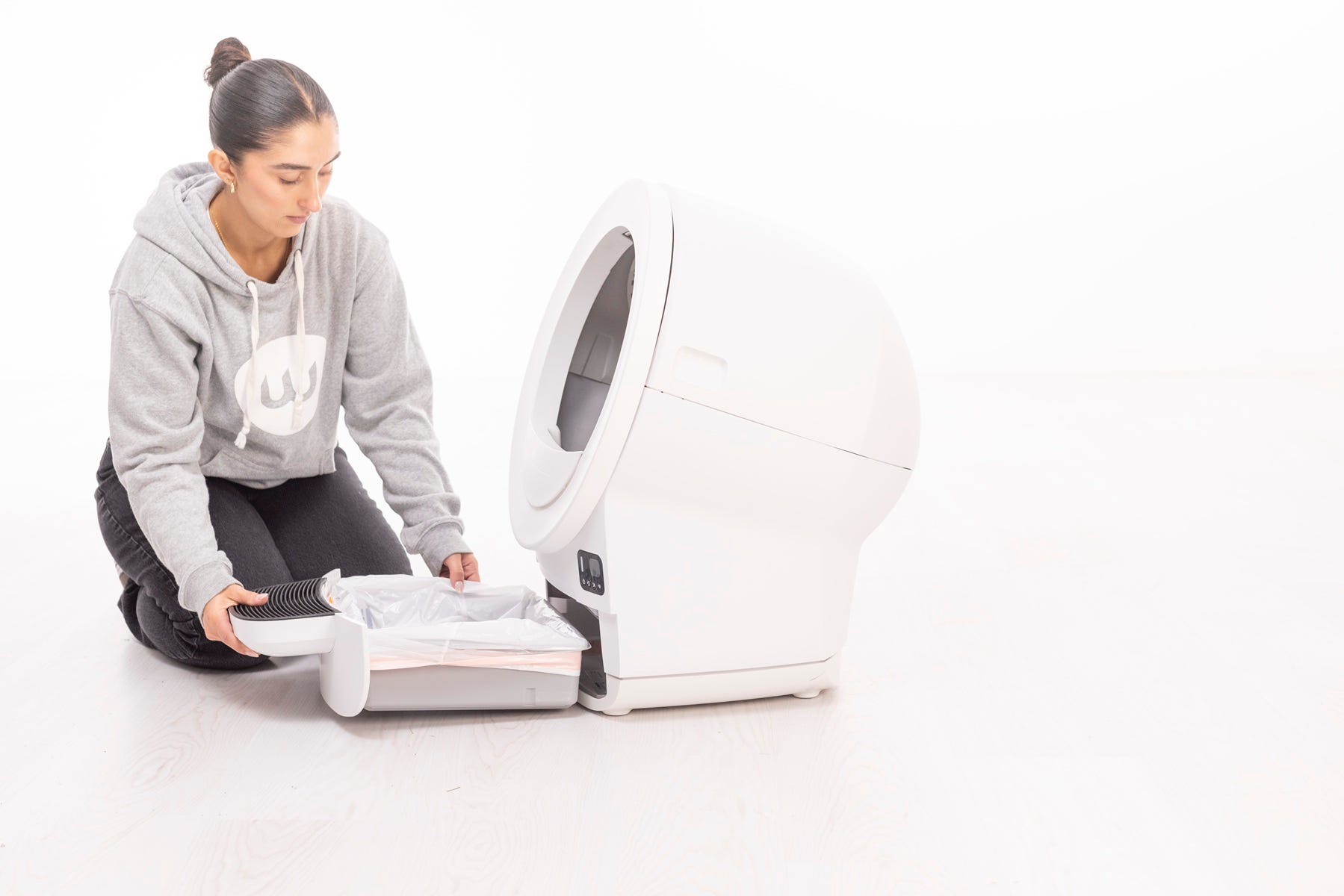
Emptying the waste drawer
Empty the waste drawer when the control panel or Whisker app notifies you that the drawer is almost full or full.
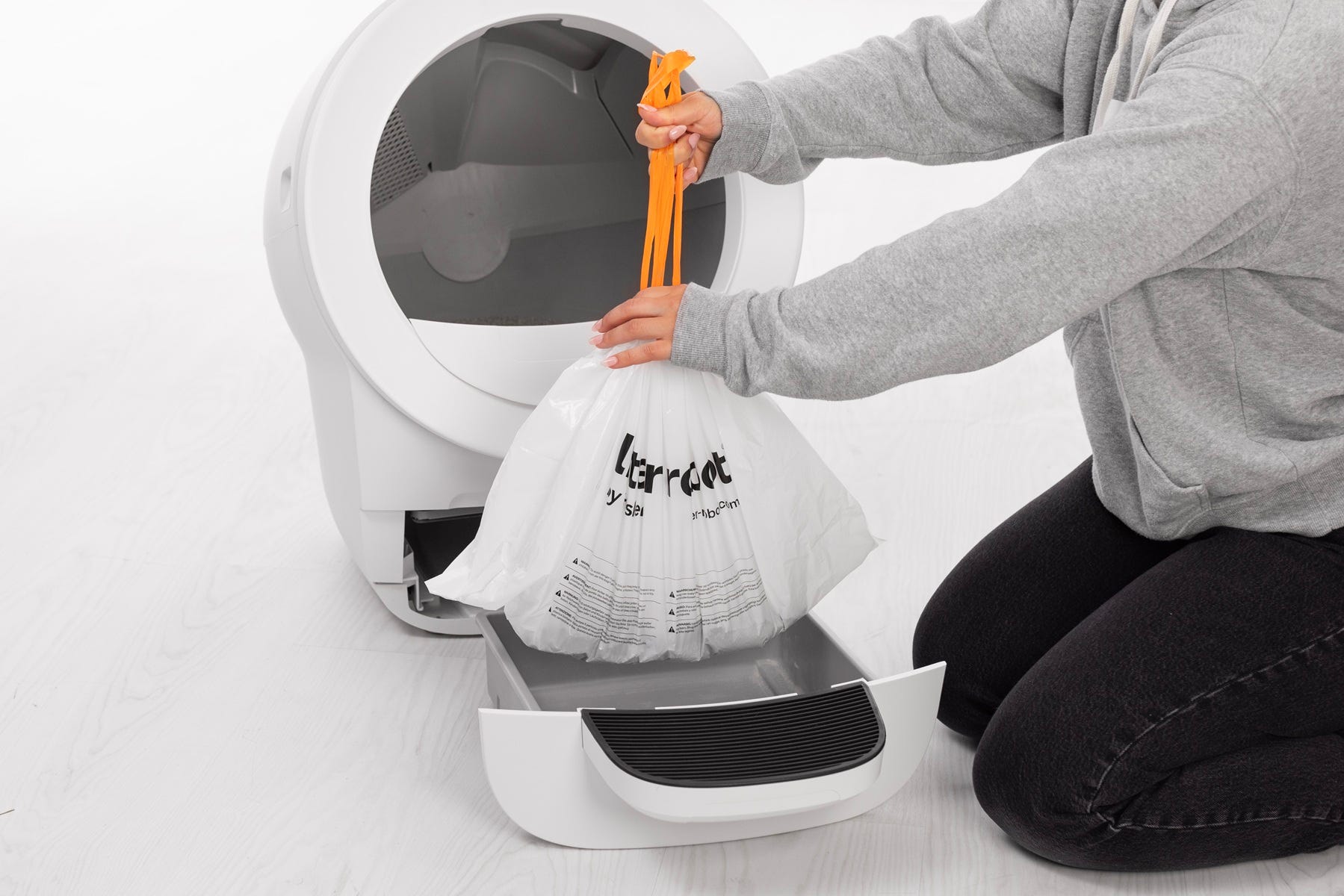
To empty the waste drawer:
- Remove the waste drawer.
Pull the liner drawstring and dispose of it.
To install a waste drawer liner:
For the best fit and convenience, we recommend Litter-Robot Waste Drawer Liners or a 8–13 gallon (30–49 L) white trash bag.
- Open a new waste drawer liner or bag and wrap the edges tightly over the rim of the drawer.
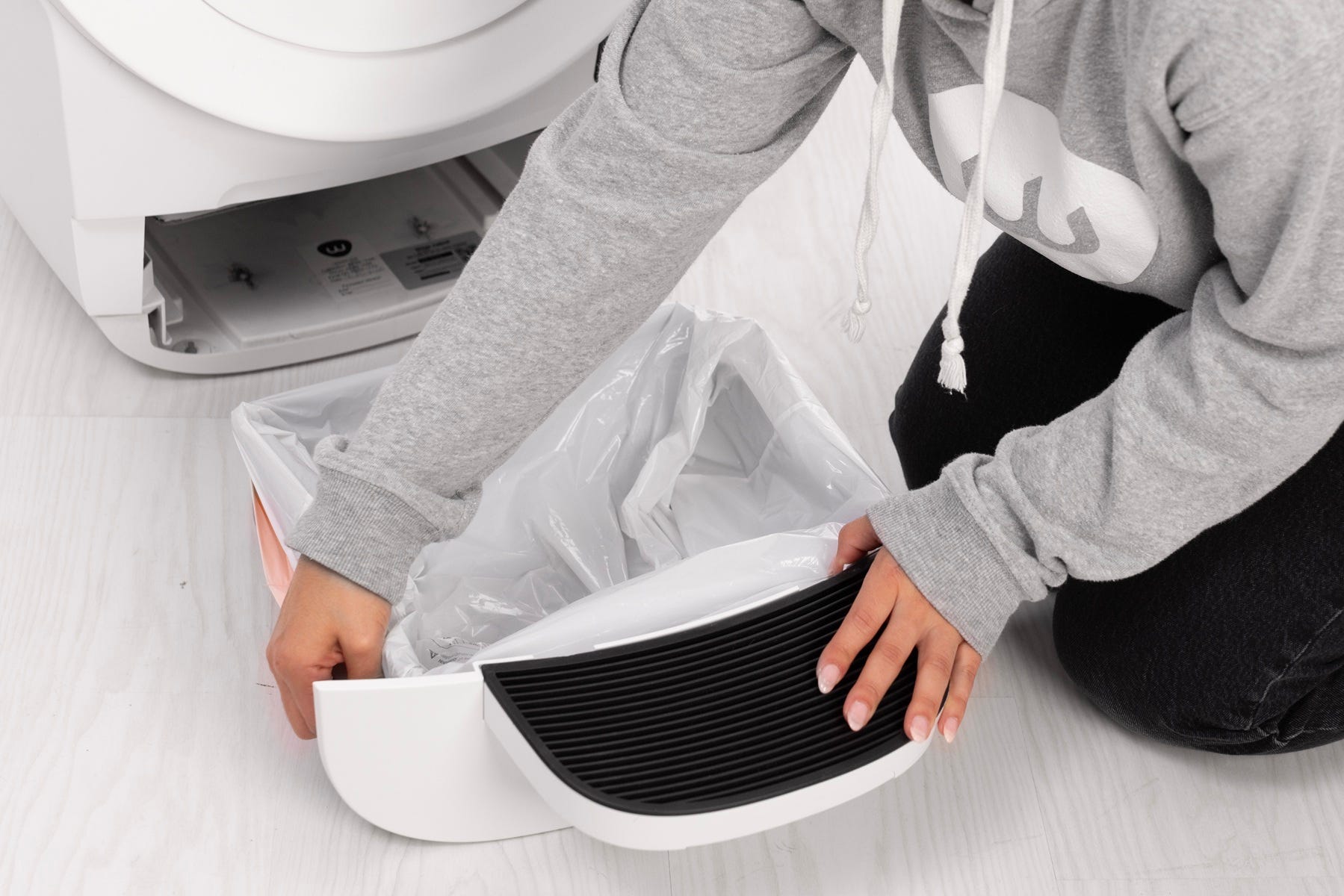
- Press the remainder of the bag flat into the sides and bottom of the drawer. Puffy or stretched bags can interfere with the DFI sensor and cause inaccurate waste level measurements.
- Slide the drawer closed.
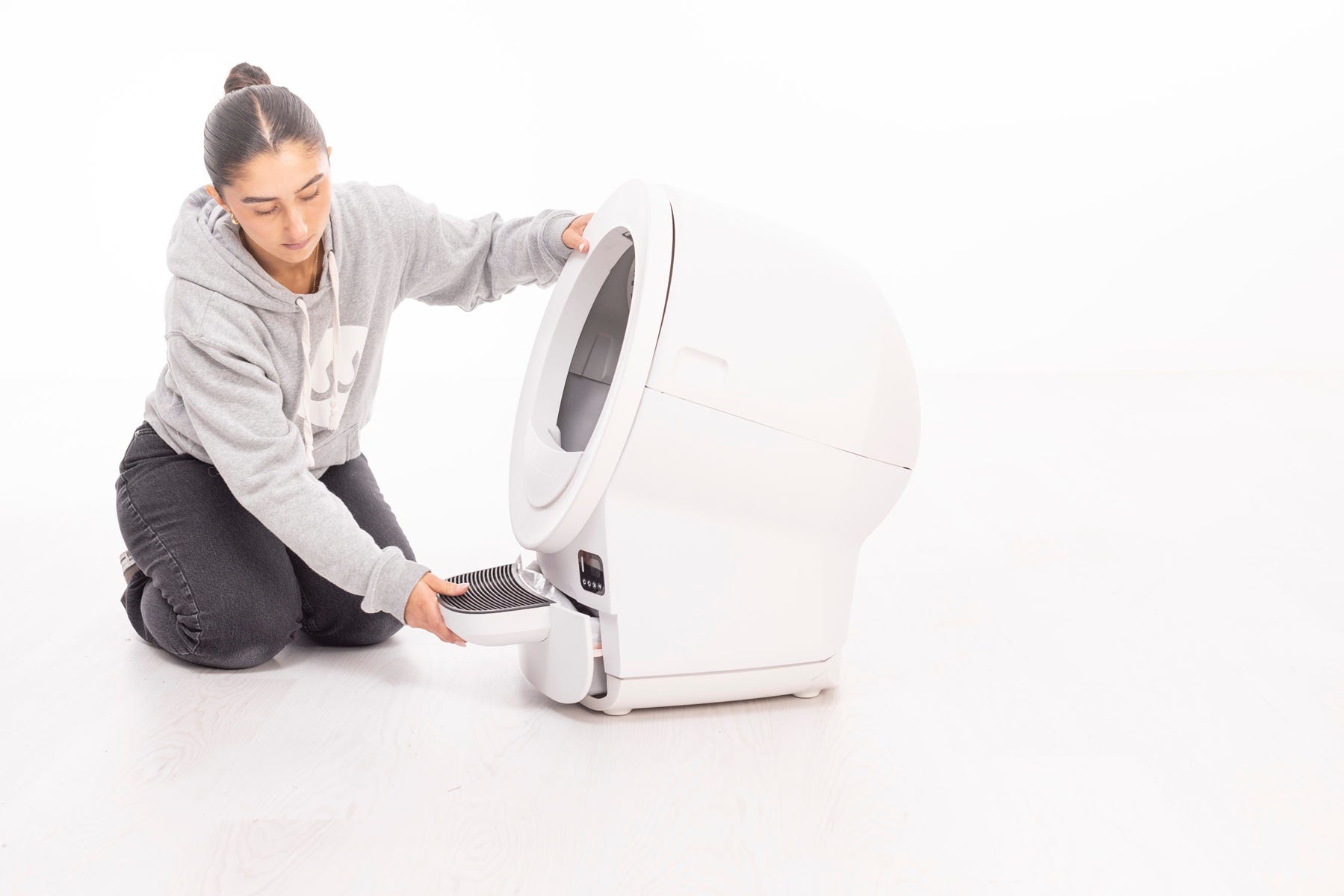
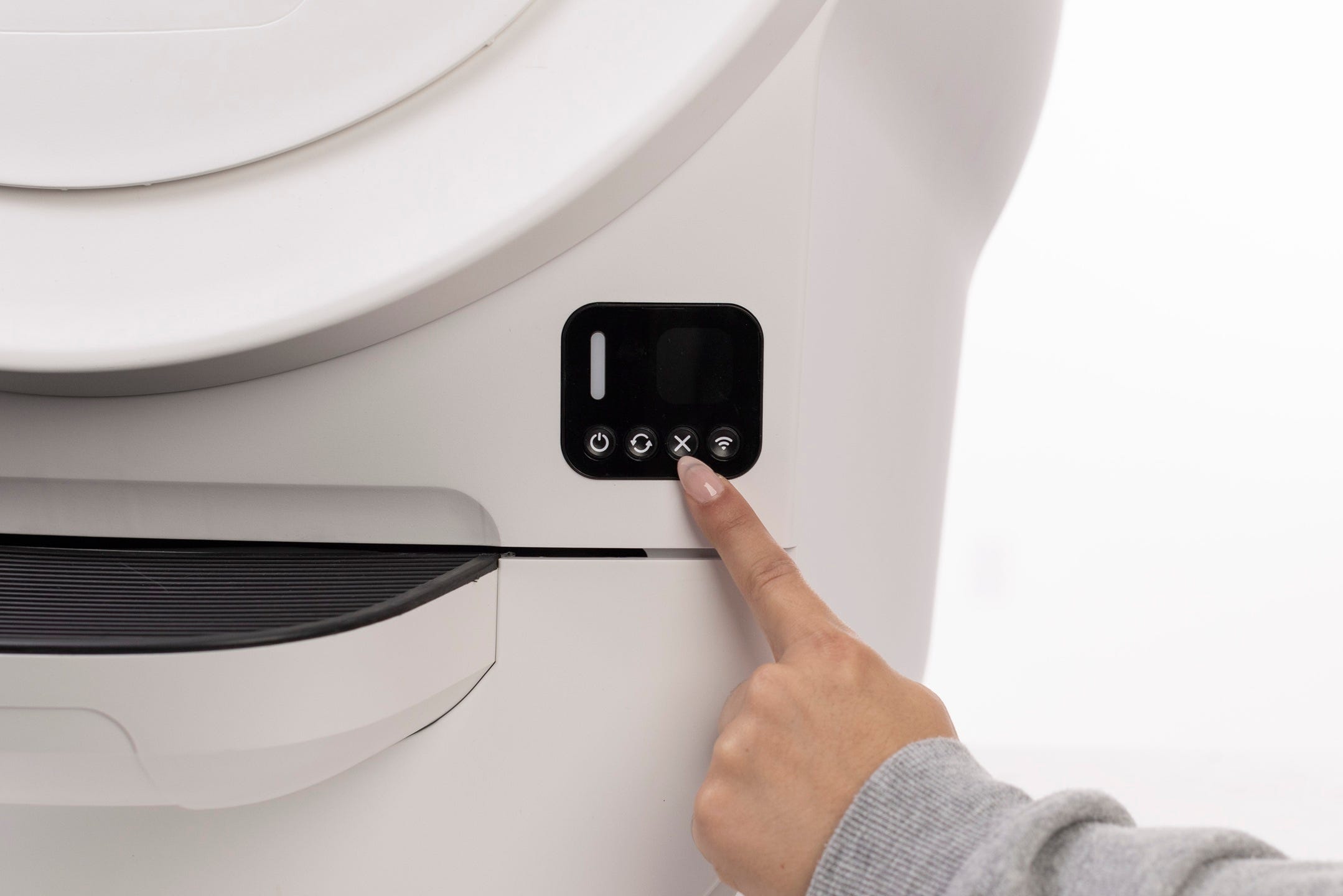
- Short press the Cancel button to clear any notifications and zero the weight scale.
Carbon filter and odor control
Litter-Robot EVO is equipped with a flexible carbon filter installed on the underside of the globe, directly above the waste drawer. This helps absorb odors.
Recommendations
Replace the carbon filter about once per month under normal use.
Filters are not required for operation.
You can upgrade to OdorTrap® Packs for enhanced odor control.
The filter pocket holds one (1) carbon filter. If using an OdorTrap® holder, it can hold up to three (3) OdorTrap® Packs. The carbon filter and OdorTrap packs cannot be used together.
How to replace the carbon filter:
- Press and hold the Cancel button for 3 seconds to rotate the globe into Filter Replacement Position.
- Open the bonnet when the globe stops in the Dump position.
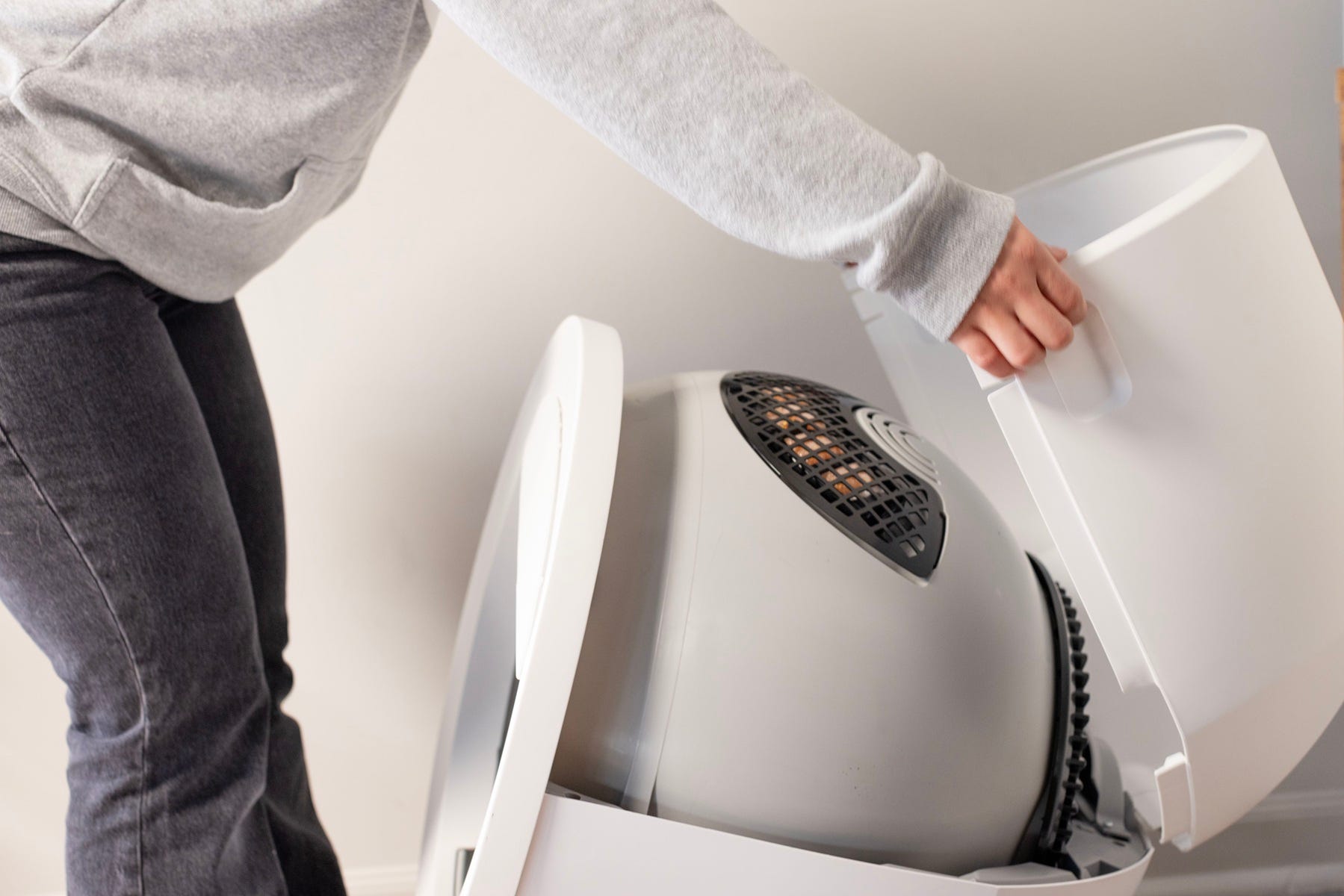
- Remove and replace the carbon filter.

- Short-press the Connect button.

Adding litter
We recommend using clumping clay cat litter with Litter-Robot such as GreatLitter. Consult our best litter for Litter-Robot guide for all compatible litter brands and additional recommendations.
Check the litter level once per week or each time you empty the waste drawer.
- Add litter until it meets the raised MAX Fill Line inside the globe. Avoid overfilling to prevent unnecessary waste.
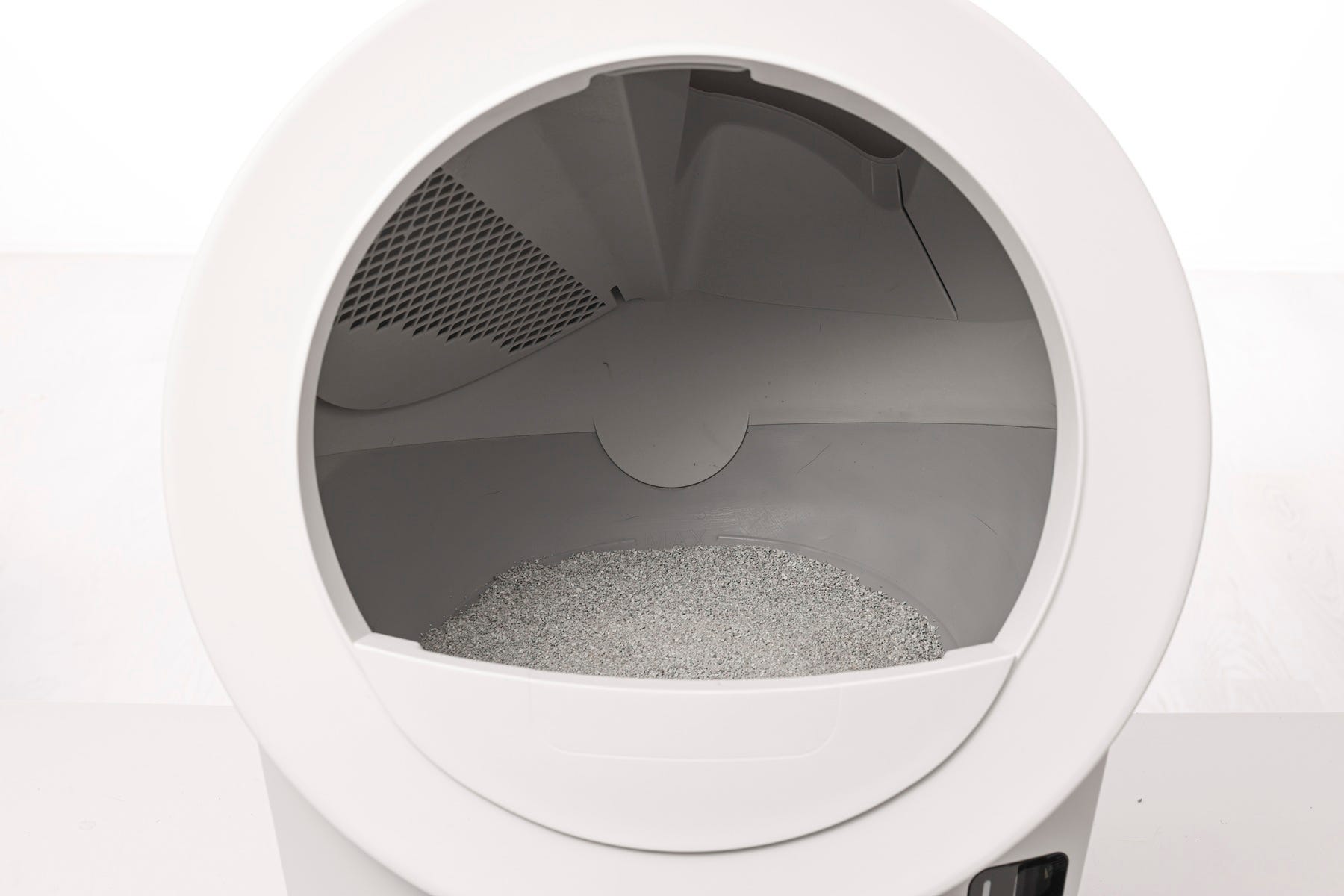
- Litter-Robot works best with clumping clay litter. Avoid non-clumping, absorbent, or pellet-style litters.
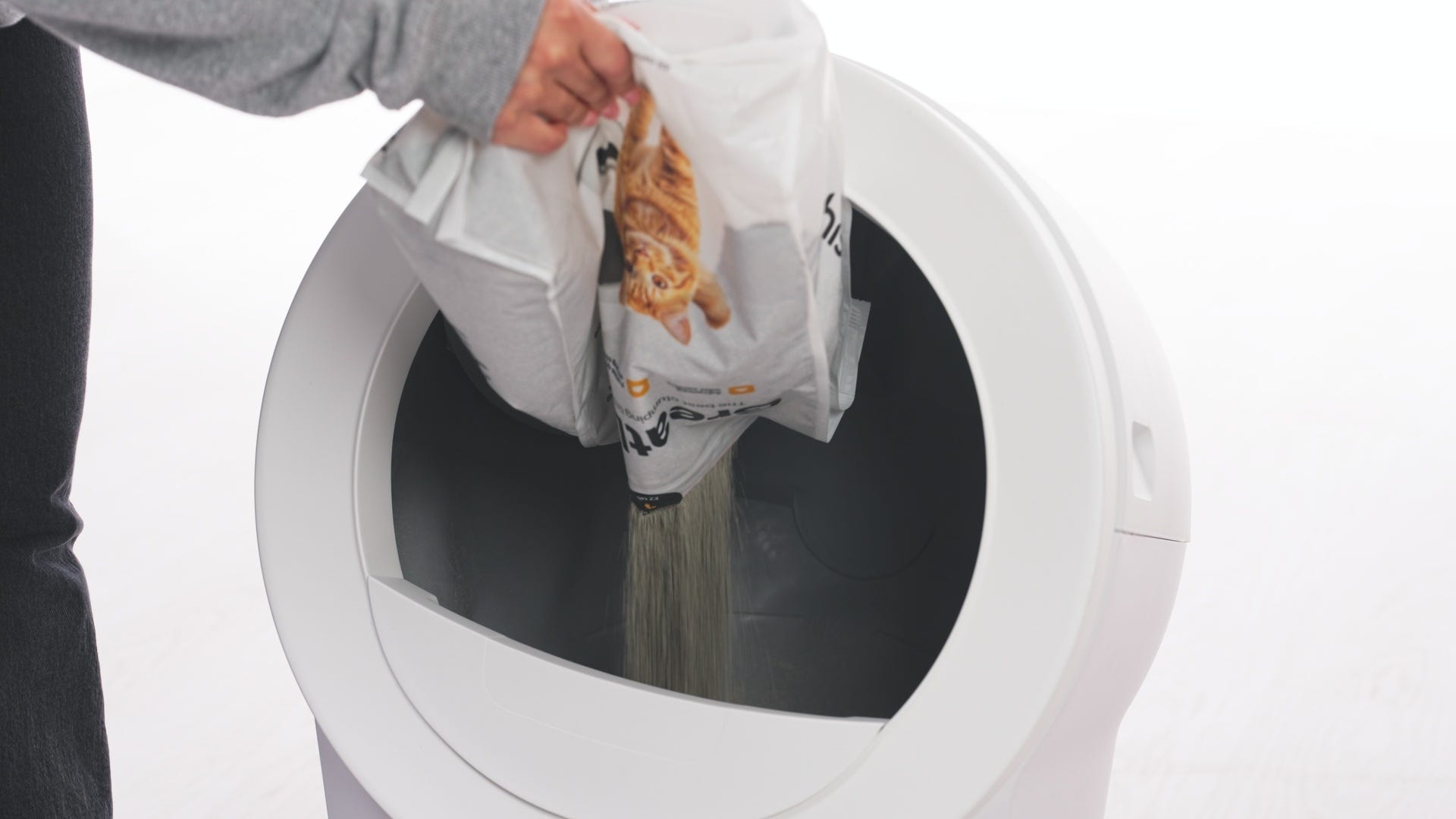
- After adding or removing litter, short press the Cancel button to zero the weight scale.
Emptying the globe
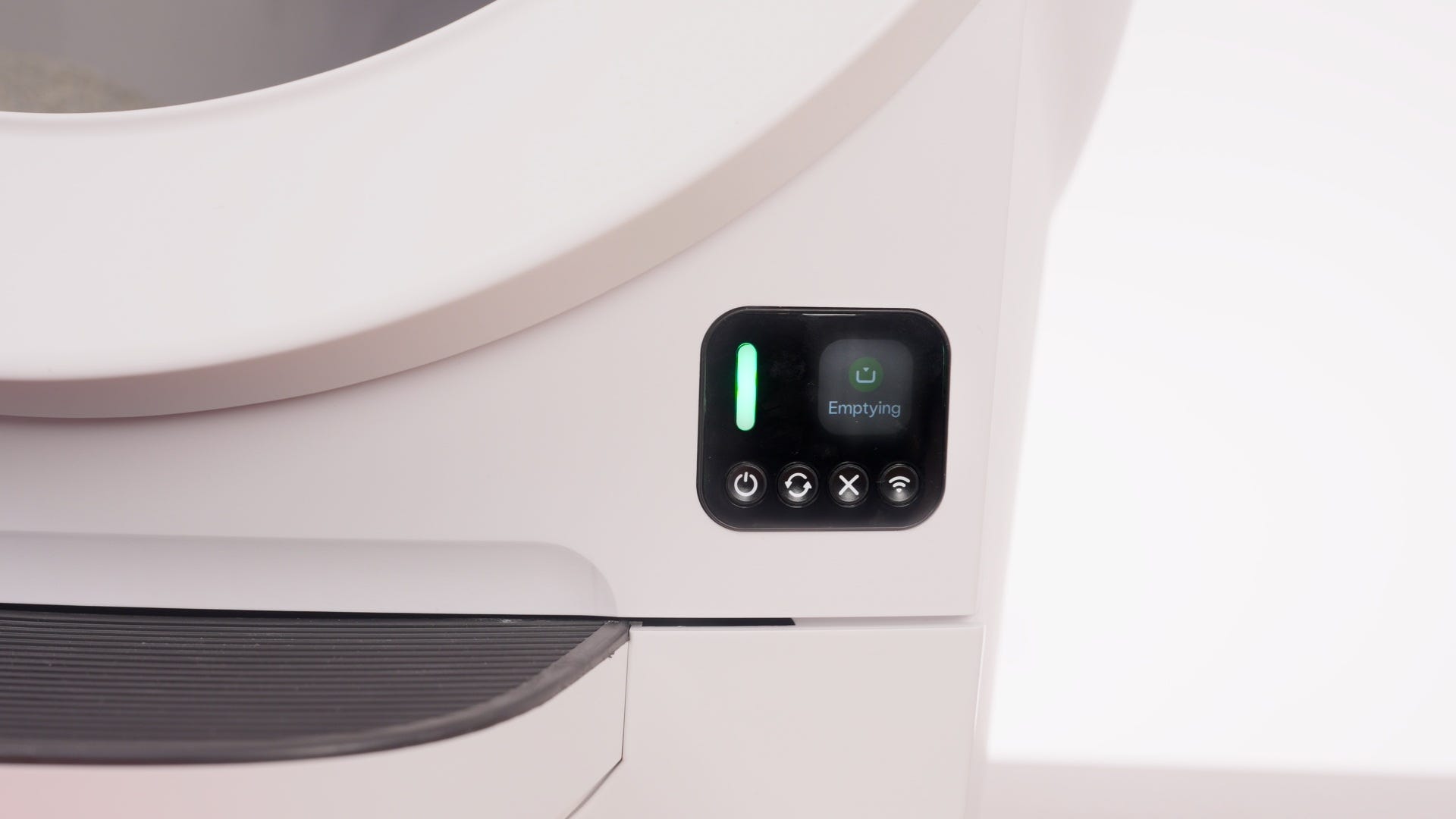
Use the Empty Cycle when you want to clear all litter from the globe for cleaning or replacement.
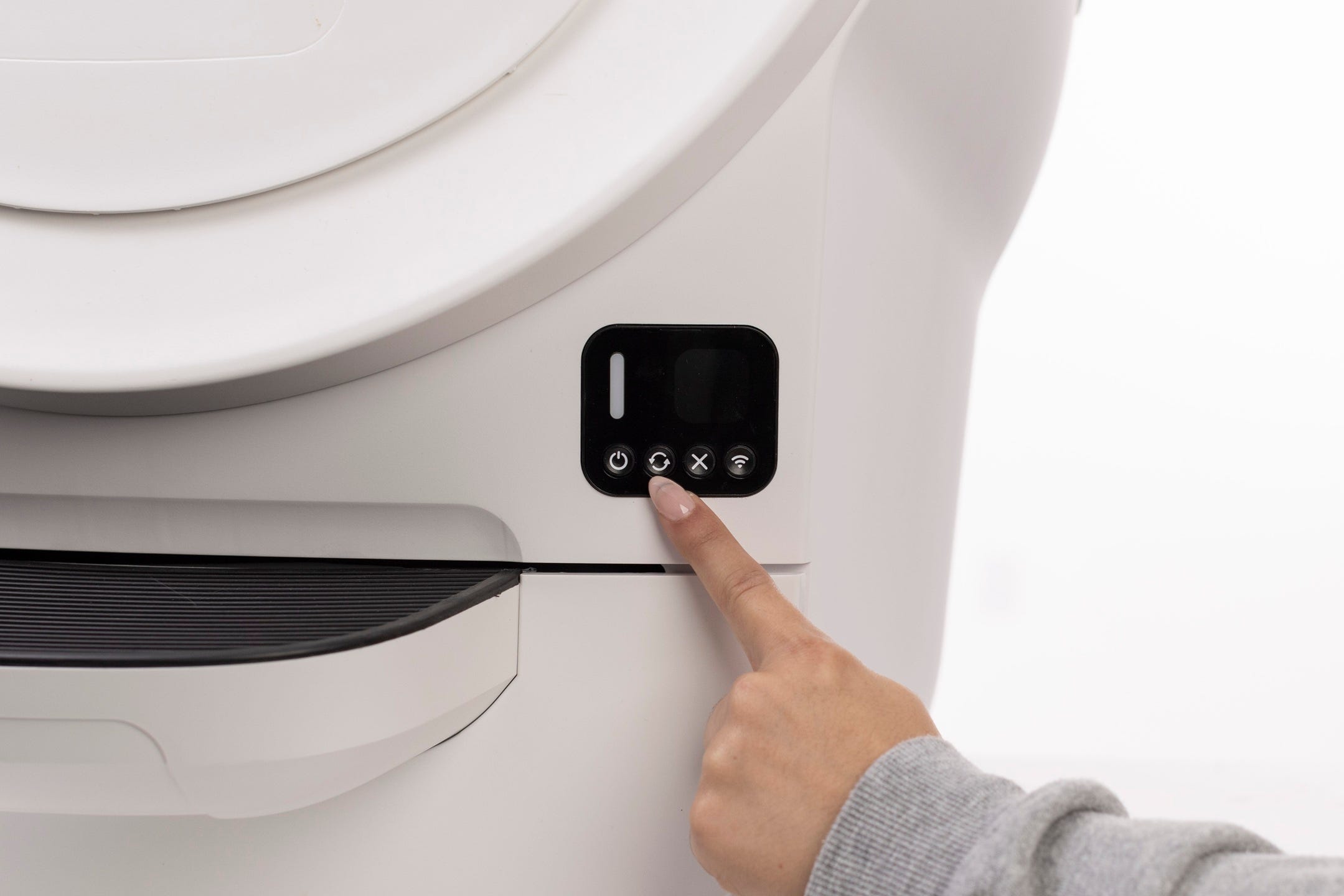
Ensure the unit is in Home position with the LED solid white.
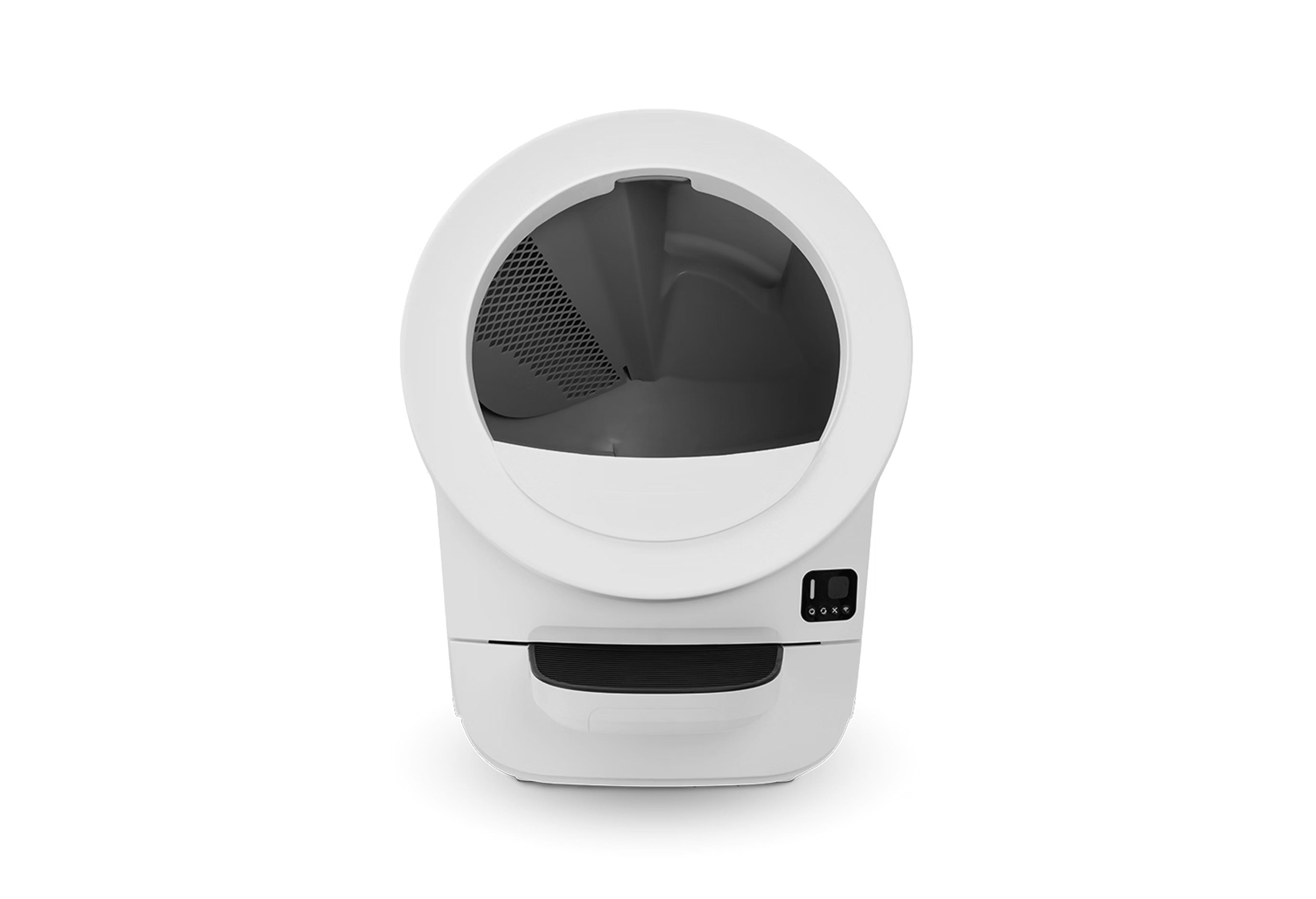
- Press and hold the Cycle button for 3 seconds. The globe will rotate clockwise, dumping litter into the waste drawer.
If litter remains, sweep granules into the waste port.
Press the Cycle button again to return the globe to Home position.
Supervise your cat during an Empty Cycle.
Cleaning the sensors
Proper cleaning of the sensors is critical for accuracy and safe operation.
DFI sensor (Drawer Full Indicator): Located above the waste drawer; wipe gently with a dry microfiber cloth. Avoid liquids. Keep drawer interior surfaces clean and dry.
SmartScale® weight sensors: Located in the base; keep the unit level and clean. Zero the scale after moving the unit, emptying the drawer, or adding litter.
Seal strips
Litter-Robot EVO includes brush-type seal strips along the top and bottom of the base. These help contain odors inside the waste drawer.
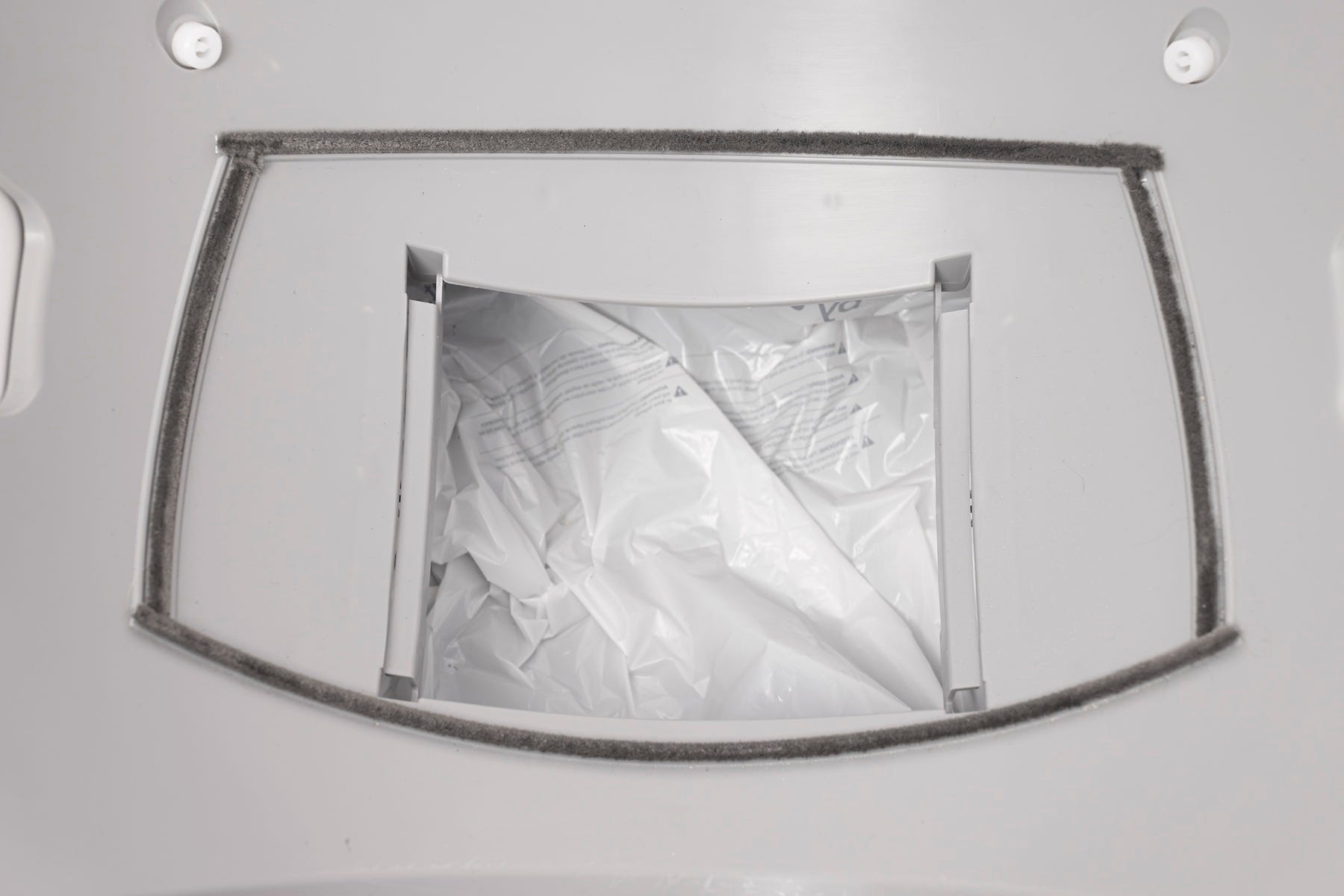
Replace when they become flat or begin peeling.
Avoid getting them wet when cleaning the base.
Summary
Regular maintenance ensures your Litter-Robot EVO continues to operate smoothly and smell fresh. Keep the waste drawer liner replaced, filters refreshed, and globe cleaned on schedule. And don’t forget to zero the SmartScale® after emptying or adding litter for the most accurate readings.
Need more help?
Please contact Whisker Customer Experience for further assistance.
Didn't find what you're looking for?
Live support available Mon-Fri: 9AM-9PM EST and Sat-Sun: 9AM-5PM EST, or submit a ticket anytime.