The store will not work correctly in the case when cookies are disabled.

Whisker Account & Order Management
How do I update my account password or email address?
Log in and click Account Information. From there you can update your email and password.
In the Whisker app, you can also do this by tapping the profile icon in the top right corner. From there, select "Login Information" to update your email and password.
If I already have an account on litter-robot.com, do I have to log in again when using the app to make purchases?
If you set up your app account and litter-robot.com account using different email addresses, this single sign-on will not work.
We offer single sign-on, which means you will be automatically signed into your litter-robot.com account when using the app. As long as you use the same email address, both accounts will synchronize automatically.
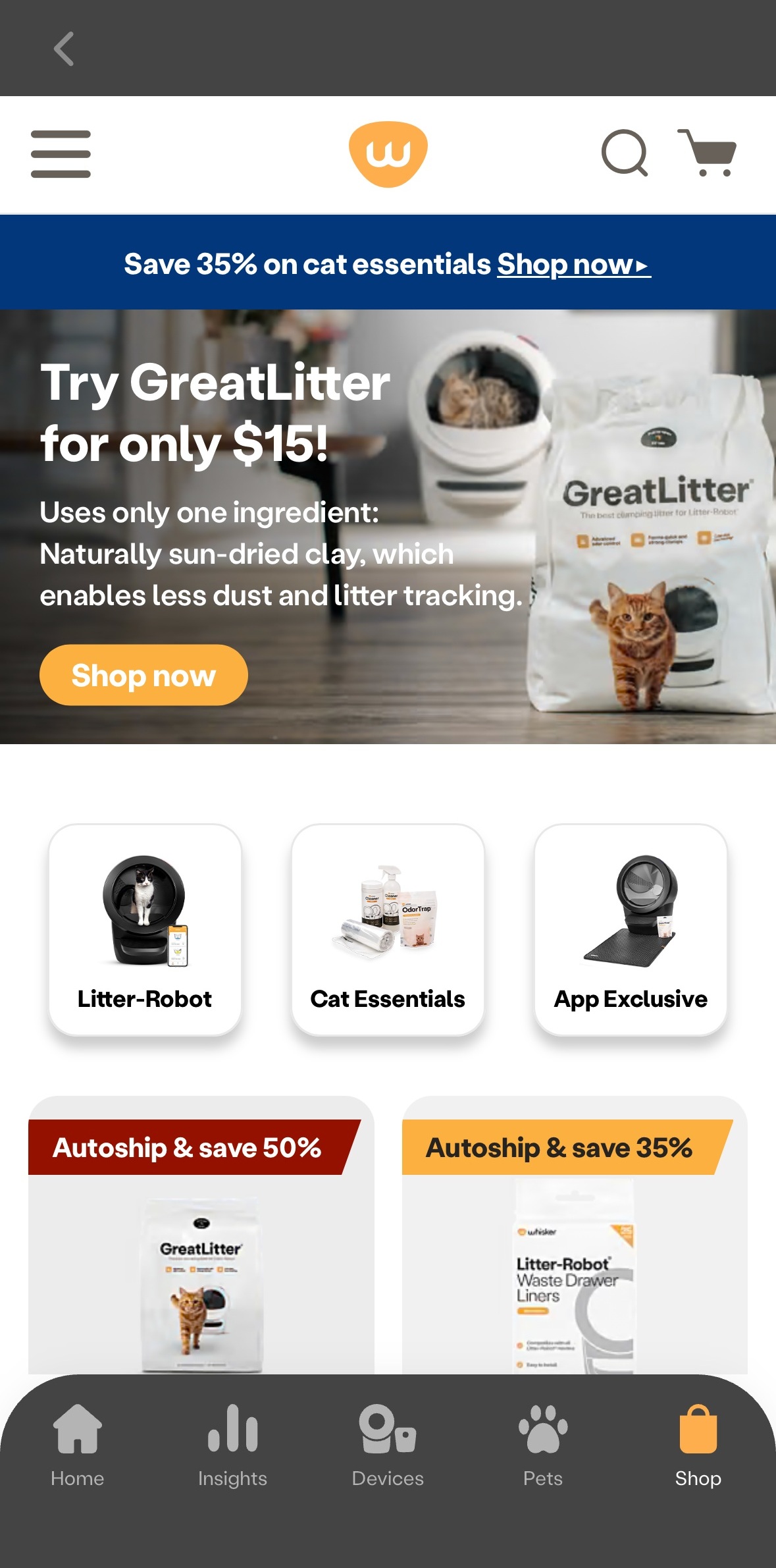
You can purchase additional Whisker products like carbon filters, OdorTrap packs, waste drawer liners, and even new robots with the Whisker app.
Simply log into your Whisker account and start shopping.
How do I update my payment method?
If an incorrect payment method was used on a recent order, you will need to cancel the order (see “How do I cancel an order?” below) and place a new order on our site with the correct payment method.
For future orders, log into your account and update your payment method under Payment Methods.
If logged into the Whisker app, select the profile icon in the top right corner and update your payment method under "Payment Methods."
How do I cancel an order?
If your order has not yet shipped, please log into your account and click My Orders to cancel your order.
We will get back to you within 72 business hours to confirm cancellation details. If your order has already shipped, it is not eligible for cancellation. If this is the case, you will need to start a return request at WhiskerReturns.com.
(Note: No returns or refunds on cat litter. Opened furniture, sprays, wipes, litter mats and traps, toys, apparel, cat beds, and tunnels are non-returnable.)
How can I find my order status?
If you are inquiring about Litter-Robot shipping dates, please see our latest shipping schedule. If you are inquiring about a different product you ordered, please log into your account and view your recent orders. Click My Orders to see the status of your order, as well as the tracking information for items that have shipped.
If you're using the Whisker app, tap the icon in the top right corner and select Orders to see the status of your order, along with any existing tracking information.
How do I update my Autoship subscription?
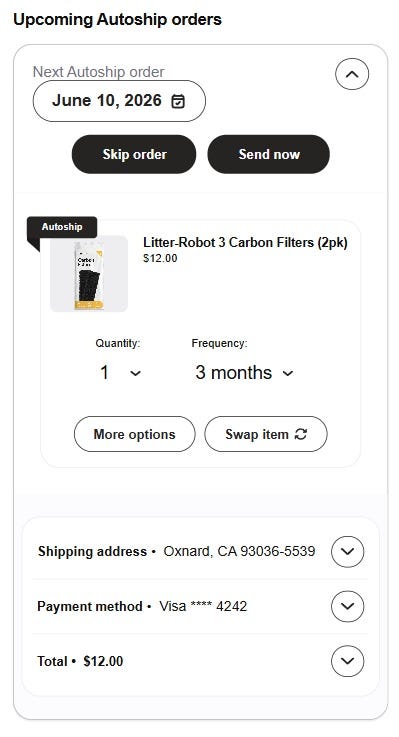
You can make changes to your Autoship subscriptions directly from your Whisker account any time before your next order is processed.
Log in to your account on whisker.com, litter-robot.com, or litterbox.com, then select "My Autoship subscriptions" to manage your upcoming delivery.
You also can do this if logged into the Whisker app by tapping the profile icon in the top right corner and selecting "Subscriptions."
From there:
- Select "Send now" if you need your order as soon as possible, and your following order will ship based on your selected frequency.
- Select "Skip order" to skip the next delivery.
- Select "More options," then "Pause" to pause your subscription, and select your next shipment date.
- Select the date field underneath “Next Autoship order” to select a new order date and click apply to change your next order date.
- Select "More options," then "Cancel" and continue through cancellation screens to cancel your subscription.
- Select “Swap item” to select another product within the same category.
- Tap the arrow next to each section to update your quantity, frequency, shipping address, or payment method.
Didn't find what you're looking for?
Live support available Mon-Fri: 9AM-9PM EST and Sat-Sun: 9AM-5PM EST, or submit a ticket anytime.