The store will not work correctly in the case when cookies are disabled.

Why is my Litter-Robot 4 dumping clean litter?
There are a few reasons why your Litter-Robot 4 is dumping clean litter at the beginning of a cycle: The leading cause is too much litter in the globe, followed by a litter type that is not suitable to use with Litter-Robot or accidental activation of the Empty cycle.
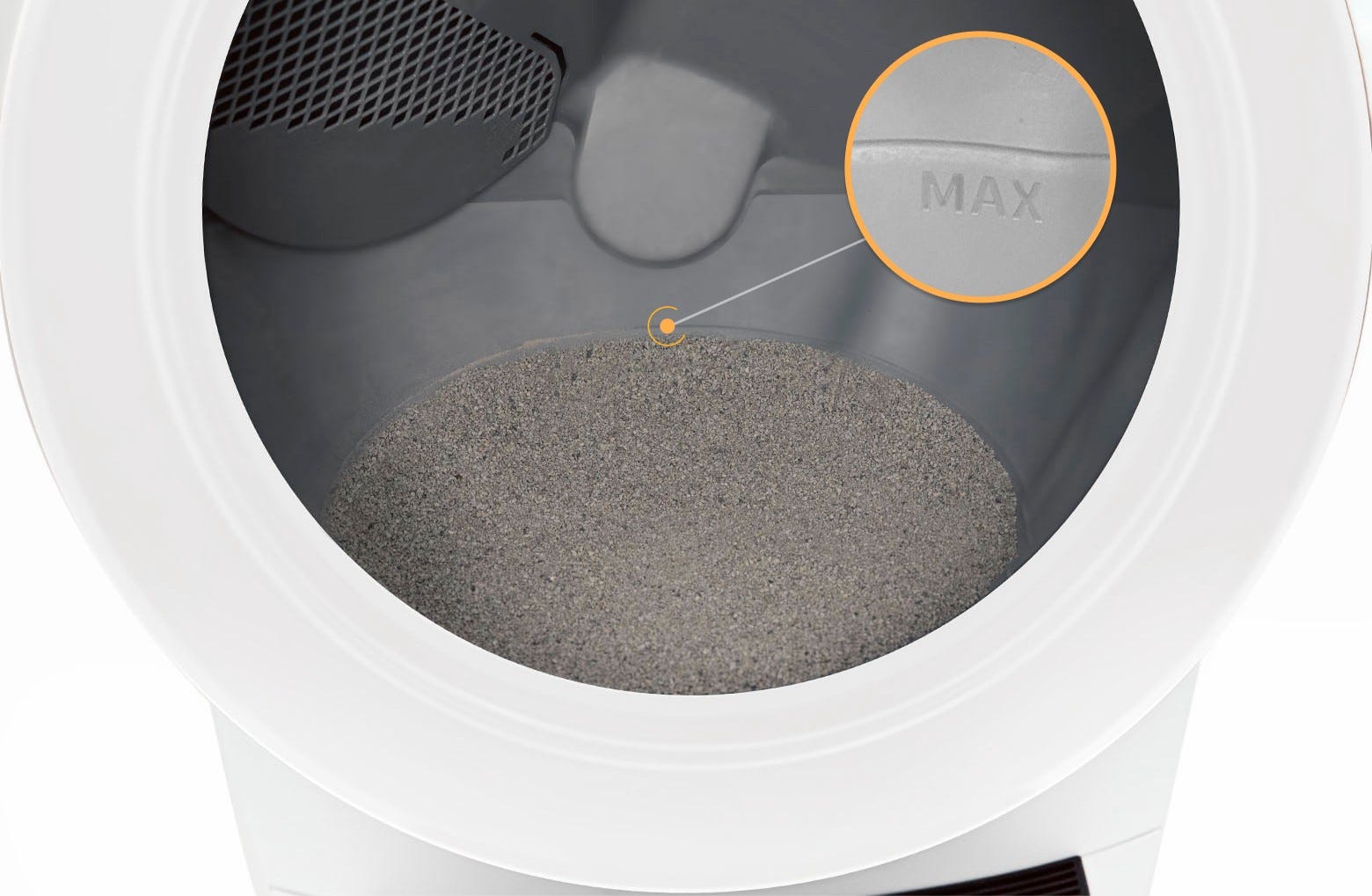
- Too much litter: Add litter to just below the raised MAX fill line in the globe. The Litter-Robot 4 Septum is designed to hold the sifted litter during a clean cycle. If there’s too much litter in the globe, the excess litter will fall into the waste drawer.
- If the LitterHopper is adding too much litter, you likely need to recalibrate the optimal litter level. Translucent or white-colored litter (most often seen in crystal litter) may impact the litter level and Drawer Full Indicator (DFI) accuracy in Litter-Robot 4.
- Unsuitable litter type: We recommend a high-quality clay-clumping litter. Cat litters that are strictly absorbent, non-clumping, loose-clumping, newspaper-based, or wood-based pellets should NOT be used, as the weight and shape of the granules may prevent proper sifting by the septum. Read more about our litter recommendations for Litter-Robot and natural cat litters.
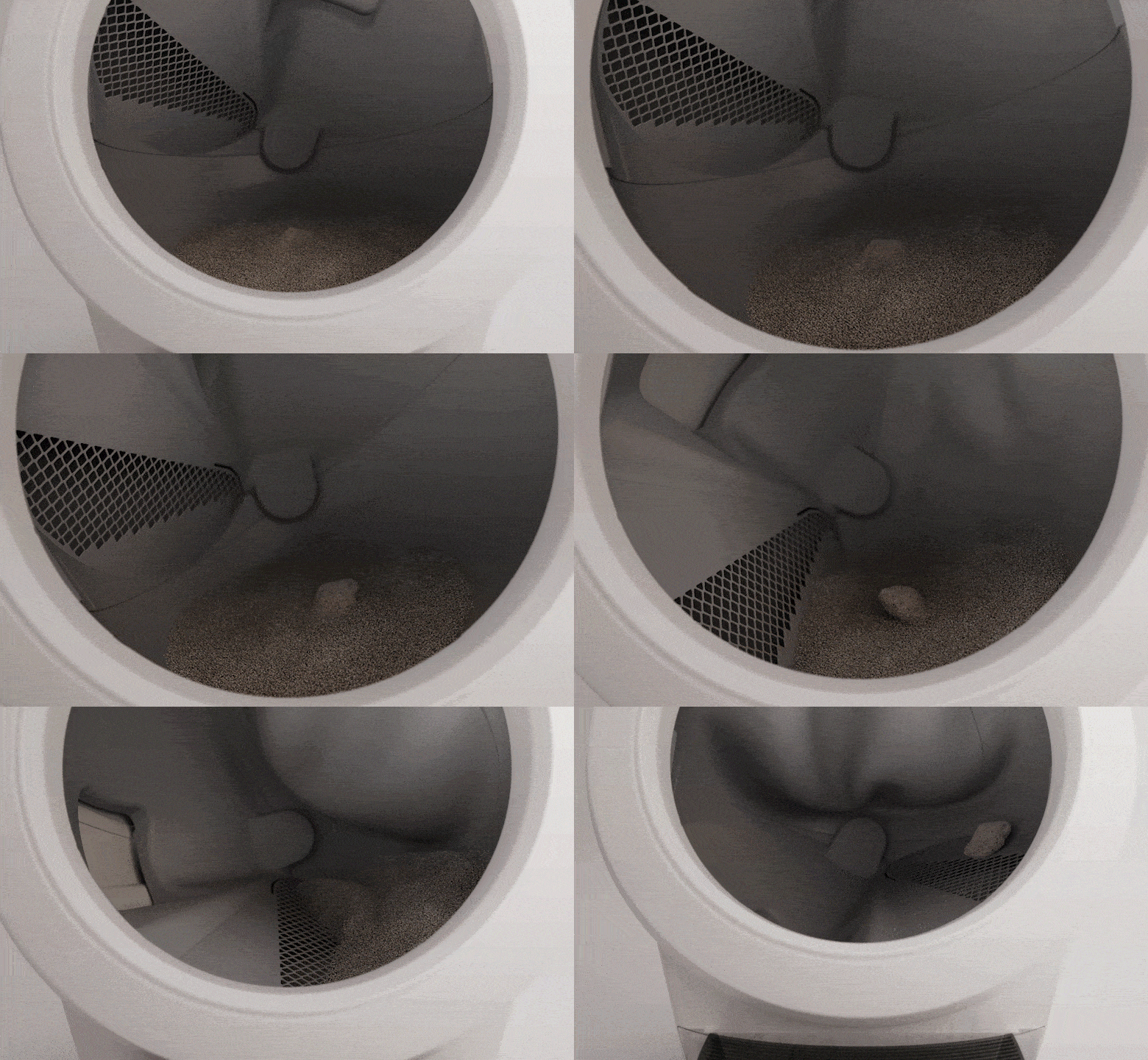
- Accidentally pressing the Empty button: The Empty cycle empties all of the litter from the globe into the waste drawer for easy disposal. Use this cycle to change out the entire litter bed or before cleaning the globe.

Questions? Visit whiskersupport.com
Didn't find what you're looking for?
Live support available Mon-Fri: 9AM-9PM EST and Sat-Sun: 9AM-5PM EST, or submit a ticket anytime.