The store will not work correctly in the case when cookies are disabled.

Litter-Robot 5 & Pro: Bonnet removed
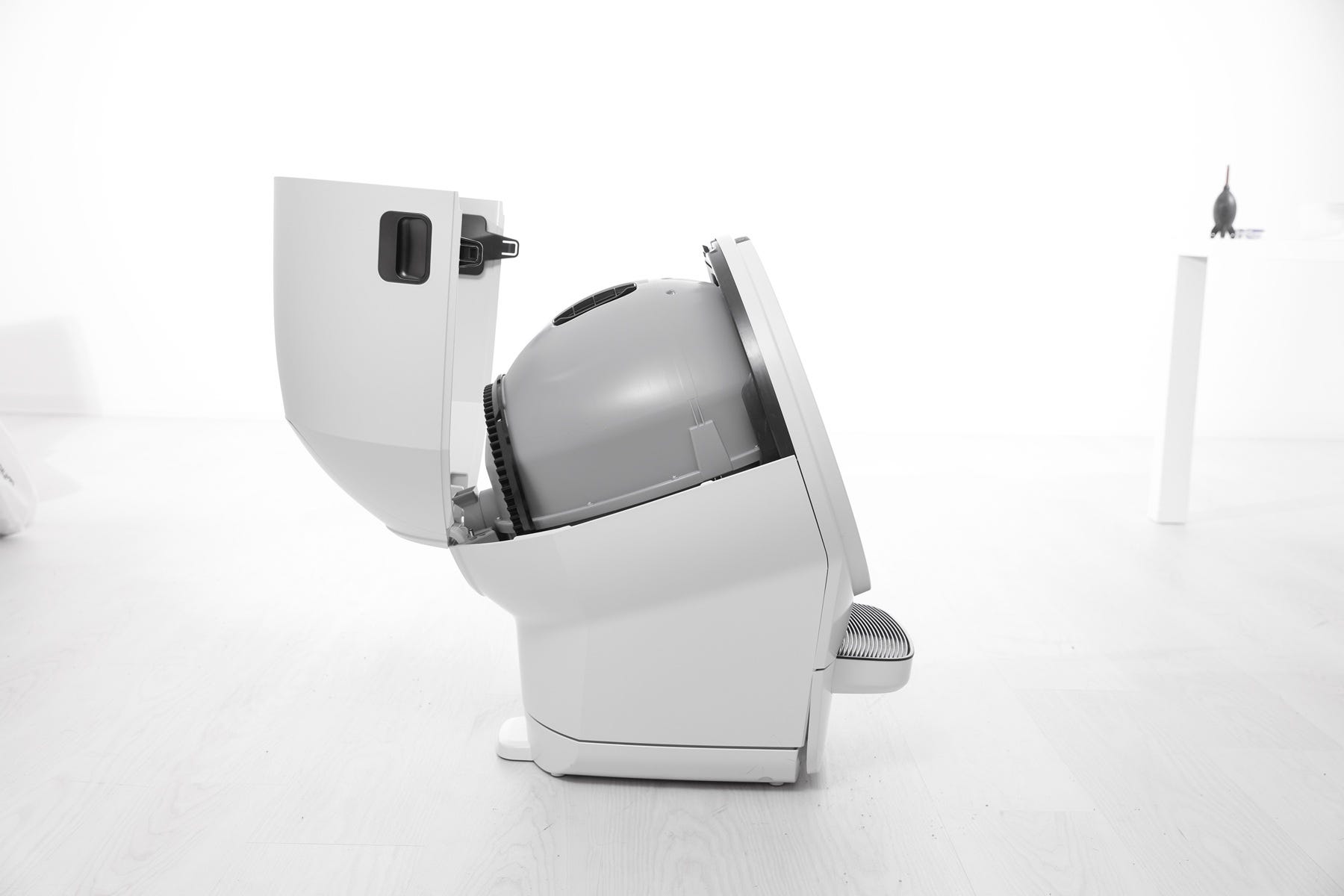
If your Litter-Robot 5 or Litter-Robot 5 Pro displays a Bonnet Removed notification, the unit has detected that the bonnet has been removed or is not properly installed. This guide will help you inspect, reseat, and secure the bonnet so your self-cleaning litter box can resume normal operation.
Quick links
- Before you begin
- How the bonnet detection system works
- Inspect the bonnet
- Reinstall the bonnet
- Need more help?
Before you begin
Make sure:
- Your unit is plugged in.
- Your unit is connected and online.
- Your firmware is up to date. (If the app does not give you the option to update, you already have the latest version.)
How the bonnet detection system works
The bonnet on Litter-Robot 5 functions as a cover and safety guard for the globe and waste port during rotation.
- Built-in sensors detect whether the bonnet is securely installed.
- The robot will not rotate if the bonnet is removed or unlatched.
- When the bonnet is not detected, the unit displays a Bonnet Removed error and sends a notification in the Whisker app.
Inspect the bonnet
- Use the handles on both sides of the bonnet to lift and rotate it upwards to its open position.
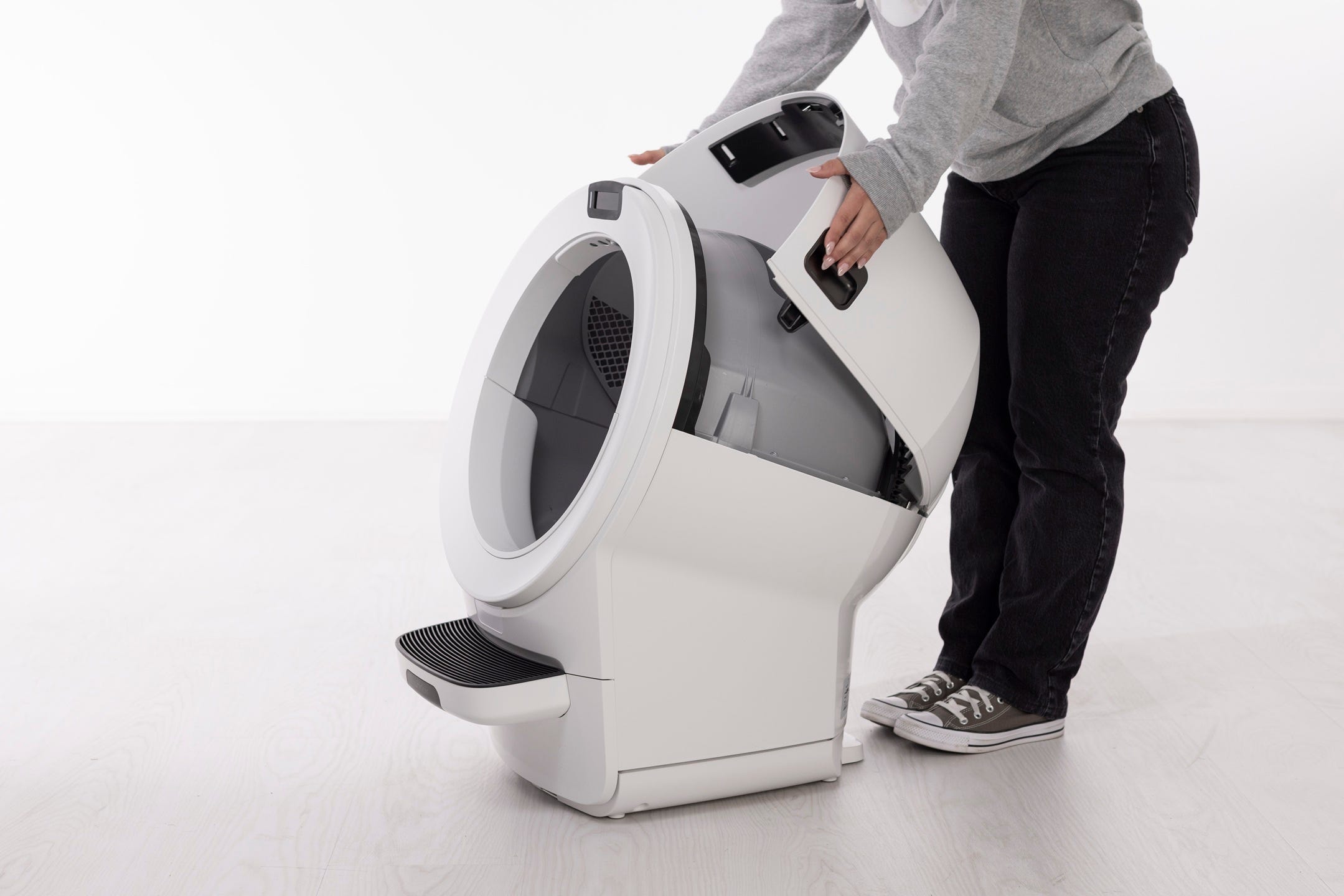
- Inspect for issues:
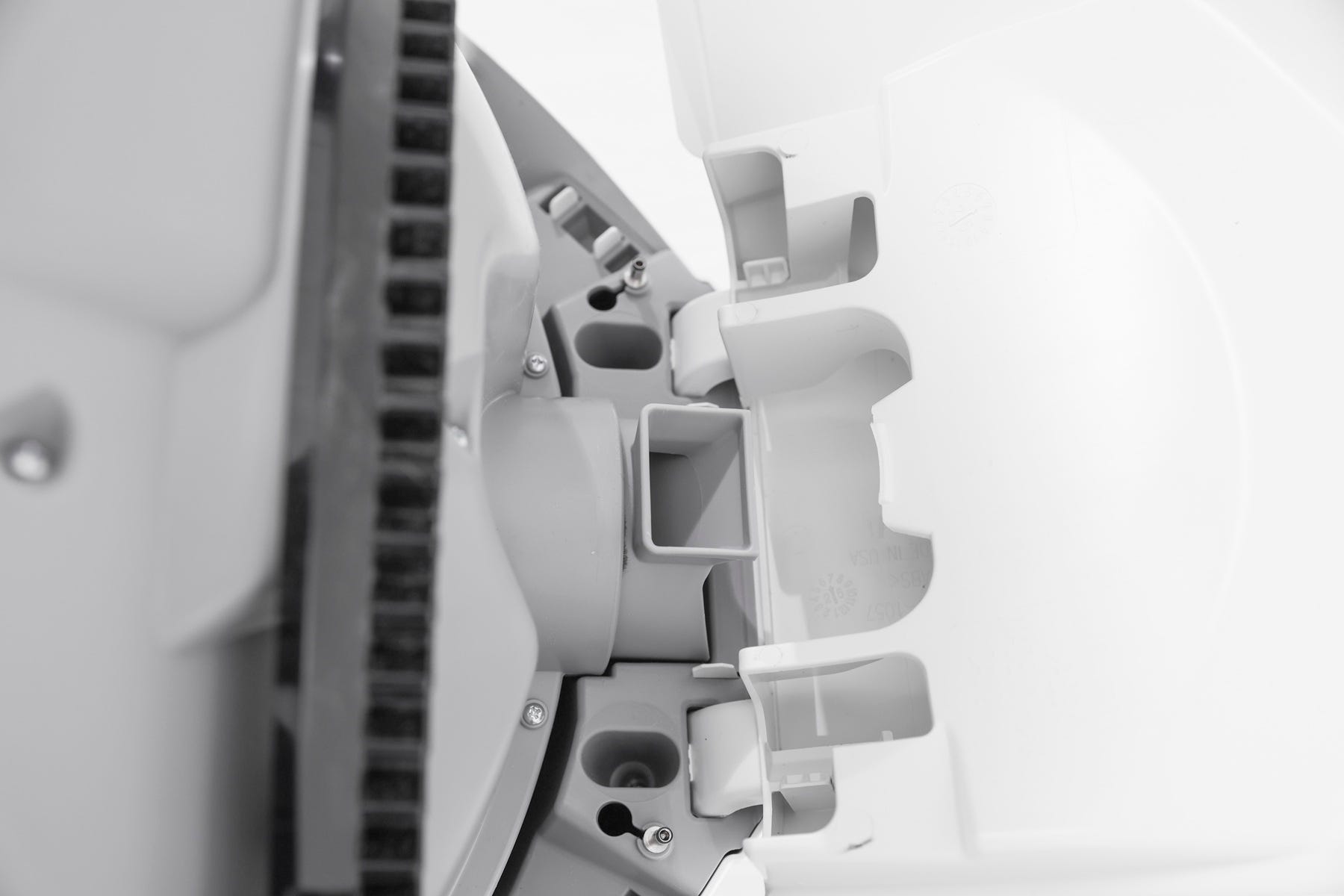
- Examine the bonnet tabs and latch areas for cracks, bending, or wear.
- Check the bonnet sensor contacts inside the base to ensure they are free of debris and not damaged.
Reinstall the bonnet
- Ensure the globe key is installed in the back of the globe with the rectangular opening facing up. Hold the key in place, lift the globe, and set it back into the base so the key drops fully into the pocket.
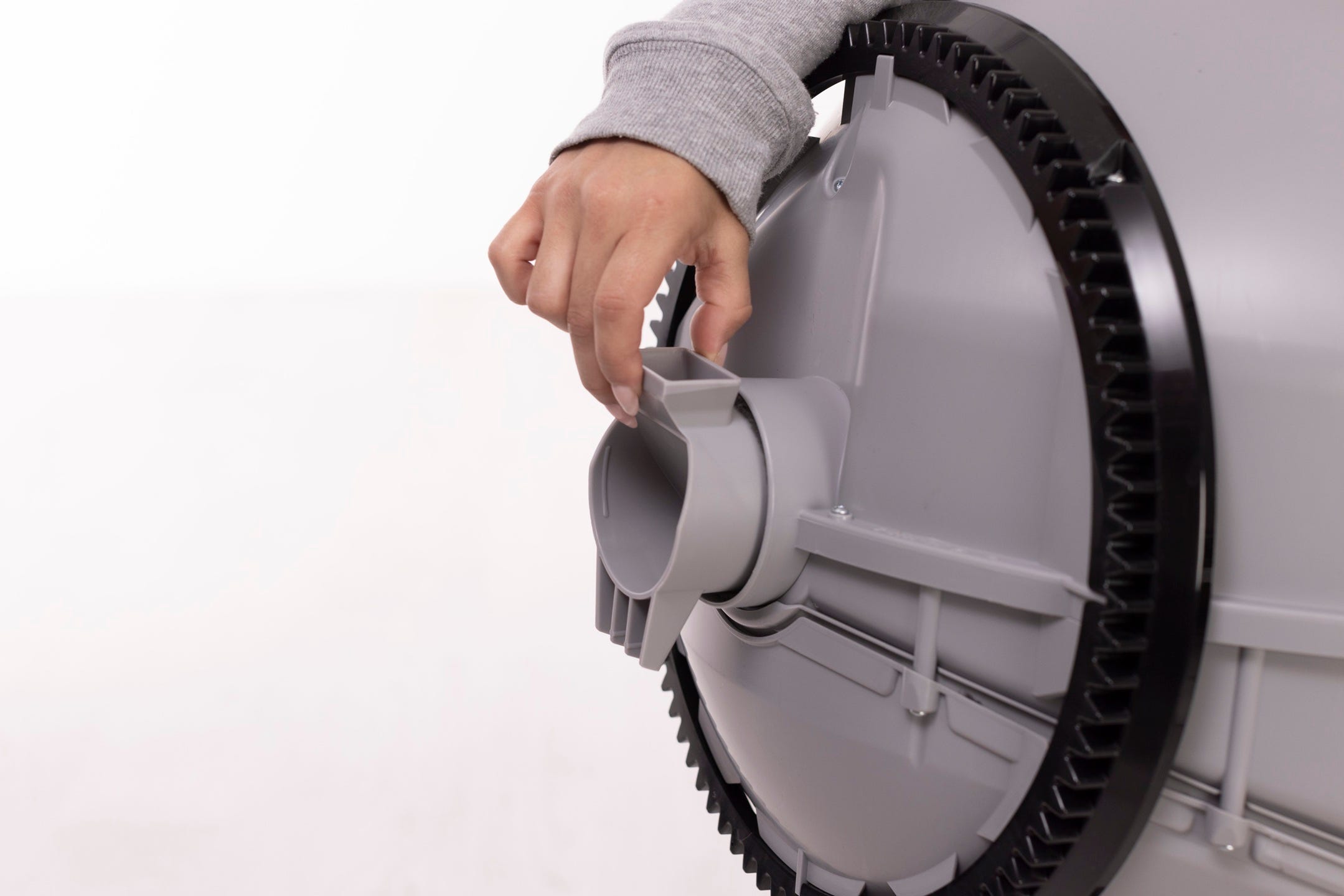
- Keep the globe handle and waste port oriented toward the top (Home position). The large black gear at the rear should easily engage with the smaller drive gear in the base.
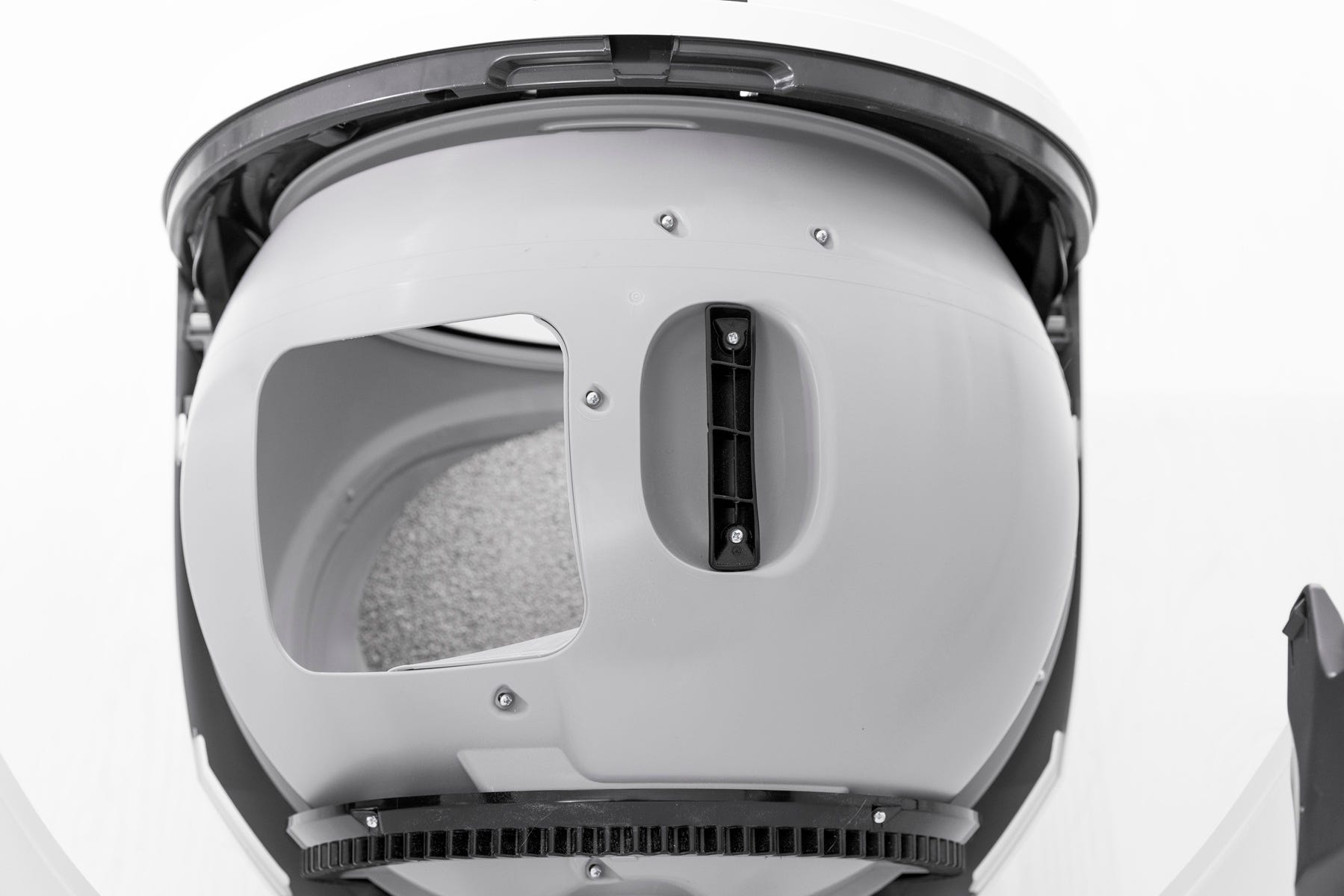
- Rotate the bonnet downward over the globe until it automatically latches into place. Press on top to confirm it’s secure. You should hear the latches click into place.
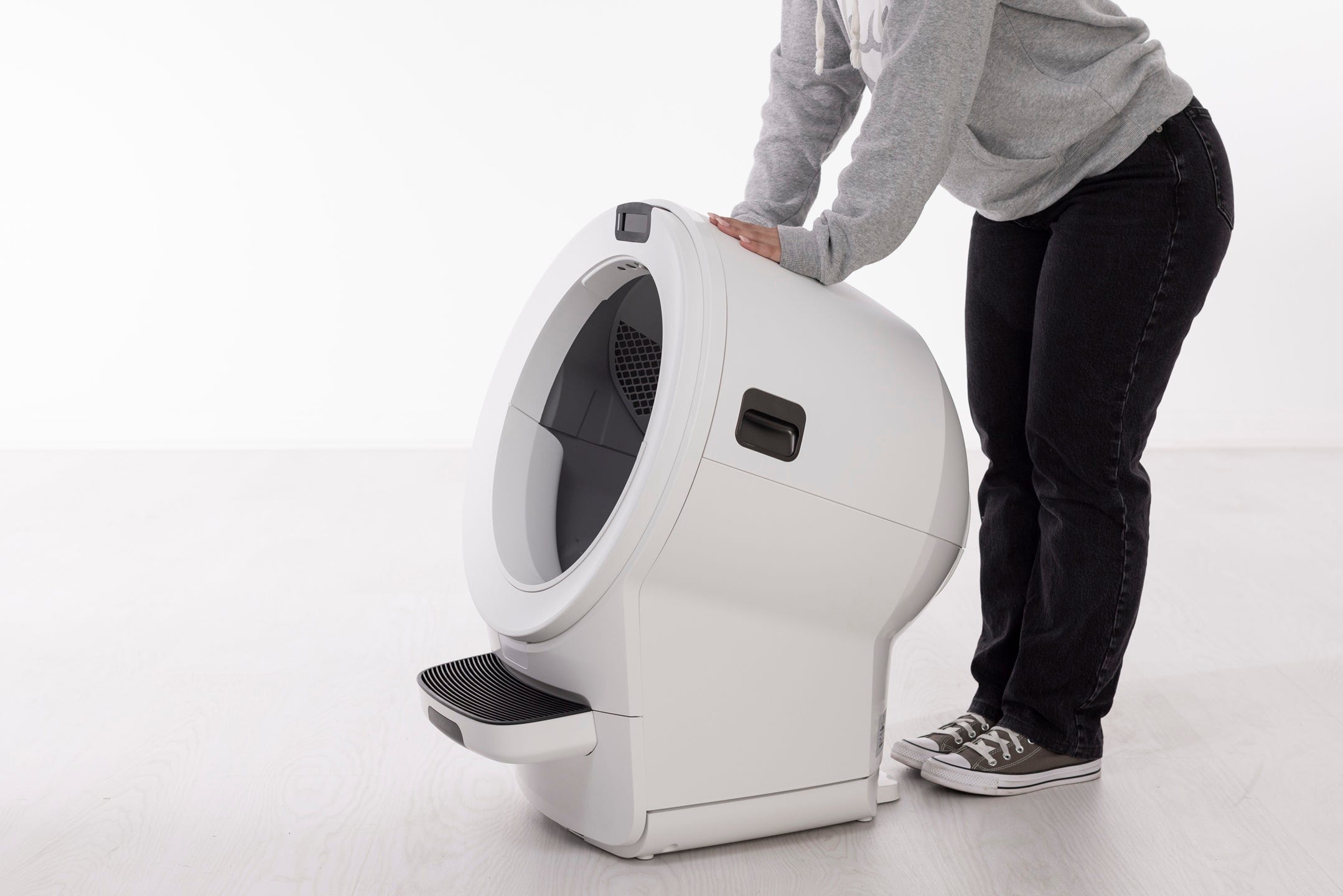
After the bonnet is correctly installed, the unit should automatically detect it and resume operation within about five seconds.

Successful: The unit returns to Home with a solid white light, indicating it is ready for use.
Unsuccessful: If the Bonnet Removed notification remains, there may be in issue with the bonnet.
Need more help?
If you are still experiencing a Bonnet Removed notification, please contact Whisker Customer Experience for further assistance.
Didn't find what you're looking for?
Live support available Mon-Fri: 9AM-9PM EST and Sat-Sun: 9AM-5PM EST, or submit a ticket anytime.