The store will not work correctly in the case when cookies are disabled.

Litter-Robot 5 & Pro: Extended scale activity
If you noticed your Litter-Robot scale has been active for too long, or your Litter-Robot 5 or Litter-Robot 5 Pro displays an Extended Scale Activity notification, the weight sensors have detected excess or continuous weight. This guide will help you identify the cause, clear the notification, and restore normal operation.
Quick links
Before you begin
Make sure:
Your unit is plugged in.
Your unit is connected and online.
Your firmware is up to date. (If the app does not show an update option, you already have the latest version.)
How SmartScale works
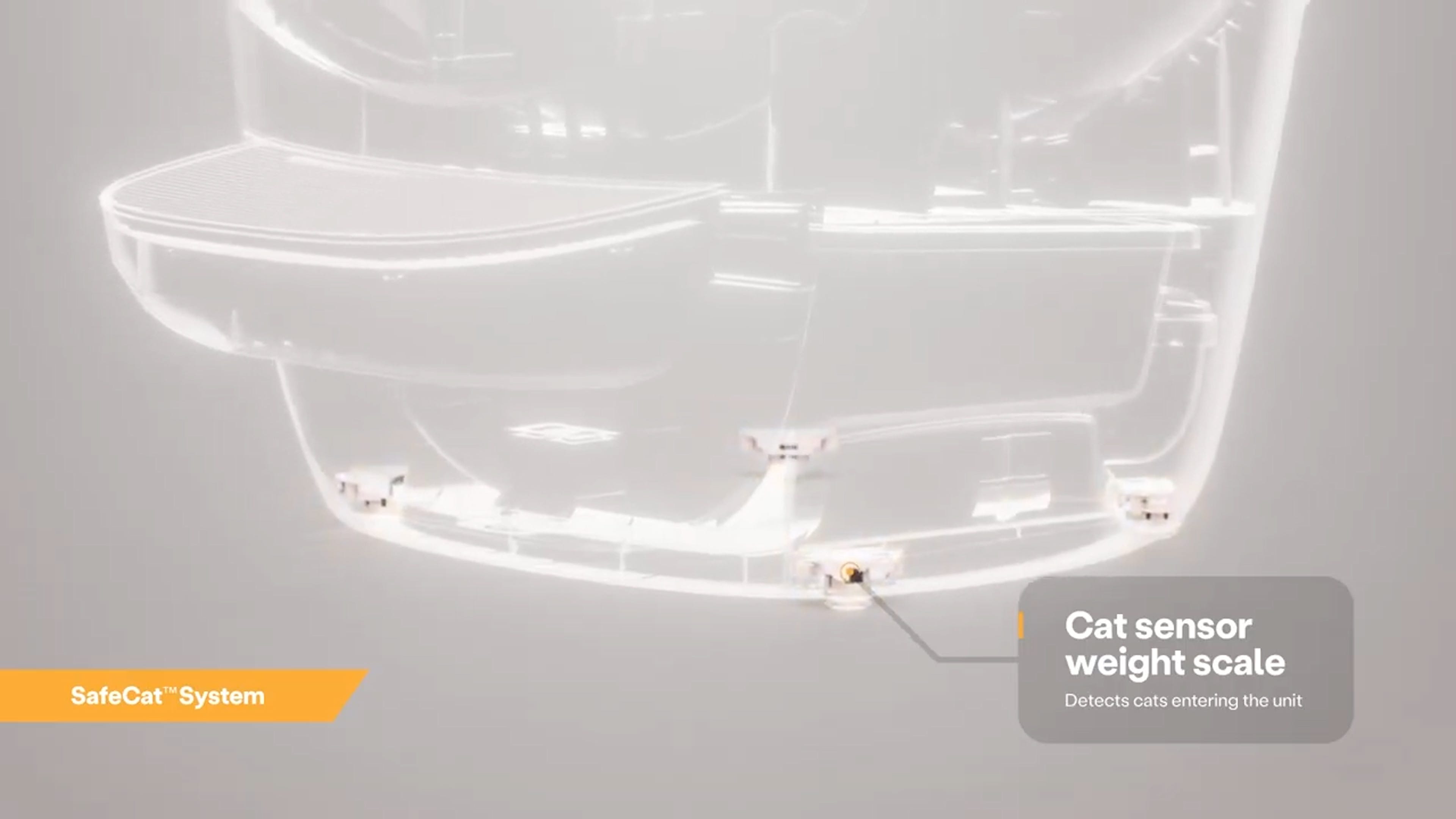
Litter-Robot 5 is equipped with SmartScale® weight sensors in the base. These sensors:
Detect when your cat enters or exits the globe.
Track changes in litter weight and waste.
Ensure each cycle begins and ends safely.
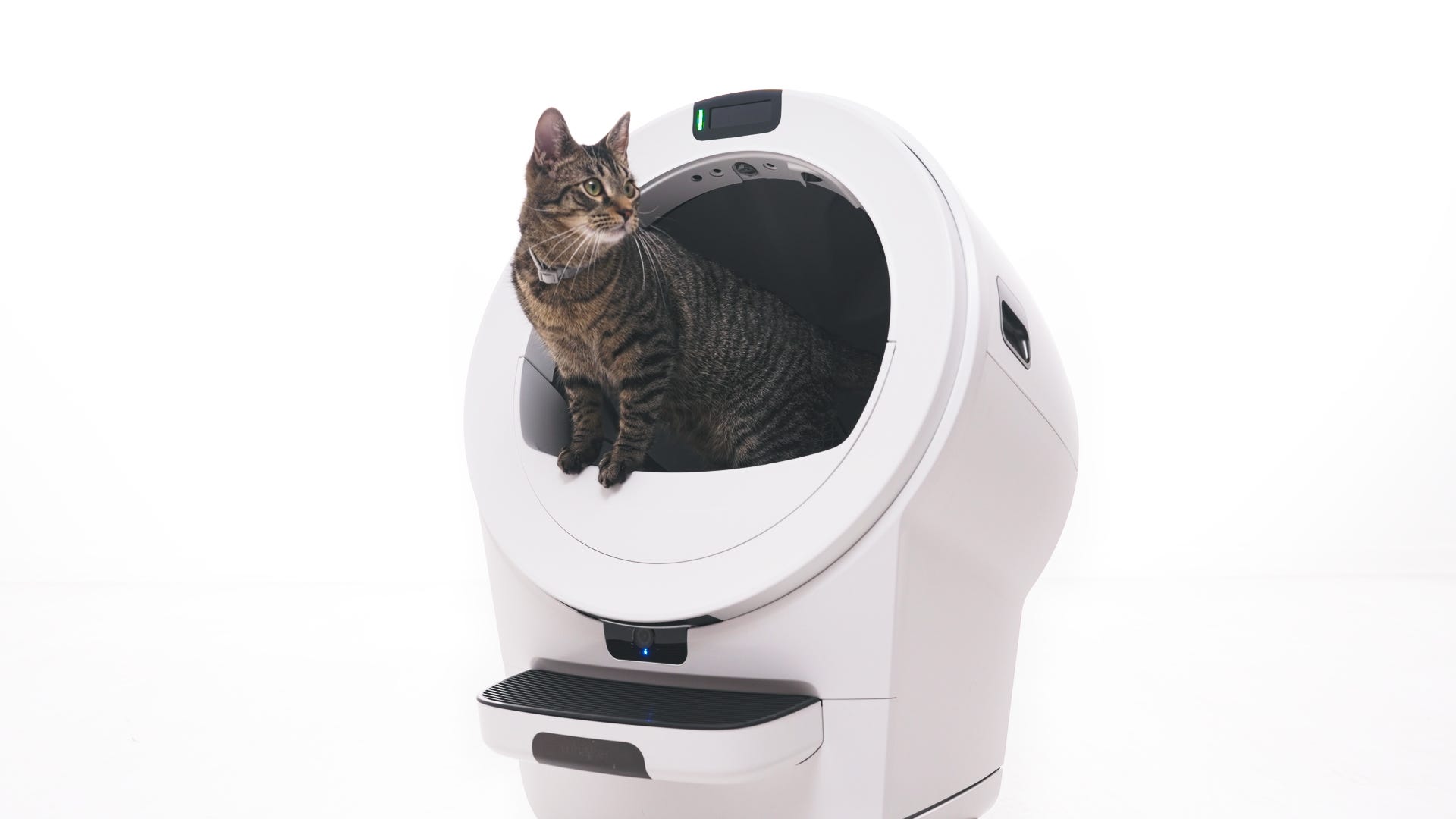
An Extended Scale Activity notification means the weight scale has been continuously triggered for more than 30 minutes. This can occur if:
A cat is sleeping in the globe.
Litter was recently added to the globe or the waste drawer was emptied without zeroing the SmartScale.
The unit has recently been moved or is on an uneven surface.
One or more feet are obstructed.
Check placement and surroundings
For accurate weight readings:
Place the unit on a firm, level surface.
Ensure all four feet move freely and are not obstructed by litter or debris.
Keep all sides of the robot clear of walls, furniture, or other surfaces.
If using a litter mat, place it fully in front of the unit, not partially underneath.
Tip: Any time you affect the weight or placement of the unit (including emptying the waste drawer, adding or removing litter, cleaning, or moving the unit), short press the Cancel button to zero the SmartScale.

Update your firmware
Firmware updates help maintain accurate sensor performance.
If no update option is available, your unit already has the latest version.
Run a test cycle
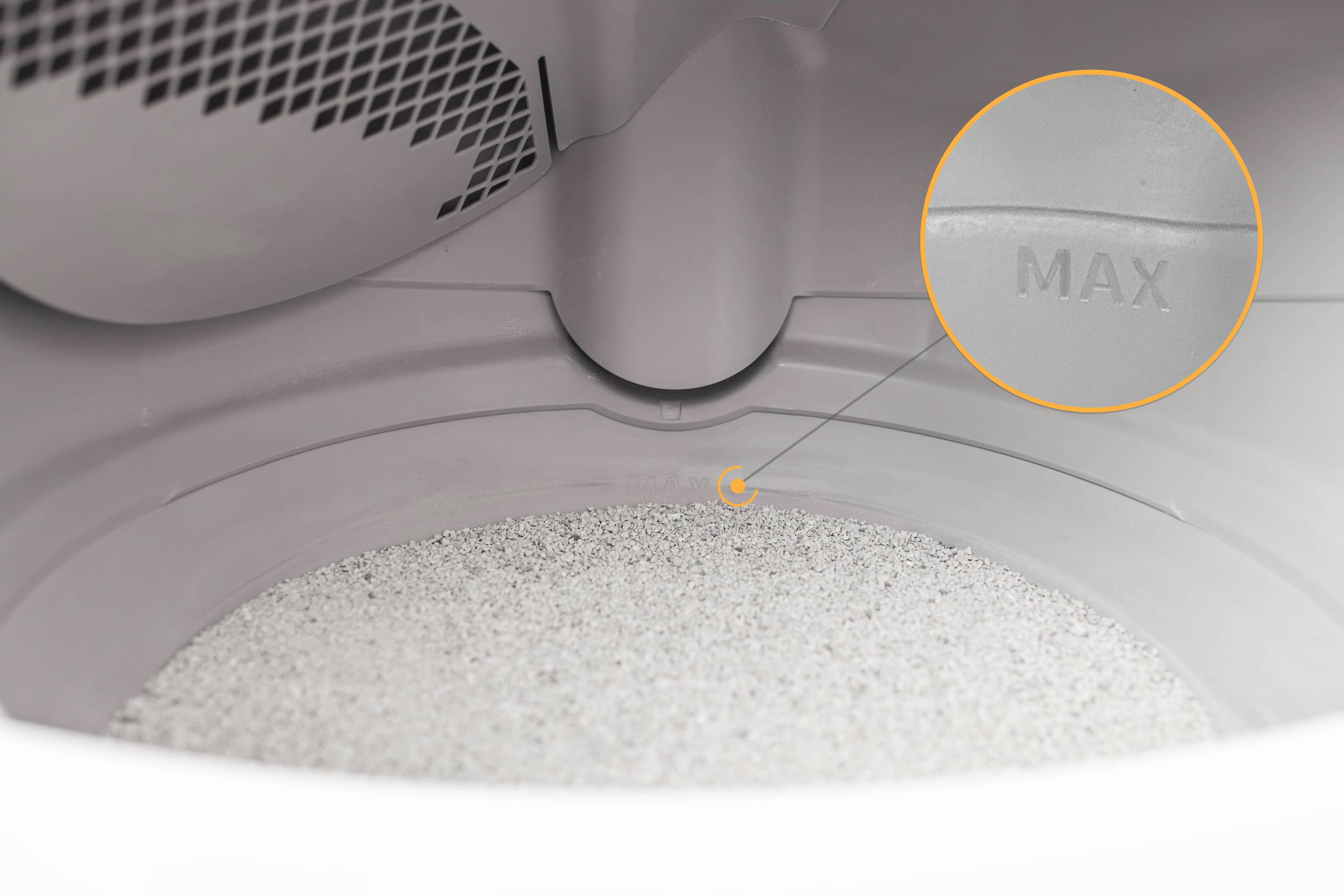
- Check that the litter is filled up to the raised MAX fill line. If it’s overfilled, remove some litter.
Short press the Cancel button to zero the SmartScale®.
- Avoid leaning or resting on the unit while pressing Cancel, as your weight may affect calibration.
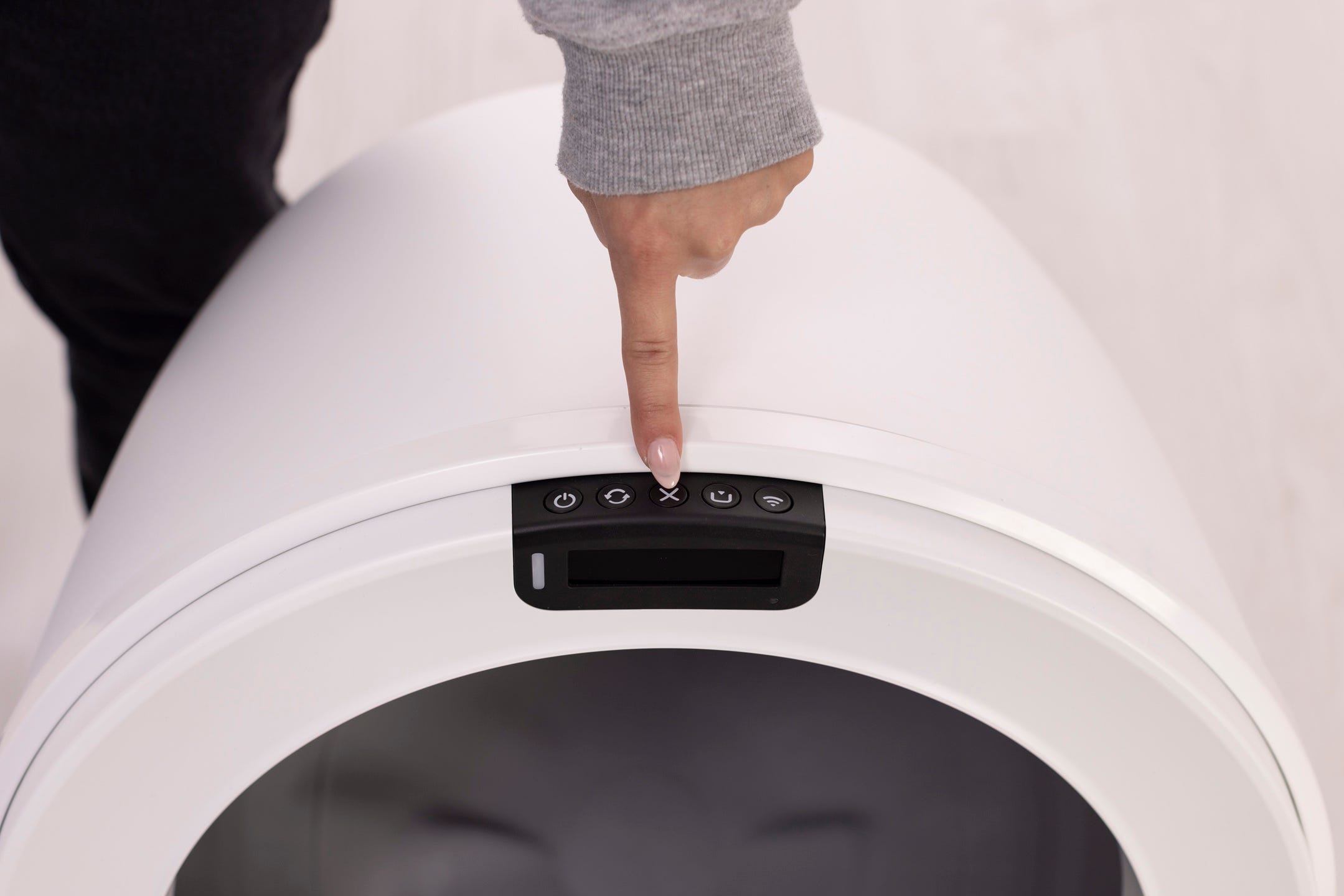
Short press the Cycle button to start a Clean Cycle.
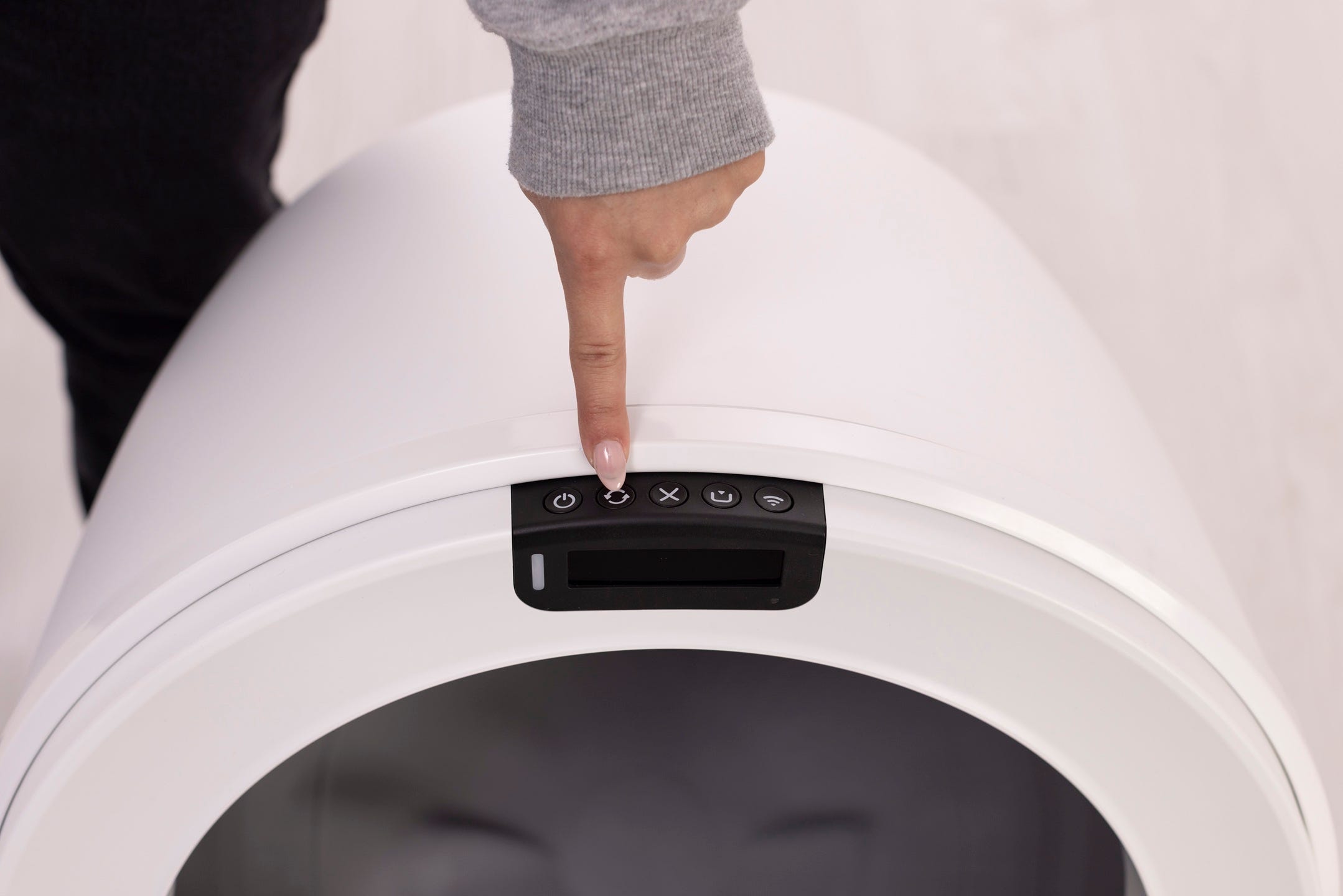
Successful: If your Litter-Robot displays a solid white light after cycling and the Extended Scale Activity notification does not return after 30 minutes, the issue is resolved.
Unsuccessful: If you still see an Extended Scale Activity notification after 30 minutes, there may be an issue with the curtain sensors or base.
Need more help?
If the Extended Scale Activity notification continues after these steps, please contact Whisker Customer Experience for further assistance.
Didn't find what you're looking for?
Live support available Mon-Fri: 9AM-9PM EST and Sat-Sun: 9AM-5PM EST, or submit a ticket anytime.