The store will not work correctly in the case when cookies are disabled.




Litter-Robot 4 Complete Bundle
As low as $818 Regular Price $943
or
LitterHopper ships separately in 1-3 business days
Ready to join the 1 million happy cat parents who’ve upgraded to Litter-Robot? Get started with the Litter-Robot 4 Complete Bundle.




- 90-day in-home trial
- Free shipping (ex. AK/HI/PR)
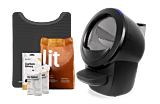
The Complete Bundle features everything you need and nothing you don’t. It comes equipped with Litter-Robot 4, LitterHopper, and a selection of our top-rated accessories, so you’re set up for a cleaner, easier litter routine from day one.
- Never Scoop Again®. Litter-Robot automatically cycles after every use
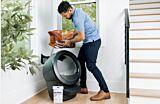
- Hands-free refills. LitterHopper automatically refills litter to optimal levels
- All-natural, low-dust, low-tracking. Lit Premium Cat Litter is the best litter for Litter-Robot.
- Less tracking. LitterTrap Mat uses innovative litter-catching technology
- Easier emptying. Waste Drawer Liners are fitted for Litter-Robot
- Superior odor control. Carbon Filter absorbs unwanted odors
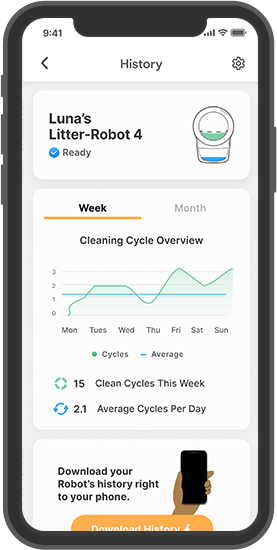
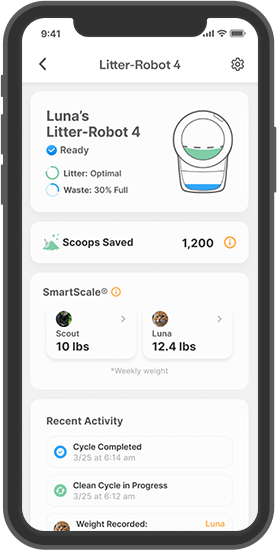
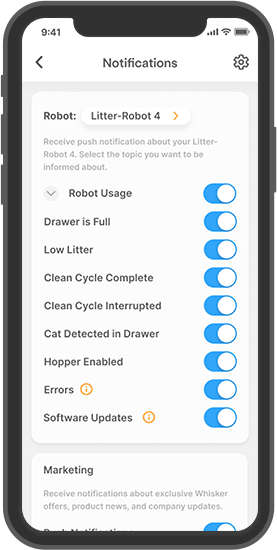
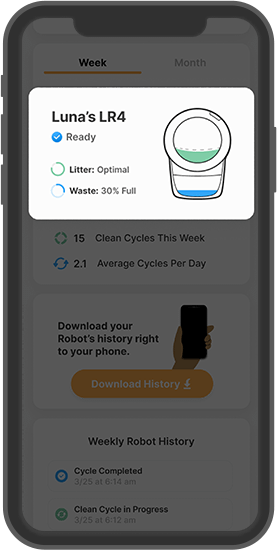
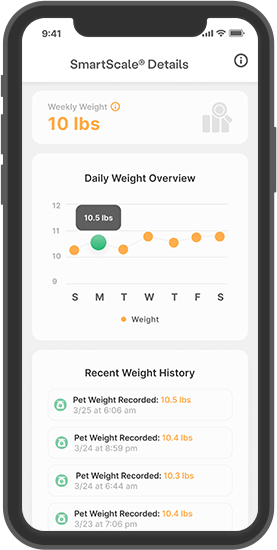
- Whisker app insights. Real-time updates on your cat’s weight and bathroom habits
- Multi-cat friendly. Works for up to 4 cats, including large breeds.
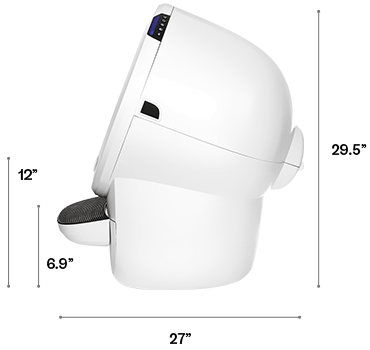
Specs
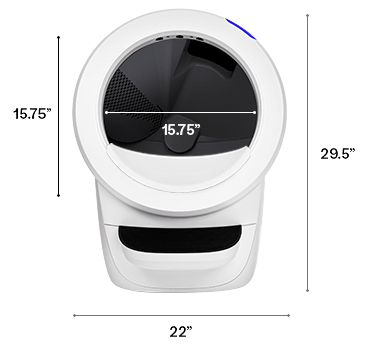
- Power: 15 Volt DC
- Entryway: 15.75’’ x 15.75”
- Weight (Empty): 24lbs.
- Footprint: 22’’ x 27’’
FAQ
Will my cat actually use Litter-Robot 4?
Most likely. Many cats use Litter-Robot within several days to a week of setting it up. Those already familiar with a covered litter box may be quicker to investigate Litter-Robot 4. The trick is to ease your cat into transitioning to Litter-Robot. You can avoid startling your kitty by leaving Litter-Robot switched off until you notice your cat has used it. We recommend that you place Litter-Robot in the same location as the old litter box. You can leave the old litter box near Litter-Robot for a short time. Take a cup of litter from the old litter box and add it to the clean litter in Litter-Robot. The scent will be familiar, and your cat should be inclined to check it out. Learn more about acclimating your cat.
Can kittens use Litter-Robot 4?
Yes. Litter-Robot 4 uses laser and weight sensor technology to detect when your cat enters and exits the globe, which triggers the countdown timer and cleaning cycle. The SmartScale® will not recognize kittens that weigh less than 3 lbs. Therefore, kittens that weigh less than 3 lbs can use Litter-Robot 4, but not in automatic mode. Until they weigh enough, we recommend using your Litter-Robot in "semi-automatic" mode to keep your kitten safe and relieve you from litter box scooping. For "semi-automatic" mode, leave Litter-Robot powered off or unplugged. When you see your kitten has used it, wait about 7 minutes for the waste to clump, then power it on. Litter-Robot will automatically perform a clean cycle. Afterward, power it off again. Continue this supervised, semi-automatic mode until your kittens have gained sufficient weight to activate the SmartScale®.
Can Litter-Robot 4 be used on carpet or uneven surfaces?
Yes. However, SmartScale® technology (to record cat weight) is most accurate on a firm, level surface, not carpeting. If you plan to use Litter-Robot 4 on carpet or uneven flooring, please purchase our Carpet Tray accessory. This will sit between the unit and the floor and improve the accuracy of SmartScale® weight readings when on carpet or uneven surfaces.
Reviews Disclaimer
Litter-Robot 4 Complete Bundle page reviews reflect Litter-Robot 4 product page reviews.
What is your return policy on cat litter?
All sales are final (no returns or refunds) on cat litter.
Do the LitterHopper® and Litter-Robot 4 ship separately?
Yes.
Litter-Robot 4 LitterHopper® FAQs
How does the LitterHopper work?
The Litter-Robot 4 LitterHopper is designed to automatically maintain the optimal Litter-Robot 4 litter level within the globe. The optimal litter bed level inside Litter-Robot 4 is at or just below the MAX fill line inside the globe. Litter-Robot 4 uses OmniSense® Detection to measure the height of the litter bed level at the end of each clean cycle. If the sensors determine that the litter bed level is below optimal, then the LitterHopper will dispense litter into the globe at the start of the NEXT clean cycle. Note: You must update your Litter-Robot 4 to the latest firmware version through the Whisker app before installing the LitterHopper. If you do not currently use the Whisker app, please download the app and update your firmware.
What type of cat litter can I use with the LitterHopper?
We recommend using clay-clumping cat litter with Litter-Robot 4, although litter beads and crystals that are small enough to pass through the screen will also work. However, translucent or white-coloured litter (most often seen in crystal litter) may impact the litter level and Drawer Full Indicator (DFI) accuracy.
How much cat litter does the LitterHopper hold and dispense?
The LitterHopper holds approximately 13 cups of cat litter. It dispenses roughly half a cup of litter at a time, for a total of approximately 25 dispenses. (Note: The LitterHopper does not dispense litter during every cleaning cycle, only when litter levels drop below optimal.)
How do I know my LitterHopper is calibrated to optimal litter levels?
When you initially enable the LitterHopper, ensure the litter level inside the globe is optimal: just below the MAX fill line. Whatever the litter level is when you enable the LitterHopper will automatically be set as the optimal litter level. This means your LitterHopper will not dispense until the litter reaches below that level.
If you need to reset your optimal litter level, please reference the "Calibrate the optimal litter level" section in the Litter-Robot 4: LitterHopper not dispensing support article.
Will the Whisker app tell me when the LitterHopper is empty?
Yes, the Whisker app will notify you when your LitterHopper is likely empty. The app closely monitors your litter bed level. If it detects a decreasing litter bed level trend over several cleaning cycles, the app will notify you that litter levels are getting low, indicating that the LitterHopper is likely empty. Please note: We are continuing to improve upon this feature; in some cases, the feature may not work as intended.
Is the LitterHopper included in my Litter-Robot 4 WhiskerCare™ Warranty?
The LitterHopper automatically includes a 1-year warranty, regardless of whether your Litter-Robot 4 is still under warranty, and is not eligible for coverage under our 3-year extended warranty.
Is the LitterHopper anti-tip guard compatible with the Litter-Robot 4 Carpet Tray?
Yes, they are compatible. The carpet tray includes a support extension for the anti-tip guard.
Are there any special cleaning instructions?
While cleaning your Litter-Robot 4, be careful that the LitterHopper key (the device used to direct litter from the LitterHopper into Litter-Robot 4) doesn’t fall out. Note that the key is designed to fit loosely in the globe, thus allowing the globe to rotate freely around it. We recommend regularly cleaning the LitterHopper dispensing area with a dry cloth or vacuum to avoid buildup of dust, loose litter, or clumps.
Why didn’t the LitterHopper add litter to my globe?
When you initially install the LitterHopper, you’ll need to start with a full bed of litter that is at or just below the MAX fill line. Litter will be added ONLY when needed and only at the start of the NEXT clean cycle. For further troubleshooting, visit our support portal.
Can I return the LitterHopper but keep my Litter-Robot 4?
If you purchased the LitterHopper at the same time as your Litter-Robot 4, you will need to return your entire unit for a LitterHopper refund. We will then ship a standard Litter-Robot 4 to you.
Weight-based ID disclaimer
When Litter-Robot 4 is equipped with the LitterHopper, weight-based ID technology will not function for cats that weigh more than 11.33 kg.
Can I use the Litter-Robot 4 Backup Battery with the LitterHopper?
No, the backup battery is not compatible with the LitterHopper.

All-in-one automatic litter box
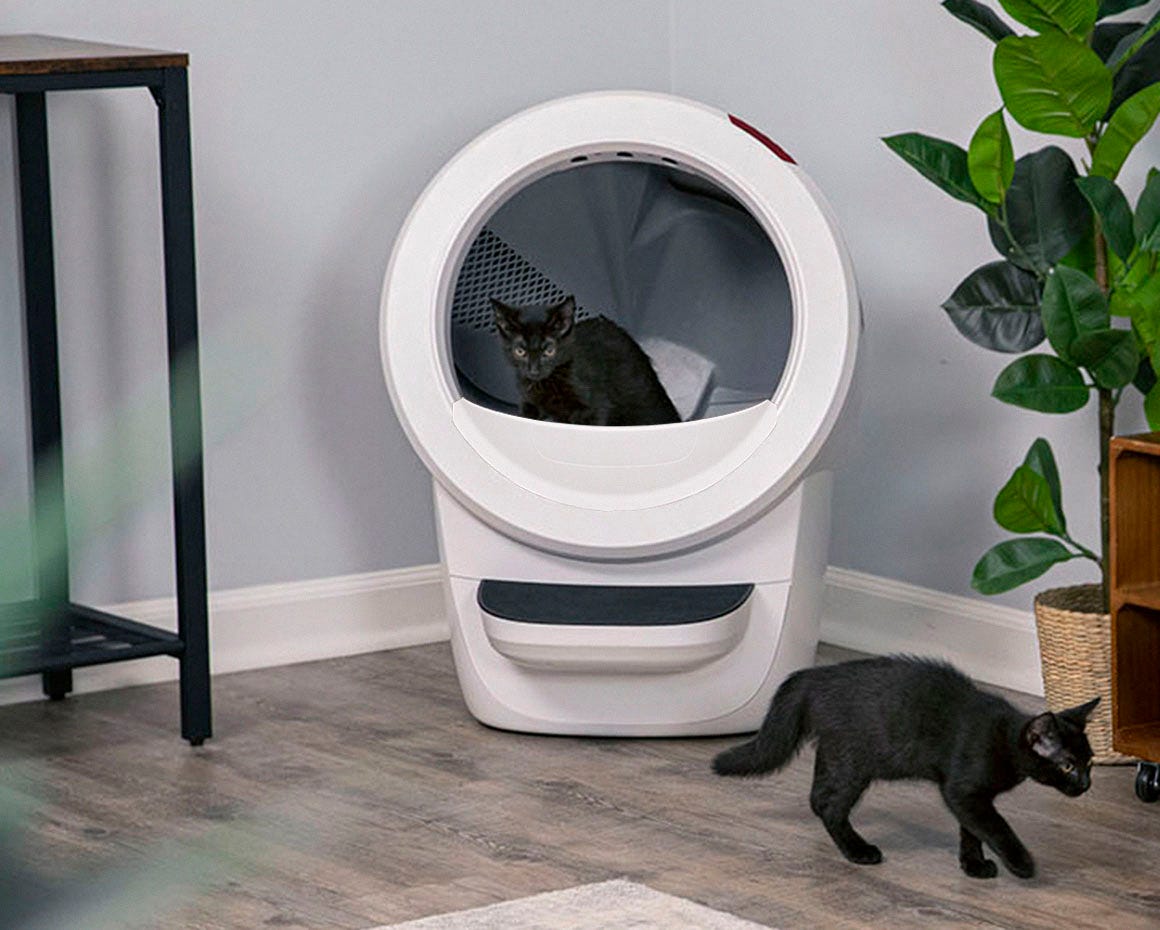
Get several chores done with one bundle. Litter-Robot 4 with LitterHopper is our top self-cleaning litter box solution with automatic litter refills. You’ll never have to scoop again, and your cat will always have optimal litter levels. Top it off with a bag of Lit, the best litter for Litter-Robot.
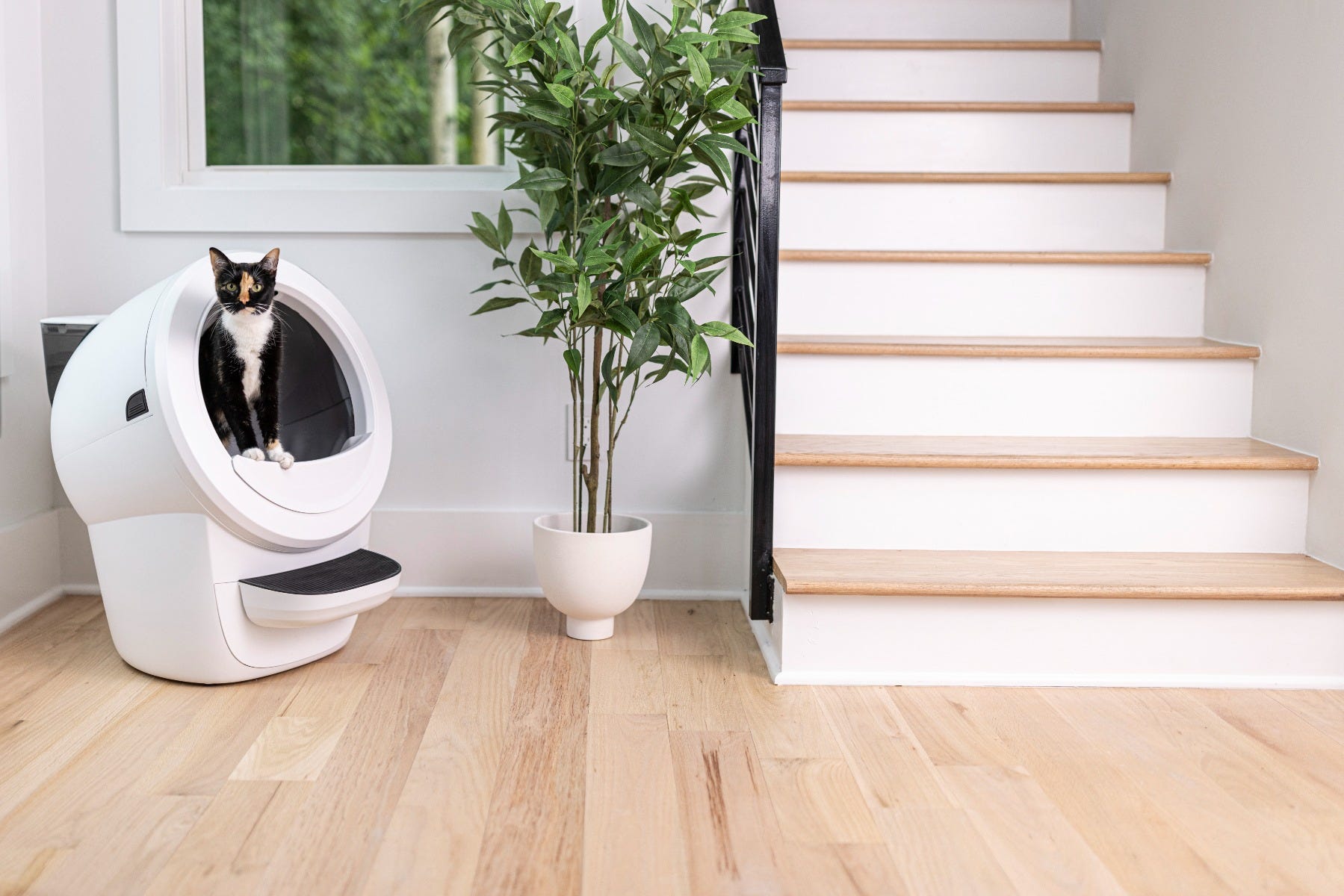
Never Scoop Again®
Litter-Robot’s patented sifting process quietly separates your cat’s waste from the clean litter, ensuring a fresh bed of litter for every use.
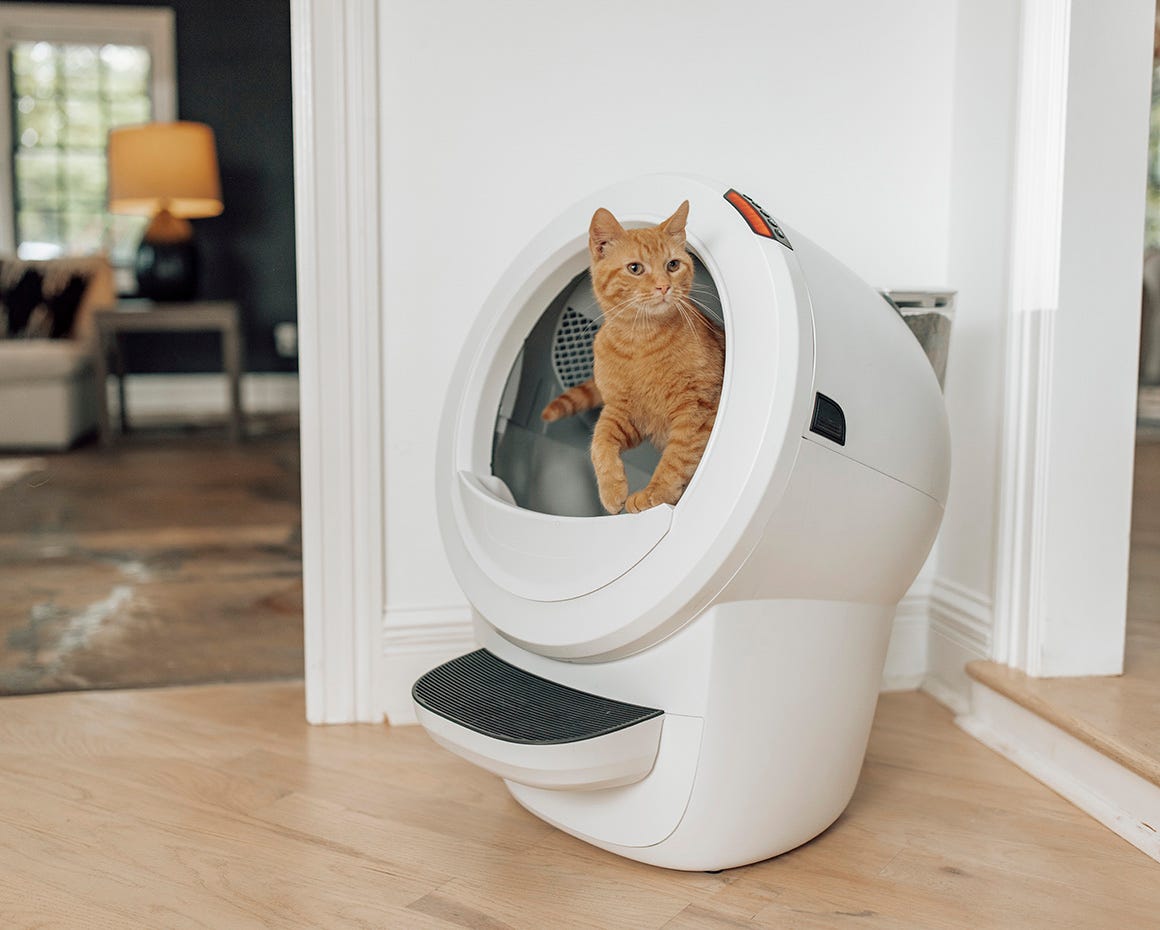
Automatic refills
The LitterHopper automatically dispenses fresh cat litter into Litter-Robot 4, ensuring litter is at the optimal level for your cat’s use.
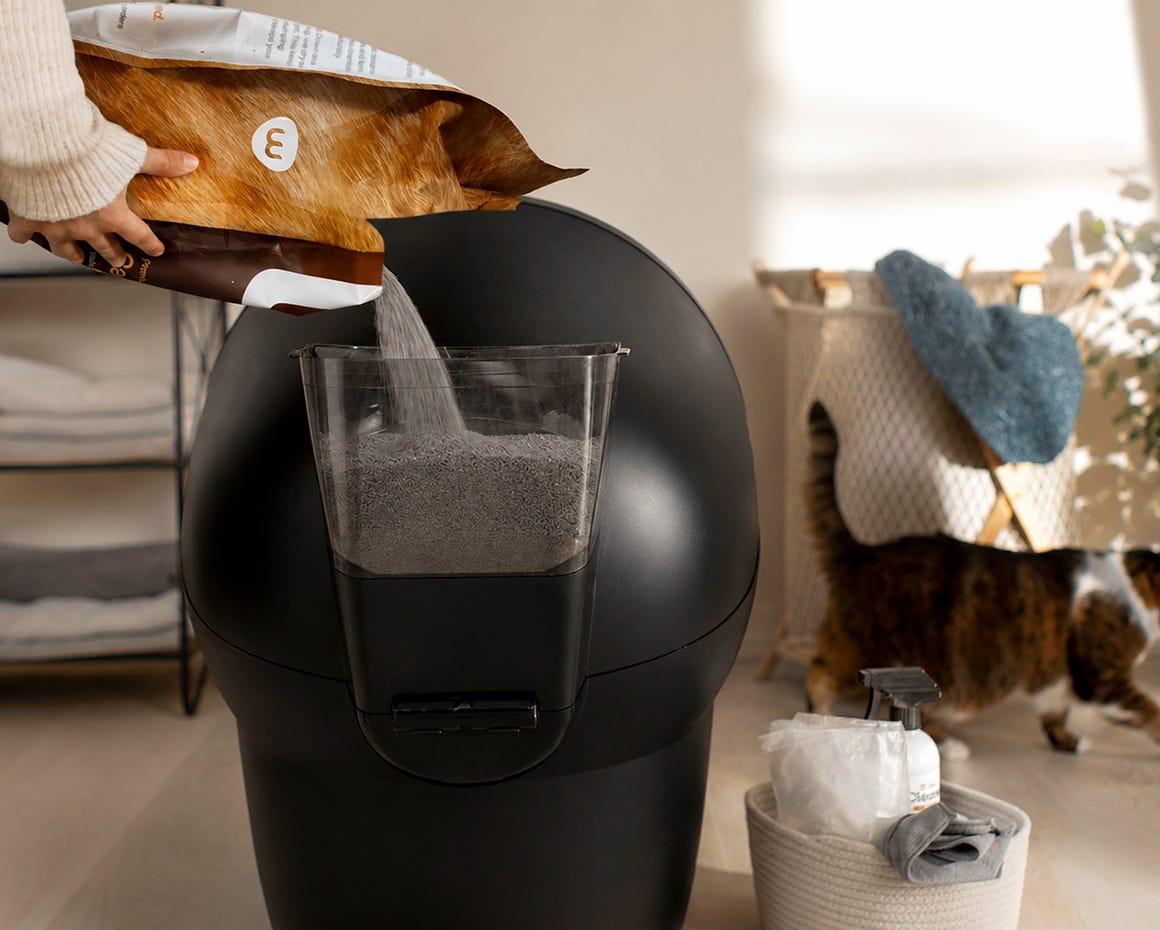
Maximum odor control
With Litter-Robot 4’s included carbon filter and tightly sealed waste drawer, odors are greatly reduced.
Minimal tracking
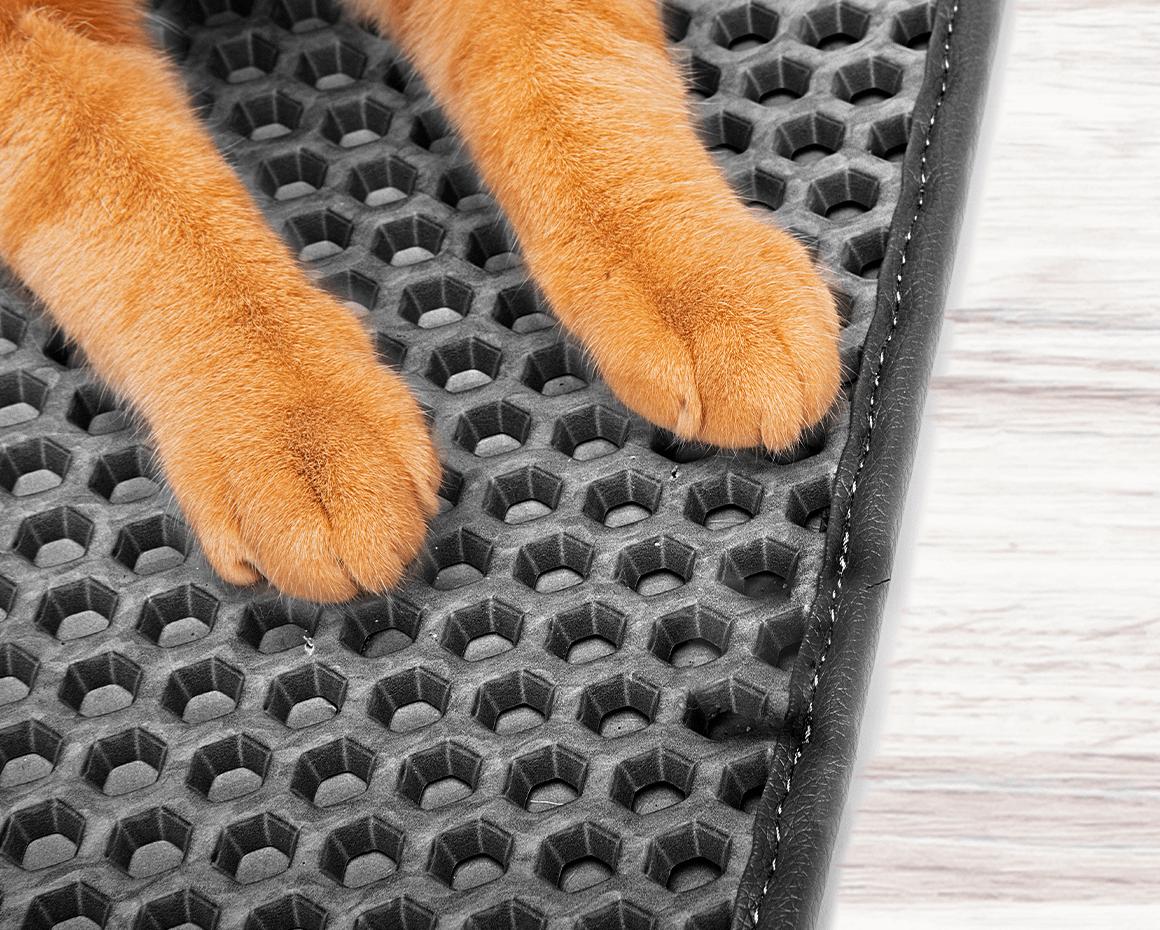
The Litter-Robot LitterTrap Mat catches litter on a urine-repellent mat below its top mesh layer to greatly reduce tracking in your home.






Reviews displayed on this website may include reviews placed on other Whisker sites, including Litter-Robot.com and Litterbox.com. We pride ourselves on transparency and non-profanity. All reviews submitted to Litter-Robot.com and Litterbox.com are unedited.
Ask a question.